
1. Wprowadzenie
The Broadlink RM5plus is a 5th-generation universal smart remote designed to control over 5,000 infrared (IR) appliances. This device acts as a smart home hub, enabling remote control and automation of your TV, air conditioner, fans, set-top boxes, and other IR 38KHz devices. It integrates with voice assistants like Alexa and Google Home for hands-free operation. This manual provides essential information for setting up, operating, and maintaining your RM5plus device.

Image 1.1: The Broadlink RM5plus central hub with icons representing various IR-controlled devices it can manage, including set-top boxes, TVs, audio systems, fans, and air conditioners.
2. Zawartość opakowania
Sprawdź, czy w przesyłce znajdują się wszystkie elementy:
- Broadlink RM5plus Hub
- Kabel USB
3. Koniec produktuview
The RM5plus features a compact design with essential indicators and ports for easy use.

Obraz 3.1: Przód i tył view of the Broadlink RM5plus, highlighting the LED indicator, USB charging port, and reset button. Dimensions are also provided: 1.70 inches (4.32 cm) height and 1.89 inches (4.80 cm) diameter.
Stan wskaźnika LED
- Migający na niebiesko: Urządzenie jest w trybie parowania.
- Stały niebieski: Device is connected to Wi-Fi and operating normally.
- Brak światła: Device is powered off or in standby mode.
4. Konfiguracja
Follow these steps to set up your Broadlink RM5plus.

Image 4.1: Visual guide for the initial setup process, illustrating checking the LED, connecting to 2.4GHz Wi-Fi, adding IR devices via the app, and linking with voice assistants.
4.1. Pobieranie i instalacja aplikacji
- Pobierz Szerokie łącze aplikację ze sklepu z aplikacjami na Twoim smartfonie (iOS lub Android).
- Zarejestruj nowe konto lub zaloguj się, jeśli już je posiadasz.
4.2. Powering On and Wi-Fi Connection
- Connect the RM5plus to a power source using the provided USB cable.
- Ensure the LED indicator is flashing blue, indicating it's in pairing mode. If not, press and hold the reset button until it flashes.
- Open the BroadLink app, tap 'Add Device', and follow the on-screen instructions to connect the RM5plus to your 2.4GHz Wi-Fi network.
- Ważny: The RM5plus only supports 2.4GHz Wi-Fi. It is not compatible with 5GHz or mesh routers. Your Wi-Fi SSID and password must be under 32 characters.
4.3. Adding IR Devices
Once the RM5plus is connected to Wi-Fi, you can add your infrared-controlled appliances.
- In the BroadLink app, select your RM5plus device.
- Tap 'Add Appliance' and choose the type of device (e.g., TV, AC, Fan).
- The app will guide you through selecting a brand from its database or using the manual IR learning function if your device is not listed.
5. Instrukcja obsługi
5.1. Zdalne sterowanie z dowolnego miejsca
Control your IR appliances remotely using the BroadLink app from any location with internet access.
- Ensure your RM5plus is connected to your home Wi-Fi and has a stable internet connection.
- Use the virtual remote controls within the BroadLink app to operate your devices.

Image 5.1: A visual representation of remote control functionality, showing a user operating an air conditioner via a smartphone, with the RM5plus acting as the intermediary.
5.2. Sterowanie głosowe bez użycia rąk
Integrate your RM5plus with Alexa or Google Home for voice-activated control.
- Link your BroadLink account with Alexa or Google Home through their respective apps.
- Use voice commands for preset functions (e.g., "Alexa, turn on the TV," "Hey Google, set AC to 22 degrees").
- Notatka: Buttons learned manually via "UserDefine" may not be directly recognized by third-party voice assistants.
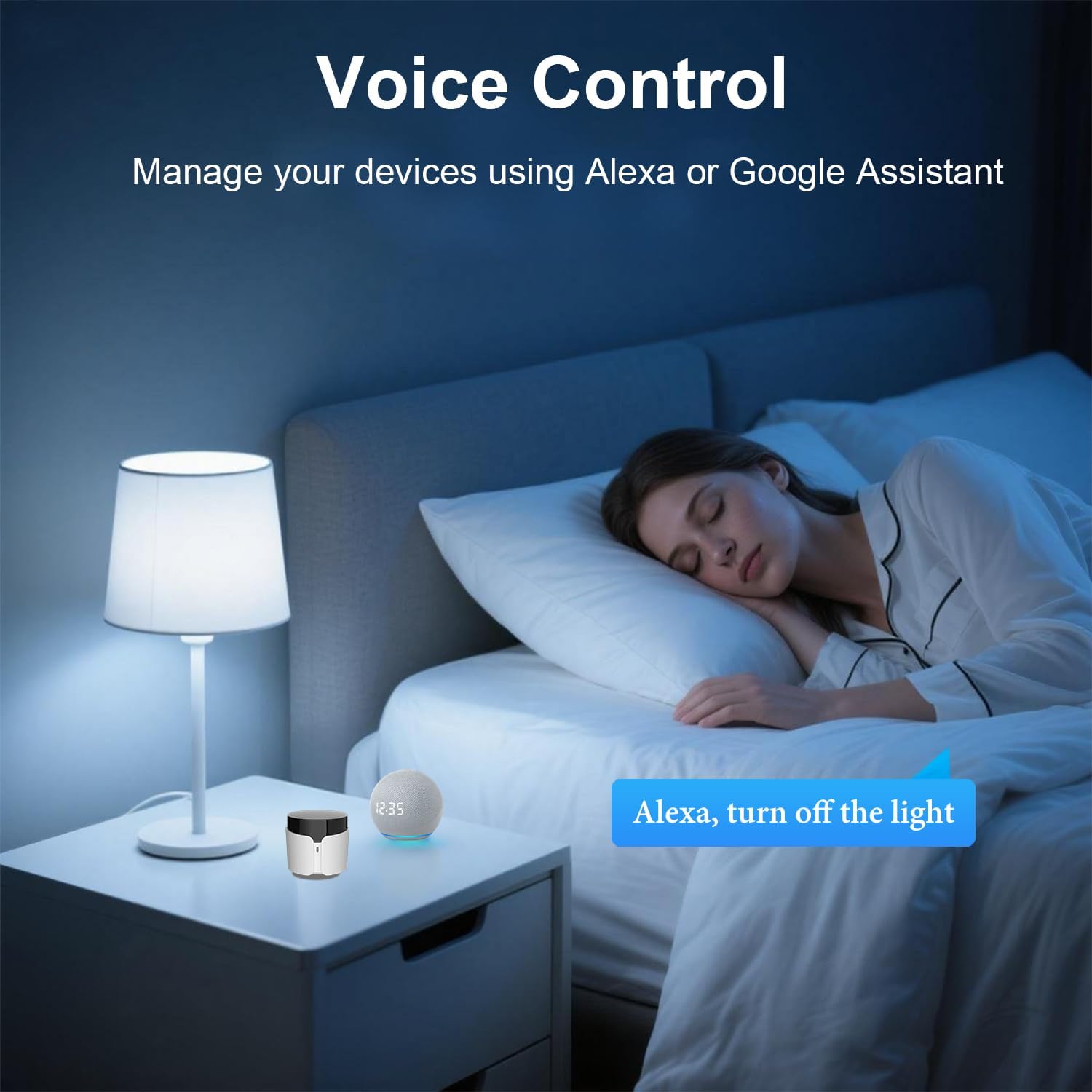
Image 5.2: An illustration of voice control in a bedroom setting, where the RM5plus and a smart speaker enable hands-free operation, such as turning off lights.
5.3. Smart Scenes, Scheduling & Automation
Create custom scenes and schedules to automate your home appliances.
- Sceny: Combine multiple actions into a single command (e.g., "Movie Night" scene to turn on TV, speakers, and DVD player).
- Harmonogram: Set timers for devices to turn on/off automatically at specific times (e.g., turn on AC before you arrive home).

Image 5.3: A screenshot of the BroadLink app demonstrating the 'Preset Scenes' feature, where users can configure single-tap actions for various routines like 'Sleep' or 'Come Home'.

Obraz 5.4: Examples of timer and scheduling functions, showing an air conditioner turning on at 8:00 AM, a fan at 11:00 AM, a TV at 3:00 PM, and an air conditioner turning off at 11:00 PM.
5.4. Manual IR Learning ("UserDefine")
If your device is not found in the BroadLink database, you can manually teach the RM5plus commands from your original remote.
- In the BroadLink app, select the RM5plus and choose the "UserDefine" option for a new appliance.
- Follow the app's instructions to point your original remote at the RM5plus and press the desired buttons. The RM5plus will learn and store these IR signals.
- Ważny: IR signals require direct line-of-sight and do not pass through walls or furniture. For optimal performance, place the RM5plus in the same room as the appliances you wish to control.
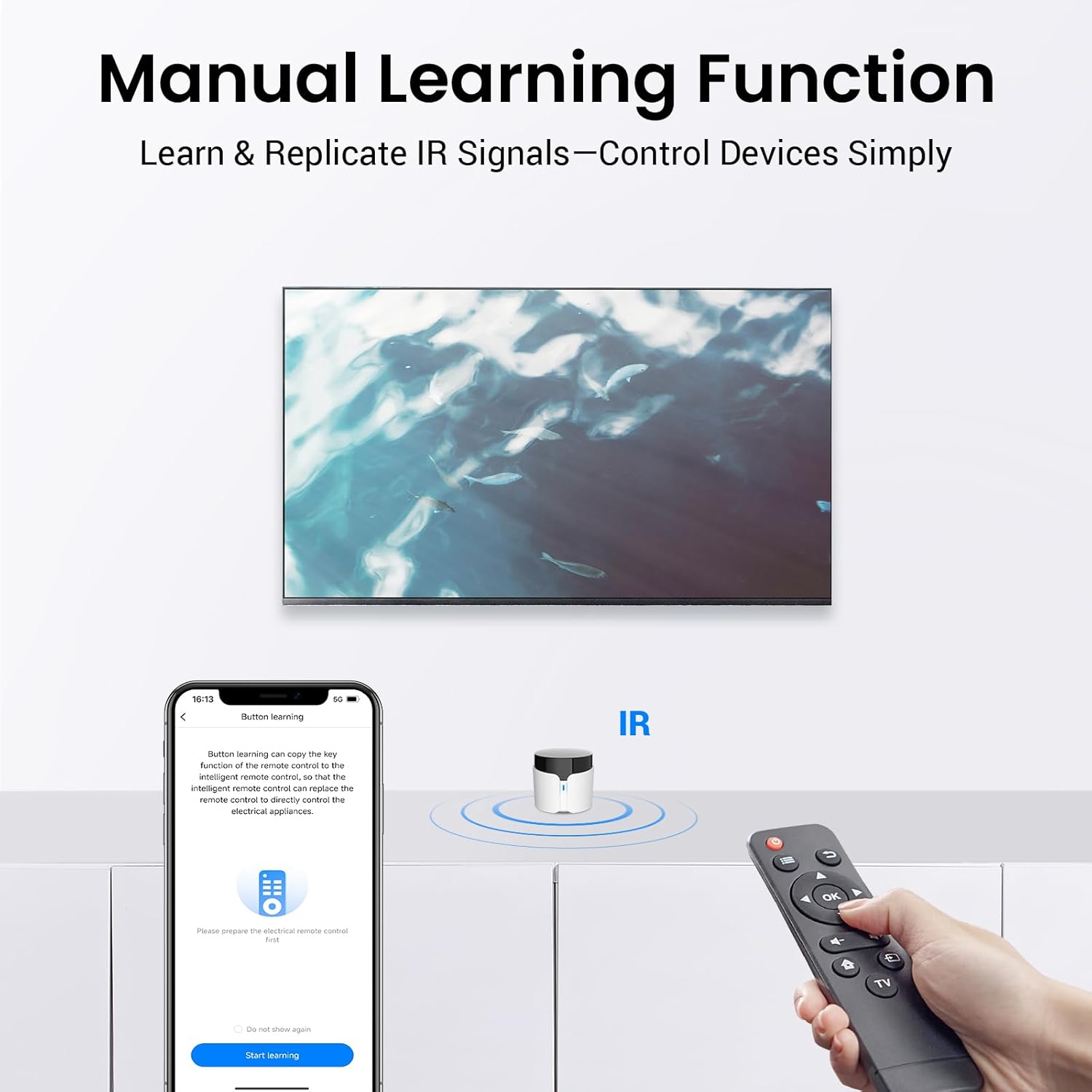
Image 5.5: The manual learning function in action, showing the BroadLink app guiding the user to teach the RM5plus commands from an existing IR remote control.
6. Konserwacja
- Utrzymuj urządzenie w czystości, wycierając je miękką, suchą ściereczką.
- Unikaj wystawiania urządzenia na bezpośrednie działanie promieni słonecznych, wysokich temperatur i nadmiernej wilgotności.
- Nie próbuj samodzielnie demontować ani naprawiać urządzenia. W przypadku problemów skontaktuj się z obsługą klienta.
- Ensure the RM5plus has a clear line of sight to the IR appliances it controls for reliable operation.
7. Rozwiązywanie Problemów
| Problem | Możliwa przyczyna | Rozwiązanie |
|---|---|---|
| Urządzenie nie może połączyć się z siecią Wi-Fi. | Incorrect Wi-Fi band (5GHz), incorrect password, SSID/password too long, weak signal. | Ensure you are connecting to a 2.4GHz Wi-Fi network. Verify Wi-Fi password. Check if SSID/password is under 32 characters. Move the RM5plus closer to the router. |
| IR appliances not responding. | No line-of-sight, incorrect IR code, device not supported. | Ensure the RM5plus has a clear line of sight to the appliance. Try re-learning the IR code using the "UserDefine" function. Confirm the appliance uses 38KHz IR. |
| Sterowanie głosowe nie działa. | BroadLink account not linked, manually learned buttons not recognized, incorrect commands. | Verify BroadLink account is correctly linked in Alexa/Google Home app. Use preset commands for voice control. Manually learned buttons may not be compatible with voice assistants. |
| Wskaźnik LED jest wyłączony. | Brak zasilania, awaria urządzenia. | Check USB cable connection and power adapter. Try a different power source. If the issue persists, contact support. |
8. Specyfikacje
| Funkcja | Szczegół |
|---|---|
| Marka | Łącze szerokopasmowe |
| Nazwa modelu | RM5plus |
| Technologia łączności | Infrared (IR 38KHz), Wi-Fi 2.4GHz |
| Maksymalna liczba obsługiwanych urządzeń | 5000+ |
| Kompatybilne urządzenia | TVs, Air Conditioners, Fans, Set Top Boxes, Audio Systems, etc. (IR 38KHz only) |
| Zgodność ze sterowaniem głosowym | Amazon Alexa, Google Home |
| Moc wejściowa | USB (kabel w zestawie) |
| Kolor | Biały |
| Kraj pochodzenia | Chiny |
9. Informacje dotyczące bezpieczeństwa
- Nie narażaj urządzenia na działanie wody i wilgoci.
- Przechowywać w miejscu niedostępnym dla dzieci.
- Use only the provided USB cable and a compatible power adapter.
- Unikaj umieszczania urządzenia w pobliżu źródeł ciepła lub w miejscu bezpośrednio nasłonecznionym.
10. Gwarancja i wsparcie
For warranty information and technical support, please refer to the official BroadLink website or contact BroadLink customer service through the app. Keep your purchase receipt for warranty claims.