
1. Wprowadzenie
This manual provides detailed instructions for the installation, operation, and maintenance of your youkey S320 Wire-Free MagCam Security Camera. The S320 is a versatile indoor/outdoor 2K battery-powered camera featuring dual-band WiFi 6, a magnetic mount for easy placement, color night vision, and intelligent person/pet detection. Please read this manual thoroughly before using the product to ensure proper function and safety.
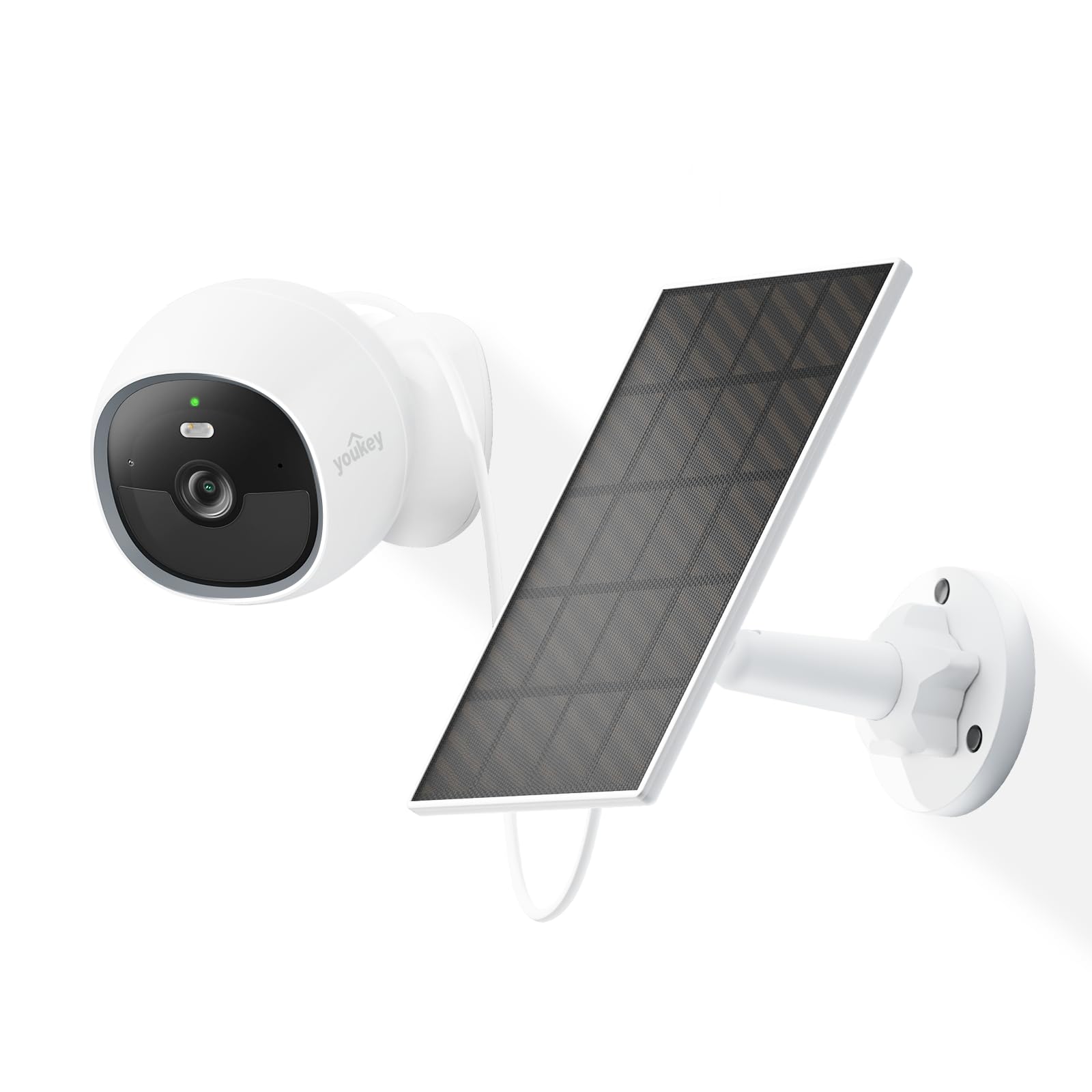
Image: The youkey S320 Wire-Free MagCam Security Camera, showcasindzięki kompaktowej konstrukcji i magnetycznej podstawie.
2. Zawartość opakowania
Sprawdź, czy w paczce znajdują się wszystkie elementy. Jeśli brakuje któregokolwiek z nich lub jest on uszkodzony, skontaktuj się z obsługą klienta.
- youkey S320 Wire-Free MagCam Security Camera
- Magnetyczna podstawa montażowa
- Screw Mounting Kit (screws and wall anchors)
- Kabel ładujący USB
- Szybki przewodnik
3. Koniec produktuview
Familiarize yourself with the components of your S320 camera.

Obraz: Ponadview diagram highlighting key features of the youkey S320 camera, including its lens, LED indicator, and mounting points.
Elementy aparatu:
- Obiektyw aparatu: Nagrywa wideo w rozdzielczości 2K QHD.
- Wskaźnik LED: Displays camera status (e.g., charging, connected, recording).
- Mikrofon: Do wprowadzania danych audio i komunikacji dwukierunkowej.
- Głośnik: Do wyjścia audio i komunikacji dwukierunkowej.
- Czujnik ruchu PIR: Detects motion for alerts and recording.
- Port ładowania: Port USB do ładowania wewnętrznego akumulatora.
- Przycisk resetowania: Służy do przywracania ustawień fabrycznych aparatu.
4. Konfiguracja
4.1. Ładowanie aparatu
Before initial use, fully charge the camera's built-in 6400mAh battery. Connect the USB charging cable to the camera's charging port and a standard USB power adapter (not included). The LED indicator will show charging status.
4.2. Pobieranie aplikacji
Pobierz youkey Life app from the Apple App Store or Google Play Store. Create an account or log in if you already have one.
4.3. Parowanie kamery
- Open the youkey Life app and tap the '+' icon to add a new device.
- Postępuj zgodnie z instrukcjami wyświetlanymi na ekranie, aby włączyć kamerę i przejść do trybu parowania.
- The camera uses Bluetooth for initial setup and then connects to your home Wi-Fi network (2.4GHz or 5GHz Wi-Fi 6 supported).
- Ensure your Wi-Fi network credentials are correct.

Image: A smartphone screen showing a successful link confirmation, illustrating the easy setup process with Dual Band WiFi 6 and Bluetooth.
4.4. Instalacja
The youkey S320 offers flexible installation options for both indoor and outdoor use.
Mocowanie magnetyczne:
For quick and easy placement on metal surfaces, attach the camera directly to the magnetic mounting base. This allows for simple angle adjustments.
Montaż śrubowy:
For non-magnetic surfaces or more secure installation, use the provided screw mounting kit. Mark the desired location, drill pilot holes, insert wall anchors (if necessary), and secure the mounting base with screws. Then, attach the camera to the base.

Image: The magnetic mount and screw pack components for the youkey S320 camera, demonstrating versatile installation options.
Solar Panel Integration (Optional):
To provide continuous power and eliminate the need for manual charging, connect the youkey SP3 Solar Panel (sold separately) to the camera. Ensure the solar panel is positioned to receive at least 1 hour of direct sunlight daily for optimal performance. The SP3 solar panel is IP65 weather-resistant, suitable for outdoor conditions.

Image: The youkey S320 camera mounted outdoors next to a youkey SP3 solar panel, illustrating continuous power capability.
5. Obsługa aparatu
5.1. Na żywo View
Access the live video feed from your camera through the youkey Life app. This allows real-time monitoring of your property.
5.2. Nagrywanie i odtwarzanie
The camera automatically records events triggered by motion detection. Recordings are stored on the built-in 8GB eMMC storage or in the cloud (subscription may apply for extended cloud features). You can review nagrano footage za pośrednictwem aplikacji.

Image: The youkey S320 camera with an overlay indicating its 8GB eMMC built-in storage for reliable performance and seamless playback.
5.3. Detekcja ruchu i alerty
The S320 features NueraMind AI Detection for accurate person and pet detection, reducing false alarms. You can customize detection zones within the app to focus on specific areas of interest.

Image: A child and a dog in a driveway, with icons indicating NueraMind Smart AI Detection for persons and pets.
Receive instant thumbnail notifications on your smartphone when motion is detected, allowing you to quickly assess the situation without opening the app.

Image: A smartphone displaying multiple instant thumbnail notifications from the youkey Life app, showing detected events.
5.4. Dźwięk dwukierunkowy
Utilize the built-in microphone and speaker for clear two-way communication through the app. This allows you to speak to visitors or deter intruders remotely.

Image: A child playing outdoors, with a speech bubble indicating two-way audio communication through the camera.
5.5. Wizja nocna
The S320 provides color night vision for clear footage even in low-light conditions, enhanced by a F1.6 aperture. Built-in spotlights can activate upon motion detection to illuminate the area and deter unwanted activity.

Image: A family enjoying an evening outdoors, viewed through a smartphone screen, demonstrating the camera's color night vision capability.
6. Konserwacja
6.1. Zarządzanie baterią
The 6400mAh battery provides extended operation. For continuous power, especially in outdoor installations, consider pairing with the youkey SP3 Solar Panel. Monitor battery levels through the youkey Life app.
6.2. Czyszczenie aparatu
Periodically clean the camera lens and body with a soft, dry cloth to ensure optimal image quality and prevent dust buildup. Do not use harsh chemicals or abrasive materials.
6.3. Aktualizacje oprogramowania sprzętowego
Ensure your camera's firmware is up to date for the best performance and security features. The youkey Life app will notify you of available updates and guide you through the process.
7. Rozwiązywanie Problemów
If you encounter issues with your youkey S320 camera, refer to the following common solutions:
- Kamera nie łączy się z siecią Wi-Fi: Ensure your Wi-Fi network is 2.4GHz or 5GHz and within range. Check Wi-Fi password. Try resetting the camera.
- Słaba jakość wideo: Sprawdź siłę sygnału Wi-Fi. Upewnij się, że obiektyw aparatu jest czysty i nie ma w nim żadnych przeszkód.
- Bateria szybko się rozładowuje: Zmniejsz częstotliwość zdarzeń związanych z wykrywaniem ruchu lub transmisją na żywo view usage. Ensure the solar panel (if used) is receiving adequate sunlight.
- Detekcja ruchu nie działa: Verify that motion detection is enabled in the app settings. Check detection zones and sensitivity levels.
- Bez dźwięku: Ensure microphone and speaker permissions are enabled in the app and on your smartphone. Check camera volume settings.
For further assistance, contact youkey customer support.
8. Specyfikacje

Image: A detailed infographic outlining the key specifications and features of the youkey S320 camera.
| Funkcja | Specyfikacja |
|---|---|
| Model | S320 |
| Rezolucja | 2.5K QHD |
| Pole View (pole widzenia) | 150° |
| Wizja nocna | Color Night Vision (F1.6 aperture), Infrared Light (10m), White Light (5m) |
| Pojemność baterii | 6400mAh |
| Łączność | Dual Band Wi-Fi 6 (2.4GHz & 5GHz), Bluetooth |
| Składowanie | Built-in 8GB eMMC, Cloud Storage option |
| Odporność na warunki atmosferyczne | IP65 |
| Wykrywanie | NueraMind AI (Human Body, Pet Detection), Customizable Zones |
| Audio | Dwukierunkowa rozmowa |
| Zgodność | Działa z Alexą, Działa z Google Home |
9. Gwarancja i wsparcie
9.1. Informacje o gwarancji
Your youkey S320 Wire-Free MagCam Security Camera is covered by a limited warranty. Please refer to the official youkey webSzczegółowe warunki gwarancji można znaleźć na stronie internetowej lub w dokumentacji zakupu.
9.2. Obsługa klienta
For technical support, troubleshooting, or warranty claims, please contact youkey customer service through the following channels:
- Webstrona: Visit the official youkey webStrona z odpowiedziami na często zadawane pytania i zasobami pomocy.
- E-mail: Refer to your product packaging or the youkey webwitryna zawierająca adresy e-mail wsparcia.
- Wsparcie w aplikacji: Access support options directly within the youkey Life application.