
Wstęp
The eppfun SK003Pro is a Bluetooth 5.4 hands-free car speakerphone designed for clear communication and safe driving. It features advanced noise reduction, voice control integration, and multi-point connectivity.
Główne cechy:
- Technologia Bluetooth 5.4: Integrates the latest low-energy Bluetooth 5.4 chip for longer transmission distance and faster speed.
- Jasna komunikacja: Equipped with a Bluetooth 5.4 chipset, integrated speaker, echo and background noise reduction, and volume control for clear calls.
- Rozmowy bez użycia rąk: Utilizes an integrated microphone and DSP technology for effective noise reduction and excellent sound quality. The 3W integrated speaker delivers clear and loud audio.
- Sterowanie głosowe: Supports safe driving with calls and navigation via Google Assistant/Siri Assistant.
- Połączenie wielopunktowe: Connects to two devices simultaneously, allowing easy switching between music and calls.
- Łatwa instalacja: Simple pairing with your mobile phone and attachment to the sun visor with the included clip.
1. Konfiguracja i instalacja
Follow these steps to set up your eppfun SK003Pro speakerphone:
- Naładuj urządzenie: Before first use, fully charge the speakerphone using the provided USB Type-C cable. A full charge takes approximately 1.5 hours.

Image: The USB Type-C charging port and ON/OFF switch are located on the side of the device. Connect the provided cable to charge.
- Włączanie: Slide the ON/OFF switch to the "ON" position. The device will enter pairing mode.
- Sparuj z telefonem:
- Włącz Bluetooth w swoim telefonie komórkowym.
- Szukaj dostępnych urządzeń Bluetooth.
- Select "eppfun SK003Pro" from the list to connect. A confirmation tone will sound upon successful pairing.
- Install in Vehicle: Attach the speakerphone to your car's sun visor using the integrated clip. Ensure it is securely fastened and does not obstruct your view.

Image: The speakerphone is designed to clip easily onto the car's sun visor for optimal microphone and speaker placement.
2. Instrukcja obsługi
2.1 Podstawowe funkcje
- Odbieranie / kończenie połączeń: Naciśnij Przycisk połączenia (phone icon) once to answer an incoming call or end an ongoing call.
- Odrzucanie połączeń: Naciśnij i przytrzymaj Przycisk połączenia na 2 sekundy, aby odrzucić połączenie przychodzące.
- Regulacja głośności: Użyj '+' I '-' buttons to adjust the call volume or media playback volume.
- Ponowne wybieranie ostatniego numeru: Naciśnij dwukrotnie Przycisk połączenia aby ponownie wybrać ostatnio wybierany numer.
2.2 Asystent głosowy (Siri/Asystent Google)
The eppfun SK003Pro supports voice commands through your phone's assistant.
- Aktywuj asystenta głosowego: Naciśnij Przycisk mikrofonu (microphone icon) once to activate Siri or Google Assistant on your connected phone.
- You can then use voice commands for navigation, making calls, sending messages, and more, ensuring safe driving.
2.3 Połączenie wielopunktowe
The device can connect to two mobile phones simultaneously.
- Pair the first phone as described in the "Setup" section.
- After the first phone is connected, put the speakerphone back into pairing mode (usually by briefly disconnecting and reconnecting, or by holding the call button if it has a dedicated pairing function - refer to specific device prompts if available).
- Pair the second phone.
- The speakerphone will now be connected to both devices, allowing you to switch between them for calls or media.

Image: The speakerphone supports connecting to two mobile phones simultaneously, enabling seamless switching between devices.
3. Konserwacja
- Czyszczenie: Do czyszczenia urządzenia należy używać miękkiej, suchej ściereczki. Nie należy używać płynów czyszczących ani aerozoli.
- Składowanie: Przechowywać urządzenie w chłodnym i suchym miejscu, z dala od bezpośredniego światła słonecznego i ekstremalnych temperatur.
- Pielęgnacja baterii: To prolong battery life, avoid fully discharging the battery frequently. Charge the device regularly, even if not in use for extended periods. The high-quality lithium battery offers up to 500 hours of standby time.

Image: The device features an 800mAh lithium battery, providing extended standby time and reliable performance.
4. Rozwiązywanie Problemów
If you encounter issues with your eppfun SK003Pro, refer to the following solutions:
| Problem | Możliwa przyczyna | Rozwiązanie |
|---|---|---|
| Nie można sparować z telefonem. | Bluetooth is off on phone; device is not in pairing mode; device battery is low. |
|
| Poor call quality / Others cannot hear me clearly. | Microphone obstruction; low volume; environmental noise; device not positioned correctly. |
|
| No sound from speakerphone. | Volume too low; device not connected; media routed to phone speaker. |
|
| Asystent głosowy nie odpowiada. | Not activated; phone settings. |
|
5. Specyfikacje
| Funkcja | Szczegół |
|---|---|
| Marka | śmiech |
| Numer modelu | SK003Pro |
| Kolor | Szary |
| Technologia łączności | Bluetooth 5.4 |
| Kompatybilne urządzenia | Smartfon, Tablet |
| Tworzywo | Akrylonitryl-butadien-styren (ABS), metal |
| Wyjście głośnika | 3W (Dual 3W speakers, 40MM Graphene Diaphragm)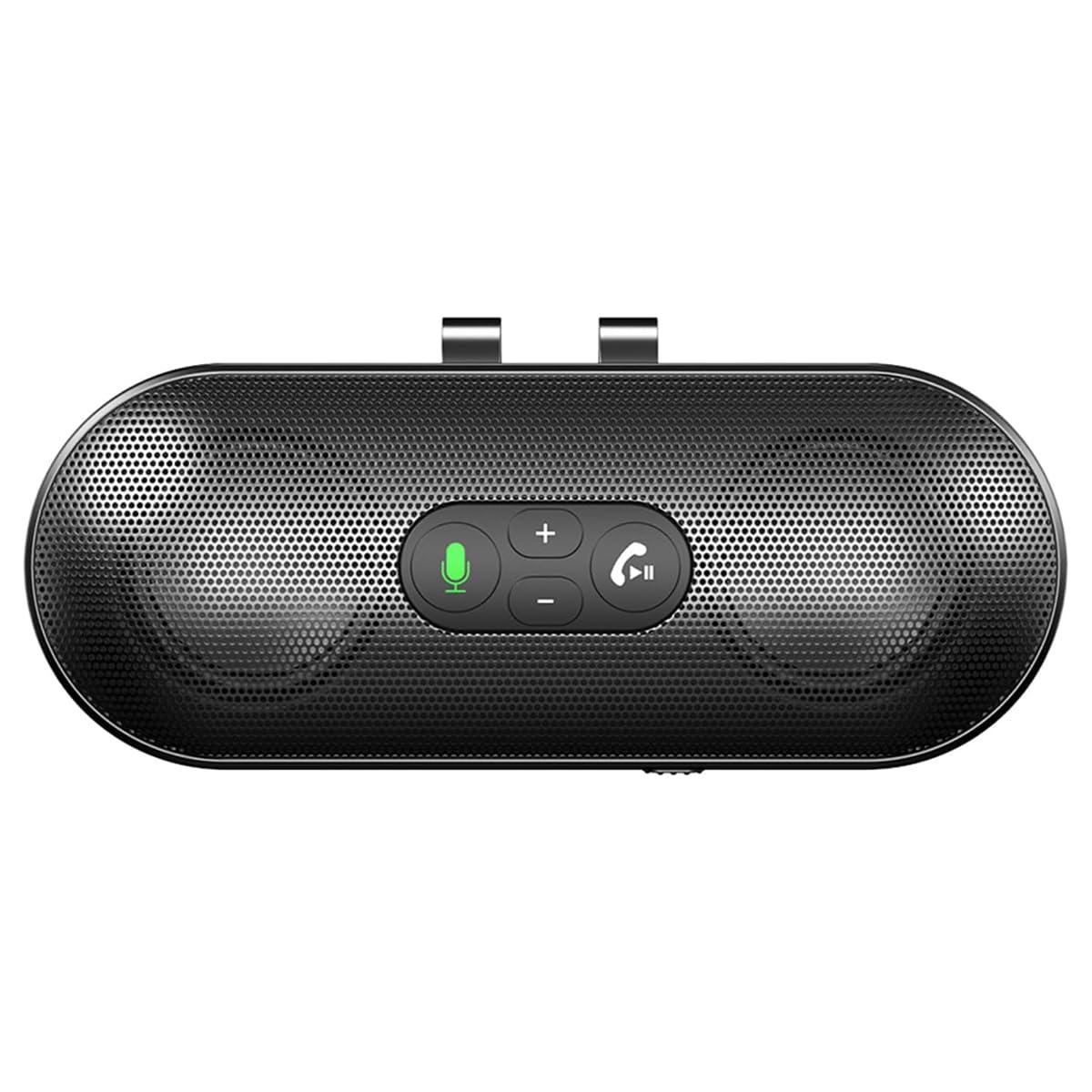 Image: The speakerphone features a powerful audio system with dual 3W speakers and 40mm Graphene Diaphragms for clear and loud sound. |
| Mikrofon | Integrated, High-definition with DSP noise reduction |
| Typ baterii | Litowo-jonowy (800mAh) |
| Port ładowania | USB typu C |
| Czas ładowania | Około 1.5 godzin |
| Czas czuwania | Do 500 godzin |
| Kraj pochodzenia | Chiny |
6. Informacje o gwarancji
The eppfun SK003Pro comes with a manufacturer's warranty.
- Gwarancja producenta: 1 rok
- Proszę zachować dowód zakupu na potrzeby roszczeń gwarancyjnych.
- Warranty does not cover damage caused by misuse, accidents, unauthorized repairs, or normal wear and tear.
7. Obsługa klienta
For further assistance or inquiries, please contact eppfun customer support:
- Producent: śmiech
- Webstrona: www.eppfun.com (Uwaga: To jest symbol zastępczy URL, please refer to your product packaging or official documentation for the correct support webstrona.)
- E-mail: support@eppfun.com (Note: This is a placeholder email, please refer to your product packaging or official documentation for the correct support email.)
When contacting support, please provide your product model number (SK003Pro) and a detailed description of the issue.