
Jakeko JK07B1
Jakeko JK07B1 Magnetic Portable Monitor Desk Clamp Instrukcja obsługi
Model: JK07B1 | Brand: Jakeko
Wstęp
This manual provides essential information for the safe and effective use of your Jakeko JK07B1 Magnetic Portable Monitor Desk Clamp. Designed for versatility and stability, this mount allows you to position your portable monitor, tablet, or phone for optimal viewing. Please read these instructions carefully before installation and operation to ensure proper setup and longevity of your device.
Informacje dotyczące bezpieczeństwa
- Upewnij się, że clamp is securely fastened to a stable, flat surface (e.g., desks, nightstands, coffee tables) before attaching any device. Not suitable for headboards or unstable surfaces.
- Do not exceed the maximum load-bearing capacity of 4.4 lbs (2 kg). Overloading may cause instability and damage.
- When removing a portable monitor or tablet, lift from the magnetic bottom side first to prevent accidental detachment or sudden drops.
- Keep small parts, such as screws and cable clips, away from children to prevent choking hazards.
- Regularly check all connections and adjustment points to ensure they remain tight and secure.
Zawartość opakowania
Przed przystąpieniem do instalacji sprawdź, czy wszystkie komponenty są obecne i nieuszkodzone.
- Strong Magnetic Portable Monitor Mount (1)
- Biurko Clamp Baza (1)
- Magnetic Plate (1)
- VESA Plate (1)
- Magnetic Copper Sheets (2)
- Zaciski kablowe (4)
- Klucz imbusowy (1)
- Mounting Screws (various sizes for VESA)

Image: All components of the Jakeko JK07B1 Magnetic Portable Monitor Desk Clamp, including the main arm, desk clamp, magnetic plate, VESA plate, magnetic sheets, cable clips, and tools.
Instrukcje konfiguracji
Follow these steps for proper assembly and installation of your monitor desk clamp.
1. Zamontuj biurkoamp do powierzchni
- Choose a stable, flat surface for installation.
- Unscrew the knob on the desk clamp until it opens wide enough to fit over the edge of your desk or table.
- Umieść klamp on the edge and tighten the knob firmly until it is secure. Ensure the clamp jest stabilny i nie chwieje się.

Image: Step-by-step visual guide for securing the desk clamp to a table surface.
Video: Official Jakeko US video demonstrating the installation and usage methods for the monitor desk clamp.
2. Złóż ramię monitora
- Insert the main arm into the desk clamp opierać.
- Tighten the locking ring on the desk clamp base to secure the arm.
- Attach the magnetic plate or VESA plate to the end of the arm, depending on your device.

Image: The monitor arm demonstrating its precision adjustment capabilities, including 360° swivel and 180° angle adjustment.
3. Device Attachment (Magnetic or VESA)
The mount supports two primary methods for attaching your device:
- Mocowanie magnetyczne: For devices without VESA, attach one of the provided magnetic copper sheets to the back of your device. Ensure the surface is clean and dry for optimal adhesion. Then, simply place your device onto the magnetic plate on the arm.
- VESA Attachment: For portable monitors with 75x75mm VESA mounting holes, use the VESA plate and included screws to secure your monitor to the arm.

Image: Visual comparison of direct VESA installation and the self-adhesive magnetic mount for devices.
Video: Official Jakeko US video demonstrating the magnetic attachment for a portable monitor or tablet.
Instrukcja obsługi
The Jakeko JK07B1 mount offers extensive flexibility for optimal viewing and workspace organization.
Regulacja położenia i kąta
- Regulacja wysokości: Use the side-mounted wrenches on the arm joints to loosen, adjust the height, and then re-tighten to secure the desired position. No additional tools are required.
- Regulacja kąta: The arm features multiple joints that allow for 180° angle adjustments. Loosen the corresponding wrench, set the angle, and tighten.
- Obrót: The base of the clamp allows for 360° rotation, enabling you to swivel the entire arm. The magnetic plate also offers 360° rotation for your device.
- Zasięg: The arm provides a 24-inch reach, allowing you to position your device precisely where needed.

Image: The monitor arm in use across different environments, highlighting its adaptability for working, cooking, and leisure.
Zarządzanie kablami
Utilize the included cable clips to route and secure your device's cables along the arm, maintaining a tidy and organized workspace.
Video: Official Jakeko US video demonstrating the usage and adjustment methods of the mount, including cable management.
Konserwacja
- Czyszczenie: Przetrzyj uchwyt miękką, suchą ściereczką. Unikaj środków czyszczących o właściwościach ściernych i rozpuszczalników, które mogą uszkodzić wykończenie.
- Stawy: Periodically check the tightness of all adjustment screws and levers. Tighten if necessary to maintain stability.
- Magnetic Sheets: If using magnetic attachment, ensure the magnetic sheets on your device are clean and free from debris to maintain strong adhesion.
Rozwiązywanie problemów
- Góra jest chwiejna: Upewnij się, że biurko jestamp is fully tightened to the surface. Check all arm joints and tighten the side-mounted wrenches.
- Device is slipping from magnetic mount: Verify that the magnetic copper sheet is securely attached to your device and that the magnetic plate on the arm is clean. Ensure the device weight does not exceed 4.4 lbs.
- Difficulty adjusting arm: Loosen the side-mounted wrenches slightly before attempting to adjust the arm's position or angle. Re-tighten once the desired position is achieved.
Specyfikacje
| Funkcja | Szczegół |
|---|---|
| Model | JK07B1 |
| Marka | Jakeko |
| Tworzywo | High-grade Aluminum Alloy |
| Kolor | Czarny |
| Maksymalna ładowność | 4.4 funta (2 kg) |
| Zgodność | 4.7" - 18.5" portable monitors, tablets, iPads, phones; 75x75mm VESA support |
| Obrót | 360° at base and magnetic plate |
| Długość ramienia | Do 24 cali |
| Waga przedmiotu | 2.68 funta |
| Wymiary opakowania | 15.83 x 6.61 x 2.68 cala |
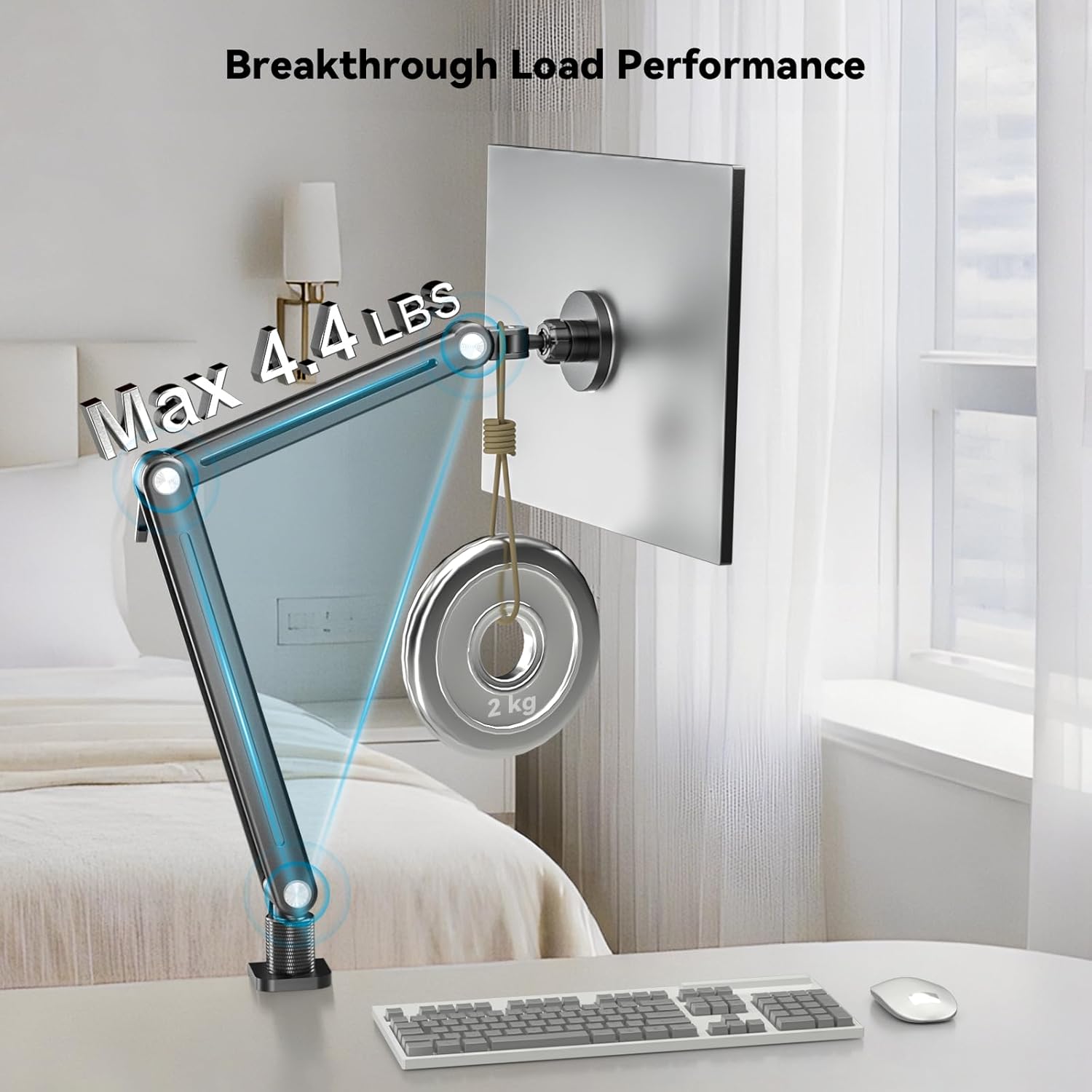
Image: The monitor arm demonstrating its robust load-bearing performance, supporting up to 4.4 lbs.
Gwarancja i wsparcie
For warranty information, technical support, or any inquiries regarding your Jakeko JK07B1 Magnetic Portable Monitor Desk Clamp, please refer to the official Jakeko webOdwiedź stronę internetową lub skontaktuj się bezpośrednio z działem obsługi klienta. Zachowaj paragon zakupu na wypadek reklamacji.