
Samsung QE55QN85FAU
Samsung Neo QLED 4K Vision AI Smart TV 55-inch QE55QN85FAUXZT User Manual
Model: QE55QN85FAU
1. Wprowadzenie
This manual provides essential information for the safe and efficient use of your Samsung Neo QLED 4K Vision AI Smart TV, model QE55QN85FAUXZT. Please read these instructions thoroughly before operating your TV and retain them for future reference.
Your new Samsung Neo QLED TV features a 55-inch display with a NQ4 AI Gen2 Processor, offering 4K AI Upscaling for vivid and realistic colors. It includes advanced audio technologies like Dolby Atmos & OTS Lite for an immersive sound experience, and smart features such as Smart Hub, Gaming Hub, and SmartThings for comprehensive entertainment and home management.
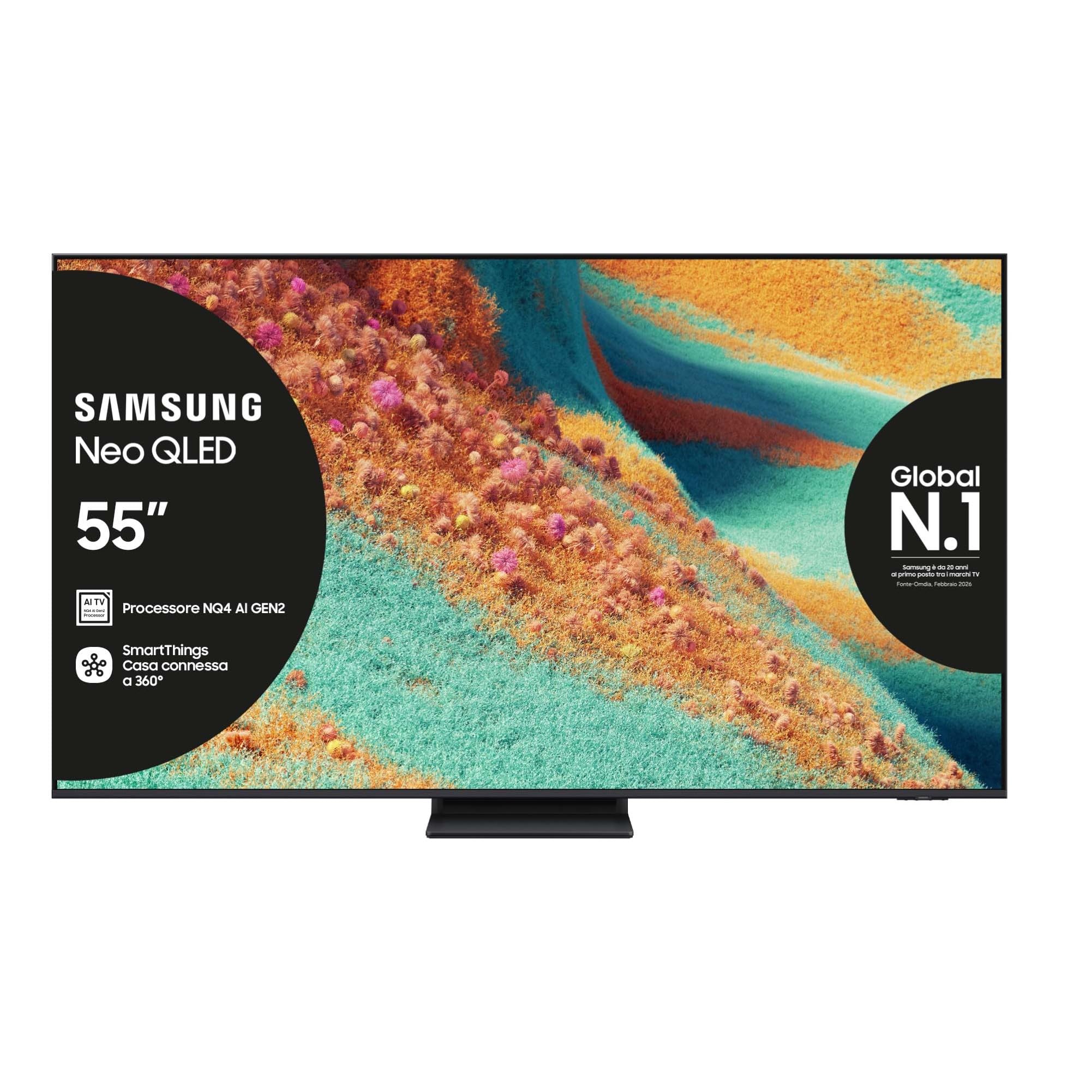
Przód view of the Samsung Neo QLED 4K Vision AI Smart TV 55-inch.

Strona view of the Samsung Neo QLED 4K Vision AI Smart TV 55-inch, highlighting its slim design.
2. Konfiguracja
2.1 Rozpakowanie i zawartość opakowania
Carefully unpack your TV and check that all components are present. The package should include:
- 1x Samsung Smart TV 55" Serie QN85F
- 2x Remote Controls (one solar-powered, one standard)
- Kabel zasilający
- Instrukcja obsługi (ten dokument)

Contents of the TV package, including the power cable, user manual, solar remote, and standard remote.
2.2 Fizyczna instalacja
Place the TV on a stable, flat surface or mount it on a wall using a compatible VESA mount (200 x 200 mm). Ensure adequate ventilation around the TV.

Detailed dimensions of the 55-inch TV, including width, height, and depth with stand.
2.3 Podłączanie urządzeń peryferyjnych
Connect your external devices to the appropriate ports on the back of the TV. The TV features multiple connectivity options:
- Porty HDMI: 4 ports for connecting devices like Blu-ray players, game consoles, or set-top boxes. One port supports eARC.
- Porty USB: 2 ports (1x USB 3.0, 1x USB 2.0) for connecting USB storage devices.
- Port Ethernet (LAN): Do przewodowego połączenia internetowego.
- Antenna (ANT) Input: Do podłączenia anteny naziemnej lub kablowej.
- Optyczne cyfrowe wyjście audio: Do podłączenia do soundbara lub odbiornika audio.

Rear panel of the TV displaying the HDMI, USB, LAN, and antenna input ports.
2.4 Pierwsze włączenie zasilania i konfiguracja sieci
After connecting the power cable, press the power button on the remote control. Follow the on-screen instructions to complete the initial setup, including language selection, network connection (Wi-Fi or Ethernet), and channel scanning.
3. Instrukcja obsługi
3.1 Korzystanie z pilota zdalnego sterowania
Your TV comes with two remote controls. The solar-powered remote offers convenient charging via ambient light, while the standard remote provides traditional battery operation. Both remotes allow full control over TV functions, including navigation, volume, channel selection, and smart features.

The remote control interacting with the Samsung Vision AI Companion interface, demonstrating voice command capabilities.
3.2 Smart Features (Smart Hub, Gaming Hub, SmartThings)
Access a world of entertainment and smart home control through your TV's integrated smart features:
- Inteligentny Hub: Your central portal for streaming apps (Disney Plus, Netflix, Prime Video, YouTube), live TV, and connected devices.
- Centrum gier: Provides access to cloud gaming services and optimizes settings for a smooth gaming experience (Motion Xcelerator 144 Hz).
- Inteligentne rzeczy: Control compatible smart home devices directly from your TV, creating a connected living environment.

The Smart Hub interface displaying various streaming content and navigation options.

The Gaming Hub interface, optimized for gaming with various game titles displayed.

The SmartThings interface showing control options for various smart home devices.
3.3 Technologie obrazu i dźwięku
Your TV incorporates advanced technologies for an enhanced viewdoświadczenie słuchania i słuchania:
- NQ4 AI Gen2 Processor & 4K AI Upscaling: Utilizes artificial intelligence to optimize picture quality, enhancing details and colors to near-4K resolution, regardless of the original source.
- Quantum Matrix Plus: Precisely controls the TV's Mini LEDs for ultra-fine light and dark areas, delivering exceptional contrast and detail.
- Neo Quantum HDR+: Provides extraordinary brightness and vivid colors, enhancing the dynamic range of content.
- Dolby Atmos & OTS Lite: Object Tracking Sound Lite creates a 3D audio experience where sound follows the action on screen, complemented by Dolby Atmos for immersive surround sound.
- Adaptacyjny dźwięk Pro: Automatically calibrates sound based on the content and room acoustics for optimal audio delivery.
- Q-Symfonia: Synchronizes the TV's speakers with a compatible Samsung soundbar (not included) for a richer, more expansive soundstage.

The NQ4 AI Gen2 Processor, the brain behind the TV's advanced AI features and 4K upscaling.

Visual representation of 4K AI Upscaling, showing how lower resolution content is enhanced.

Quantum Matrix Plus technology illustrated with a surfing scene, highlighting precise light control.

Comparison showing the enhanced brightness and color of Neo Quantum HDR+ versus standard dynamic range (SDR).

Dolby Atmos and OTS Lite audio technology creating a three-dimensional sound experience with a wave scene.

Object Tracking Sound Lite (OTS Lite) visually represented with sound waves emanating from a train on screen.

Adaptive Sound Pro adjusting audio based on different content types, from nature sounds to sports commentary.
4. Konserwacja
4.1 Czyszczenie telewizora
Aby wyczyścić ekran, delikatnie przetrzyj go miękką, niepozostawiającą włókien ściereczką. W przypadku uporczywych zabrudzeń delikatnie przetrzyjampPrzetrzyj ściereczkę wodą lub specjalnym środkiem do czyszczenia ekranów. Unikaj stosowania silnych środków chemicznych, materiałów ściernych ani bezpośredniego spryskiwania ekranu.
Wyczyść ramę i podstawę telewizora miękką, suchą ściereczką. Przed czyszczeniem upewnij się, że telewizor jest odłączony od zasilania.
4.2 Ogólna opieka
- Unikaj umieszczania telewizora w bezpośrednim świetle słonecznym lub w pobliżu źródeł ciepła.
- Ensure proper ventilation by not blocking the TV's vents.
- Chroń ekran przed ostrymi przedmiotami i nadmiernym naciskiem.
- Odłączaj telewizor od zasilania podczas burzy z piorunami lub jeśli nie będziesz go używać przez dłuższy czas.
5. Rozwiązywanie Problemów
Jeśli masz problemy z telewizorem, zapoznaj się z poniższymi typowymi procedurami rozwiązywania problemów, zanim skontaktujesz się z pomocą techniczną.
5.1 Brak zasilania / Brak obrazu
- Sprawdź, czy kabel zasilający jest prawidłowo podłączony do telewizora i gniazdka ściennego.
- Upewnij się, że gniazdko ścienne działa, podłączając do niego inne urządzenie.
- Press the power button on the remote control or directly on the TV.
5.2 Słaba jakość obrazu
- Sprawdź, czy źródło sygnału wejściowego zostało wybrane prawidłowo.
- Check the quality of the signal from your antenna or external device.
- Zmień ustawienia obrazu (jasność, kontrast, ostrość) w menu telewizora.
- Zauważ, że viewing from extreme horizontal angles may show some image degradation, which is characteristic of certain display technologies.
5.3 Brak dźwięku
- Zwiększ głośność za pomocą pilota.
- Sprawdź czy telewizor jest wyciszony.
- Ensure external audio devices (soundbars, receivers) are properly connected and powered on.
- Sprawdź ustawienia wyjścia audio w menu telewizora.
5.4 Pilot zdalnego sterowania nie działa
- For the solar remote, ensure it has sufficient light exposure to charge.
- For the standard remote, replace the batteries if necessary.
- Upewnij się, że między pilotem a telewizorem nie ma żadnych przeszkód.
6. Specyfikacje
| Funkcja | Szczegół |
|---|---|
| Nazwa modelu | QE55QN85FAU |
| Rozmiar ekranu | 55 cali |
| Technologia wyświetlania | QLED |
| Rezolucja | 4K (3840x2160) |
| Częstotliwość odświeżania | 120 Hz (Motion Xcelerator 144 Hz) |
| Edytor | Procesor NQ4 AI Gen2 |
| Obsługiwany format HDR | Neo Quantum HDR+ |
| Tryb wyjścia audio | Surround (2.1 Channel) |
| Surround Sound Format | Dolby Atmos |
| Łączność | Bluetooth, Ethernet, HDMI (4 ports), USB (2 ports), Wi-Fi |
| System operacyjny | Tizen |
| Metoda kontroli | App, Remote, Voice (Amazon Alexa, Google Assistant, SmartThings) |
| Standard montażowy VESA | 200x200mm |
| Wymiary produktu (dł. x szer. x wys.) | 122.8P x 24.7l x 76.1H cm (with stand) |
| Waga przedmiotu | 18 kilograma |
| Kolor | Eclipse Silver |
| Kraj pochodzenia | Słowacja |
6.1 Efektywność energetyczna
The TV's energy efficiency information is provided on the energy label.
EU Energy Label for model QE55QN85FAU. For detailed information, refer to the Baza danych EPREL.
7. Gwarancja
This Samsung TV comes with a 2-letnia gwarancja producenta. Please retain your proof of purchase for warranty claims. The warranty covers manufacturing defects under normal use conditions. For full terms and conditions, please refer to the warranty card included in your package or visit the official Samsung support webstrona.
8. Wsparcie
For further assistance, technical support, or to download the full user manual, please visit the official Samsung support webodwiedź witrynę lub zapoznaj się z udostępnionym podręcznikiem PDF:
- Pobierz instrukcję obsługi (PDF)
- Odwiedź Sklep Samsung na Amazon Aby uzyskać informacje o produkcie i akcesoriach.
You can also contact Samsung customer service for personalized support.
Ask a question about this manual
Ask about setup, troubleshooting, compatibility, parts, safety, or missing instructions. Manuals+ will review the question and use this page’s manual context to help answer it.