
Wstęp
This manual provides essential information for the safe and efficient use of your Samsung QLED 4K Vision AI Smart TV, model QE50Q8FAAUXZT. Please read these instructions thoroughly before operating the device and retain them for future reference.
Zawartość opakowania
Sprawdź, czy w pudełku znajdują się wszystkie elementy:
- 1x Samsung Smart TV 50'' Serie Q8F, QLED 4K
- 1x Kabel zasilający
- 1x Standard Remote Control
- 1x Solar-powered Remote Control
- 1x Instrukcja obsługi (ten dokument)
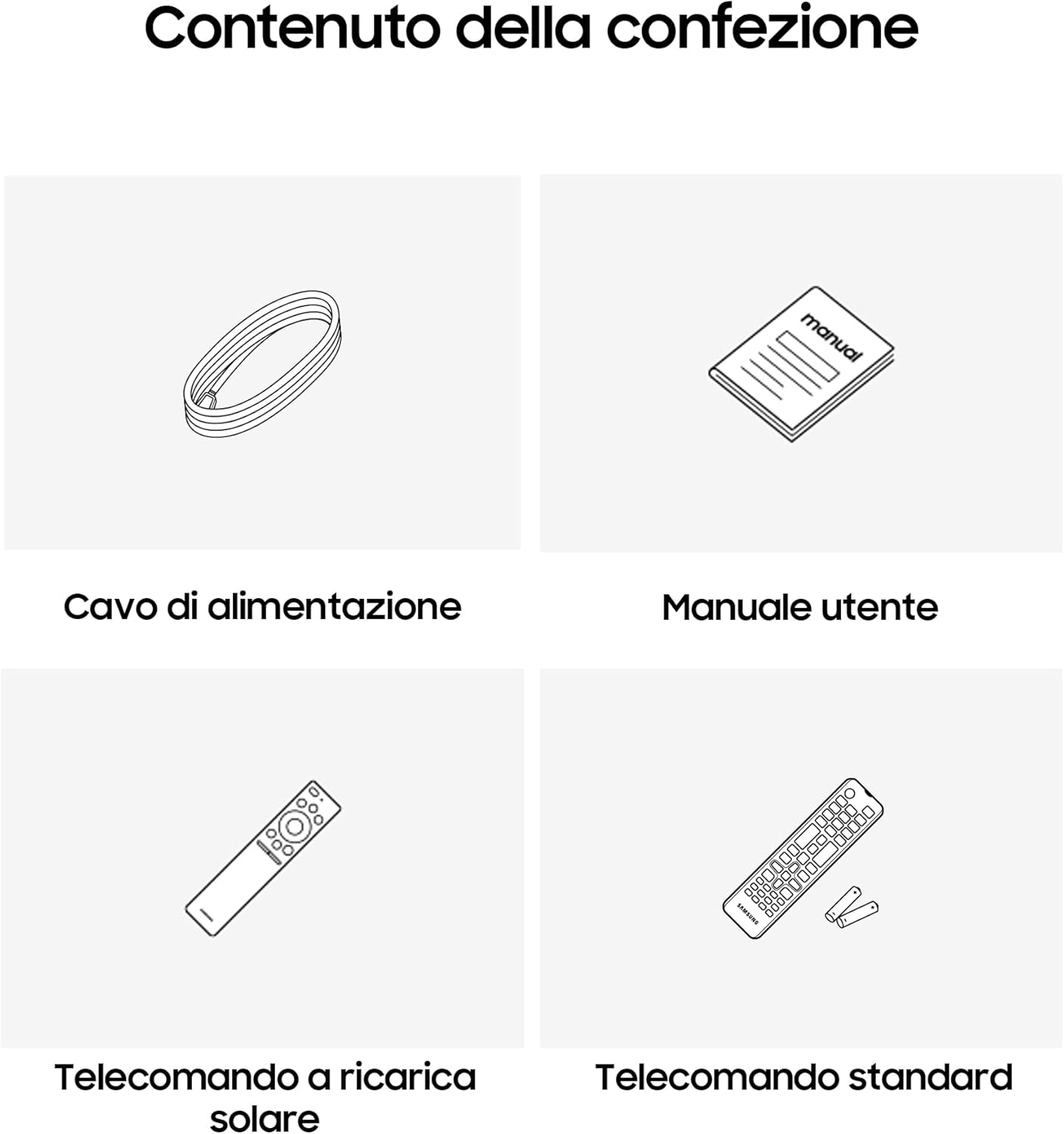
Image: Diagram showing the included items: power cable, user manual, solar-powered remote, and standard remote.
Organizować coś
Rozpakowywanie i umieszczanie
Ostrożnie wyjmij telewizor z opakowania. Postaw telewizor na stabilnej, płaskiej powierzchni lub zamontuj go na ścianie za pomocą kompatybilnego uchwytu VESA (sprzedawanego oddzielnie). Zapewnij odpowiednią wentylację wokół telewizora.
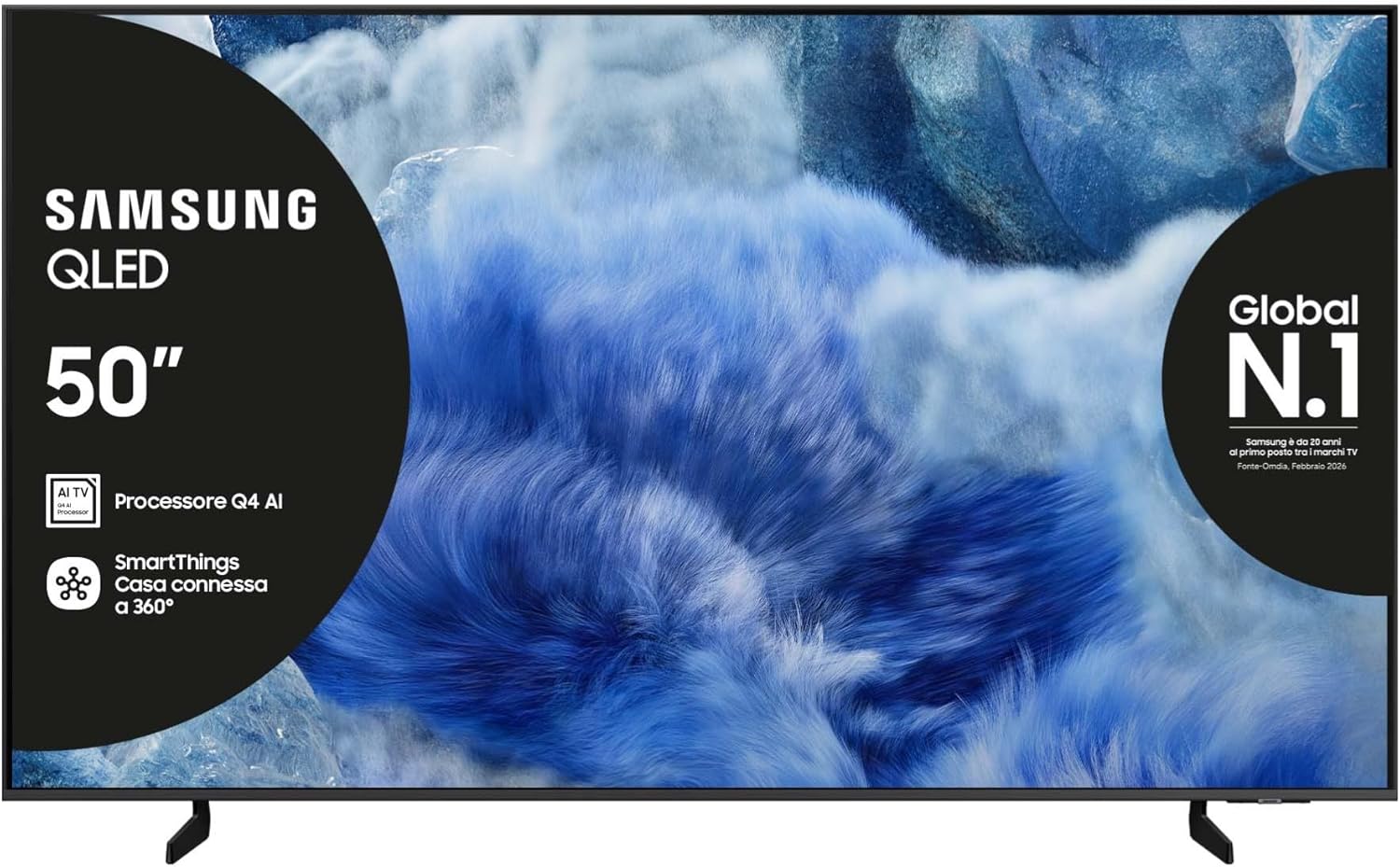
Obraz: Przód view of the Samsung QLED TV with its stand.

Obraz: Bok view of the Samsung QLED TV, showcasing its Air Slim Design.
Podłączanie urządzeń peryferyjnych
Podłącz urządzenia zewnętrzne (np. dekoder telewizji kablowej, odtwarzacz Blu-ray, konsolę do gier) do odpowiednich portów z tyłu telewizora.

Image: Rear panel connections of the TV, showing HDMI, USB, LAN, and antenna ports.
- HDMI: For high-definition audio and video devices. The TV features multiple HDMI ports, including HDMI 3 with eARC support.
- USB: Do podłączania urządzeń pamięci masowej USB.
- LAN: Do przewodowego połączenia internetowego.
- MRÓWKA W: Do podłączenia anteny lub kabla.
Podłączenie zasilania
Podłącz kabel zasilający do gniazda zasilania telewizora, a następnie do gniazdka ściennego.
Kreator wstępnej konfiguracji
Po pierwszym włączeniu telewizor poprowadzi Cię przez proces początkowej konfiguracji, obejmujący wybór języka, nawiązanie połączenia sieciowego i skanowanie kanałów.
Obsługa telewizora
Funkcje pilota zdalnego sterowania
Your TV comes with two remote controls. The solar-powered remote offers convenience and reduces battery waste. Familiarize yourself with the buttons for power, volume, channel, navigation, and smart features.

Image: The Samsung Vision AI Companion interface displayed on the TV screen, alongside a remote control, illustrating voice command capabilities.
Smart Hub and AI Features
Access the Smart Hub for applications, streaming services, and connected devices. The Q4 AI Processor enhances picture and sound quality through 4K Upscaling and AI Mode. Utilize Vision AI for personalized entertainment and real-time suggestions.

Obraz: szczegółowy view of the Samsung Q4 AI Processor chip, emphasizing its role in 4K upscaling and optimizing visual and audio experience.

Image: Icons representing Samsung Knox Security, SmartThings, Samsung Vision AI, and Endless Free Content, highlighting key features of the TV's ecosystem.
Ustawienia obrazu i dźwięku
Adjust picture modes (e.g., Standard, Dynamic, Movie) and sound settings (e.g., Standard, Adaptive Sound, OTS Lite) to suit your preferences. OTS Lite provides 3D surround sound, and Q-Symphony synchronizes TV speakers with a compatible soundbar.

Image: A vibrant image on the QLED screen, illustrating the 100% Color Volume with Quantum Dot technology for optimal viewing.
Centrum gier
Access the Gaming Hub to play games from various platforms directly on your TV, enhanced by Motion Xcelerator for smooth visuals.
Konserwacja
Czyszczenie telewizora
Gently wipe the screen and frame with a soft, dry, lint-free cloth. Do not use abrasive cleaners or solvents. For stubborn marks, lightly dampi szmatkę z wodą.
Aktualizacje oprogramowania
Ensure your TV's software is up to date for optimal performance and security. Updates can be performed via the TV's settings menu or automatically when connected to the internet.
Rozwiązywanie problemów
Brak zasilania
- Sprawdź, czy kabel zasilający jest prawidłowo podłączony do telewizora i gniazdka ściennego.
- Sprawdź, czy gniazdko ścienne działa prawidłowo, podłączając do niego inne urządzenie.
Brak obrazu i dźwięku
- Sprawdź, czy wybrano właściwe źródło sygnału wejściowego.
- Sprawdź wszystkie połączenia kablowe (HDMI, antenowe itp.) pod kątem luzu.
- Uruchom ponownie telewizor i wszelkie podłączone urządzenia.
Pilot nie działa
- For the solar-powered remote, ensure it has sufficient light exposure to charge.
- For the standard remote, replace the batteries if necessary.
- Upewnij się, że między pilotem a telewizorem nie ma żadnych przeszkód.
Problemy z połączeniem sieciowym
- Uruchom ponownie router i modem.
- Sprawdź hasło Wi-Fi, jeśli łączysz się bezprzewodowo.
- If using a wired connection, ensure the LAN cable is properly connected.
Specyfikacje
| Funkcja | Specyfikacja |
|---|---|
| Rozmiar ekranu | 50 cali |
| Technologia wyświetlania | QLED |
| Rezolucja | 4K (3840x2160) |
| Częstotliwość odświeżania | 50 Hz |
| Edytor | Procesor AI Q4 |
| Łączność | Bluetooth, Ethernet, HDMI (wiele, w tym eARC), USB, Wi-Fi |
| Cechy specjalne | Built-in Speaker, Multi-voice Assistant, Browser, Parental Controls, Flat Panel |
| Proporcje obrazu | 16:9 |
| Wymiary produktu (SxGxW) | 111.8 cm x 23.9 cm x 70.2 cm (z podstawką) |

Image: Energy label for the Samsung QE50Q8FAAU, indicating an energy class of E and power consumption details. More details can be found at eprel.ec.europa.eu/qr/2204814.

Image: Detailed product information sheet, including supplier name, model identification, energy efficiency classes, power consumption, display technology, screen dimensions, and other technical data.
Gwarancja i wsparcie
Your Samsung TV is covered by a manufacturer's warranty. Please refer to the warranty card included in your package for specific terms and conditions. For technical support, service, or warranty claims, please contact Samsung Customer Service.
Informacje kontaktowe:
- Dostawca: SAMSUNG
- Adres dostawcy: Public Contact, Samsung PO Box 12987, Blackrock, Co Dublin Ireland
- Webstrona: www.samsung.com (general web(strona, konkretny link do pomocy technicznej może się różnić w zależności od regionu)
- E-mail: eprel@samsung.com (for EPREL related inquiries)
The product information sheet indicates a minimum availability of spare parts for 7 years and minimum support for product software for 7 years.