
QONBINK K62
Instrukcja obsługi inteligentnego zegarka QONBINK K62
Model: K62
Wstęp
This manual provides comprehensive instructions for the setup, operation, and maintenance of your QONBINK K62 Smart Watch. Please read this manual thoroughly before using the device to ensure proper function and longevity.
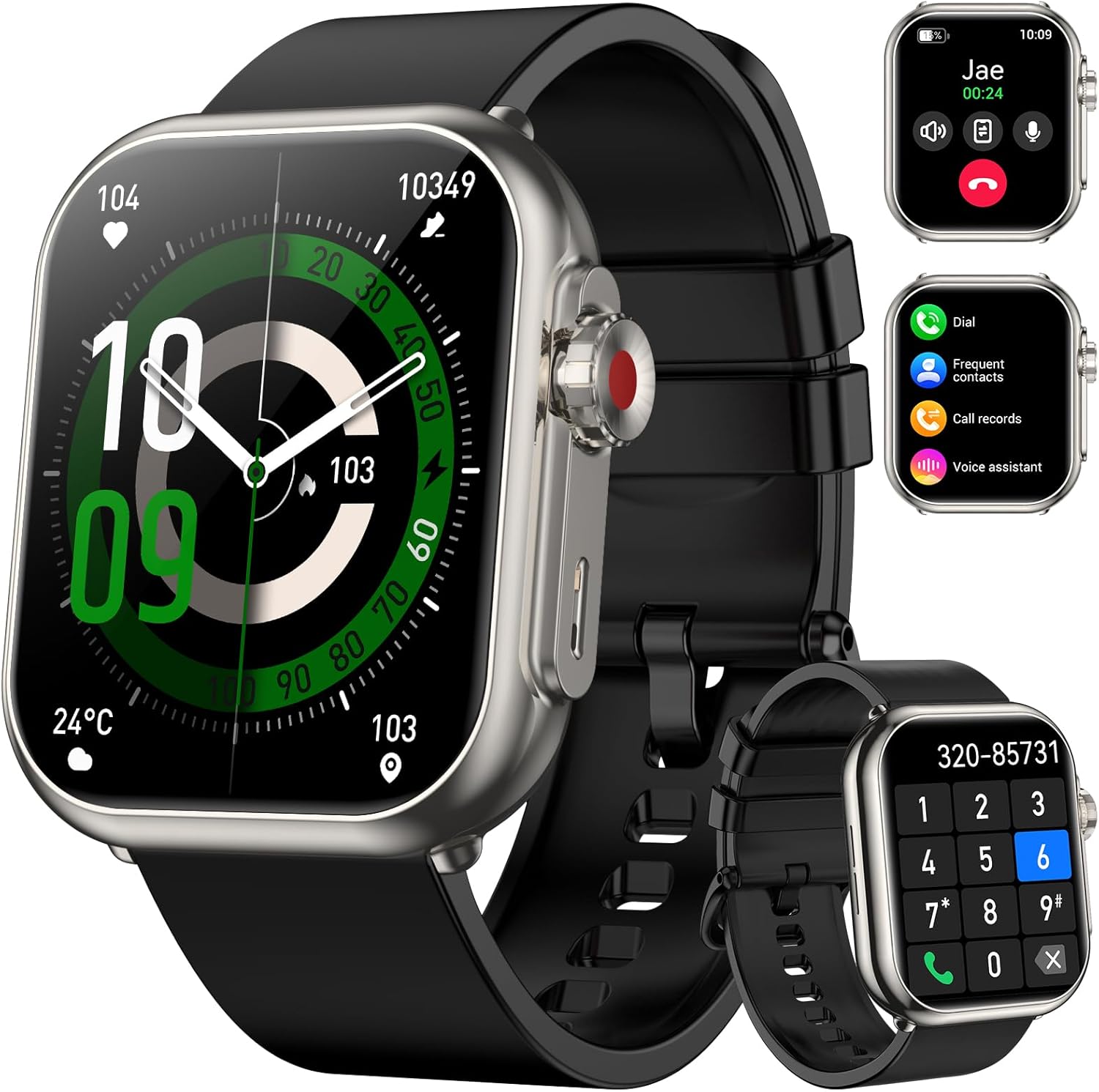
Image: QONBINK K62 Smart Watch, front view with call interface and dial pad shown on smaller screens.
Zawartość opakowania
Sprawdź, czy w opakowaniu znajdują się wszystkie elementy:
- Inteligentny zegarek QONBINK K62
- Instrukcja obsługi
- Kabel ładujący

Image: Illustration of the smart watch, charging cable, and user manual included in the package.
Organizować coś
1. Ładowanie inteligentnego zegarka
Before initial use, fully charge your smart watch. Connect the magnetic charging cable to the charging contacts on the back of the watch and plug the USB end into a standard USB power adapter (not included).
- Czas ładowania: Pełne naładowanie zajmuje około 2.5 godzin.
- Battery Life: Up to 30 days of typical use, 100 days standby.

Image: The smart watch connected to its magnetic charging cable, illustrating the charging process and battery life details.
2. Instalacja aplikacji i parowanie urządzeń
To unlock the full functionality of your QONBINK K62 Smart Watch, download and install the "FitCloudPro" application on your smartphone.
- Pobierz aplikację: Szukaj "FitCloudPro" in your smartphone's app store (Google Play Store for Android or Apple App Store for iOS) and install it.
- Włącz Bluetooth: Upewnij się, że Bluetooth jest włączony w Twoim smartfonie.
- Otwórz aplikację: Launch the "FitCloudPro" app.
- Dodaj urządzenie: Within the app, navigate to the device section and search for available devices. Select "K62" from the list to initiate pairing.
- Potwierdź parowanie: Postępuj zgodnie z instrukcjami wyświetlanymi na ekranie telefonu i zegarka, aby potwierdzić parowanie.
Note: The watch requires Android 4.4+ or iOS 9.0+ for compatibility.

Image: Visual guide demonstrating the process of connecting the smart watch to a smartphone using the FitCloudPro application.
Instrukcja obsługi
1. Podstawowa nawigacja i wyświetlanie
The QONBINK K62 features a 1.85-inch HD touch color screen for intuitive interaction.
- Ekran dotykowy: Przesuwaj w lewo, w prawo, w górę lub w dół, aby poruszać się po menu i funkcjach. Dotknij, aby wybrać.
- Przycisk boczny: Zazwyczaj używany do powrotu do ekranu głównego lub aktywacji określonych funkcji.
- Niestandardowe tarcze: The "FitCloudPro" app offers over 100+ watch faces. You can also upload a custom photo as your watch wallpaper.

Obraz: Wyświetlacz inteligentnego zegarkaasing its high-definition screen and options for customizable watch faces.
2. Połączenia Bluetooth i asystent głosowy
The watch is equipped with a microphone and speaker for direct communication.
- Wykonywanie/odbieranie połączeń: Once paired via Bluetooth, you can answer incoming calls directly from your watch or dial numbers using the on-screen keypad.
- Asystent głosowy: Utilize the smart voice assistant to control music, set alarms, or inquire about time using voice commands.

Image: The smart watch displaying call logs, frequent contacts, and a dial pad, indicating its Bluetooth calling capabilities.

Image: A user interacting with the smart watch, showing examples of voice commands for setting alarms and controlling music.
3. Inteligentne powiadomienia
Receive alerts for incoming messages and social media updates directly on your watch.
- Włączanie powiadomień: In the "FitCloudPro" app, activate "Message Push" and "APP Alerts" to receive notifications from SMS, social media platforms, and other applications.
- ViewPowiadomienia: Swipe on the watch face to view ostatnie powiadomienia.
Note: The watch supports receiving messages but does not allow direct replies.

Image: The smart watch screen showing a text message notification, surrounded by icons of various social media applications.
4. Monitorowanie stanu zdrowia
The QONBINK K62 Smart Watch provides continuous monitoring of key health parameters.
- Monitorowanie częstości akcji serca: Tracks your heart rate 24/7, providing real-time data on your cardiovascular health.
- Monitorowanie tlenu we krwi: Measures your blood oxygen saturation levels throughout the day.
- Monitorowanie snu: Analyzes your sleep patterns, including different stages of sleep, to help you understand and improve sleep quality.

Image: The smart watch displaying blood oxygen, sleep duration, and heart rate data, indicating comprehensive health monitoring.

Image: The smart watch displaying a real-time heart rate graph with current BPM, set against a snowy mountain backdrop with a snowboarder.

Image: The smart watch displaying blood oxygen saturation percentage and a bar graph of daily levels, with a cyclist on a road in the background.

Image: The smart watch displaying sleep duration and a breakdown of sleep stages, with a person sleeping in the background.
5. Tryby sportowe
The watch offers over 110 diverse sports modes to track your physical activities.
- Śledzenie aktywności: Select your desired sport mode to accurately track metrics such as steps, calories burned, and distance covered.
- Wskaźniki wydajności: View your performance data directly on the watch or in the "FitCloudPro" app for detailed analysis.

Image: The smart watch displaying steps, calories, and distance data, with a runner in motion in the background, illustrating its sports tracking capabilities.
6. Inne funkcje
The QONBINK K62 Smart Watch includes various utility features:
- Budzik
- Sterowanie muzyką
- Sterowanie kamerą
- Kalkulator
- Flesz
- Stoper
- Regulator czasowy
- Wyświetlacz pogody
- Przypomnienie o piciu
- Trening oddechowy
- Przypomnienie o siedzącym trybie życia

Image: A collage of images showing the smart watch displaying functions like drinking reminder, weather forecast, camera control, music control, breathing training, and sedentary reminder.
Konserwacja
- Czyszczenie: Regularly wipe the watch screen and strap with a soft, dry cloth. Avoid using harsh chemicals or abrasive materials.
- Wodoodporność: The watch is IP68 waterproof, meaning it is resistant to dust and can withstand immersion in water up to 1.5 meters for up to 30 minutes. It is suitable for daily use, hand washing, and light rain. Avoid hot water, saunas, or diving.
- Pielęgnacja baterii: To prolong battery life, avoid fully discharging the watch frequently. Charge it when the battery level is low. Store the watch in a cool, dry place if not used for extended periods.

Image: The smart watch on a user's wrist while surfing, demonstrating its IP68 waterproof capability.
Rozwiązywanie problemów
| Problem | Możliwe rozwiązanie |
|---|---|
| Zegarek się nie włącza. | Upewnij się, że zegarek jest w pełni naładowany. Podłącz go do kabla ładującego i ładuj przez co najmniej 30 minut przed próbą włączenia. |
| Nie można sparować ze smartfonem. |
|
| Powiadomienia nie są odbierane. |
|
| Niedokładne dane dotyczące zdrowia. | Upewnij się, że zegarek ściśle przylega do nadgarstka, nie jest za luźny ani za ciasny. Wyczyść czujnik z tyłu zegarka. Unikaj nadmiernego ruchu podczas pomiarów. |
| Krótki czas pracy baterii. | Reduce screen brightness, disable continuous heart rate monitoring if not needed, and limit frequent use of power-intensive features like Bluetooth calls. |
Specyfikacje
| Funkcja | Szczegół |
|---|---|
| Numer modelu | K62 |
| Rozmiar ekranu | 1.85 cali |
| Rozdzielczość wyświetlacza | 320x386 |
| Pojemność baterii | 1000 mAh (litowo-polimerowy) |
| Czas ładowania | Około 2.5 godzin |
| Czas pracy baterii (typowe użytkowanie) | Do 30 dni |
| Czas czuwania | Do 100 dni |
| Łączność | Bluetooth |
| Stopień wodoodporności | IP68 |
| Zgodność z systemem operacyjnym | Android 4.4+, iOS 9.0+ |
| Waga przedmiotu | 3.52 uncji (0.1 kilograma) |
| Wymiary | 10.91 x 3.54 x 0.75 cala (opakowanie) |
Image: Detailed diagram illustrating the physical dimensions of the QONBINK K62 Smart Watch and its strap.
Gwarancja i wsparcie
QONBINK provides the following warranty and support for your K62 Smart Watch:
- 30-dniowa polityka zwrotów: You may return the product within 30 days of purchase for any reason.
- 1-letnia bezpłatna wymiana: The product is covered by a 1-year free replacement warranty for manufacturing defects.
For further assistance or support, please refer to the contact information provided with your purchase or visit the official QONBINK webstrona.
Ask a question about this manual
Ask about setup, troubleshooting, compatibility, parts, safety, or missing instructions. Manuals+ will review the question and use this page’s manual context to help answer it.