
1. Wprowadzenie
Thank you for choosing the CREATE WIND CLEAR STUDIO S Ceiling Fan with Light. This manual provides essential information for the safe installation, operation, and maintenance of your new ceiling fan. Please read it thoroughly before use and retain it for future reference.
The WIND CLEAR STUDIO S is a silent ceiling fan featuring a 40W DC motor, a summer/winter function, and 6 speed settings. It includes retractable blades and an integrated LED light with 3 adjustable color temperatures. A programmable timer allows for automatic shut-off.

Image 1.1: The CREATE WIND CLEAR STUDIO S Ceiling Fan with Light, featuring a white body and light wood trim, with its remote control.
2. Instrukcje bezpieczeństwa
- Przed przystąpieniem do instalacji, konserwacji lub czyszczenia należy upewnić się, że zasilanie jest odłączone.
- Instalację musi wykonać wykwalifikowany elektryk, zgodnie z lokalnymi przepisami dotyczącymi instalacji elektrycznych.
- Konstrukcja montażowa musi być w stanie utrzymać ciężar wentylatora (minimum 15 kg).
- Zachowaj minimalny odstęp 2.3 metra (7.5 stopy) od podłogi do łopatek wentylatora.
- Nie wkładaj żadnych przedmiotów na ścieżkę obracających się ostrzy.
- To urządzenie jest przeznaczone wyłącznie do użytku wewnątrz pomieszczeń.
- Przechowuj pilota poza zasięgiem dzieci.
3. Zawartość opakowania
Przed przystąpieniem do instalacji sprawdź, czy wszystkie elementy są obecne i nieuszkodzone. Jeśli brakuje którejkolwiek części lub jest ona uszkodzona, skontaktuj się z obsługą klienta.
- Ceiling Fan Motor Unit with Integrated LED Light
- Retractable Fan Blades (3 units)
- Zdalne sterowanie
- Uchwyt montażowy
- Downrods (2 lengths for adjustable height)
- Zestaw elementów montażowych (śruby, podkładki, nakrętki druciane)
- Instrukcja obsługi i instrukcja montażu
4. Konfiguracja i instalacja
Detailed installation instructions are provided in the separate assembly guide included with your product. Please follow those instructions carefully. This fan includes two suspension rods, allowing for flexible installation height to suit your space.
Ensure the fan is securely mounted to a ceiling joist or a suitable support structure. All electrical connections must be made correctly and safely.

Image 4.1: The ceiling fan installed in a room, demonstrating its aesthetic integration.

Obraz 4.2: Inny view of the ceiling fan installed, highlighting its design and lighting capabilities.
5. Instrukcja obsługi
Your CREATE WIND CLEAR STUDIO S fan is controlled via the included remote control. Ensure batteries are correctly inserted into the remote.
5.1 Funkcje zdalnego sterowania
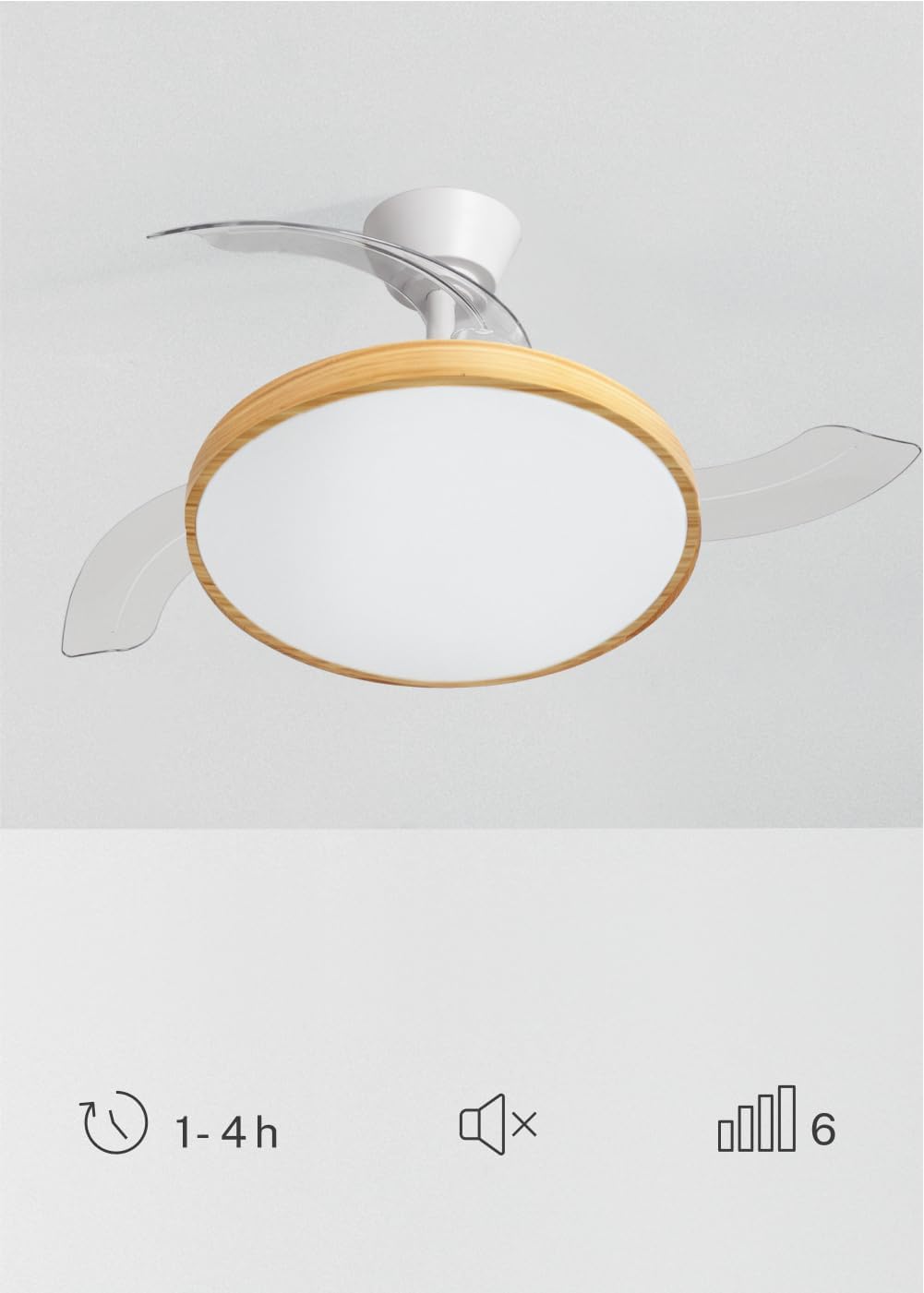
Image 5.1: The remote control for the ceiling fan, illustrating buttons for light control, fan speed adjustment (1-6), timer settings (1H, 2H, 4H), and a mute function.
- Włączanie/wyłączanie: Naciśnij przycisk zasilania, aby włączyć lub wyłączyć wentylator i światło.
- Prędkość wentylatora: Use the speed buttons (1-6) to adjust the fan's rotation speed. There are 6 available speeds.
- Sterowanie oświetleniem: Naciśnij przycisk światła, aby włączyć lub wyłączyć światło LED.
- Temperatura barwowa światła: Cycle through the 3 available light color temperatures (Warm White 2700K, Natural White 3300K, Cool White 4000K) by pressing the light temperature button.
- Funkcja timera: Set the fan to automatically turn off after 1, 2, or 4 hours using the respective timer buttons.
- Funkcja wyciszenia: Press the mute button to silence operational beeps.
5.2 Funkcja lato/zima
The fan features a reversible motor for year-round use. This function helps optimize air circulation for both cooling and heating.

Image 5.2: Diagram showing air circulation for summer mode (downward airflow for cooling) and winter mode (upward airflow to redistribute warm air).
- Tryb letni (obrót w kierunku przeciwnym do ruchu wskazówek zegara): Tworzy strumień powietrza skierowany w dół, generujący chłodną bryzę.
- Tryb zimowy (obrót zgodnie z ruchem wskazówek zegara): Tworzy przepływ powietrza skierowany ku górze, rozprowadzając ciepłe powietrze uwięzione pod sufitem po całym pomieszczeniu.
Refer to your assembly guide for instructions on how to switch between summer and winter modes, typically via a switch on the fan body or remote control.
5.3 Regulacja temperatury barwowej światła
The integrated LED light offers three distinct color temperatures to suit different moods and activities.

Image 5.3: Illustration of the three adjustable light color temperatures: 2700K for warm light, 3300K for natural light, and 4000K for cool light.
- 2700K (ciepła biel): Idealny do wypoczynku i stworzenia przytulnej atmosfery.
- 3300K (naturalna biel): Suitable for general illumination and daily activities.
- 4000K (zimna biel): Best for tasks requiring clear visibility and concentration.
6. Konserwacja
Regularna konserwacja zapewnia optymalną wydajność i wydłuża żywotność wentylatora sufitowego.
- Czyszczenie: Regularnie czyść łopatki wentylatora i obudowę silnika miękką, miękką szmatką.amp Ściereczką. Nie używaj środków czyszczących ani rozpuszczalników o działaniu ściernym. Przed czyszczeniem upewnij się, że wentylator jest wyłączony, a zasilanie odłączone.
- Kontrola ostrza: Periodically check the fan blades for any signs of damage or imbalance.
- Dokręcenie śrub: Over time, screws may loosen. Check and tighten all screws on the mounting bracket and blade attachments annually.
- Źródło światła: The integrated LED light source is designed for long life and is generally not user-replaceable. If the light fails, contact customer support.
7. Rozwiązywanie Problemów
If you encounter issues with your fan, refer to the following common problems and solutions before contacting customer support.
| Problem | Możliwa przyczyna | Rozwiązanie |
|---|---|---|
| Wentylator się nie uruchamia | Brak zasilania, luźne okablowanie, słaba bateria pilota. | Check circuit breaker; ensure all connections are secure; replace remote control batteries. |
| Światło nie działa | No power supply; loose wiring; LED failure. | Check power; ensure connections are secure; contact support if LED is faulty. |
| Wentylator nadmiernie się trzęsie | Loose mounting screws; unbalanced blades; incorrect installation. | Tighten all mounting screws; ensure blades are securely attached and balanced; re-check installation steps. |
| Pilot nie działa | Low or dead batteries; remote not paired (if applicable); obstruction. | Replace batteries; ensure clear line of sight to receiver; refer to assembly guide for pairing instructions. |
8. Specyfikacje
| Funkcja | Szczegół |
|---|---|
| Marka | TWORZYĆ |
| Model | WIND CLEAR STUDIO S |
| Kolor | Blanco Y Madera Clara (White and Light Wood) |
| Średnica | 91 centymetrów |
| Moc | 40 Watts (DC Motor) |
| Tomtage | 240 wolty |
| Liczba prędkości | 6 |
| Efektywność energetyczna | Od A do G |
| Poziom hałasu | 40 decybeli |
| Typ źródła światła | LED (3 Color Temperatures) |
| Metoda kontroli | Zdalne sterowanie |
| Typ instalacji | Montaż półzlicowany |
| Do użytku wewnątrz/na zewnątrz | Wnętrz |
| Regulator czasowy | 1 godz., 2 godz., 4 godz |
| Cechy specjalne | Retractable Blades, Summer/Winter Function |

Image 8.1: The fan is suitable for rooms up to approximately 13 square meters.
9. Gwarancja i wsparcie
Your CREATE WIND CLEAR STUDIO S Ceiling Fan with Light comes with a manufacturer's warranty. Please refer to the warranty card included in your package for specific terms and conditions.
For technical assistance, troubleshooting beyond this manual, or to inquire about replacement parts, please contact CREATE customer support. You can find more information and contact details on the official CREATE brand store: