
1. Wprowadzenie
Thank you for choosing the Kinhank K56 Retro Handheld Game Console. This device combines classic gaming with modern Android functionality, offering a versatile entertainment experience. This manual provides essential information for setting up, operating, and maintaining your console to ensure optimal performance and enjoyment.

Image 1.1: The Kinhank K56 Retro Handheld Game Console, featuring a 5.5-inch screen and indicating support for over 16,000 games.
2. Koniec produktuview
2.1. Komponenty i elementy sterujące
Familiarize yourself with the various parts and controls of your K56 console:

Image 2.1: Detailed diagram of the Kinhank K56 console, highlighting the power button, volume buttons, function keys (A, B, X, Y), L1/L2/R1/R2 shoulder buttons, left and right Hall effect joysticks, directional keys, Home button, Back button, TF-Game card slot, DC charging port, and headset jack.
- 5.5-calowy ekran dotykowy IPS: Main display for games and Android interface.
- Left/Right Hall Effect Joysticks: For precise analog control in games.
- Directional Keys (D-Pad): For digital input and menu navigation.
- Klawisze funkcyjne (A, B, X, Y): Standardowe przyciski akcji.
- Przyciski L1/L2/R1/R2: Shoulder and trigger buttons for extended game control.
- Przyciski Start/Wybierz: For game and system functions.
- Home/Back Buttons: For Android system navigation.
- Przycisk zasilania: To turn the device on/off and manage sleep mode.
- Przyciski głośności: Aby dostosować wyjście audio.
- TF-Game Card Slot: For inserting the game storage card.
- Port ładowania DC: Do podłączenia kabla ładującego.
- Gniazdo słuchawkowe: Do podłączenia słuchawek.
3. Konfiguracja
3.1. Ładowanie początkowe
Before first use, fully charge the console. Connect the provided charging cable to the DC charging port on the device and a compatible USB power adapter (not included). The charging indicator will show the charging status.
3.2. Wkładanie karty TF
The console comes with a 128GB TF card pre-loaded with games. Locate the TF-Game card slot and gently insert the card until it clicks into place. Ensure the card is inserted correctly to avoid damage.
3.3. Włączanie
Press and hold the Power button for a few seconds until the screen illuminates and the device boots up. The console will start in its Android 14.0 operating system.
4. Instrukcja obsługi
4.1. Włączanie/wyłączanie i tryb uśpienia
- Włączanie: Naciśnij i przytrzymaj przycisk zasilania.
- Wyłączone: Naciśnij i przytrzymaj przycisk zasilania, a następnie wybierz opcję „Wyłącz” z opcji wyświetlanych na ekranie.
- Tryb uśpienia: Briefly press the Power button to put the device into sleep mode or wake it up.
4.2. Nawigacja
The K56 features a 5.5-inch IPS touch screen, allowing for intuitive navigation similar to a smartphone. You can also use the directional keys and joysticks for menu navigation within game front ends and certain applications.
4.3. Gry
The console is equipped with two game front ends and supports over 45 emulators, providing access to a vast library of classic games. Navigate to the game front end application to browse and launch games from the pre-installed 128GB TF card. Additional games can be added by transferring ROM files do karty TF.
4.4. Funkcje systemu Android 14.0
Running on Android 14.0, the K56 allows you to download games and applications from compatible app stores. It supports web browsing, online chat, email, e-books, and other Android functionalities, expanding its utility beyond gaming.
4.5. Bezprzewodowa projekcja ekranu
The K56 supports wireless screen projection via WiFi5, enabling you to cast your gameplay or Android interface to a larger display such as a TV or projector. Ensure both devices are connected to the same WiFi network and follow the on-screen instructions for casting.
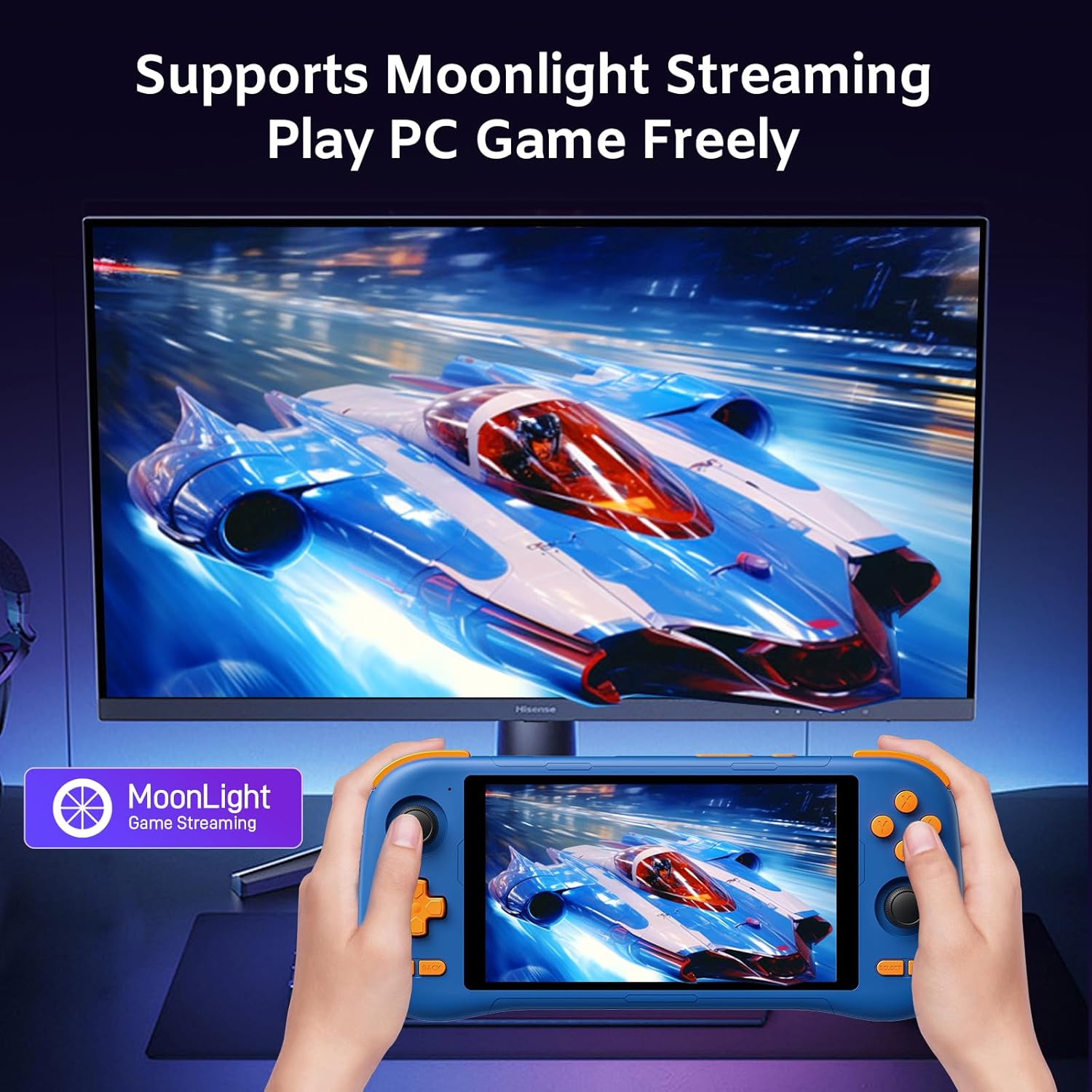
Image 4.5: The Kinhank K56 console demonstrating wireless screen projection to an external monitor, supporting Moonlight Streaming for PC games.
5. Konserwacja
5.1. Czyszczenie
Use a soft, dry cloth to clean the console's exterior. For the screen, use a microfiber cloth specifically designed for electronics. Avoid using harsh chemicals or abrasive materials.
5.2. Pielęgnacja baterii
The console is equipped with a 5000mAh battery. To prolong battery life, avoid fully discharging the battery frequently and store the device in a cool, dry place when not in use for extended periods. The console is designed with heat dissipation holes and heat sinks to prevent overheating during prolonged use.

Image 5.2: Illustration of the Kinhank K56's 5000mAh battery, indicating approximately 5 hours of battery life and 2 hours for a full charge.
5.3. Aktualizacje oprogramowania
The console supports OTA (Over-The-Air) updates. Periodically check for system updates in the settings menu to ensure you have the latest features and performance improvements.
6. Rozwiązywanie Problemów
- Konsola się nie włącza: Upewnij się, że bateria jest naładowana. Podłącz konsolę do źródła zasilania i spróbuj ponownie.
- Games are not loading or performing poorly: Verify the TF card is properly inserted. Ensure sufficient storage space if adding new games. Some emulators or games may require specific settings adjustments.
- Problemy z łącznością Wi-Fi lub Bluetooth: Check that Wi-Fi and Bluetooth are enabled in the system settings. Ensure the console is within range of the network or device.
- Screen projection not working: Confirm both devices are on the same Wi-Fi network. Check the display settings on the console and the receiving device.
- System is unresponsive: Naciśnij i przytrzymaj przycisk zasilania przez około 10–15 sekund, aby wymusić ponowne uruchomienie.
7. Specyfikacje
- Model: K56
- Edytor: 8-rdzeniowy układ UMS9230S 12 nm (A75 x 2 do 2.2 GHz, A55 x 6 do 1.8 GHz)
- Pamięć: 6 GB pamięci RAM + 128 GB pamięci ROM (możliwość rozszerzenia za pomocą karty TF do 256 GB)
- System operacyjny: Android 14.0
- Wyświetlacz: 5.5-inch IPS Touch Screen, OCA full-fit, 2520*1080 resolution, 300nit brightness
- Bateria: 5000mAh (approximately 5 hours working time)
- Łączność: WiFi5 (2.4G/5G), Bluetooth 5.0
- Wymiary: 9 x 5 x 3 cala
- Waga: 1.15 funta
- Emulatory: Supports 45+ emulators

Image 7.1: Diagram illustrating the UMS9230S chip, highlighting its CPU (A75 x 2, A55 x 6), GPU (MaliTM-G57 @850MHz), RAM (LPDDR4 6GB), and ROM (128GB).
8. Zawartość opakowania
The Kinhank K56 Retro Handheld Game Console package includes the following items:

Image 8.1: Contents of the Kinhank K56 package, including the K56 handheld game console, tempered film, charging cable, TF card, and user manual.
- Kinhank K56 Handheld Game Console x1
- Folia hartowana x1
- Kabel ładujący x1
- TF Card (128GB) x1
- Instrukcja obsługi x1
9. Gwarancja i wsparcie
For any questions, technical assistance, or warranty inquiries, please contact Kinhank customer support through the retailer where the product was purchased. Please refer to your purchase documentation for specific warranty terms and contact information.