
Wstęp
This manual provides essential information for the safe and effective operation of your Tecnock Amphibious Remote Control Car Boat. Please read these instructions thoroughly before use and retain them for future reference.
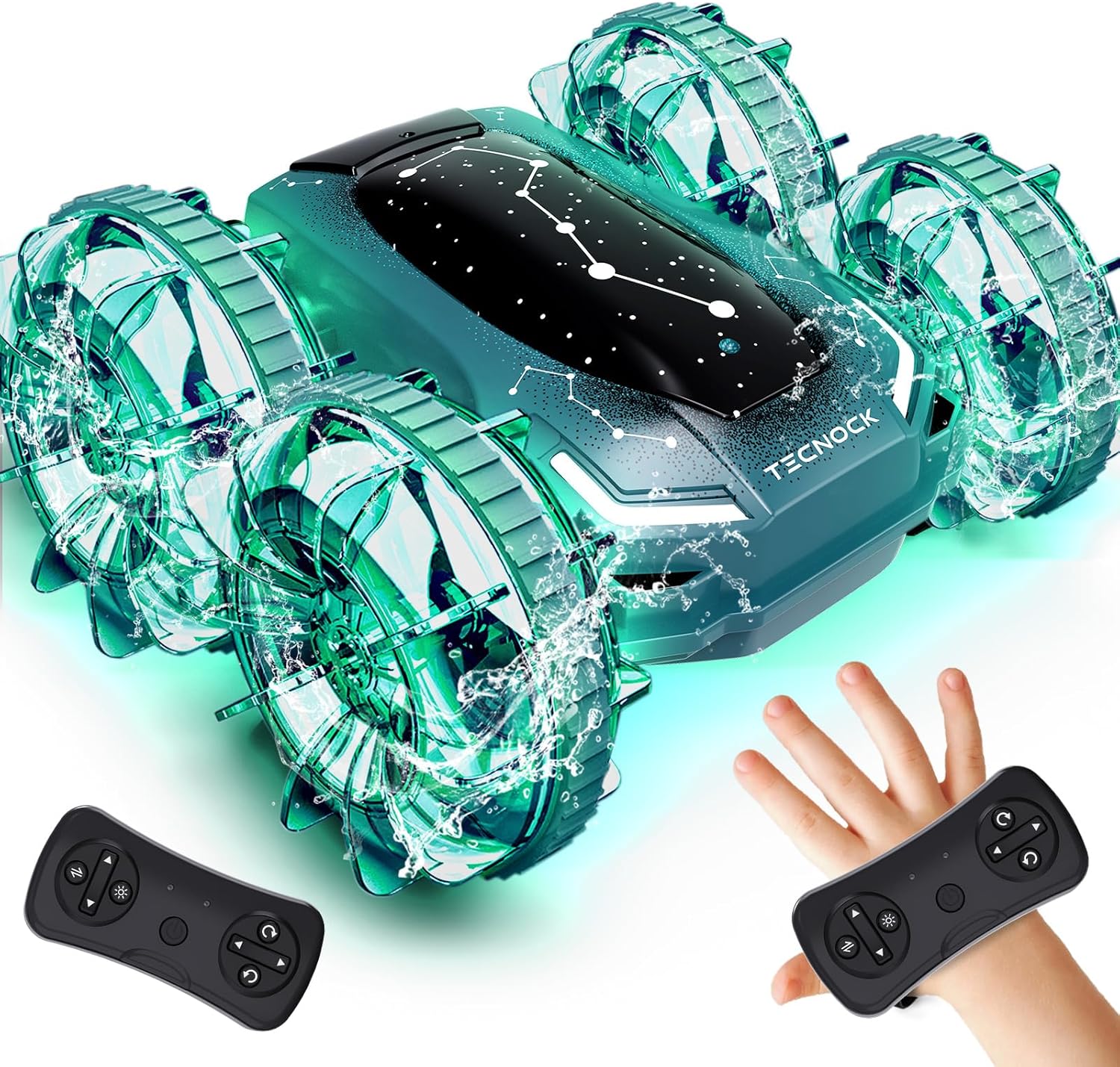
The Tecnock Amphibious Remote Control Car Boat, showcasing its dual control options.
Zawartość opakowania
Sprawdź, czy w przesyłce znajdują się wszystkie elementy wymienione poniżej:
- 1 razy Ampwściekły samochód kaskaderski
- 1 x Pilot zdalnego sterowania
- 1 x Gesture Watch Band
- 1 x 3.7V 1200mAh Lithium Battery (built-in)
- 1 x Magnetyczny przewód ładujący
- 1 x śrubokręt
- 1 x Instrukcja obsługi (ten dokument)

All components included in the Tecnock Amphibious Remote Control Car Boat package.
Organizować coś
1. Car Battery Installation & Charging
The car features a built-in 3.7V 1200mAh lithium battery. To charge the car:
- Locate the magnetic charging port on the car.
- Podłącz magnetyczny kabel ładujący do portu.
- Podłącz koniec kabla USB do kompatybilnego źródła zasilania USB (np. komputera, zasilacza ściennego USB).
- The indicator light on the cable will show charging status. Ensure the battery is fully charged before first use for optimal performance.

Magnetic charging port for easy and safe battery charging.
2. Instalacja baterii pilota zdalnego sterowania
The remote controller requires 2 C batteries (included). To install:
- Za pomocą dołączonego śrubokręta otwórz komorę baterii znajdującą się z tyłu pilota.
- Włóż 2 baterie typu C, zwracając uwagę na prawidłową biegunowość (+/-).
- Zamknij komorę baterii i zabezpiecz ją śrubą.
3. Gesture Watch Band Charging
The gesture watch band has its own rechargeable battery. Use the provided charging cable to charge it via a USB power source.
4. Parowanie urządzeń
To pair the car with either the remote controller or the gesture watch band:
- Sprawdź, czy akumulator samochodu jest naładowany i samochód jest WŁĄCZONY.
- Turn ON the remote controller or the gesture watch band.
- The devices should automatically pair. If pairing fails, turn both devices OFF and ON again.
Instrukcja obsługi
1. Dual Control Modes
Your Tecnock Amphibious RC Car offers two control methods:
- Standardowy pilot zdalnego sterowania: Use the traditional joystick remote for precise control.
- Hand Gesture Sensing: Attach the remote to the wristband and control the car with hand movements.
Switching between modes is done with a single button on the remote, requiring no re-pairing.

The two control methods: standard remote and gesture sensing.
2. Amphibious Operation
This RC car is designed for both land and water use. Its sealed, waterproof design ensures smooth driving through various environments.
- Na lądzie: Drive on grass, concrete, sand, or other outdoor surfaces.
- W wodzie: Operate in shallow water, pools, or puddles. The unique wheel design provides propulsion in water.

The car's amphibious design allows it to conquer both land and water.
3. Stunt Features & LED Lights
The car is capable of various stunts and features dynamic LED lighting:
- Obroty 360°: Perform exciting rotations with ease.
- Side Flips: Execute impressive side-to-side maneuvers.
- Kolorowe diody LED: Equipped with dynamic, multicolor LED lights that enhance visibility and excitement, especially in low-light conditions.

Dynamic LED lights add excitement to playtime, day or night.
4. Oficjalne filmy o produktach
Official Tecnock video demonstrating the remote control stunt car's features and movements.
Official Tecnock video highlighting the amphibious capabilities and magnetic charging of the RC car.
Konserwacja
1. Czyszczenie
After use, especially after playing in water or dirt, clean the car with a damp cloth. Avoid using harsh chemicals or abrasive materials. Ensure all water is drained and the car is dry before storage.
2. Odprowadzanie wody
Although waterproof, it is good practice to gently shake the car to remove any trapped water after water play. Ensure the charging port cover is securely closed during water use.
3. Przechowywanie
Store the car and its accessories in a cool, dry place away from direct sunlight and extreme temperatures. Remove batteries from the remote controller if not in use for extended periods.
Rozwiązywanie problemów
- Samochód nie odpowiada: Ensure both the car and controller/watch are powered on and fully charged. Re-pair the devices if necessary.
- Słaba wydajność: Check battery levels. Ensure the play surface is suitable (avoid excessively deep water or thick mud).
- Światła nie działają: Verify the car is powered on. If issues persist, contact customer support.
Specyfikacje
- Wymiary produktu: 6.69 x 6.69 x 2.76 cala
- Waga przedmiotu: 1.1 funta
- Numer modelu przedmiotu: S8912A
- Zalecany wiek producenta: 6-10 roku
- Akumulator: 3.7V 1200mAh Lithium (built-in, rechargeable)
- Baterie pilota: 2 baterie typu C (w zestawie)
- Częstotliwość kontroli: 2.4 GHz
- Pauza w szkole: Do 60 minut na jednym ładowaniu
Gwarancja i wsparcie
For warranty information or technical support, please refer to the contact details provided on the product packaging or visit the official Tecnock webZachowaj paragon jako dowód zakupu.