
Wstęp
This manual provides detailed instructions for the PYY Commercial Electronic Cash Register, designed for small businesses. It covers setup, operation, maintenance, and troubleshooting to ensure optimal performance and longevity of your device. Please read this manual thoroughly before using the cash register.
Co jest w pudełku
Sprawdź, czy w pakiecie znajdują się wszystkie poniższe elementy:
- Elektroniczna kasa fiskalna
- 2-1/4 Inches Thermal Papers * 10
- Cash Box Keys * 6
- Kabel zasilający
- Kabel USB

Ponadview of the PYY Cash Register, showcasing its compact design, open cash drawer with organized compartments, and included accessories like thermal paper rolls and keys.
Cechy produktu
The PYY Cash Register is equipped with several features designed to streamline your business operations:
- Fast Checkout & Comprehensive Reporting: Configured with 200 departments, 10,000 items, 1,000 members, and 200 sessions, with 9 tax rate settings. It allows for one-click checkout after item recognition and provides sales data reports per hour, per cashier, per item, per department, refunds, and cash drawer openings.
- Multifunctional All-in-One Design: Integrates a receipt printer, dual screens, and a cash drawer. The built-in thermal printer has a print speed of up to 90mm/s. It features a 2.8-inch TFT LCD for the cashier and an 8-digit LED display for customers. The integrated cash drawer pops open during transactions.
- Multiple Device Connections: Equipped with 2 RS232 ports for connecting scanners, scales, and printers; a USB port for connecting to a computer; and a PS2 port for keyboard connection.
- Bezpieczny projekt: Supports up to 50 cashiers with individual passwords and comes with 6 cash drawer keys for dual security. The cash drawer has 4 bill compartments and 5 coin compartments, keeping everything organized. The ABS material casing is waterproof and oil-resistant.
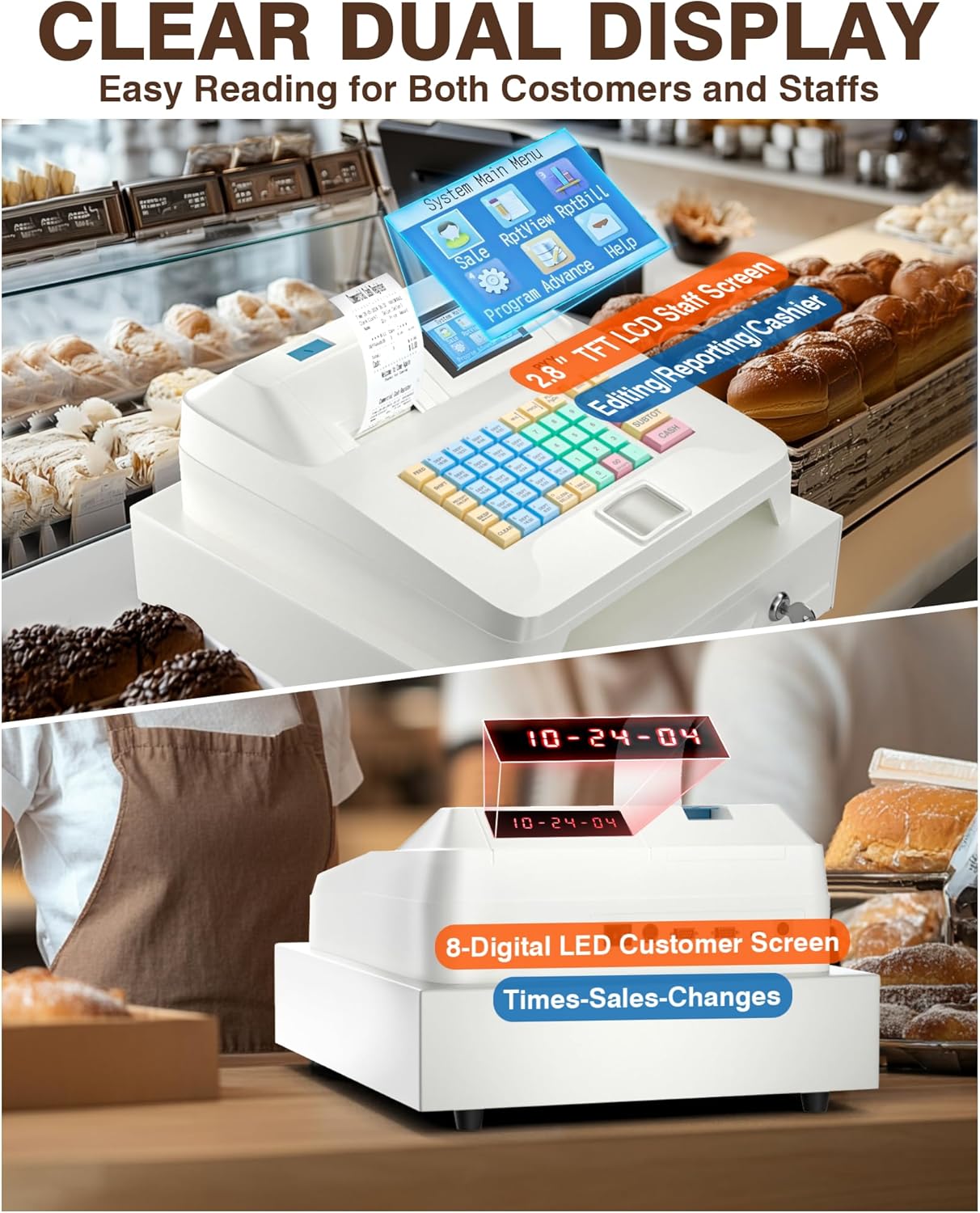
Z bliska view of the cash register's dual display system, featuring a 2.8-inch TFT LCD screen for the cashier and an 8-digit LED display for the customer, designed for clear visibility during transactions.
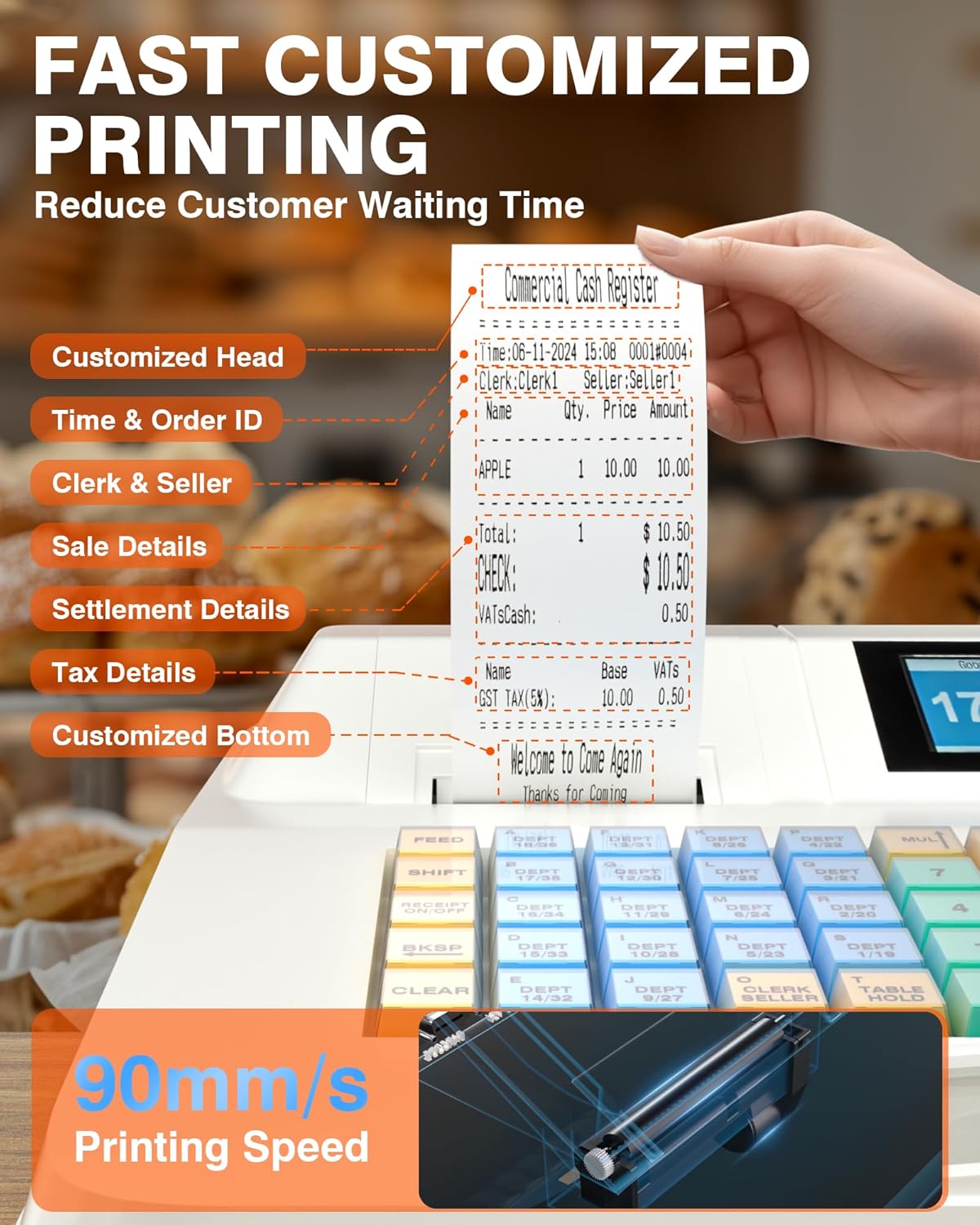
Illustration of the cash register's integrated thermal printer, highlighting its capability for fast printing at 90mm/s to reduce customer waiting times. A sample receipt shows customizable details.
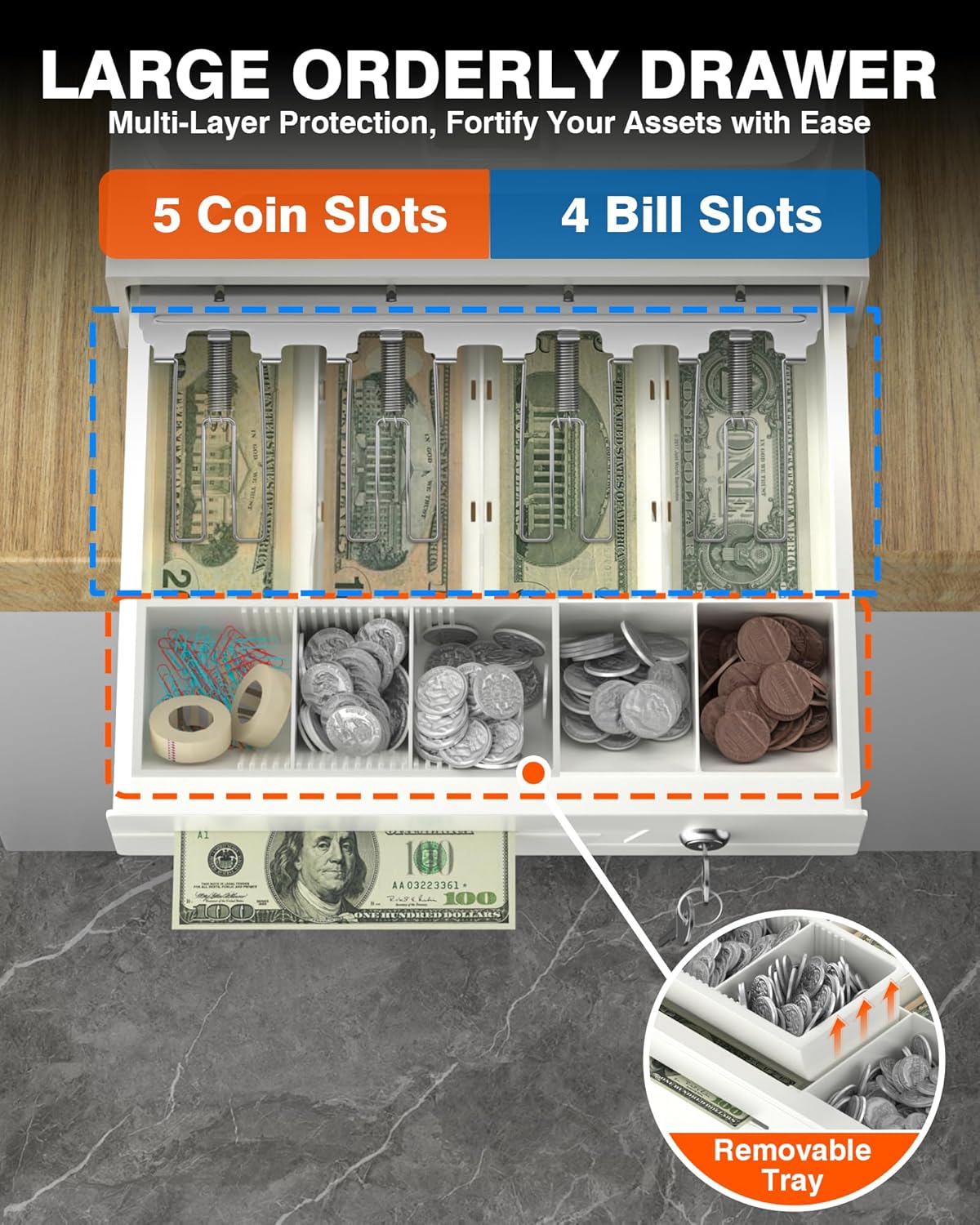
Szczegółowy view of the cash drawer, illustrating its organized layout with four compartments for bills and five for coins, along with a removable tray for additional storage.
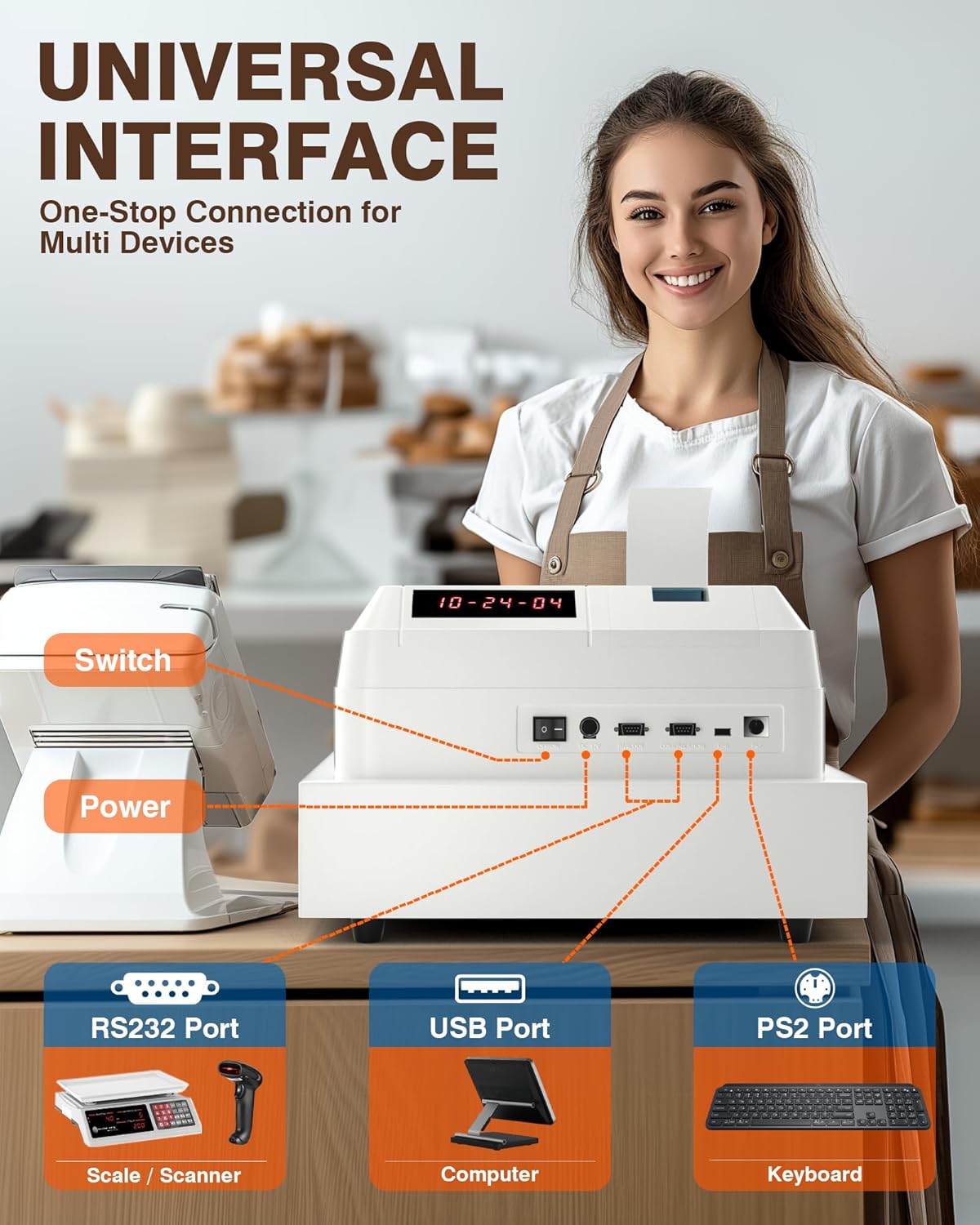
Diagram showing the rear panel of the cash register with its universal interface ports, including RS232 for scanners/scales, USB for computer connection, and PS2 for keyboards, enabling multi-device connectivity.
Organizować coś
Follow these steps for the initial setup of your PYY Cash Register:
- Rozpakowywanie: Ostrożnie wyjmij wszystkie elementy z opakowania. Zachowaj opakowanie do transportu lub przechowywania w przyszłości.
- Podłączenie zasilania: Connect the power cable to the cash register's power input and then to a suitable AC 100-240V/50-60Hz power outlet.
- Thermal Paper Installation: Open the printer cover located on the top of the unit. Insert a roll of 2 1/4" thermal paper, ensuring the paper feeds correctly from the bottom and the leading edge extends slightly out of the printer slot. Close the cover securely.
- Cash Drawer Keys: Use one of the provided keys to unlock the cash drawer. It is recommended to keep spare keys in a secure, separate location.
- Połączenia peryferyjne: Connect any external devices such as barcode scanners, scales, or keyboards to the appropriate RS232, USB, or PS2 ports on the rear of the cash register.
Instrukcja obsługi
Podstawowa obsługa
The cash register features a user-friendly interface with color-coded keys for different functions:
- Blue Keys (DEPT): Used for selecting specific departments.
- Red Keys (Cash): Used for finalizing cash transactions.
- Green Keys (Number): Used for entering numerical values such as prices or quantities.
- Yellow Keys (Function): Used for various operational functions and settings.
Tryb sprzedaży
In sales mode, the system allows for quick item recognition and one-click checkout:
- Enter Item Price/Code: Use the green number keys to enter the item price or product code.
- Select Department: Press the corresponding blue DEPT key to assign the item to a department.
- Add to Transaction: Repeat steps 1 and 2 for all items in the current transaction.
- Complete Transaction: Press the red CASH key for cash payments. For other payment methods, press the SUBTOT key and follow the on-screen prompts.
Raportowanie
The cash register provides various sales data reports to help manage your business. Consult the on-screen menu for options such as hourly, cashier, item, and department reports. These reports can be printed or viewed on the cashier's display.
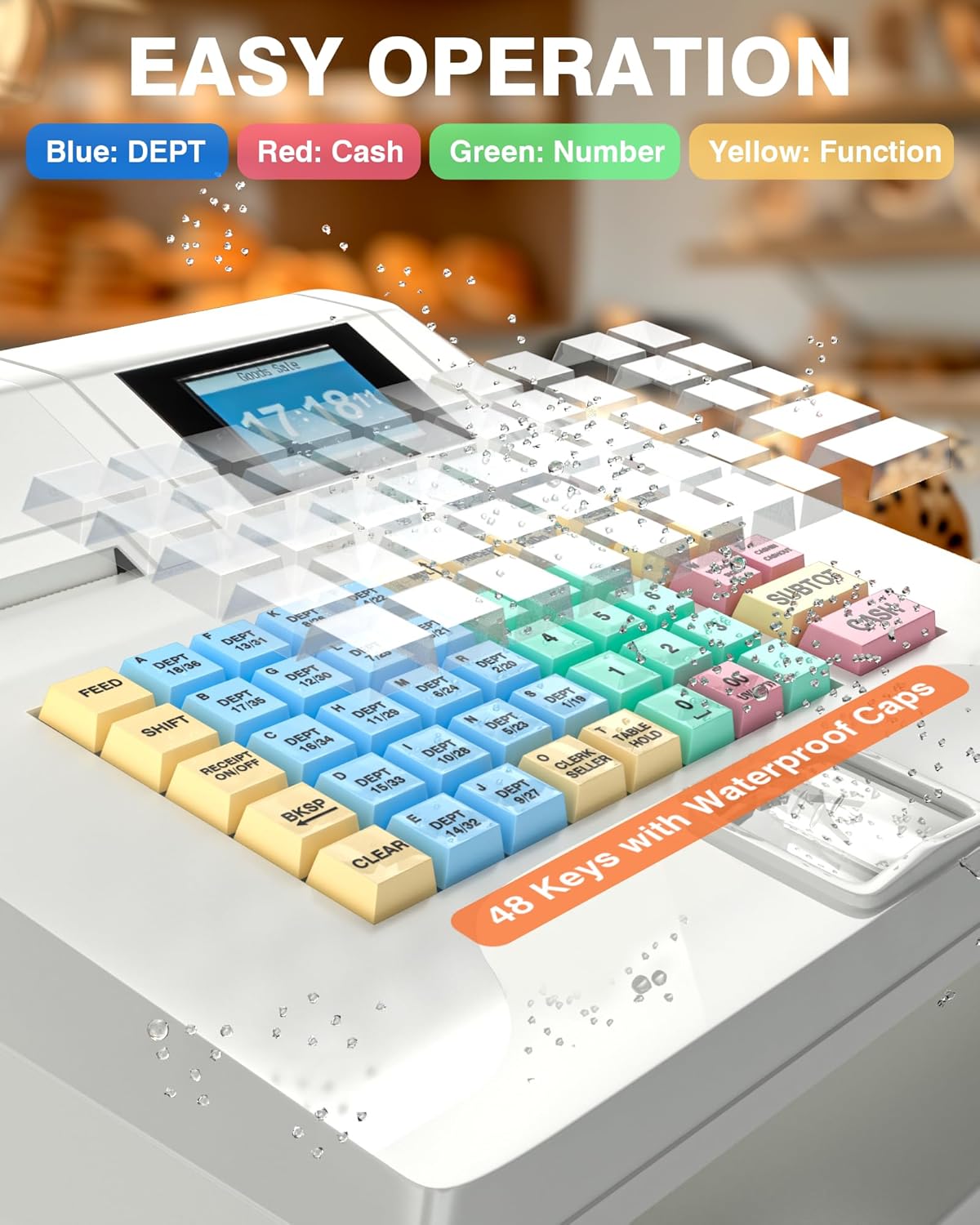
Close-up of the cash register's keyboard, featuring 48 keys with waterproof caps and color-coded divisions (blue for departments, red for cash, green for numbers, yellow for functions) for easy operation.
Konserwacja
Proper maintenance ensures the longevity and reliable operation of your cash register:
- Czyszczenie: Regularly wipe the exterior of the cash register with a soft, slightly damp cloth. Avoid using harsh chemicals, abrasive cleaners, or excessive moisture, as these can damage the casing i komponentów wewnętrznych.
- Drukarka termiczna: Periodically check the thermal printer area for dust, paper fragments, or other debris. Gently clean with a soft brush or compressed air. Ensure thermal paper rolls are replaced promptly when empty.
- Szuflada kasowa: Keep the cash drawer organized and free from any obstructions that might prevent it from opening or closing smoothly. Avoid placing heavy objects on the drawer.
- Bezpieczeństwo: For enhanced security, it is recommended to periodically change cashier passwords.
Rozwiązywanie problemów
Typowe problemy i rozwiązania
- Issue: Printer not printing.
Rozwiązanie: Check if thermal paper is installed correctly and if the paper roll is empty. Ensure the printer cover is closed securely. If the issue persists, power cycle the device. - Issue: Cash drawer not opening.
Rozwiązanie: Verify that the transaction is complete and the appropriate key (e.g., CASH) has been pressed. Ensure the cash drawer is not manually locked. Check for any physical obstructions preventing the drawer from opening. - Issue: Display not working or showing errors.
Rozwiązanie: Ensure the power cable is securely connected and the unit is turned on. Try restarting the cash register. If an error code is displayed, refer to the on-screen help or contact support. - Issue: External device (scanner, scale, keyboard) not connecting.
Rozwiązanie: Check the cable connections to the RS232, USB, or PS2 ports. Ensure the external device is powered on and functioning correctly. If connecting to a computer, verify that the necessary drivers are installed.
Specyfikacje
| Funkcja | Szczegół |
|---|---|
| Wymiary produktu | 15 x 13.2 x 8.2 cala |
| Waga przedmiotu | 13.99 funta |
| Numer modelu przedmiotu | Cash Register for Small Business |
| Moc | 36 W |
| Tomtage | AC 100-240V/50-60Hz, DC 12V/3A |
| Działy | 200 |
| Items Capacity | 10,000 |
| Members Capacity | 1,000 |
| Sessions Capacity | 200 |
| Ustawienia stawek podatku | 9 |
| Szybkość drukarki | Do 90 mm/s |
| Cashier Display | 2.8-calowy wyświetlacz TFT LCD |
| Wyświetlanie klienta | 8-cyfrowa dioda LED |
| Szuflada kasowa | 4 bill compartments, 5 coin compartments |
| Porty | 2x RS232, 1x USB, 1x PS2 |
| Tworzywo | ABS casing (waterproof, oil-resistant) |
Gwarancja i wsparcie
The PYY Cash Register comes with a one-year coverage from the date of purchase. This warranty covers manufacturing defects and malfunctions under normal use.
For technical assistance, troubleshooting guidance, or any issues not covered in this manual, please contact PYY customer support. Our professional one-on-one technical support team is available to assist you.
For further product information, FAQs, and to explore other PYY products, please visit the PYY Store on Amazon.