
Bluedee BD-SK800
Bluedee Computer Speakers User Manual
Model: BD-SK800
Brand: Bluedee
Wstęp
Thank you for choosing Bluedee Computer Speakers. These speakers are designed to provide clear, balanced audio for your desktop PC, laptop, or projector. Featuring 10W high-power drivers, they deliver crisp vocals and rich sound, enhancing your gaming, movie-watching, and music listening experiences. With a simple plug-and-play USB/Type-C connection and dynamic RGB lighting, these speakers offer both convenience and aesthetic appeal.
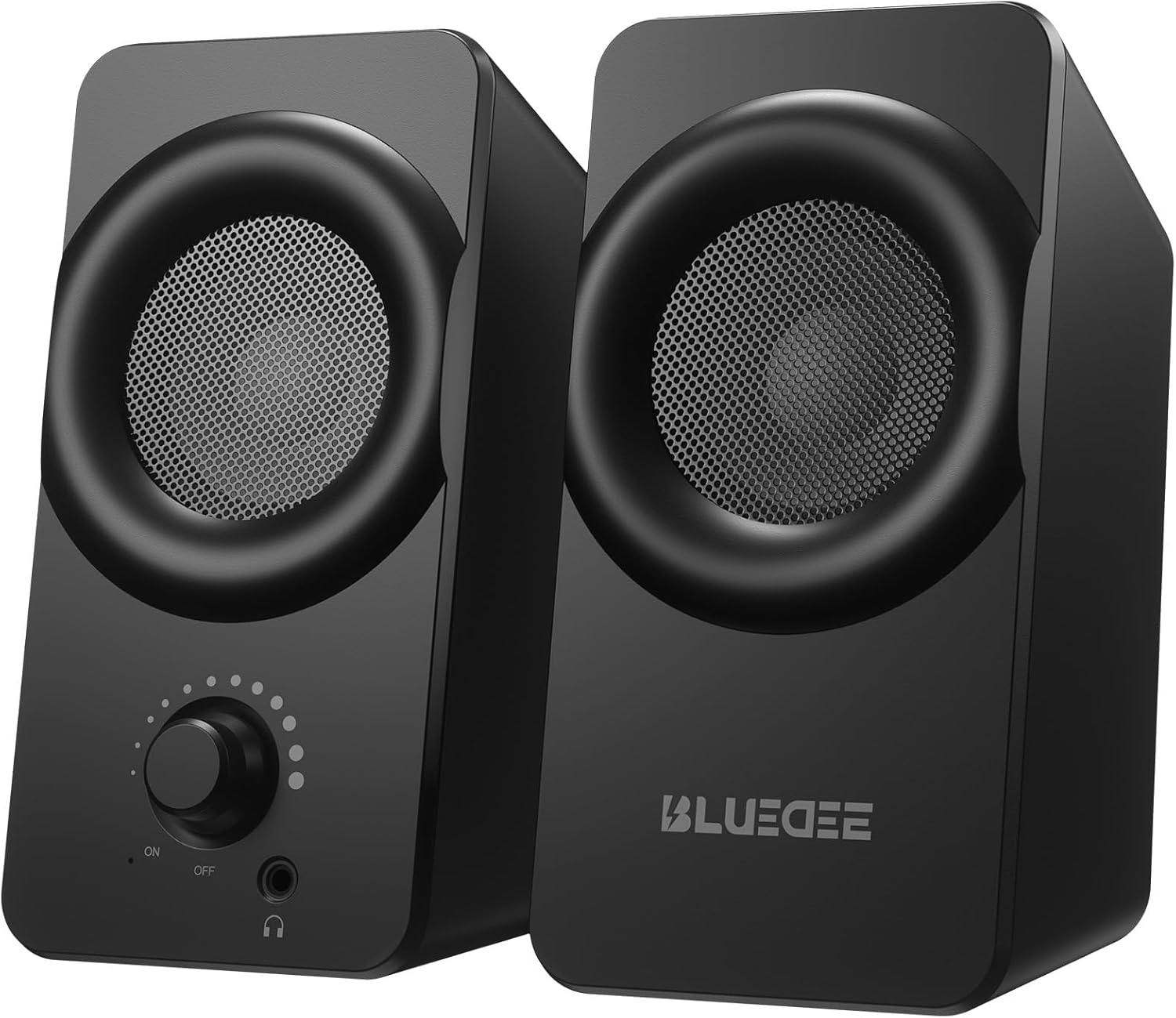
Obraz: Przód view of the two Bluedee computer speakers, showcasing their compact black design with circular speaker grilles and a volume knob on the right speaker.
Co jest w pudełku
Upon opening your Bluedee Computer Speakers package, you will find the following items:
- Two (2) Bluedee Computer Speakers
- Integrated USB/Type-C Cable (Undetachable)
- Instrukcja obsługi (ten dokument)
Video: An unboxing and setup guide for the Bluedee computer speakers, demonstrating what's included in the package and how to connect the speakers.
Organizować coś
Setting up your Bluedee Computer Speakers is quick and straightforward, thanks to their plug-and-play design.
- Umieszczenie: Position the two speakers on your desk or desired surface. Ensure they are stable and the non-slip pads on the bottom are making full contact to minimize vibrations.
- Connect to Power/Audio: The speakers are powered and receive audio via a single USB/Type-C cable.
- If your device has a USB-C port, connect the Type-C end of the cable directly.
- If your device has a standard USB-A port, use the included USB-A adapter to connect the cable.
- Włączanie: Rotate the volume knob on the front of the right speaker clockwise until you hear a click to turn the speakers ON.

Image: A close-up of the USB/Type-C cable connecting to a laptop, illustrating the versatile connectivity options for the speakers.
For a visual guide on connecting your speakers, please refer to the "What's in the Box & How to Use" video in the previous section, specifically from the 0:18 mark.
Instrukcja obsługi
Your Bluedee speakers are designed for intuitive control.
- Regulacja głośności: The large knob on the front of the right speaker controls both power and volume.
- Obróć w prawo, aby zwiększyć głośność.
- Obróć przeciwnie do ruchu wskazówek zegara, aby zmniejszyć głośność.
- Rotate fully counter-clockwise until it clicks to turn the speakers OFF.
- Oświetlenie RGB: The speakers feature dynamic RGB lights that can be controlled with a touch-sensitive symbol on top of the right speaker.
- Tap the light symbol once to turn the RGB lights ON or OFF.
- The lights will pulse with your music or game audio, creating an immersive atmosphere.
- Gniazdo słuchawkowe: A 3.5mm headphone jack is located on the front of the right speaker.
- Plug in your headphones for a private listening experience.
- Connecting headphones will automatically mute the speakers.

Obraz: szczegółowy view of the right speaker's controls, highlighting the volume knob, headphone jack, and the touch-sensitive RGB light control symbol.
For a demonstration of the controls, including power, volume, and RGB light operation, please refer to the "What's in the Box & How to Use" video from the 0:29 mark.
Konserwacja
To ensure the longevity and optimal performance of your Bluedee Computer Speakers, follow these simple maintenance guidelines:
- Czyszczenie: Use a soft, dry cloth to wipe down the speaker surfaces. Avoid using abrasive cleaners, solvents, or strong chemicals, as these can damage the finish.
- Usuwanie kurzu: Gently brush away any dust from the speaker grilles using a soft brush or a can of compressed air.
- Składowanie: Jeśli głośniki nie będą używane przez dłuższy czas, należy je przechowywać w chłodnym, suchym miejscu, z dala od bezpośredniego światła słonecznego i ekstremalnych temperatur.
- Unikaj płynów: Do not expose the speakers to water or other liquids. They are not waterproof.
Rozwiązywanie problemów
If you encounter any issues with your Bluedee Computer Speakers, please refer to the following troubleshooting steps:
| Problem | Możliwa przyczyna | Rozwiązanie |
|---|---|---|
| Brak dźwięku z głośników |
|
|
| Dźwięk jest zniekształcony lub niewyraźny |
|
|
| Światła RGB nie działają |
|
|
If the problem persists after trying these steps, please contact Bluedee Customer Support for further assistance.
Specyfikacje
Detailed specifications for your Bluedee Computer Speakers:
| Funkcja | Szczegół |
|---|---|
| Nazwa modelu | BD-SK800 |
| Typ głośnika | Głośniki komputerowe |
| Technologia łączności | USB (includes Type-C adapter) |
| Maksymalna moc wyjściowa głośnika | 10 watów |
| Wymiary produktu (dł. x szer. x wys.) | 3.74" gł. x 3.15" szer. x 6.11" wys. |
| Waga przedmiotu | 1.6 funtów |
| Tworzywo | Metal, Plastik |
| Metoda kontroli | Touch (for RGB lights) |
| Typ kontrolera | Knob (for volume/power) |
| Tryb wyjścia audio | Stereofoniczny |
| Źródło zasilania | Elektryczny przewodowy (przez USB) |
| UPC | 732133620731 |

Image: The two speakers shown with their dimensions (length, width, height) overlaid, emphasizing their compact size.
Gwarancja i wsparcie
Bluedee stands behind the quality of its products. Your Bluedee Computer Speakers are backed by an 18-miesięczna gwarancja jakości.
If you encounter any issues or have questions regarding your product, please do not hesitate to contact Bluedee Customer Support. We are committed to resolving any concerns within 24 hours.
For support, please reach out to the seller, HanMeng Direct, through the platform where you made your purchase.
Additional protection plans may be available for purchase separately. Please refer to your purchase details for more information on extended warranty options.
Ask a question about this manual
Ask about setup, troubleshooting, compatibility, parts, safety, or missing instructions. Manuals+ will review the question and use this page’s manual context to help answer it.