
1. Wprowadzenie
This manual provides detailed instructions for the MCHOSE V9 PRO Wireless Gaming Headset and the MCHOSE G98 PRO Wireless Mechanical Keyboard. Please read this guide thoroughly to ensure proper setup, operation, and maintenance of your devices. This combo product offers a complete gaming and productivity solution with advanced features for an enhanced user experience.
2. Zawartość opakowania
Sprawdź, czy w przesyłce znajdują się wszystkie elementy:
- MCHOSE V9 PRO Wireless Gaming Headset
- Klawiatura mechaniczna bezprzewodowa MCHOSE G98 PRO
- USB Wireless Receiver (for both devices)
- Kabel ładujący USB-C
- Detachable Microphone (for headset)
- Keycap Puller (for keyboard)
- Switch Puller (for keyboard)
- Instrukcja obsługi (ten dokument)
3. MCHOSE V9 PRO Wireless Gaming Headset
3.1. Konfiguracja
The V9 PRO headset supports Tri-Mode connection: 2.4GHz wireless, Bluetooth, and wired USB.
- Połączenie bezprzewodowe 2.4 GHz:
- Insert the USB wireless receiver into an available USB port on your computer or console.
- Power on the headset. It will automatically attempt to connect to the receiver.
- A solid indicator light on the headset confirms a successful connection.
- Połączenie Bluetooth:
- With the headset powered on, press and hold the Bluetooth pairing button until the indicator light flashes rapidly.
- On your device (phone, tablet, computer), search for Bluetooth devices and select "MCHOSE V9 PRO".
- The indicator light will become solid once paired.
- Połączenie przewodowe USB:
- Connect the USB-C charging cable to the headset and to a USB port on your device.
- Zestaw słuchawkowy będzie pełnić funkcję przewodowego urządzenia audio i jednocześnie będzie się ładować.
- Mocowanie mikrofonu:
- Align the detachable microphone with the port on the left earcup and insert it firmly.
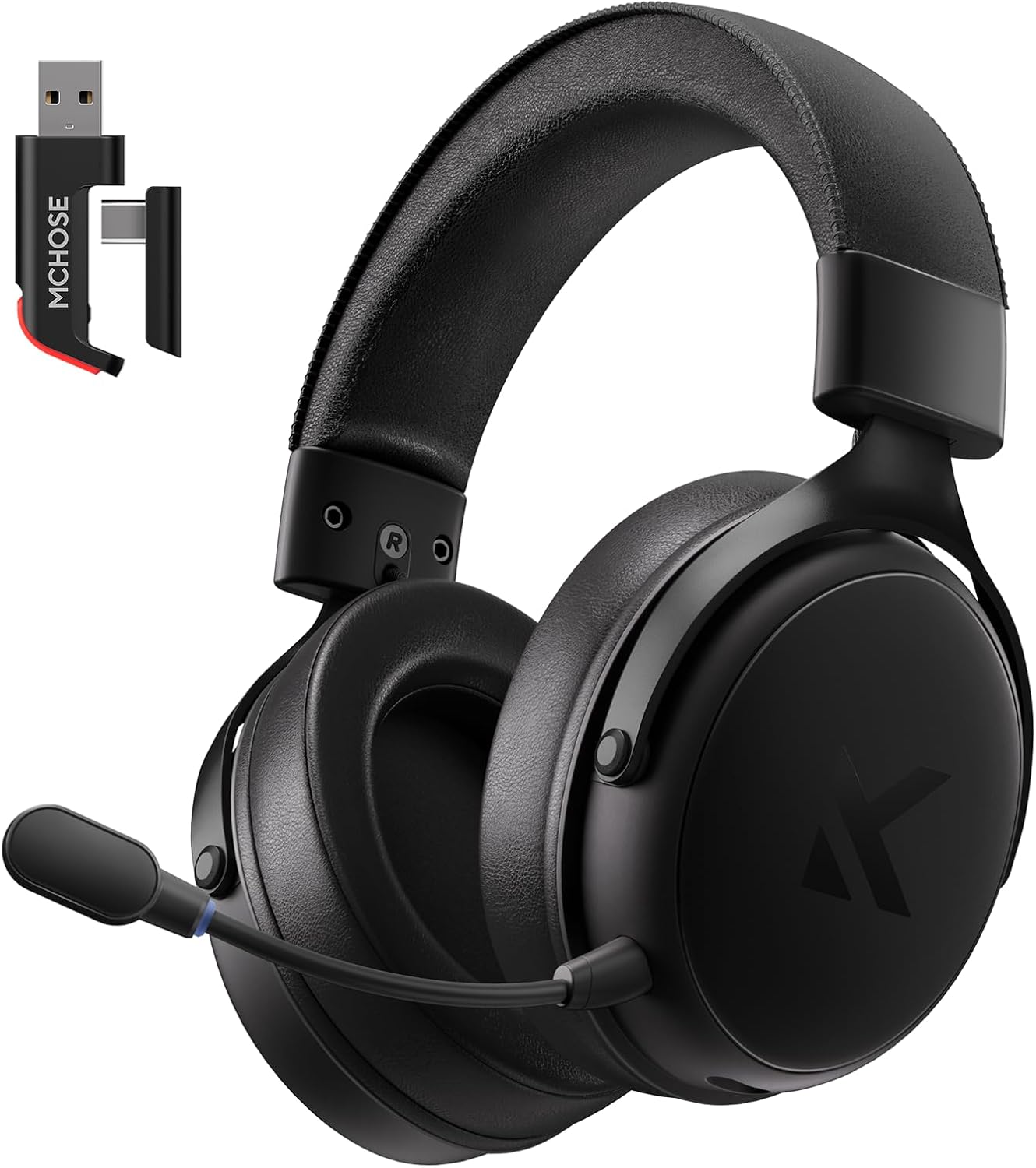
Image: MCHOSE V9 PRO Wireless Gaming Headset with its USB wireless receiver. The headset features large earcups and a detachable microphone.
3.2. Obsługa
- Włączanie/wyłączanie: Naciśnij i przytrzymaj przycisk zasilania przez 3 sekundy.
- Regulacja głośności: Use the volume roller on the earcup to adjust audio output.
- Wyciszenie mikrofonu: Press the microphone mute button to toggle mute on/off.
- Dźwięk przestrzenny 7.1: Activate 7.1 surround sound via the MCHOSE HUB software for immersive audio. This feature enhances spatial awareness in games.
- AI Noise-Canceling Microphone: The integrated AI technology automatically filters background noise for clear communication. Ensure the microphone is positioned correctly near your mouth.
- Audio Equalizer Customization: Download and install the MCHOSE HUB software from the official MCHOSE website. Use the software to customize equalizer settings to your preference, allowing for fine-tuning of audio profiles do różnych zastosowań.
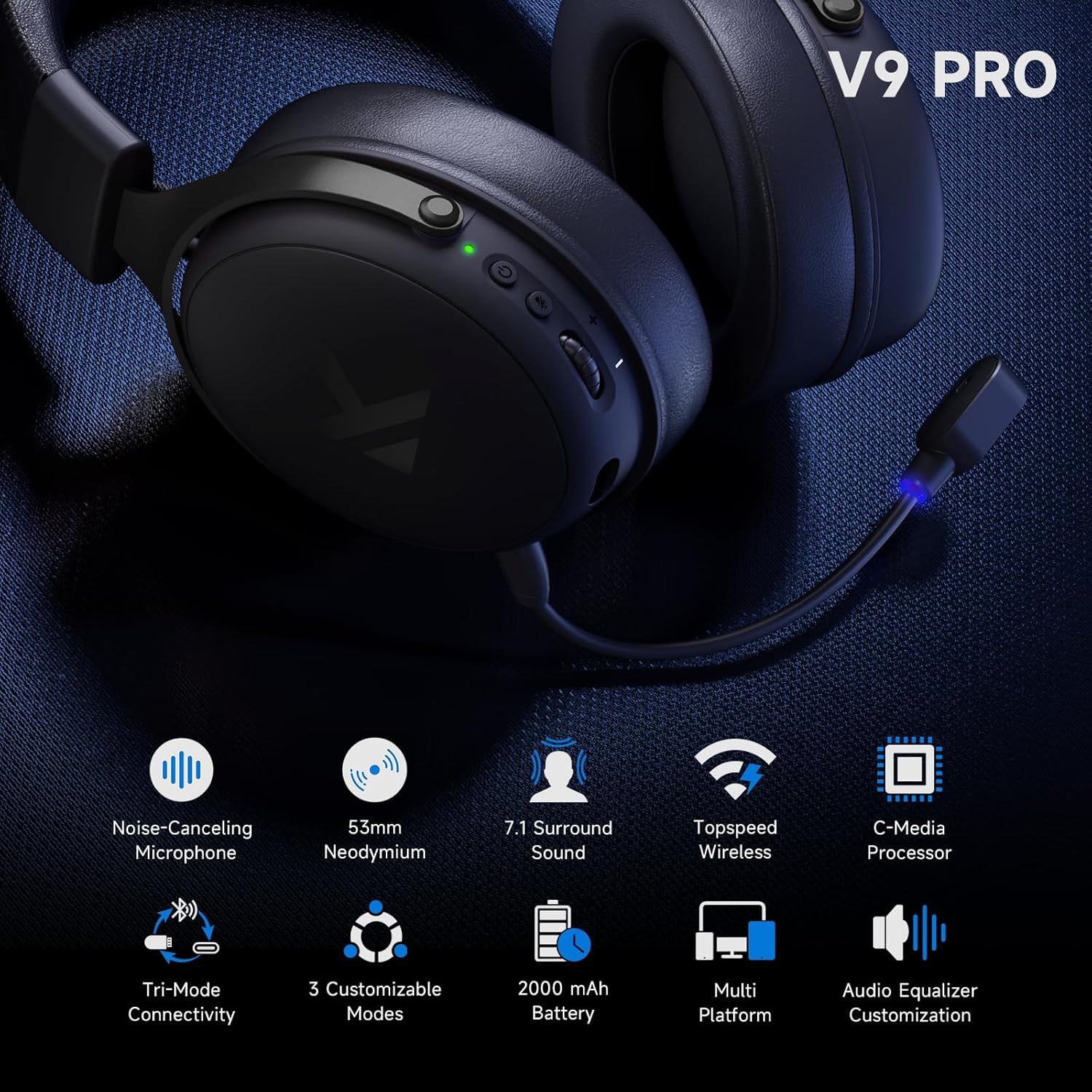
Image: Close-up of the MCHOSE V9 PRO headset highlighting key features such as the noise-canceling microphone, 53mm neodymium drivers, 7.1 surround sound capability, and tri-mode connectivity options.
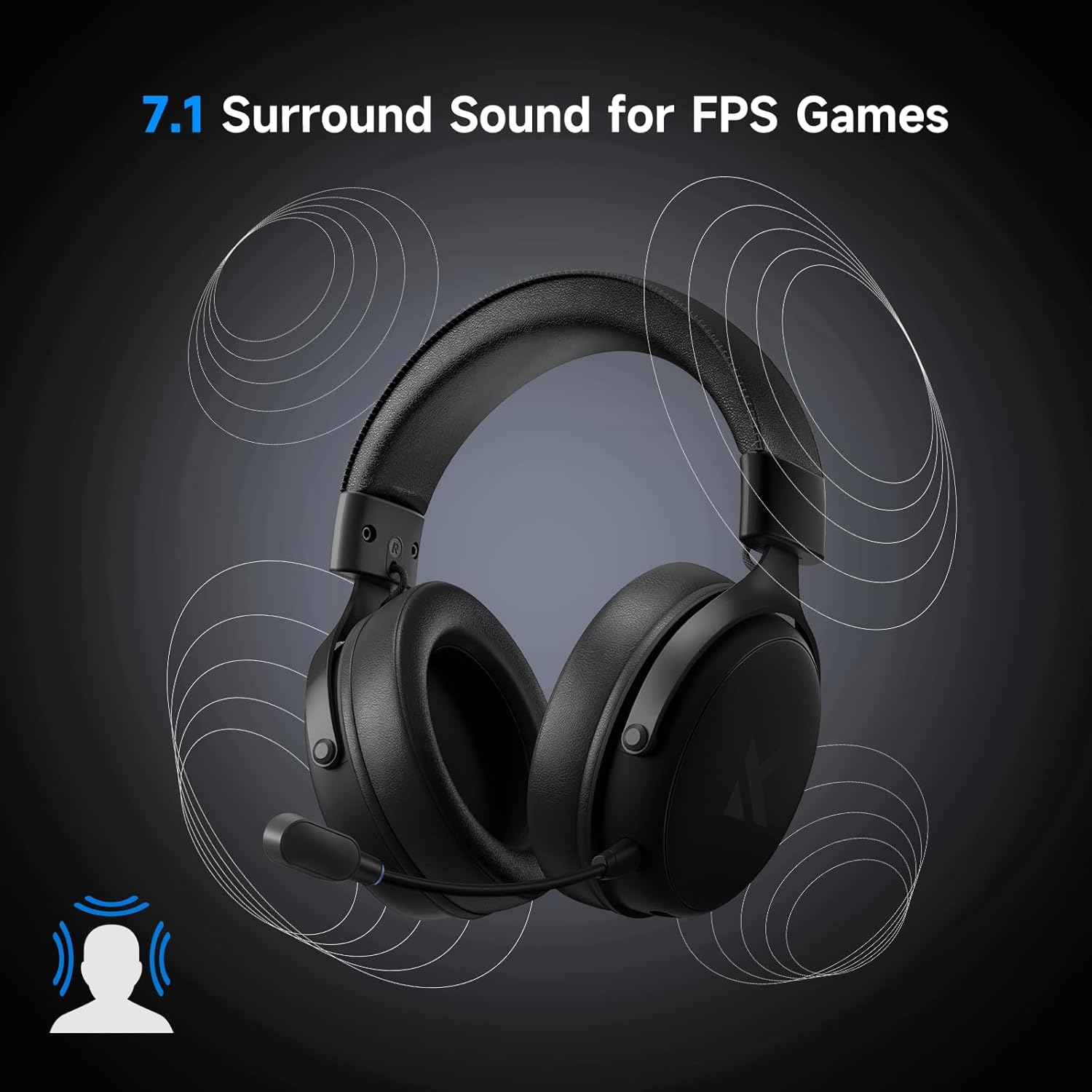
Image: The MCHOSE V9 PRO headset with visual cues indicating 7.1 surround sound, illustrating its immersive audio capabilities for gaming.
3.3. Konserwacja
- Clean earcups and headband with a soft, dry cloth.
- Unikaj narażania zestawu słuchawkowego na działanie ekstremalnych temperatur i wilgoci.
- Gdy nie jest używany, przechowywać w czystym i suchym miejscu.
3.4. Specifications (Headset)
- Kierowcy: 53mm neodym
- Dźwięk: Dźwięk przestrzenny 7.1
- Mikrofon: Redukcja szumów AI
- Łączność: Bezprzewodowa łączność 2.4 GHz, Bluetooth, przewodowa łączność USB
- Czas pracy baterii: Up to 250 hours (approximate, depending on usage)
- Waga: Około 275g

Obraz: Szczegółowy view of the MCHOSE V9 PRO headset, highlighting its 9-position adjustable headband, ultra-skin-friendly materials, impressive 250-hour battery life, and lightweight design at only 275 grams.
4. MCHOSE G98 PRO Wireless Mechanical Keyboard
4.1. Konfiguracja
The G98 PRO keyboard supports Tri-Mode connection: 2.4GHz wireless, Bluetooth, and wired USB.
- Połączenie bezprzewodowe 2.4 GHz:
- Ensure the USB wireless receiver is plugged into your computer.
- Set the keyboard's connection switch to 2.4G mode.
- The keyboard will automatically connect. An indicator light will confirm the connection.
- Połączenie Bluetooth:
- Set the keyboard's connection switch to BT mode.
- Press and hold FN + 1/2/3 to enter pairing mode for one of the three Bluetooth channels. The indicator light will flash.
- On your device, search for Bluetooth devices and select "MCHOSE G98 PRO".
- The indicator light will become solid once paired. You can switch between paired devices using FN + 1/2/3.
- Połączenie przewodowe USB:
- Connect the USB-C charging cable to the keyboard and to a USB port on your computer.
- Set the keyboard's connection switch to USB mode.
- Klawiatura będzie działać jak urządzenie przewodowe i jednocześnie będzie się ładować.

Image: MCHOSE G98 PRO Wireless Mechanical Keyboard, showcasing its 96% layout with purple keycap accents.
4.2. Obsługa
- Układ: The G98 PRO features a 96% layout with 99 keys, retaining essential arrow keys and a number pad in a compact form factor.
- Podświetlenie RGB: Use FN key combinations to cycle through various RGB lighting effects, adjust brightness, and change speed. Refer to the quick guide for specific key combinations.
- Przełączniki z możliwością wymiany na gorąco: The keyboard supports hot-swappable 3/5-pin mechanical switches, allowing users to customize their typing experience without soldering. Use the provided switch puller to carefully remove and insert switches.
- Custom Gasket Structure: The 5-layer gasket structure provides a flexible and cushioned typing feel, reducing vibrations and enhancing sound profile.
- MCHOSE HUB Software: Download and install the MCHOSE HUB software for advanced customization, including key remapping, macro creation, and lighting effects.
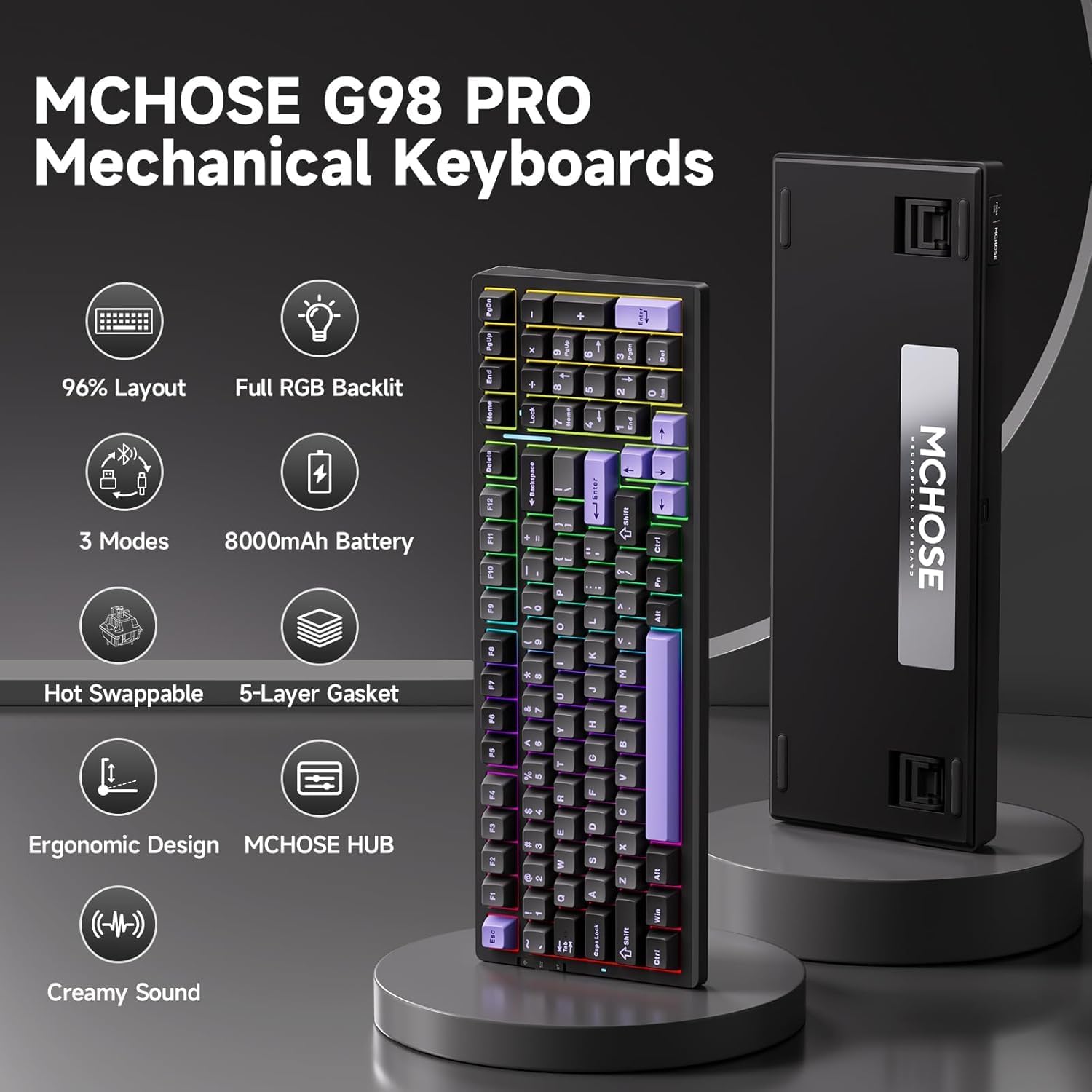
Obraz: Ponadview of the MCHOSE G98 PRO Mechanical Keyboard, detailing its 96% layout, full RGB backlighting, tri-mode connectivity, 8000mAh battery, hot-swappable design, 5-layer gasket structure, and ergonomic design.
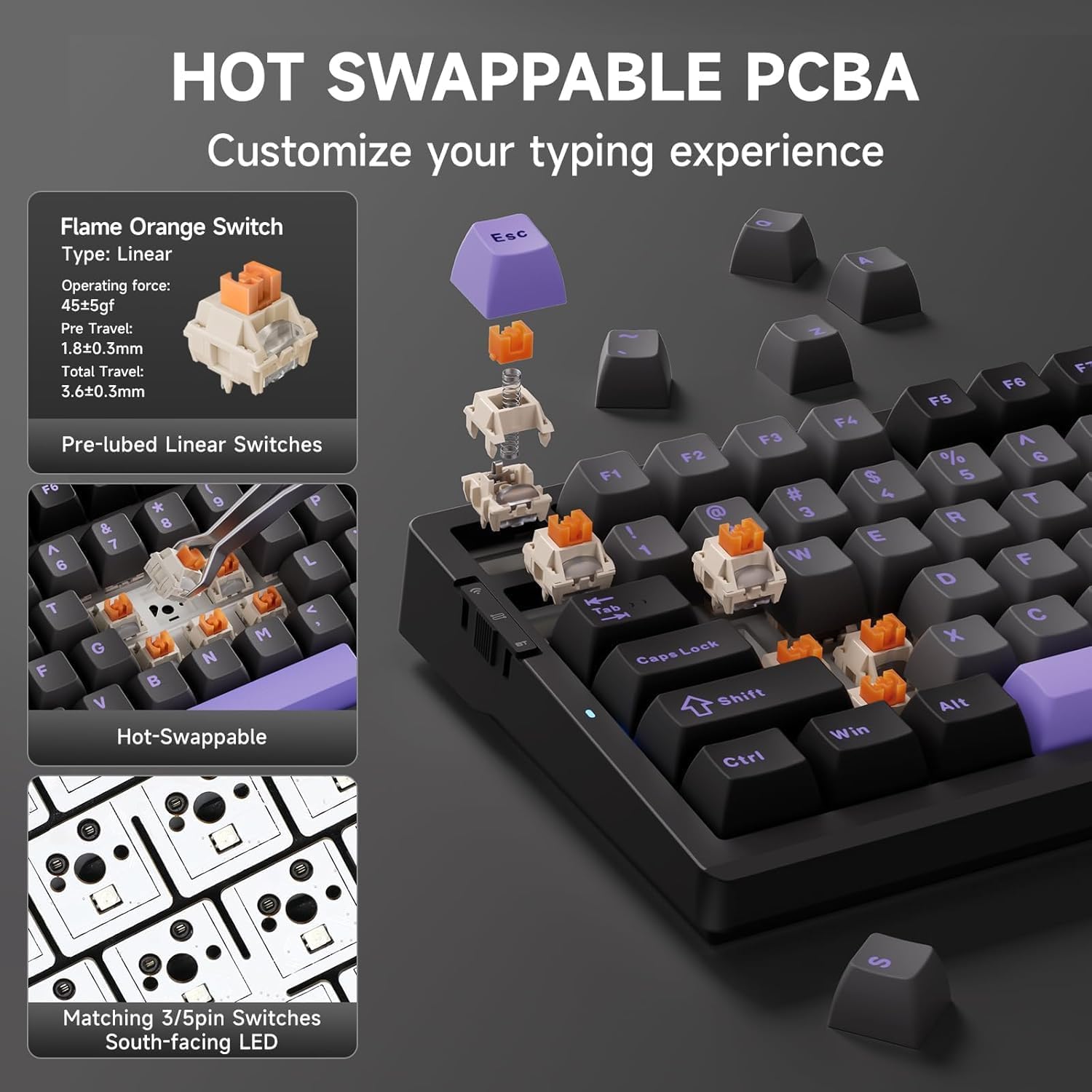
Image: Close-up demonstrating the hot-swappable PCBA of the MCHOSE G98 PRO keyboard, showing how switches like the Flame Orange Linear Switch can be easily removed and replaced.
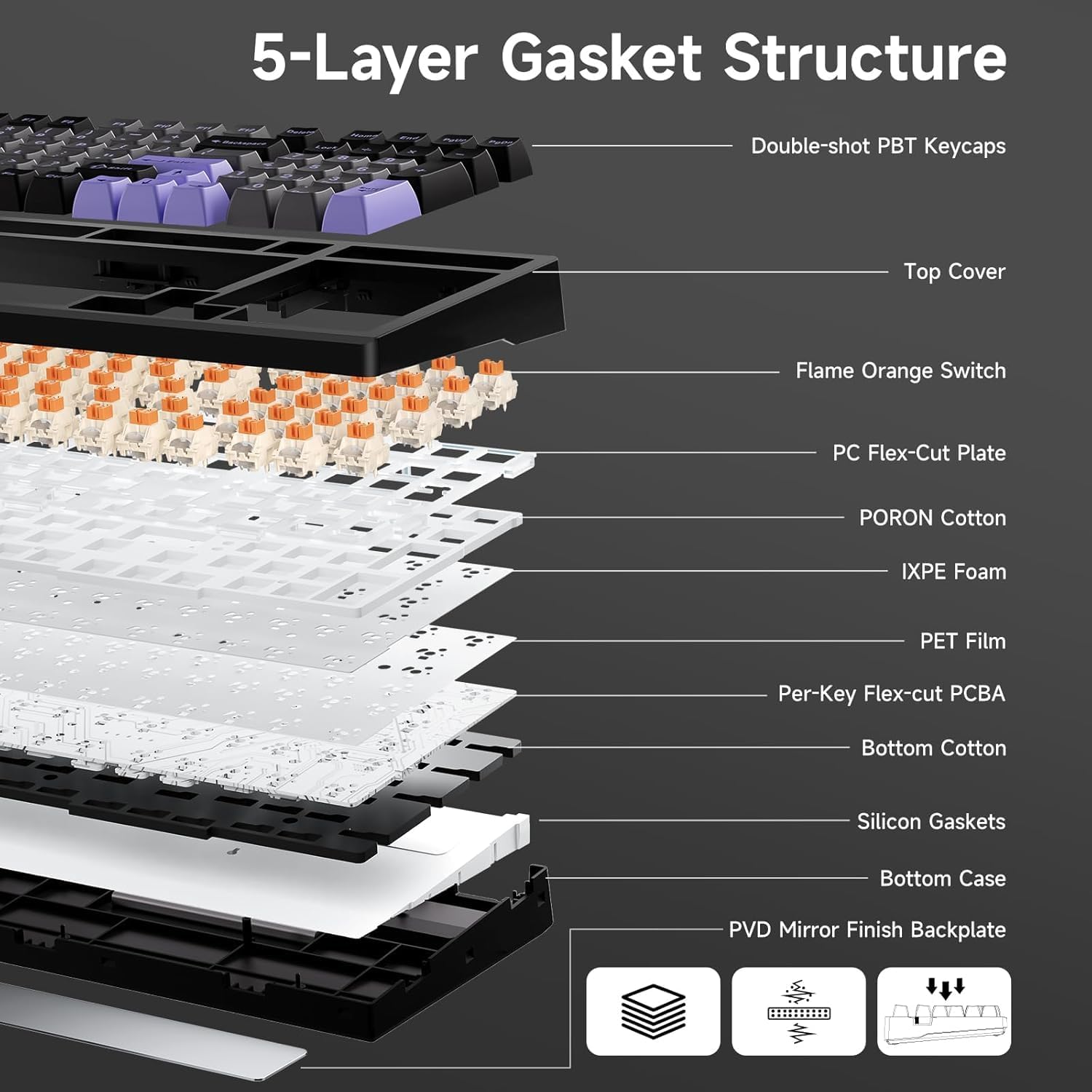
Obraz: Wybuchowy view diagram of the MCHOSE G98 PRO keyboard's 5-layer gasket structure, illustrating components like double-shot PBT keycaps, switches, PC flex-cut plate, various foam layers, and silicon gaskets.
4.3. Konserwacja
- Czyszczenie: Use the provided keycap puller to remove keycaps for cleaning. Use a soft brush or compressed air to remove dust and debris from between switches. Wipe keycaps with a damp płótno.
- Wymiana przełącznika: Use the switch puller to carefully remove switches. Align new switches with the PCB pins and press gently until they click into place. Ensure pins are not bent.
- Ładowanie akumulatora: Connect the USB-C cable to a power source. The indicator light will show charging status. The 8000mAh battery provides extended usage.
4.4. Specifications (Keyboard)
- Układ: 96% (99 klawiszy)
- Łączność: 2.4GHz Wireless, Bluetooth (BT5), USB Wired
- Bateria: 8000mAh
- Przełączniki: Hot-swappable (compatible with 3/5-pin mechanical switches)
- Struktura: 5-Layer Gasket
- Podświetlenie: Full RGB
5. Rozwiązywanie Problemów
Jeśli napotkasz problemy, zapoznaj się z poniższymi typowymi rozwiązaniami:
| Problem | Możliwa przyczyna | Rozwiązanie |
|---|---|---|
| Headset/Keyboard not connecting wirelessly | Low battery, incorrect mode, receiver not plugged in, interference. | Charge the device. Ensure the USB receiver is securely plugged in. Switch to the correct connection mode (2.4G or BT). Move closer to the receiver. |
| Brak dźwięku w zestawie słuchawkowym | Volume too low, incorrect audio output device selected, headset not connected. | Increase volume. Check your device's sound settings to ensure the MCHOSE V9 PRO is selected as the output. Reconnect the headset. |
| Mikrofon nie działa | Microphone muted, incorrect input device selected, microphone not fully inserted. | Unmute the microphone. Check your device's sound settings to ensure the MCHOSE V9 PRO microphone is selected as the input. Ensure the microphone is firmly attached. |
| Klawisze klawiatury nie reagują | Low battery, switch issue, software glitch. | Charge the keyboard. Try a wired connection. If a specific key, try replacing the switch. Restart your computer. |
| Nie działa oświetlenie RGB | Oświetlenie wyłączone, problem z oprogramowaniem. | Use FN key combinations to cycle through lighting modes and brightness. Check MCHOSE HUB software settings. |
6. Gwarancja i wsparcie
MCHOSE products come with a standard manufacturer's warranty. For detailed warranty information, please refer to the warranty card included in your package or visit the official MCHOSE website. For technical support, troubleshooting assistance, or to download the MCHOSE HUB software, please visit the MCHOSE Store on Amazon or the official MCHOSE support page.