
1. Koniec produktuview
The Jauarta ME168 Smart Radiator Thermostat is an advanced device designed to optimize your home heating system. It integrates with Zigbee networks, allowing for remote control via a dedicated application and voice commands. Key features include:
- Wiele trybów pracy: Choose between automatic and manual modes to suit your heating preferences. The automatic mode supports four time programs for each day of the week, providing flexible scheduling.
- Oszczędność energii: Efficiently manage your heating schedule to reduce energy consumption and lower utility costs.
- Zdalne sterowanie: Connects to your Zigbee network for control via a smartphone application.
- Sterowanie głosowe: Compatible with voice assistants when integrated into a smart home system.
- Oprogramowanie z możliwością aktualizacji: Supports remote software upgrades for continuous functionality and performance optimization.

Rysunek 1: Kątowy view of the Jauarta ME168 Smart Radiator Thermostat.
2. Zawartość opakowania
Sprawdź, czy w opakowaniu Twojego produktu znajdują się wszystkie elementy wymienione poniżej:
- 1 x Jauarta ME168 Temperature Controller
- 1 x Instrukcja obsługi (ten dokument)
- 12 x Accessories (various adapters for radiator valves)

Figure 2: The Jauarta ME168 Thermostat shown with its complete set of accessories, including various valve adapters.
3. Specyfikacje
| Parametr | Wartość |
|---|---|
| Model | ME168 |
| Zasilacz | 2 baterie AA 1.5 V. |
| Temperatura otoczenia podczas pracy | 0 do 50℃ |
| Zakres ustawień temperatury | 5~35℃ |
| Dokładność wyświetlania temperatury | ±1℃ |
| Temperatura otoczenia podczas przechowywania | -10~60℃ |
| Standardowy Zigbee | IEEE802.15.4 |
| Częstotliwość komunikacji | 2.405~2.48 GHz |
| Norma bezpieczeństwa elektrycznego | GB14536.1-2008 GB14536.10-2008 |
| Waga przedmiotu | 7.9 uncji (około 224 gramów) |
| Wymiary opakowania | 3.94 x 3.15 x 2.36 cala (ok. 10 x 8 x 6 cm) |
4. Instrukcje konfiguracji
Follow these steps to set up your Jauarta ME168 Smart Radiator Thermostat:
4.1. Instalacja baterii
- Gently twist and remove the top cover of the thermostat to access the battery compartment.
- Włóż dwie (2) baterie AA 1.5 V, zwracając uwagę na prawidłową biegunowość (+/-).
- Replace the top cover, twisting it until it clicks securely into place.
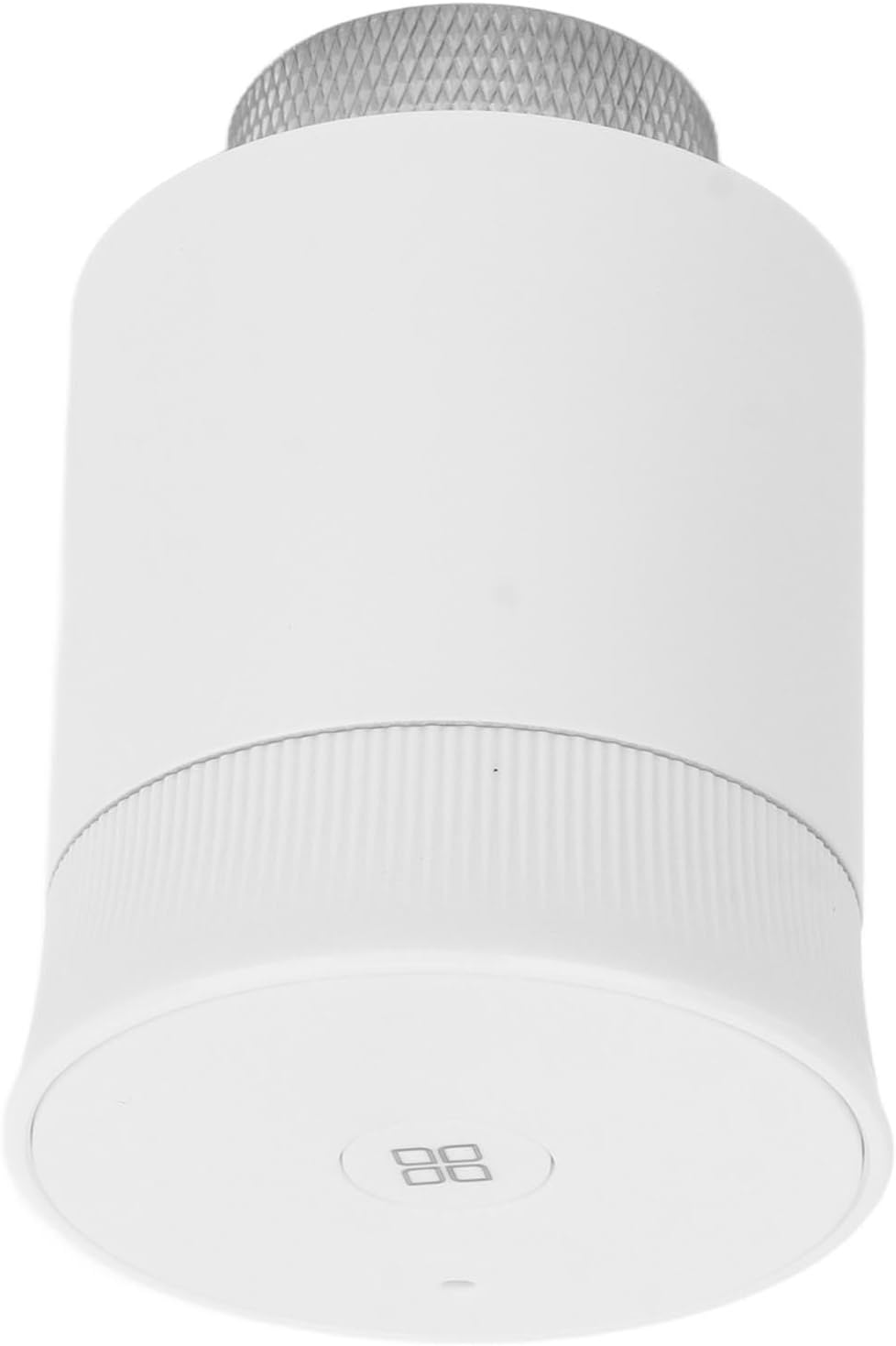
Rycina 3: Przód view of the thermostat, indicating the display area where temperature and settings will be shown.
4.2. Mounting to Radiator Valve
- Identify the type of radiator valve you have. Use the appropriate adapter from the 12 included accessories if needed.
- Screw the thermostat onto the radiator valve. Ensure it is securely fastened but do not overtighten.
- The thermostat should be positioned vertically for optimal performance and display visibility.
4.3. Parowanie sieci Zigbee
To enable remote and voice control, the thermostat must be paired with a Zigbee gateway (sold separately) and configured through its corresponding mobile application.
- Sprawdź, czy bramka Zigbee jest włączona i podłączona do sieci domowej.
- Open the Zigbee gateway's mobile application on your smartphone or tablet.
- Follow the application's instructions to add a new device. This typically involves putting the thermostat into pairing mode (refer to the thermostat's display for pairing indicators, usually a flashing icon).
- Once successfully paired, the thermostat will appear in your application, and you can begin configuring its settings.
5. Instrukcja obsługi
The Jauarta ME168 offers flexible control options:
5.1. Tryb ręczny
In manual mode, you can directly set the desired temperature on the thermostat or via the mobile application. The thermostat will maintain this temperature until it is manually changed again.
- On-Device Adjustment: Use the physical controls (e.g., rotating the top ring or pressing buttons, if present) to adjust the temperature. The display will show the current setting.
- Dostosowanie aplikacji: Open the connected mobile application, select the ME168 thermostat, and adjust the temperature slider or input field to your desired value.

Rysunek 4: Zbliżenie view of the thermostat's top surface, showing the integrated display and control interface.
5.2. Automatic Mode (Scheduling)
The automatic mode allows you to program heating schedules for different times of the day and days of the week. This helps in optimizing comfort and energy savings.
- Access the scheduling feature within the mobile application for your Zigbee gateway.
- Create up to four time programs for each day of the week. For example, you can set different temperatures for morning, daytime, evening, and nighttime.
- Assign desired temperatures to each time slot.
- Zapisz swój harmonogram. Termostat automatycznie dostosuje się do tych ustawień.
5.3. Sterowanie głosowe
If your Zigbee gateway is integrated with a compatible voice assistant (e.g., Amazon Alexa, Google Assistant), you can control the thermostat using voice commands. Refer to your Zigbee gateway's manual for specific voice integration instructions.
- Ensure your thermostat is correctly named in the mobile application (e.g., "Living Room Radiator").
- Użyj poleceń takich jak:
- "Set [Thermostat Name] to 22 degrees."
- "What is the temperature of [Thermostat Name]?"
- "Turn on/off [Thermostat Name]." (Note: This might switch between heating/off modes depending on system setup).
6. Konserwacja
Proper maintenance ensures the longevity and optimal performance of your thermostat.
- Czyszczenie: Przetrzyj zewnętrzną część termostatu miękką, suchą ściereczką. Nie używaj środków czyszczących o właściwościach ściernych ani rozpuszczalników, ani nie zanurzaj urządzenia w wodzie.
- Wymiana baterii: When the battery low indicator appears on the display or in the mobile application, replace both AA batteries promptly. Refer to Section 4.1 for battery installation instructions.
- Aktualizacje oprogramowania: The thermostat supports remote software upgrades. Ensure your Zigbee gateway and mobile application are up-to-date to receive the latest firmware for continuous functionality and performance optimization.
7. Rozwiązywanie Problemów
If you encounter issues with your Jauarta ME168 Smart Radiator Thermostat, please refer to the following common problems and solutions:
| Problem | Możliwa przyczyna | Rozwiązanie |
|---|---|---|
| Termostat nie włącza się. | Baterie rozładowane lub nieprawidłowo włożone. | Wymień baterie na nowe baterie AA 1.5 V, zwracając uwagę na prawidłową biegunowość. |
| Cannot connect to Zigbee network. | Thermostat not in pairing mode; Zigbee gateway offline or too far; interference. | Ensure thermostat is in pairing mode. Check Zigbee gateway status and proximity. Reduce potential interference sources. |
| Incorrect temperature reading or control. | Thermostat placement; calibration issue. | Ensure thermostat is not obstructed or exposed to direct heat/cold sources. Check for calibration options in the mobile app. |
| Scheduled heating not working. | Incorrect schedule settings; thermostat in manual mode. | Verify schedule settings in the mobile app. Ensure the thermostat is set to Automatic mode. |
| Sterowanie głosowe nie reaguje. | Voice assistant integration issue; incorrect device name. | Check voice assistant settings and integration with your Zigbee gateway. Confirm the thermostat's name in the app. |
8. Gwarancja i wsparcie
For warranty information, please refer to the documentation provided at the time of purchase or contact your retailer. For technical support or further assistance, please contact Jauarta customer service through their official webstronę internetową lub dane kontaktowe dostarczone wraz z produktem.
Producent: Jauarta