
TAIYO 400021A
Instrukcja obsługi zdalnie sterowanego pojazdu TAIYO Mini Dino T-Rex
Model: 400021A
1. Koniec produktuview
Bring the excitement of the Jurassic era to your games with this Taiyo Mini Dino T-Rex Remote Control Vehicle. Its robust and realistic design, with details that mimic dinosaur skin, will ignite the imagination of little ones. Controlled by 2.4GHz radio frequency, it offers agile movements (forward, backward, and turns) without interference. Perfect for indoor or outdoor use, its compact size and durable materials ensure hours of fun. Ideal for little paleontologists who love adventure!
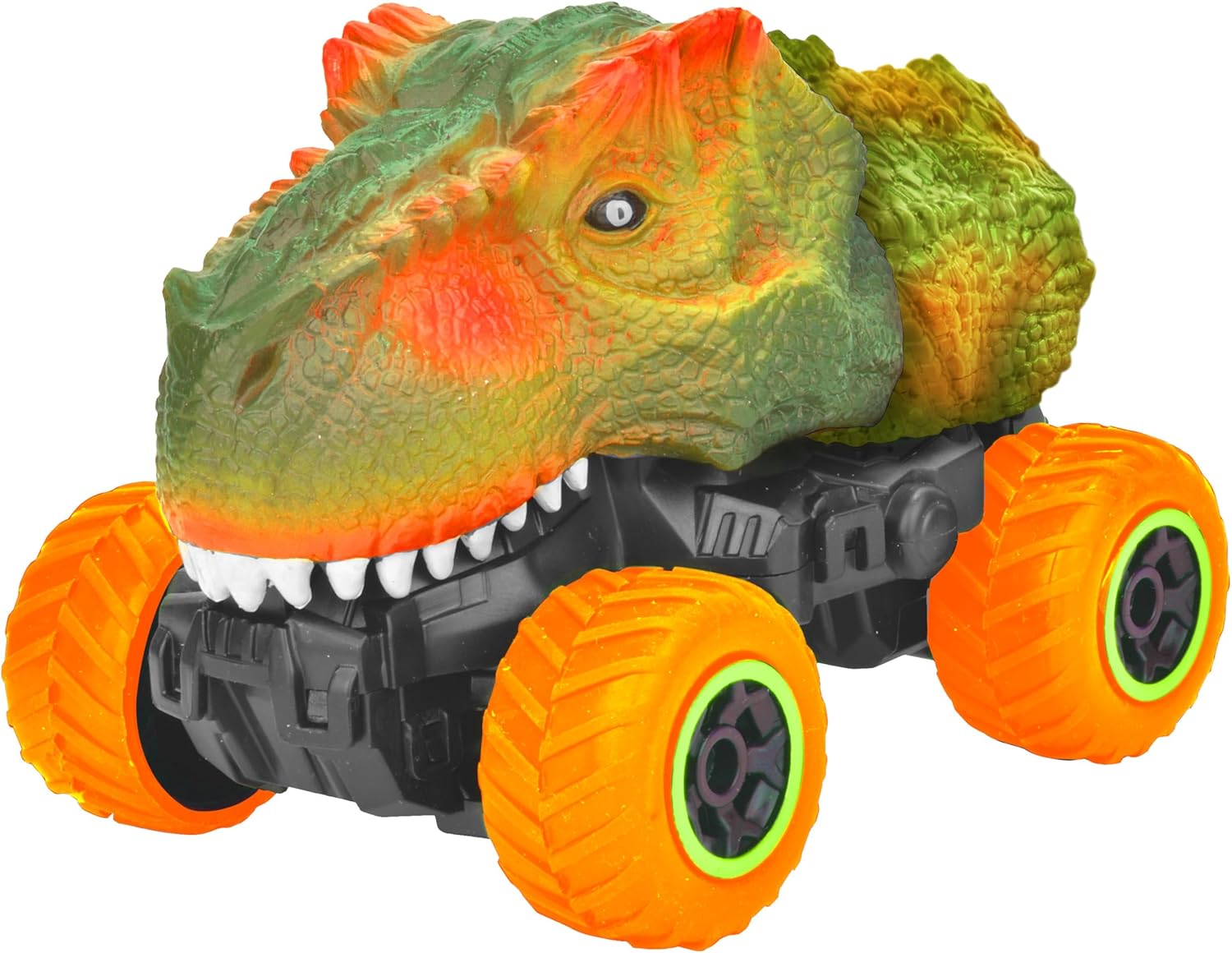
Rysunek 1.1: Widok z przodu view of the TAIYO Mini Dino T-Rex Remote Control Vehicle, showcasing its detailed dinosaur-like body and large orange wheels.
Główne cechy:
- 2.4GHz wireless control for extended range and interference-free operation.
- Full functions (forward, backward, smooth turns, and agile response).
- Super realistic design with details that simulate an authentic dinosaur.
- Ideal for young explorers (recommended age: 6 years and up).
- Durable and safe material, perfect for indoor or outdoor play.
2. Konfiguracja
2.1 Instalacja baterii
The TAIYO Mini Dino T-Rex requires batteries for both the vehicle and the remote control. The vehicle uses a Lithium-ion battery (included), and the remote control typically uses AA batteries (not always included, check packaging).
- Znajdź komorę baterii na spodzie pojazdu.
- Za pomocą małego śrubokręta otwórz pokrywę komory baterii.
- Insert the Lithium-ion battery, ensuring correct polarity (+/-).
- Załóż pokrywę i zabezpiecz ją śrubą.
- For the remote control, open its battery compartment and insert the required AA batteries, observing polarity.
2.2 Parowanie kontrolera
The vehicle and controller are usually pre-paired. If pairing is lost or for first-time use, follow these steps:
- Ensure both the vehicle and the remote control have fresh batteries installed.
- Włącz pojazd za pomocą wyłącznika zasilania.
- Włącz pilota.
- The indicator light on the remote control should blink and then become solid, indicating a successful connection. If not, turn both off and repeat the process.
3. Instrukcja obsługi
Once the vehicle and controller are paired, you can begin operating your Mini Dino T-Rex.
3.1 Podstawowe sterowanie
- Naprzód: Push the left joystick/trigger forward.
- Wstecz: Pull the left joystick/trigger backward.
- Skręć w lewo: While moving forward or backward, push the right joystick/lever to the left.
- Skręć w prawo: While moving forward or backward, push the right joystick/lever to the right.
- Zatrzymać: Release the joysticks/triggers to their neutral position.

Rysunek 3.1: Strona view of the TAIYO Mini Dino T-Rex, highlighting its robust chassis and textured dinosaur body.

Rycina 3.2: Przód view of the TAIYO Mini Dino T-Rex, showing its prominent teeth and eyes.
4. Konserwacja
4.1 Czyszczenie
To ensure the longevity of your vehicle, regular cleaning is recommended:
- Turn off the vehicle and remove batteries before cleaning.
- Wipe the vehicle's body with a soft, damp płótno. Unikaj stosowania ostrych środków chemicznych lub ściernych środków czyszczących.
- Use a small brush or compressed air to remove dirt and debris from the wheels and chassis.
- Nie zanurzaj pojazdu w wodzie.
4.2 Przechowywanie
When not in use, store the vehicle properly:
- Remove all batteries from both the vehicle and the remote control if storing for an extended period to prevent leakage.
- Store the vehicle in a cool, dry place, away from direct sunlight and extreme temperatures.
- Keep it in its original packaging or a protective container to prevent dust accumulation and damage.
5. Rozwiązywanie Problemów
If you encounter issues with your TAIYO Mini Dino T-Rex, refer to the following common problems and solutions:
- Pojazd nie odpowiada:
- Check if both the vehicle and remote control are turned on.
- Ensure batteries are correctly installed and fully charged/fresh.
- Re-pair the controller and vehicle (refer to Section 2.2).
- Make sure you are within the operating range of the remote control. - Poor control or erratic movement:
- Replace batteries in both the vehicle and remote control.
- Ensure there are no strong electromagnetic interferences nearby.
- Check for any obstructions in the wheels or chassis. - Krótka żywotność baterii:
- Ensure batteries are fully charged before use.
- Consider using high-quality rechargeable batteries. - Vehicle makes noise but doesn't move:
- Check if any gears are jammed or if there's debris preventing movement.
- Ensure the wheels are securely attached.
6. Specyfikacje
| Funkcja | Specyfikacja |
|---|---|
| Numer modelu | 400021A |
| Skala | Skala 1: 40 |
| Wymagane baterie | Tak |
| Baterie w zestawie | Tak |
| Battery Description (Toys) | Litowo-jonowy |
| Typ materiału | Plastikowy |
| Kolor | Zielony |
| Zalecany wiek producenta | 6 lata i więcej |
| Wymiary produktu | 22 x 11 x 11 cm; 380 g |
| ASIN | B0F561NVDH |
| Pierwsza dostępna data | 16 kwietnia 2025 r. |
7. Informacje dotyczące bezpieczeństwa
Aby zapobiec obrażeniom lub szkodom, należy zapoznać się z poniższymi wytycznymi bezpieczeństwa i stosować się do nich:
- Nieodpowiednie dla dzieci poniżej 6 lat.
- Używaj pod nadzorem osoby dorosłej.
- Keep away from water, fire, and high-impact surfaces.
- Zawiera małe części, które mogą stwarzać ryzyko zadławienia.
- Nie należy używać urządzenia w pobliżu ludzi, zwierząt domowych lub delikatnych przedmiotów.
- Do not modify or disassemble the vehicle or remote control.
8. Gwarancja i wsparcie
TAIYO products are manufactured to high-quality standards. For any issues not covered in this manual, or for warranty inquiries, please contact your retailer or the manufacturer's customer support. Keep your purchase receipt as proof of purchase.
Ask a question about this manual
Ask about setup, troubleshooting, compatibility, parts, safety, or missing instructions. Manuals+ will review the question and use this page’s manual context to help answer it.