
CallToU CC01-01A-06W
CallToU Wireless Caregiver Pager Smart Call System
Model: CC01-01A-06W
1. Wprowadzenie
The CallToU Wireless Caregiver Pager Smart Call System is designed to provide reliable and convenient assistance for individuals requiring care, such as the elderly, sick, or disabled. This system allows caregivers to be alerted instantly when help is needed, ensuring timely response and enhanced safety. Its user-friendly design and robust features make it an essential tool for home and personal attention.
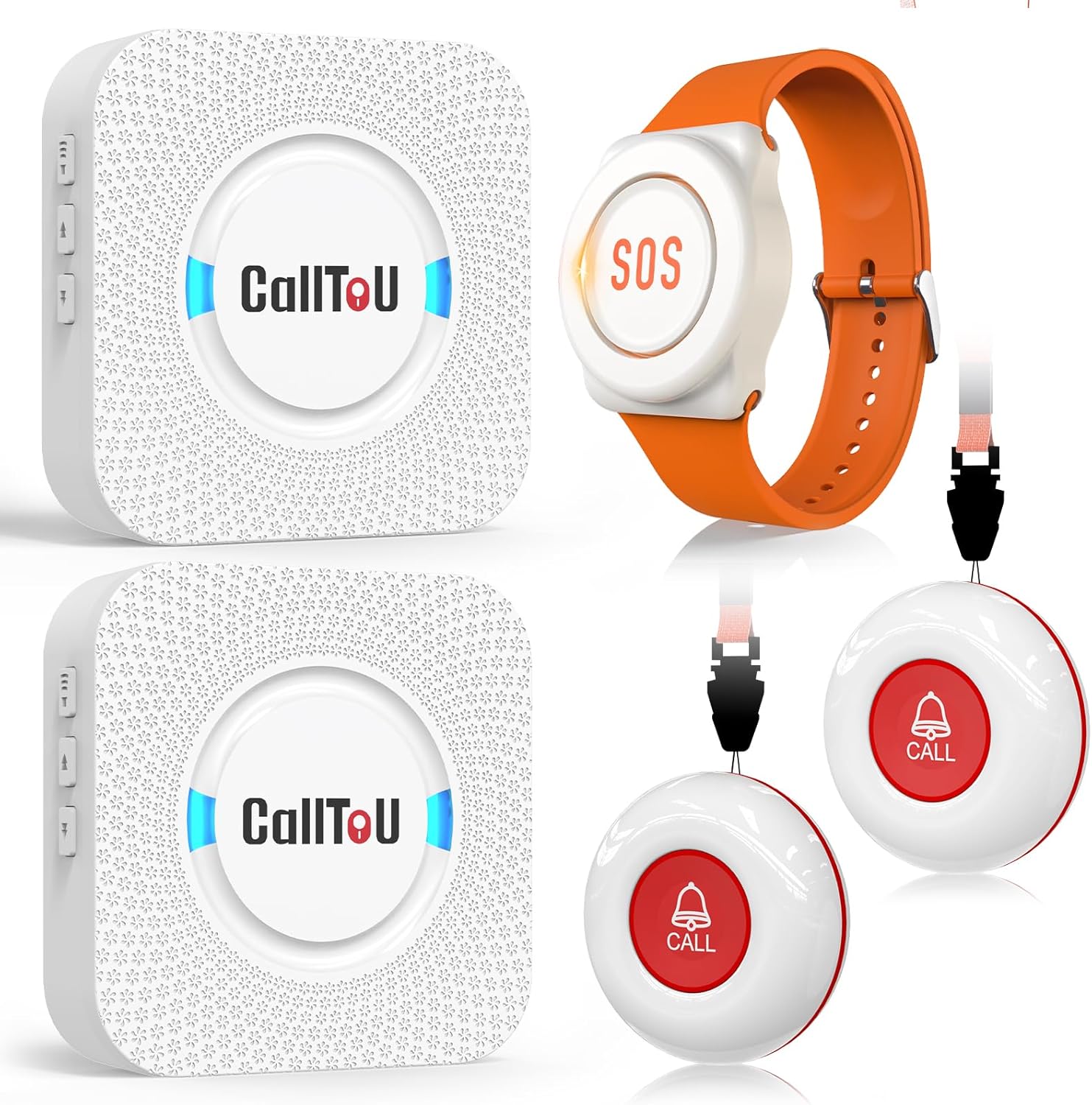
Obraz: Ponadview of the CallToU Wireless Caregiver Pager Smart Call System, showing two white plug-in receivers, two red and white call buttons with lanyards, and one orange and white wrist call button.
2. Zawartość opakowania
Sprawdź przesyłkę, aby upewnić się, że znajdują się w niej wszystkie elementy:
- 2 x CallToU Plug-in Receivers
- 2 x Call Buttons (with lanyards)
- 1 x Wrist Call Button
- Instrukcja obsługi
3. Funkcje produktu
- Wireless Coverage: Offers a wide range of up to 500 feet (150 meters) in open areas, ensuring reliable signal transmission throughout your home or facility.
- Dostosowywane alerty: The receiver features 55 selectable ringtones and 5 adjustable volume levels, ranging from 0 dB (mute) to 110 dB, allowing you to choose the perfect alert for your environment.
- Trwałe i wodoodporne: The call buttons are rated IP55 waterproof, and the wrist call button is IP66 waterproof, making them suitable for use in bathrooms or during light rain.
- Portable and Comfortable: The call buttons can be worn around the neck or secured with a bracket/sticker. The wrist call button features a lightweight, adjustable rubber strap for comfortable wear.
- Rozszerzalny system: The receiver supports pairing with up to 30 call buttons, allowing for a fully customizable and expandable alert system.

Image: An illustration demonstrating the 500ft wireless coverage of the CallToU system, showing receivers and call buttons placed around a house.

Obraz: Zbliżenie view of the CallToU receiver, highlighting its power plug, speaker, blue LED indicator, volume control, backward button, and forward button, along with text indicating 5 volume levels, 55 ringtone options, and support for 30 call buttons.

Image: A red and white call button being splashed with water, demonstrating its IP55 waterproof rating.

Image: A person washing their hands while wearing the orange and white wrist call button, illustrating its IP66 waterproof rating.

Image: A collage showing the wrist call button being worn, its rubber strap, light quality, removable strap, and ease of pressing, with an elderly person and caregiver in the background.
4. Przewodnik konfiguracji
4.1 Konfiguracja początkowa
- Rozpakuj wszystkie elementy z pudełka.
- Plug the CallToU Receivers into standard 120V AC electrical outlets in desired locations within your home or care facility. Ensure they are within range of where the call buttons will be used.
- The receivers will power on and emit a default ringtone.
4.2 Pairing Call Buttons with Receiver
To ensure your call buttons communicate with the receiver, follow these pairing steps:

Image: A four-step diagram illustrating the pairing process for the CallToU receiver and call buttons, showing button presses and LED indicators.
- Wybierz dzwonek: On the receiver, press the 'Forward' (▲) or 'Backward' (▼) button to cycle through the available melodies until you find your preferred ringtone.
- Wejdź w tryb parowania: Hold the 'Volume Control' button on the receiver until the blue LED indicator flashes and you hear a 'ding' sound. This indicates the receiver is in pairing mode.
- Aktywuj przycisk połączenia: Quickly press the desired Call Button (either the pendant or wrist button). The receiver will emit a 'ding ding' sound, and its LED will flash, confirming successful pairing.
- Sprawdź parowanie: Press the call button/watch again. If the receiver plays the selected ringtone, the pairing is complete. If not, repeat steps 2 and 3.
Repeat these steps for each additional call button you wish to pair with the receiver.
5. Instrukcja obsługi
5.1 Nawiązywanie połączenia
- To request assistance, simply press the large 'CALL' button on the pendant call button or the 'SOS' button on the wrist call button.
- Upon activation, the paired receiver(s) will immediately sound the selected ringtone and flash its blue LED indicator, alerting the caregiver.

Image: An elderly man in bed pressing his wrist call button, with a dotted red line indicating the signal transmission to a caregiver in another room who is alerted by the receiver's flashing light and sound.

Image: An elderly woman wearing a pendant call button, pressing it, with a dotted red line showing the signal reaching a caregiver in another room who is alerted by the receiver.
5.2 Regulacja głośności i dzwonków
- Tom: Press the 'Volume Control' button on the receiver to cycle through the 5 available volume levels (0 dB to 110 dB).
- Dzwonek: Use the 'Forward' (▲) or 'Backward' (▼) buttons on the receiver to select a different ringtone from the 55 options.
6. Konserwacja
6.1 Battery Replacement (Wrist Call Button)
The wrist call button is powered by a replaceable CR2023 Lithium Coin Battery. A low battery reminder will activate when the battery needs replacement.

Image: A three-step diagram showing how to replace the battery in the CallToU wrist call button: 1. Use a tool to lift the battery cover. 2. Replace with a 3V CR2023 Lithium Coin Battery. 3. Put the cover back to complete the replacement.
- Use a small tool (e.g., a flathead screwdriver) to gently lift the battery cover on the back of the wrist call button.
- Remove the old battery and insert a new 3V CR2023 Lithium Coin Battery, ensuring correct polarity.
- Carefully place the battery cover back and press firmly until it clicks into place, ensuring a secure seal for water resistance.
6.2 Czyszczenie
- Wipe the receivers and call buttons with a soft, dry cloth.
- Nie należy używać środków czyszczących o właściwościach ściernych ani rozpuszczalników.
- Ensure the devices are dry before plugging in or using, especially after exposure to water.
7. Rozwiązywanie Problemów
| Problem | Możliwa przyczyna | Rozwiązanie |
|---|---|---|
| Odbiornik nie wydaje dźwięku po naciśnięciu przycisku. | Button not paired; Receiver unplugged; Out of range; Low battery in call button. | Ensure receiver is plugged in. Re-pair the call button (see Section 4.2). Move receiver closer to call button. Replace battery in call button (see Section 6.1). |
| Receiver volume is too low/high. | Wymagana jest regulacja ustawień głośności. | Naciśnij przycisk „Regulacja głośności” na odbiorniku, aby dostosować poziom głośności. |
| Receiver plays an unexpected ringtone. | Ringtone setting needs adjustment. | Use the 'Forward' (▲) or 'Backward' (▼) buttons on the receiver to select the desired ringtone. |
| Call button seems unresponsive. | Battery depleted; Button damaged. | Replace the battery in the call button. If issue persists, contact customer support. |
8. Specyfikacje
| Funkcja | Szczegół |
|---|---|
| Model | CC01-01A-06W |
| Marka | CallToU |
| Źródło zasilania (odbiornik) | Elektryczny przewodowy |
| Tomtage (Odbiornik) | 120 V (AC) |
| Metoda kontroli | Dotykać |
| Dzwonki | 55 opcje |
| Poziomy głośności | 5 poziomów (od 0 dB do 110 dB) |
| Zasięg bezprzewodowej | Do 500 stóp (otwarta przestrzeń) |
| Call Button Waterproof Rating | IP55 |
| Wrist Call Button Waterproof Rating | IP66 |
| Wrist Call Button Battery | Bateria litowa CR2023 |
| Max Paired Buttons | 30 |
9. Gwarancja i wsparcie
CallToU products are designed for reliability and performance. For specific warranty information, please refer to the documentation included with your purchase or visit the official CallToU webstrona.
If you encounter any issues or have questions regarding your CallToU Wireless Caregiver Pager Smart Call System, please contact CallToU customer support for assistance. Contact details can typically be found on the product packaging or the official brand webstrona.
Ask a question about this manual
Ask about setup, troubleshooting, compatibility, parts, safety, or missing instructions. Manuals+ will review the question and use this page’s manual context to help answer it.