
1. Wprowadzenie
Thank you for choosing the JUNJIEUNVO B36 Wireless Over-Ear Headphones. These headphones are designed to provide a superior audio experience with comfort and convenience. Featuring Bluetooth connectivity, premium materials, and intuitive controls, the B36 headphones are suitable for various scenarios including travel, learning, sports, and casual listening. Please read this manual carefully to ensure proper use and maintenance of your new headphones.

Image: B36 Wireless Over-Ear Headphones in a red/rose gold finish, showcasing the premium mesh fabric and silver metal accents.
2. Zawartość opakowania
Proszę sprawdzić, czy w paczce znajdują się następujące elementy:
- JUNJIEUNVO B36 Wireless Over-Ear Headphones
- Kabel ładujący USB
- Instrukcja obsługi

Image: Product packaging displaying the B36 model and key features, including Hi-Res Audio and stereo sound.
3. Funkcje produktu
- Połączenie bezprzewodowe: Features Bluetooth technology for seamless pairing with your devices, providing a cable-free listening experience.
- Projekt Premium: Elegant rose gold pink finish with luxurious mesh fabric headband and polished silver metal accents for sophisticated style.
- Komfortowe dopasowanie: Over-ear design with soft cushioned earpads and adjustable headband ensures comfortable extended wear.
- Intuicyjne sterowanie: Easy-access buttons on the earcup for convenient volume adjustment, track selection, and call management.
- Przenośna wersja: Sleek and lightweight construction with rotating earcups for easy storage and transport.

Image: Headphones highlighting STEREO SOUND with 360° surround sound and HD calls.
4. Konfiguracja
4.1 Ładowanie słuchawek
Before first use, fully charge your B36 headphones. A full charge takes approximately 2 hours.
- Podłącz mniejszy koniec kabla ładującego USB do portu ładowania w słuchawkach.
- Podłącz większy koniec kabla ładującego USB do źródła zasilania USB (np. portu USB komputera, zasilacza ściennego USB).
- Kontrolka pokaże stan ładowania (np. czerwona oznacza ładowanie, niebieska oznacza pełne naładowanie).
Ważny: Use a standard 5V/0.2A charging head. Avoid high-power or fast-charging plugs without a corresponding power charging cable to prevent overheating and fire hazards.
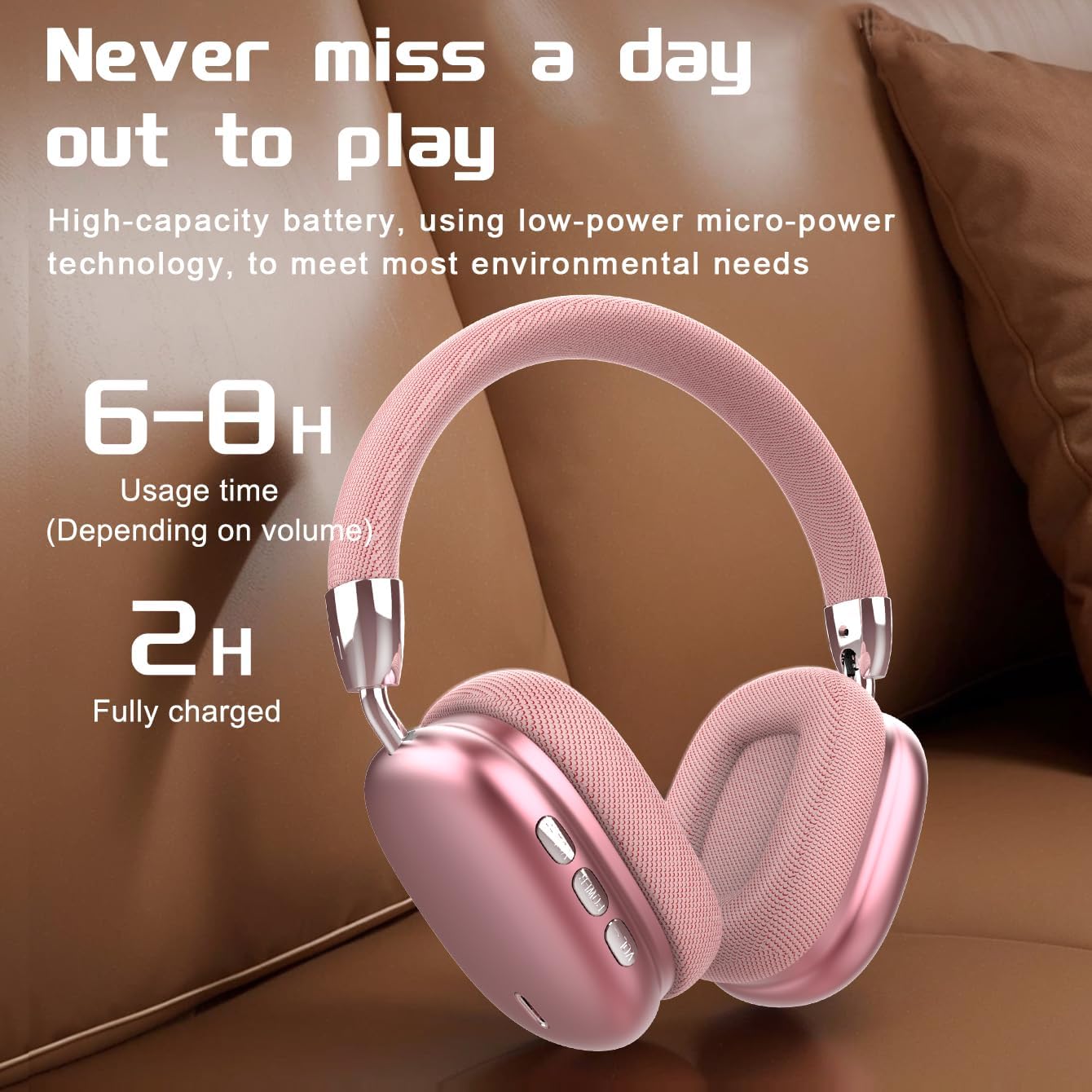
Image: Visual representation of battery life, indicating 6-8 hours of usage and 2 hours for a full charge.
4.2 Włączanie/wyłączanie
- Włączanie: Naciśnij i przytrzymaj przycisk zasilania przez około 3 sekundy, aż kontrolka zacznie migać.
- Wyłączone: Naciśnij i przytrzymaj przycisk zasilania przez około 3 sekundy, aż kontrolka zgaśnie.
4.3 parowanie Bluetooth
The B36 headphones use Bluetooth 5.0 for stable wireless connection up to 33 feet (10 meters).
- Sprawdź, czy słuchawki są w pełni naładowane i wyłączone.
- Naciśnij i przytrzymaj przycisk zasilania przez około 5–7 sekund, aż kontrolka zacznie migać naprzemiennie na czerwono i niebiesko, wskazując tryb parowania.
- Na swoim urządzeniu (smartfonie, tablecie, komputerze) włącz Bluetooth i wyszukaj nowe urządzenia.
- Select "B36" from the list of available devices.
- Po podłączeniu kontrolka na słuchawkach będzie świecić ciągłym niebieskim światłem lub będzie powoli migać.

Image: Headphones positioned near a laptop and smartphone, illustrating compatibility with various Bluetooth-enabled devices.
5. Instrukcja obsługi
The B36 headphones feature intuitive on-ear controls for easy management of audio and calls.
5.1 Odtwarzanie muzyki
- Odtwórz/Pauza: Press the Multi-function button (often marked with a play/pause icon) once.
- Następny utwór: Naciśnij i przytrzymaj przycisk zwiększania głośności (+).
- Poprzedni utwór: Naciśnij i przytrzymaj przycisk zmniejszania głośności (-).
- Zwiększenie głośności: Naciśnij krótko przycisk zwiększania głośności (+).
- Ściszanie: Naciśnij krótko przycisk zmniejszania głośności (-).
5.2 Zarządzanie połączeniami
- Odbieranie/kończenie połączeń: Naciśnij raz przycisk wielofunkcyjny.
- Odrzuć połączenie: Naciśnij i przytrzymaj przycisk wielofunkcyjny przez 2 sekundy.
- Ponowne wybieranie ostatniego numeru: Dwukrotnie naciśnij przycisk wielofunkcyjny.

Image: A person wearing the B36 headphones, illustrating their suitability for various daily activities.
6. Konserwacja
6.1 Czyszczenie
- Wytrzyj słuchawki miękką, suchą ściereczką.
- Nie należy używać środków czyszczących o właściwościach ściernych, alkoholu ani rozpuszczalników chemicznych.
- Utrzymuj port ładowania wolny od kurzu i zanieczyszczeń.
6.2 Przechowywanie
- Przechowuj słuchawki w chłodnym, suchym miejscu, z dala od bezpośredniego światła słonecznego i ekstremalnych temperatur.
- When not in use for extended periods, charge the lithium battery at least once every two months to maintain battery health.
- Składana konstrukcja pozwala na kompaktowe przechowywanie.

Image: Headphones on a soft surface, emphasizing the ergonomic design for comfortable, long-term wear.
7. Rozwiązywanie Problemów
If you encounter issues with your B36 headphones, please refer to the following common solutions:
- Słuchawki nie włączają się: Sprawdź, czy słuchawki są całkowicie naładowane.
- Nie można sparować z urządzeniem: Make sure Bluetooth is enabled on your device and the headphones are in pairing mode (flashing red and blue). Try turning Bluetooth off and on again on your device.
- Brak dźwięku: Sprawdź poziom głośności zarówno w słuchawkach, jak i w podłączonym urządzeniu. Upewnij się, że słuchawki są prawidłowo sparowane.
- Słaba jakość dźwięku/przerwane połączenie: Move closer to your connected device to ensure you are within the Bluetooth range (33 feet/10 meters). Avoid obstacles between the headphones and the device.
- Problem z ładowaniem: Ensure the charging cable is securely connected and the power source is working. Use a standard 5V/0.2A charger.
Jeśli problem będzie się powtarzał, skontaktuj się z obsługą klienta.
8. Specyfikacje
| Funkcja | Specyfikacja |
|---|---|
| Nazwa modelu | B36 |
| Technologia łączności | Bezprzewodowy (Bluetooth) |
| Technologia komunikacji bezprzewodowej | Bluetooth 5.0 |
| Zasięg Bluetooth | 33 stóp (10 m) |
| Umieszczenie ucha | Na ucho |
| Kontrola hałasu | Pasywna redukcja szumów |
| Odpowiedź częstotliwościowa | 20 Hz |
| Wrażliwość | 102dB |
| Impedancja | 32 omy |
| Rozmiar sterownika audio | 40 milimetrów |
| Czas ładowania | 2 godzin |
| Waga przedmiotu | 310 gramów (10.9 uncji) |
| Tworzywo | Metal, Plastic, Premium Mesh Fabric |
| Typ sterowania | Wireless (On-ear Controls, Touch) |
| Poziom wodoodporności | Nie jest wodoodporny |

Image: The B36 headphones displayed in three available colors: black, red (pink), and silver.
9. Środki ostrożności
Please observe the following safety precautions to ensure safe operation and prolong the lifespan of your headphones:
- The charging cable current of the device is 0.2A. Please do not use a high-power charging head for charging. If you use a fast-charging plug head, please equip yourself with a corresponding power charging cable to avoid overheating and catching fire.
- If a product with a lithium battery is not used for a long time, please make sure to charge it at least once every two months.
- The product has a shelf life of one year.
- Nie wystawiaj słuchawek na działanie ekstremalnych temperatur, wilgoci ani płynów.
- Unikaj upuszczania słuchawek i narażania ich na silne uderzenia.
- Nie próbuj demontować ani modyfikować słuchawek. Spowoduje to unieważnienie gwarancji.
10. Gwarancja i wsparcie
The JUNJIEUNVO B36 Wireless Over-Ear Headphones come with a standard manufacturer's warranty. Please refer to your purchase documentation for specific warranty terms and conditions. For technical support, troubleshooting assistance, or warranty claims, please contact the seller or JUNJIEUNVO customer service through the platform where you purchased the product.