
1. Wprowadzenie
This manual provides essential information for setting up, operating, maintaining, and troubleshooting your GIGABYTE AORUS Elite 16 BWH gaming laptop. The AORUS Elite 16 BWH is designed for high-performance gaming and demanding applications, featuring an Intel Core Ultra 9 processor, NVIDIA GeForce RTX 5070 laptop GPU, a 16-inch WQXGA 165Hz display, and Windows 11 Pro.
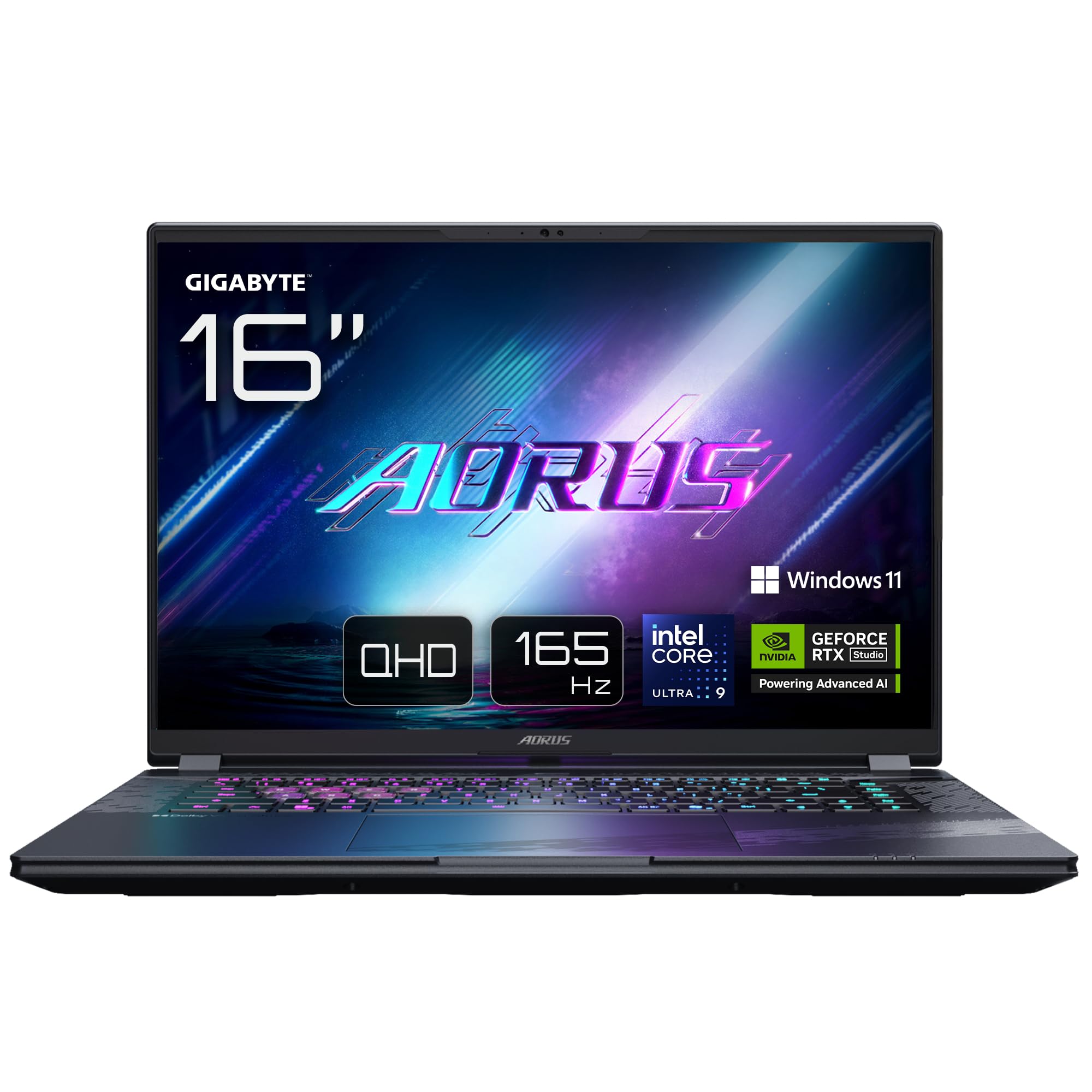
Image: The GIGABYTE AORUS Elite 16 BWH gaming laptop, showcasing its open display and keyboard.
2. Konfiguracja
2.1 Rozpakowanie i wstępna inspekcja
Ostrożnie wyjmij laptopa i wszystkie akcesoria z opakowania. Sprawdź, czy wszystkie elementy wymienione w sekcji „Zawartość opakowania” są obecne i nieuszkodzone.
- GIGABYTE AORUS ELITE 16 BWHC3FRC65SP Laptop
- Zasilacz i kabel
- Dokumentacja (niniejsza instrukcja, karta gwarancyjna)
2.2 Podłączanie zasilania
Connect the power adapter to the laptop's power input port and then plug the power cable into an electrical outlet. It is recommended to fully charge the battery before initial use.
2.3 Pierwsze włączenie zasilania
Press the power button to turn on the laptop. Follow the on-screen instructions to complete the Windows 11 Pro setup process, including language selection, network connection, and user account creation.
2.4 Connecting Peripherals and Network
The laptop features various ports for connecting external devices and networks.
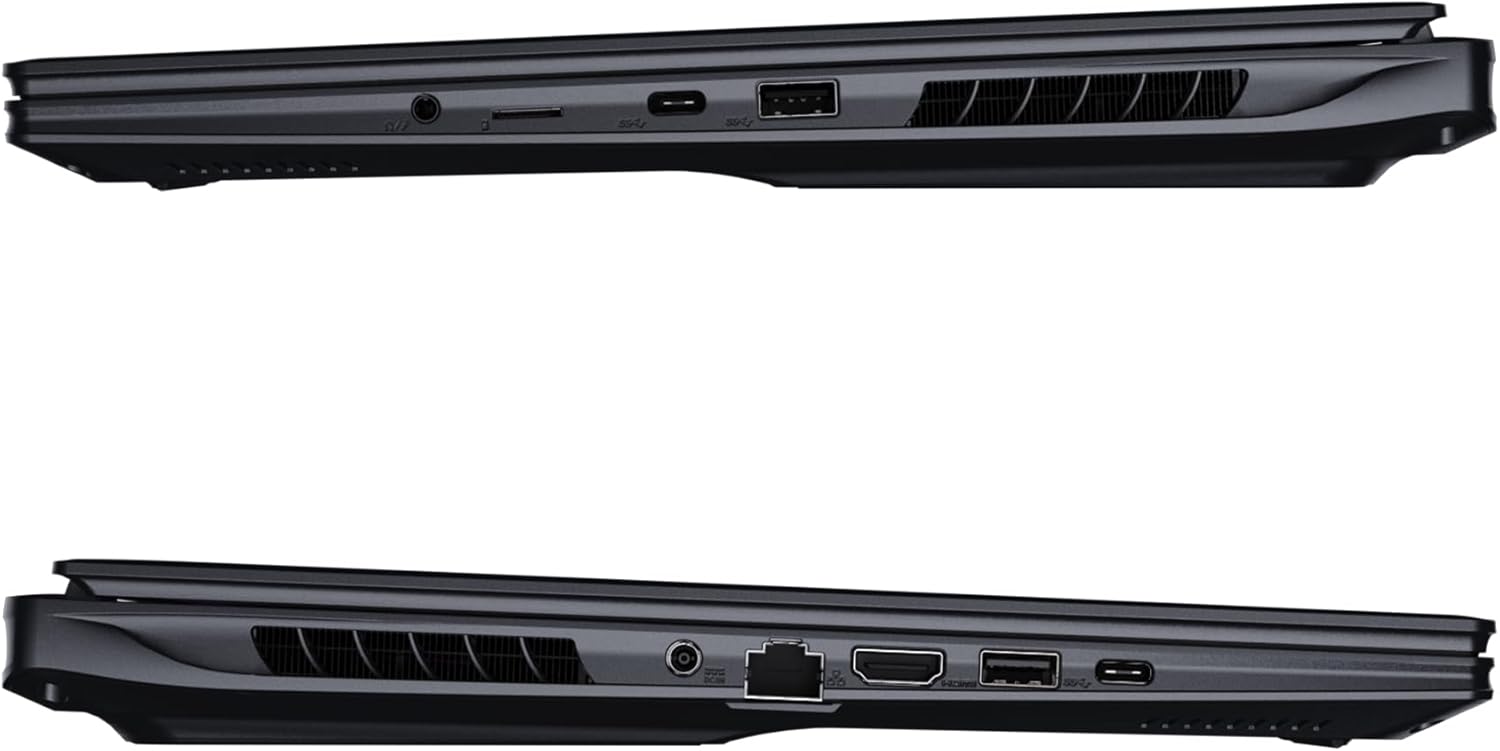
Obraz: Bok view of the laptop illustrating the available ports for connectivity.
- Porty USB: Podłącz urządzenia USB, takie jak myszy, klawiatury lub zewnętrzne urządzenia pamięci masowej.
- Port HDMI: Connect to an external display or TV.
- Port Thunderbolta 4: For high-speed data transfer and display output.
- Port Ethernet: Do przewodowego połączenia sieciowego.
- Gniazdo słuchawkowe: Do przesyłania dźwięku do słuchawek lub głośników zewnętrznych.
- Wi-Fi 7: Connect to wireless networks via the integrated Wi-Fi 7 module.
- Bluetooth 5.4: Łączenie z urządzeniami obsługującymi technologię Bluetooth.
3. Korzystanie z laptopa
3.1 Funkcje wyświetlacza
Your AORUS Elite 16 BWH features a 16-inch WQXGA (2560x1600) IPS display with a 165Hz refresh rate and 16:10 aspect ratio, offering a wide viewing experience. It supports Dolby Vision for enhanced visual quality and is Pantone validated for color accuracy.

Image: The laptop's 16:10 aspect ratio display, highlighting its IPS panel and Pantone validation.
3.2 Klawiatura i touchpad
The laptop is equipped with a backlit keyboard for comfortable typing in various lighting conditions and a responsive touchpad for navigation.
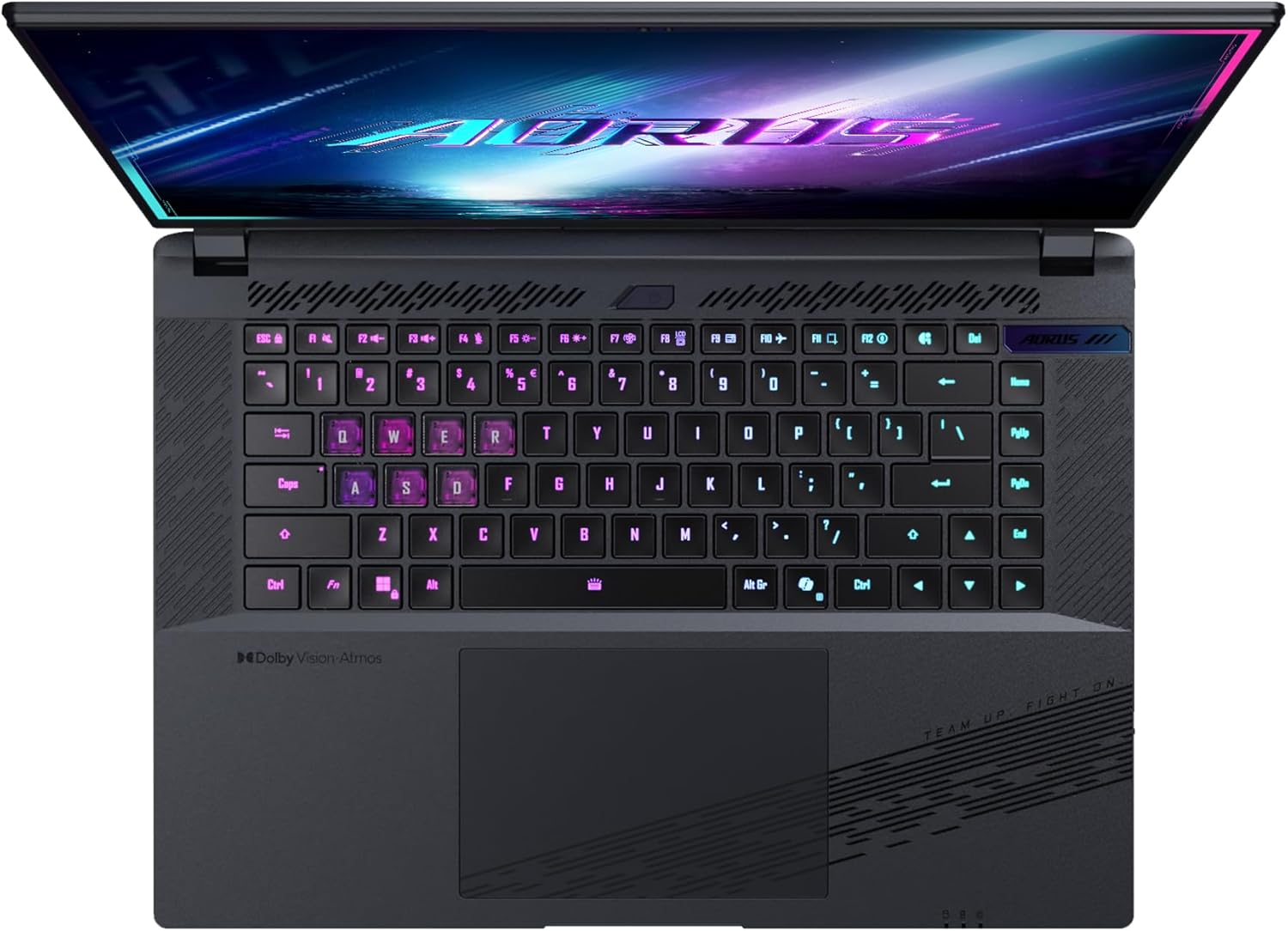
Obraz: widok z góry view klawiatury laptopa, pokażasing its backlit keys.
The keyboard also features a dedicated Copilot Key for quick access to AI functionalities in Windows 11.

Image: Close-up of the keyboard, highlighting the Copilot Key for AI features.
System audio 3.3
Experience immersive audio with Dolby Atmos support and integrated 2W speakers. The laptop also includes a built-in microphone for communication.

Image: Visual representation of Dolby Atmos and Dolby Vision audio and visual enhancements.
3.4 Funkcje wydajności
The AORUS Elite 16 BWH is powered by an Intel Core Ultra 9 processor with an integrated NPU for AI acceleration and an NVIDIA GeForce RTX 5070 laptop GPU, ensuring high performance for gaming and demanding tasks. It also features Advanced Optimus with DDS Technology for optimized graphics performance.

Obraz: szczegółowy view of the Intel Core Ultra 9 processor chip.
Obraz: szczegółowy view of the NVIDIA GeForce RTX 50 Series laptop GPU chip.
3.5 GiMATE AI Agent
Utilize GiMATE, your personal AI agent, to optimize performance, manage smart cooling, enhance privacy, control power settings, and improve audio and voice functionalities.

Image: GiMATE AI Agent interface showing various optimization features.
4. Konserwacja
4.1 Układ chłodzenia
The laptop features the WINDFORCE Infinity cooling system to maintain optimal temperatures during intensive use. Ensure the vents are clear of obstructions to allow proper airflow.

Image: Representation of the WINDFORCE Infinity cooling system.
4.2 Czyszczenie
Do czyszczenia ekranu i powierzchni zewnętrznych używaj miękkiej, niepozostawiającej włókien ściereczki. W przypadku uporczywych zabrudzeń,ampDelikatnie przetrzyj ściereczkę wodą lub płynem do czyszczenia ekranów. Unikaj silnych środków chemicznych.
4.3 Pielęgnacja baterii
To prolong battery life, avoid extreme temperatures and do not leave the laptop fully charged or fully discharged for extended periods.
4.4 Aktualizacje oprogramowania
Regularly update your Windows operating system, drivers, and GIGABYTE software to ensure optimal performance and security.
5. Rozwiązywanie Problemów
5.1 Problemy z zasilaniem
- Laptop się nie włącza: Upewnij się, że zasilacz jest prawidłowo podłączony, a gniazdko działa. Sprawdź poziom naładowania akumulatora.
- Bateria nie ładuje się: Sprawdź, czy zasilacz i kabel nie są uszkodzone. Spróbuj użyć innego gniazdka.
5.2 Problemy z wyświetlaniem
- Brak wyświetlacza: Connect an external monitor to check if the issue is with the laptop's screen. Ensure the laptop is powered on.
- Migotanie lub zniekształcony obraz: Zaktualizuj sterowniki graficzne. Sprawdź połączenia kabli wyświetlacza, jeśli używasz monitora zewnętrznego.
5.3 Problemy z łącznością
- Brak połączenia Wi-Fi: Sprawdź, czy Wi-Fi jest włączone w ustawieniach systemu Windows. Uruchom ponownie router i laptopa.
- Urządzenie Bluetooth nie łączy się: Upewnij się, że urządzenie jest w trybie parowania i znajduje się w zasięgu. Zaktualizuj sterowniki Bluetooth.
5.4 Ogólne problemy z wydajnością
- Niska wydajność: Close unnecessary applications. Check for malware. Ensure sufficient free disk space.
- Przegrzanie: Ensure cooling vents are clear. Use the laptop on a hard, flat surface.
W przypadku bardziej złożonych problemów należy zapoznać się z pomocą techniczną GIGABYTE webodwiedź witrynę lub skontaktuj się z obsługą klienta.
6. Specyfikacje
| Funkcja | Szczegół |
|---|---|
| Marka | GIGABAJT |
| Nazwa modelu | AORUS ELITE 16 BWHC3FRC65SP |
| Rozmiar ekranu | 16 cali |
| Kolor | Szary |
| Rozmiar dysku twardego | 2000 GB (2x 1TB SSD Gen4) |
| Model procesora | Intel Core Ultra 9 275HX |
| Rozmiar zainstalowanej pamięci RAM | 32 GB DDR5 |
| System operacyjny | Windows 11 Pro |
| Funkcja specjalna | Backlit Keyboard, Memory Card Slot |
| Opis karty graficznej | Poświęcony |
| Koprocesor graficzny | NVIDIA GeForce RTX 5070 |
| Technologia dysków twardych | Dysk SSD |
| Waga przedmiotu | 2300 gram |
| Webcam Capability | Yes (Frontal) |
| Rozmiar pamięci RAM karty graficznej | 8 GB pamięci GDDR6 |
| Max RAM Supported | 64 GB |
| Zawartość energii w akumulatorze | 99 Watt-hours (Lithium-polymer, 4 cells) |
| Łączność | Bluetooth 5.4, Ethernet (10/1000 Mbit/s), HDMI (1 port), Thunderbolt 4 (1 port), USB 3.2 Gen 2 (2 ports), Wi-Fi 7 (802.11.be) |
| Prędkość procesora | 2.7 GHz (Max 5.4 GHz) |
| Liczba procesorów | 24 |
| Rozdzielczość ekranu | 2560 x 1600 pikseli (WQXGA) |
| Typ wyświetlacza | Ekran LCD IPS |
| Funkcje audio | Dolby Atmos, 2x 2W Integrated Speakers, Integrated Microphone |
7. Informacje o gwarancji
Your GIGABYTE AORUS Elite 16 BWH laptop comes with a 2-roczna ograniczona gwarancja. This warranty covers manufacturing defects and hardware malfunctions under normal use. Please retain your proof of purchase for warranty claims. For detailed terms and conditions, refer to the warranty card included with your product or visit the official GIGABYTE webstrona.
8. Wsparcie
For technical assistance, driver downloads, and further product information, please visit the official GIGABYTE support webwitrynę. Znajdziesz tam również odpowiedzi na często zadawane pytania i fora społeczności.
- Oficjalny GIGABYTE Webstrona: www.gigabyte.com
- Obsługa klienta: Refer to your regional GIGABYTE webwitryna z lokalnymi informacjami kontaktowymi.