
1. Wprowadzenie
This manual provides detailed instructions for the installation, operation, and maintenance of your Ctronics 2K 100% Wireless Battery Indoor Security Camera, model CTIPC-920. This camera is designed for indoor surveillance, offering 2K resolution, infrared night vision, and flexible storage options. Please read this manual thoroughly before using the product to ensure proper function and safety.
2. Zawartość opakowania
Sprawdź, czy w przesyłce znajdują się wszystkie elementy wymienione poniżej:
- Ctronics 2K Wireless Battery Indoor Security Camera (CTIPC-920)
- Kabel ładujący
- Instrukcja obsługi
3. Koniec produktuview
The Ctronics CTIPC-920 camera features a compact, dome-shaped design for discreet indoor placement. It includes a high-resolution lens, infrared LEDs for night vision, a PIR motion sensor, a microphone, and a speaker for two-way audio. A reset button and a Micro SD card slot are also integrated.

Rysunek 3.1: Przód view of the Ctronics CTIPC-920 camera, showing the lens and status indicator.
4. Przewodnik konfiguracji
4.1 Ładowanie kamery
Before initial use, fully charge the camera using the provided charging cable. The camera is 100% wire-free and battery-powered, allowing flexible placement without power outlets.

Rysunek 4.1: The camera is designed for 100% wire-free operation, powered by a rechargeable battery.
4.2 Instalacja i parowanie aplikacji
- Pobierz Ctronics Pro aplikację ze sklepu z aplikacjami na Twoim smartfonie (iOS lub Android).
- Załóż konto i zaloguj się.
- Follow the in-app instructions to add your camera. The camera supports Bluetooth setup for quick and easy pairing.
- Ensure your camera is within range of your 2.4GHz Wi-Fi network during setup.

Rysunek 4.2: Bluetooth setup facilitates fast and easy connection of the camera to your device.
4.3 Instalacja karty Micro SD (opcjonalnie)
For local storage, insert a Micro SD card (up to 128GB, not included) into the designated slot on the camera. Ensure the camera is powered off before inserting or removing the card.

Rysunek 4.3: The camera supports Micro SD cards up to 128GB for local video storage.
4.4 Umiejscowienie kamery
Place the camera on a flat surface or mount it on a wall using appropriate hardware (not included). Position it to cover the desired indoor area. The camera's compact size allows for versatile placement.

Rysunek 4.4: The camera can be placed in various indoor locations, ready for use in seconds.
5. Instrukcja obsługi
5.1 Na żywo View i zdalny dostęp
Access the live video feed from your camera via the Ctronics Pro app on your smartphone or tablet, or through the PC client (HiP2P Client). This allows you to monitor your indoor space from anywhere.

Rysunek 5.1: Remote access is available via the Ctronics Pro app for mobile devices and the HiP2P Client for PC.
5.2 Jakość wideo i widzenie nocne
The camera provides clear 2K (2304x1296P) video resolution. It features infrared night vision with a range of up to 20 meters, ensuring visibility in low-light or dark conditions without disturbing white lights.

Rysunek 5.2: The camera offers smooth and sharp 2K video with infrared night vision up to 20m.
5.3 Detekcja ruchu i alerty PIR
The integrated Passive Infrared (PIR) sensor detects human movement, minimizing false alarms. When motion is detected, you will receive instant notifications on your connected device. Sensitivity settings can be adjusted in the app.

Rysunek 5.3: Smart PIR motion detection alerts you only when relevant movement is detected.
5.4 Dźwięk dwukierunkowy
Utilize the built-in microphone and speaker to communicate remotely with individuals near the camera. This feature is useful for checking on family members or pets.

Rysunek 5.4: The camera allows you to feel close and communicate with those at home, no matter the distance.
5.5 Opcje przechowywania wideo
Recordings can be stored in multiple ways:
- Karta micro sd: Obsługuje do 128 GB pamięci lokalnej.
- Przechowywanie w chmurze: Bezpieczne przechowywanie footage in the cloud (subscription may be required).
- Serwer FTP: Prześlij nagrania na serwer FTP.

Rysunek 5.5: Zachowaj swoje głupotytage safe with flexible storage options including TF card, FTP, or cloud.
5.6 Custom Alarm Sounds
The Ctronics Pro app allows you to customize alarm sounds, providing flexibility for different environments or preferences.
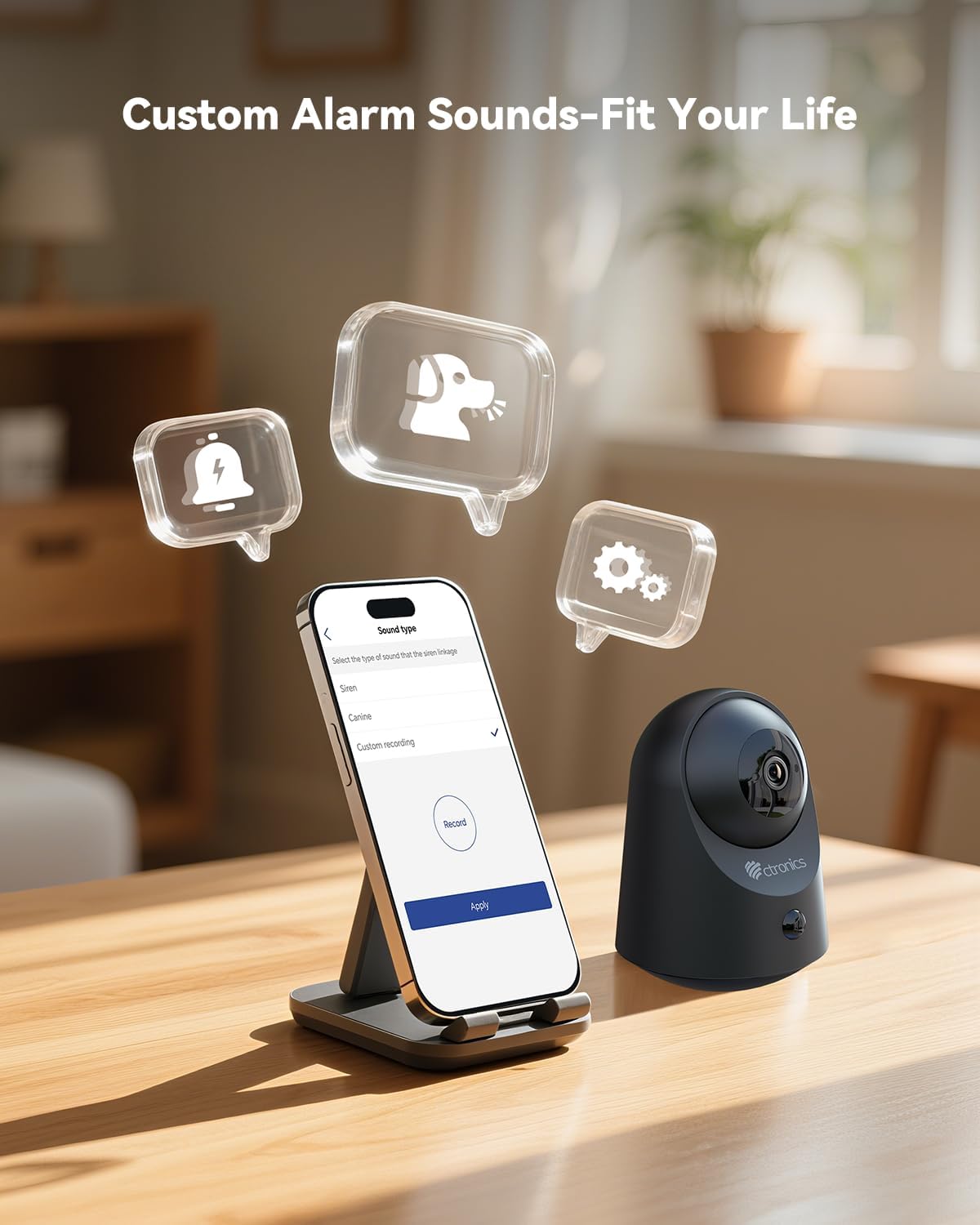
Rysunek 5.6: Customize alarm sounds to fit your specific needs and environment.
6. Konserwacja
6.1 Zarządzanie baterią
Regularly check the battery level via the app. Recharge the camera promptly when the battery is low to ensure continuous operation. Use only the provided charging cable or a compatible 5V power adapter.
6.2 Czyszczenie
Wipe the camera lens and body with a soft, dry cloth. Avoid using liquid cleaners or abrasive materials that could damage the device.
6.3 aktualizacji oprogramowania sprzętowego
Periodically check the Ctronics Pro app for available firmware updates. Keeping your camera's firmware up-to-date ensures optimal performance and access to new features.
7. Rozwiązywanie Problemów
| Problem | Możliwa przyczyna | Rozwiązanie |
|---|---|---|
| Kamera nie łączy się z siecią Wi-Fi | Nieprawidłowe hasło Wi-Fi, sieć 5 GHz, kamera zbyt daleko od routera. | Ensure correct 2.4GHz Wi-Fi password. Move camera closer to router. Reset camera and try pairing again. |
| Brak alertów o wykryciu ruchu | Czułość czujnika PIR jest zbyt niska, strefa detekcji nie została ustawiona, powiadomienia aplikacji są wyłączone. | Adjust PIR sensitivity in the app. Check detection zone settings. Enable notifications for the Ctronics Pro app. |
| Słaba jakość wideo | Słaby sygnał Wi-Fi, brudny obiektyw. | Ensure strong Wi-Fi signal. Clean the camera lens with a soft cloth. |
| Dwukierunkowe audio nie działa | Microphone/speaker muted in app, volume too low. | Sprawdź ustawienia aplikacji, aby upewnić się, że mikrofon i głośnik są włączone i głośność jest odpowiednia. |
| Karta Micro SD nie nagrywa | Card full, corrupted, or not formatted correctly. | Format the SD card via the app. Replace with a new card if corrupted. Ensure recording settings are enabled. |
8. Specyfikacje
| Funkcja | Szczegół |
|---|---|
| Numer modelu | CTIPC-920 |
| Zastosowanie wewnątrz/na zewnątrz | Wnętrz |
| Rozdzielczość przechwytywania wideo | 2K (2304x1296P) |
| Efektywna rozdzielczość obrazu nieruchomego | 3 MP |
| Źródło zasilania | Zasilany bateryjnie |
| Protokół łączności | Wi-Fi (2.4 GHz) |
| Typ kontrolera | Aplikacja Ctronics |
| Zakres noktowizora | 20 metrów (podczerwień) |
| Detekcja ruchu PIR | Tak |
| Dwukierunkowy dźwięk | Tak |
| Opcje przechowywania | Micro SD (up to 128GB), Cloud, FTP |
| Tworzywo | Akrylonitryl-butadien-styren (ABS) |
| Wymiary (dł. x szer. x wys.) | 5.12 x 2.36 x 5.12 cala |
| Waga przedmiotu | 15.8 uncji |
| Kolor | Czarny |
9. Oficjalny film o produkcie
Watch the official product video for a visual guide on the Ctronics 2K 3MP Indoor Security Camera's features and usage.
Opis filmu: Ten film zapewnia ponadview of the Ctronics 2K 3MP Indoor Security Camera, demonstrating its wire-free installation, night vision capabilities, two-way audio, and remote monitoring features. It shows the camera in various home settings, highlighting its use for monitoring children and pets, and its ease of setup and access via mobile app and PC.
10. Gwarancja i wsparcie
For warranty information, technical support, or any inquiries regarding your Ctronics product, please refer to the official Ctronics website or contact their customer service directly. Contact details are typically found on the product packaging or the official Ctronics support page.