
1. Wprowadzenie
Thank you for choosing the ACCUWEIGHT CK780 Bluetooth Kitchen Scale. This smart food scale is designed to provide precise measurements and integrate with a companion app for comprehensive nutrition tracking. Please read this manual carefully before use to ensure proper operation and maintenance.
2. Zawartość opakowania
Po rozpakowaniu sprawdź, czy wszystkie wymienione poniżej przedmioty znajdują się na miejscu i są w dobrym stanie:
- 1 x ACCUWEIGHT CK780 Bluetooth Digital Kitchen Scale
- 1 x Instrukcja obsługi
- 4 baterie AAA
3. Konfiguracja
3.1 Instalacja baterii
- Otwórz pokrywę komory baterii, która znajduje się na spodzie wagi.
- Włóż 4 baterie AAA, zwracając uwagę na prawidłową biegunowość (+/-).
- Dokładnie zamknij pokrywę komory baterii.
3.2 Instalacja aplikacji i parowanie Bluetooth
The ACCUWEIGHT CK780 scale connects to a companion app for advanced nutrition tracking.
- Download the ACCUWEIGHT companion app from your device's app store (iOS or Android).
- Sprawdź, czy Bluetooth jest włączony na Twoim smartfonie lub tablecie.
- Open the ACCUWEIGHT app and follow the on-screen instructions to pair your scale. The app will guide you through the connection process.
- Once paired, the scale's measurements will synchronize with the app, allowing for nutrition analysis and diet tracking.

4. Instrukcja obsługi
4.1 Podstawowe ważenie
- Aby zapewnić dokładność odczytów, wagę należy ustawić na twardej, płaskiej i stabilnej powierzchni.
- Press the power button (usually the 'TARE' button or a dedicated power button) to turn on the scale. The display will show '0' or '0.0'.
- Place the item to be weighed directly onto the center of the scale platform.
- Read the weight displayed on the backlit LCD screen. The scale has a maximum capacity of 5kg (11lb) and measures in precise 1g / 0.04oz increments.

4.2 Konwersja jednostek
The scale supports multiple measurement units.
- Press the 'UNIT' button to cycle through the available units: grams (g), pounds & ounces (lb:oz), milliliters (ml for water), milliliters (ml for milk), and fluid ounces (fl:oz).
- Wybierz żądaną jednostkę miary.

4.3 Funkcja tary
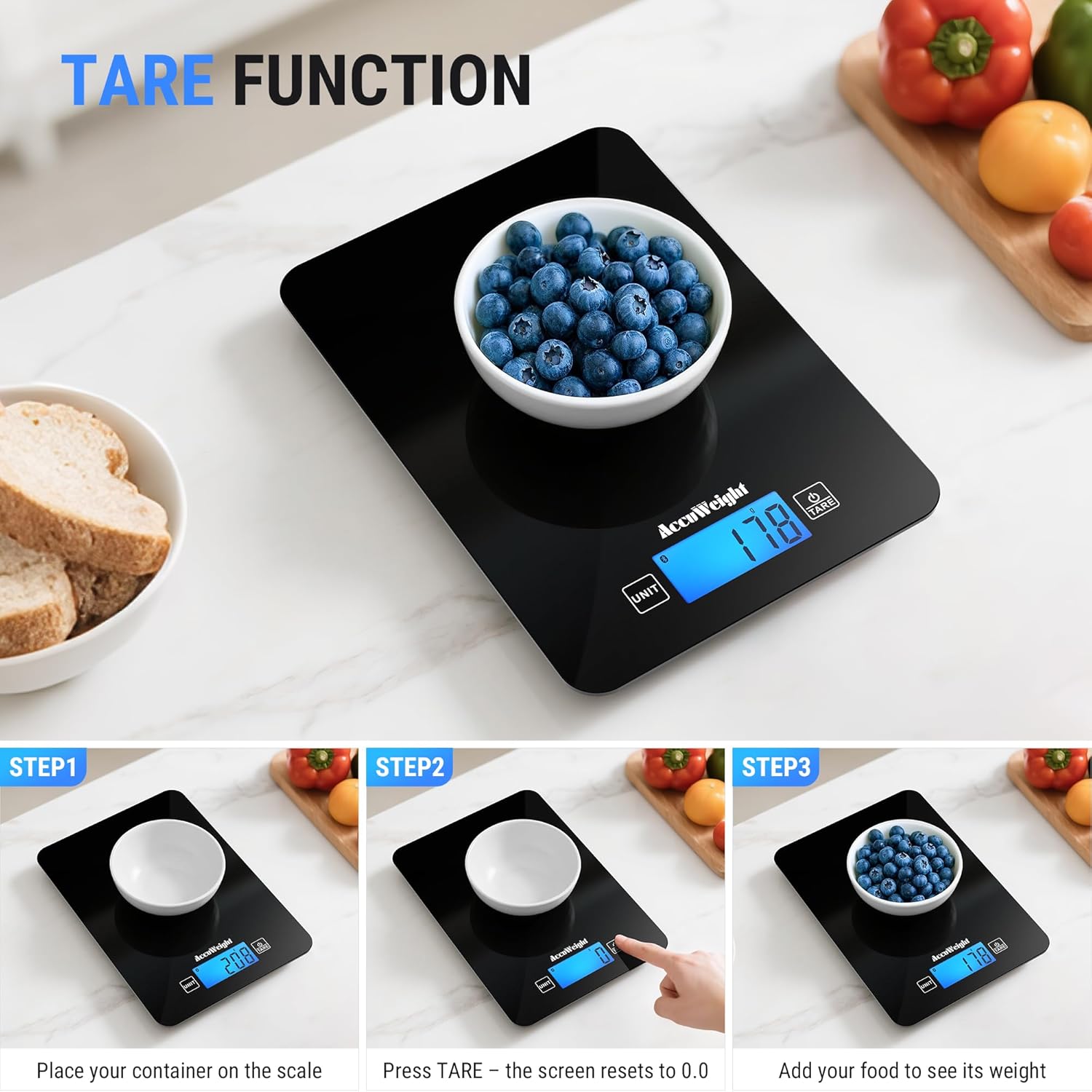
The Tare function allows you to subtract the weight of a container, ensuring only the ingredients are measured.
- Umieść pusty pojemnik na platformie wagi.
- Naciśnij przycisk „TARE”. Wyświetlacz zresetuje się do „0” lub „0.0”.
- Add your ingredients to the container. The scale will display the net weight of the ingredients.
4.4 Nutrition Tracking with App
Once connected via Bluetooth, the scale integrates with the companion app for detailed nutrition analysis.
- Weigh your food item on the scale. The weight will automatically transfer to the app.
- In the app, select the food item from the extensive database (covering 17 countries).
- The app will analyze up to 25 nutrients, including protein, fat, carbohydrates, and more, helping you manage your diet goals.
- You can log your food intake, track daily trends, and combine food data from multiple countries.

5. Konserwacja
5.1 Czyszczenie
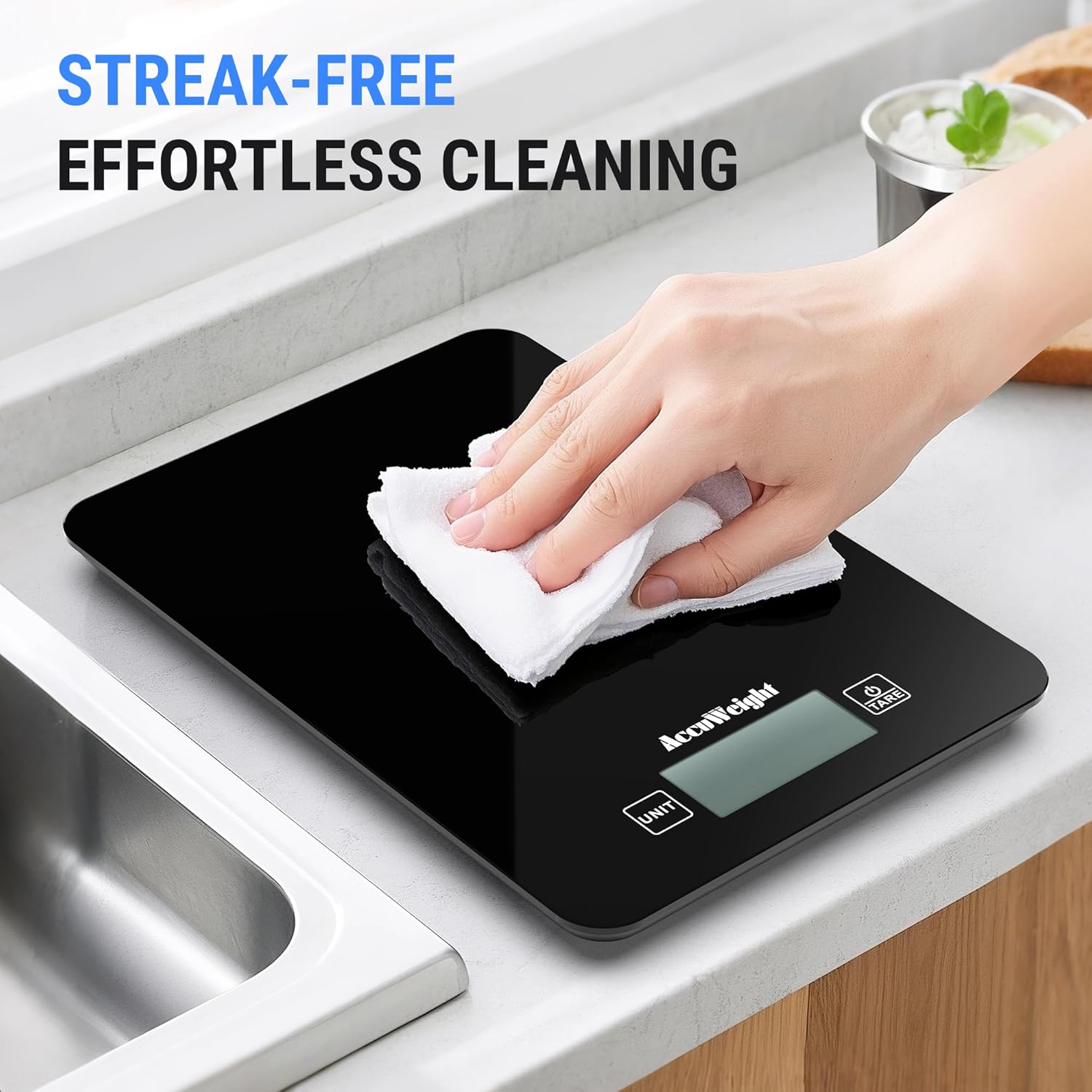
The scale features a smooth black design for easy cleaning.
- Przetrzyj powierzchnię wagi miękką,amp ściereczka natychmiast po użyciu.
- Nie należy używać środków czyszczących o działaniu ściernym ani silnych środków chemicznych. Nie należy również zanurzać wagi w wodzie.
- Przed przechowywaniem lub kolejnym użyciem należy upewnić się, że waga jest całkowicie sucha.
5.2 Przechowywanie
Przechowuj wagę w chłodnym i suchym miejscu, z dala od bezpośredniego światła słonecznego i ekstremalnych temperatur.
5.3 Wymiana baterii
When the battery indicator appears on the display, replace all four AAA batteries simultaneously to ensure optimal performance.
6. Rozwiązywanie Problemów
If you encounter any issues with your ACCUWEIGHT CK780 scale, please refer to the following common solutions:
- Waga się nie włącza: Sprawdź, czy baterie są prawidłowo zainstalowane i nie są rozładowane. W razie potrzeby wymień baterie.
- Niedokładne odczyty: Ensure the scale is placed on a hard, flat, and stable surface. Re-tare the scale before weighing. Avoid placing the scale near strong electromagnetic fields.
- Problemy z połączeniem Bluetooth: Ensure Bluetooth is enabled on your device. Restart the scale and the app. Try re-pairing the scale through the app settings.
- App data not updating: Check your internet connection. Ensure the app is updated to the latest version. Close and reopen the app.
- Display error messages: If the display shows 'Lo', batteries are low and need replacement. If 'O-Ld' or 'EEEE' appears, the scale is overloaded; remove items immediately to prevent damage.
7. Specyfikacje
| Marka | ACCUWEIGHT |
| Numer modelu | CK780 |
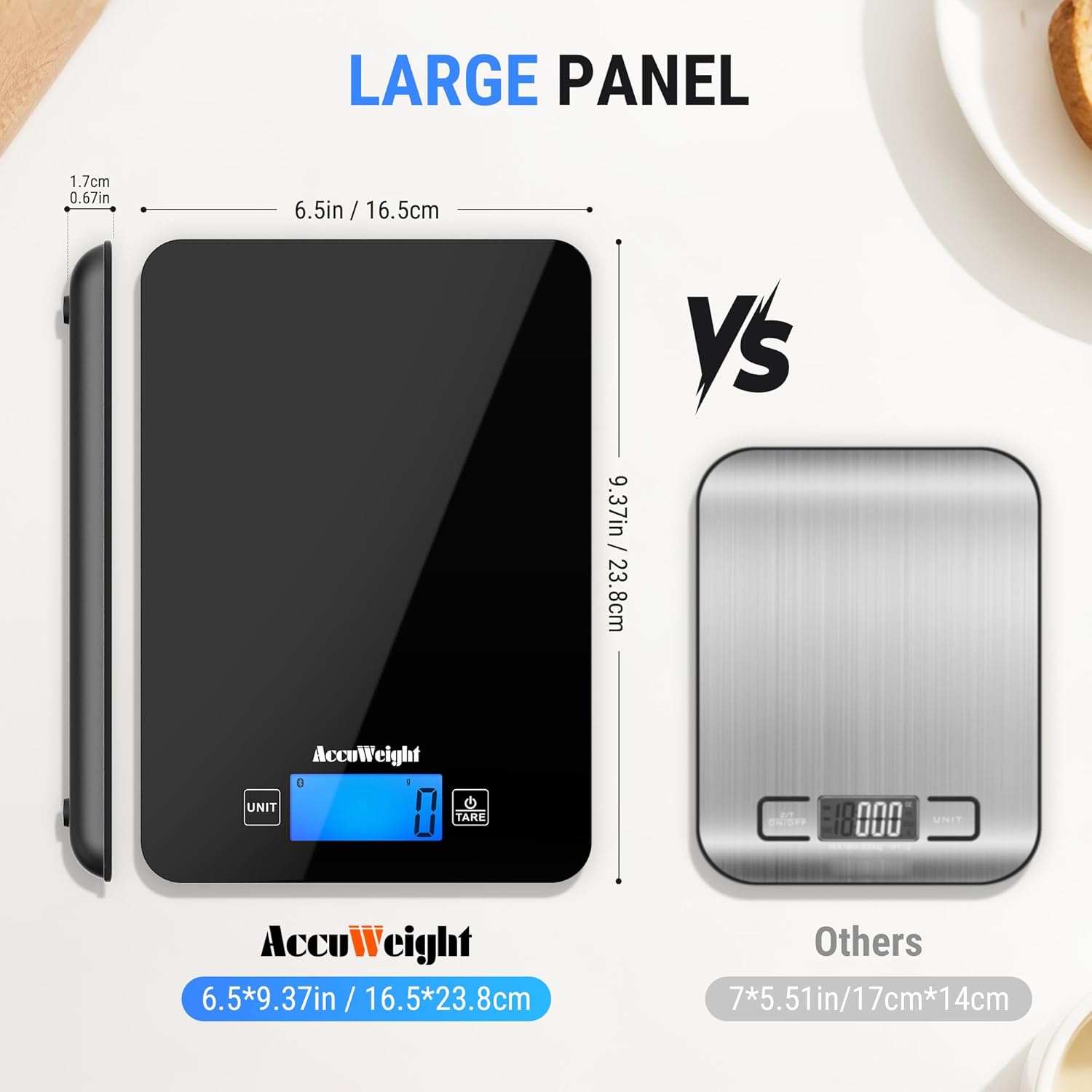
| Maksymalna nośność | 5 kilogramów (11 funty) |
| Dokładność odczytu | 1g / 0.04 uncji |
| Typ wyświetlacza | Podświetlany wyświetlacz LCD |
| Typy pomiarów | g, lb:oz, ml (water), fl:oz, ml (milk) |
| Typ materiału | Szkło hartowane |
| Cechy specjalne | Backlit Display, Calorie Consumption, Large Display, Smart, Tare Function |
| Źródło zasilania | 4 baterie AAA (w zestawie) |
8. Gwarancja i wsparcie
ACCUWEIGHT products are manufactured to high-quality standards. For any questions, technical support, or warranty claims, please contact ACCUWEIGHT customer service through the contact information provided with your purchase or on the official ACCUWEIGHT webStrona. Zachowaj dowód zakupu w celach gwarancyjnych.