
1. Wprowadzenie
Thank you for choosing the Protec Advance 650 Portable Power Station. This device is designed to provide a reliable and versatile power source for various applications, including camping, travel, and emergency home use. With a 600W output and a 634Wh battery capacity, it ensures stable performance for your electronic devices. This manual provides essential information for safe operation, setup, maintenance, and troubleshooting.
2. Instrukcje bezpieczeństwa
- Read all instructions before using the power station.
- Nie rozmontowuj, nie naprawiaj ani nie modyfikuj urządzenia. Nieprawidłowy montaż może spowodować pożar lub obrażenia.
- Do not expose the unit to fire or high temperatures (above 60°C/140°F).
- Do not use or store the unit in direct sunlight, near heat sources, or in high humidity environments.
- Trzymaj urządzenie z dala od wody i innych płynów.
- Nie upuszczaj, nie uderzaj ani nie narażaj urządzenia na silne uderzenia.
- Przechowywać w miejscu niedostępnym dla dzieci.
- Podczas użytkowania i ładowania należy zapewnić odpowiednią wentylację.
- Używaj wyłącznie zalecanych akcesoriów i ładowarek.
- In case of leakage from the battery, avoid contact with skin and eyes. If contact occurs, rinse with water and seek medical attention.
3. Koniec produktuview
3.1 Komponenty i funkcje
The Protec Advance 650 is equipped with multiple ports and features for versatile power delivery and charging:
- Moc wyjściowa: 600W continuous, 634Wh battery capacity.
- Gniazdka AC: Two 230V pure sine wave AC outlets for sensitive electronics.
- Porty USB: One USB-C PD 60W port and three USB-A QC 3.0 ports (54W total).
- Wyjście prądu stałego: One 12V DC car charger port.
- Ładowanie bezprzewodowe: Integrated 10W Qi wireless charging pad.
- Wyświetlacz: Real-time LCD screen showing charge level and remaining runtime.
- Oświetlenie: Emergency lighting (side and handle).
- Trwałość: Stopień ochrony IP54 zapewniający odporność na kurz i zachlapanie.
- Opcje ładowania: AC wall charger (100W included), compatible with Protec solar panels.

Przód view of the Protec Advance 650 Portable Power Station, showing the main display, power button, AC outlets, DC car port, and USB ports.

Diagram illustrating the output capabilities of the Protec Advance 650, including two 500W AC outlets, a 1W torch, and three 18W USB-A ports.

Diagram highlighting the display features, a 60W USB-C Quick Charge port, and a 12V DC 10A car charger port on the Protec Advance 650.
4. Konfiguracja
4.1 Pierwsze ładowanie
Before first use, fully charge the Protec Advance 650. This ensures optimal battery performance and extends its lifespan.
- Connect the included AC wall charger to the power station's input port.
- Podłącz ładowarkę do standardowego gniazdka ściennego.
- Wyświetlacz pokaże stan ładowania. Ładuj, aż wskaźnik baterii pokaże 100%.
4.2 Umieszczenie
Umieść elektrownię na stabilnej, płaskiej powierzchni w dobrze wentylowanym miejscu. Unikaj umieszczania jej w pobliżu źródeł ciepła lub w miejscu narażonym na bezpośrednie działanie promieni słonecznych.
5. Instrukcja obsługi
5.1 Włączanie/wyłączanie
Press and hold the main power button for a few seconds to turn the unit on or off. The LCD display will illuminate when the unit is on.
5.2 Ładowanie elektrowni
The Advance 650 can be recharged using multiple methods:
- Ładowarka ścienna AC: Use the included 100W AC adapter. Connect it to the input port and a wall outlet.
- Panele słoneczne: Connect compatible Protec solar panels (sold separately) to the DC input port. Ensure the solar panels are placed in direct sunlight for efficient charging.
- Ładowarka samochodowa: Use a 12V car charger adapter (not specified if included, typically sold separately) to charge from your vehicle's cigarette lighter port.
5.3 Korzystanie z wyjść prądu przemiennego
The power station features two 230V pure sine wave AC outlets, suitable for powering sensitive electronics up to 600W total.
- Naciśnij przycisk zasilania sieciowego, aby włączyć gniazdka sieciowe. Na wyświetlaczu zaświeci się kontrolka zasilania sieciowego.
- Plug your device into one of the AC outlets.
- Ensure the total power consumption of your devices does not exceed 600W.
- Po zakończeniu naciśnij ponownie przycisk zasilania prądem zmiennym, aby wyłączyć gniazdka prądu zmiennego i oszczędzać baterię.
5.4 Using DC Outputs (USB-A, USB-C, Car Port)
The DC outputs are ideal for charging smartphones, tablets, laptops, and other 12V devices.
- Press the DC power button to activate the DC outputs. The DC indicator on the display will light up.
- Connect your device to the appropriate USB-A, USB-C, or 12V car charger port.
- The USB-C port supports Power Delivery (PD) up to 60W, and USB-A ports support Quick Charge (QC 3.0) up to 54W total.
- Po zakończeniu naciśnij ponownie przycisk zasilania prądem stałym, aby wyłączyć wyjścia prądu stałego.
5.5 Using Wireless Charging
The top of the power station features a 10W Qi wireless charging pad.
- Upewnij się, że elektrownia jest włączona.
- Place your Qi-compatible device directly onto the wireless charging pad.
- Ładowanie urządzenia powinno rozpocząć się automatycznie.
5.6 Korzystanie z wyświetlacza
Wyświetlacz LCD dostarcza informacji w czasie rzeczywistym:
- Poziom naładowania baterii: Shows the current charge percentage.
- Moc wejściowa/wyjściowa: Displays the current power input (charging) or output (discharging) in watts.
- Pozostały czas wykonania: Szacuje pozostały czas działania na podstawie aktualnego zużycia energii.
- Wskaźniki: Icons for AC, DC, and fan status.
5.7 Korzystanie ze światła awaryjnego
The power station includes integrated emergency lighting.
- Press the light button to turn on the emergency light.
- Press again to cycle through different brightness modes or turn off.

Examples of domestic use for the Protec Advance 650, showing estimated runtimes for a 60W TV (9h), a 50W PC (approx. 10 recharges), a 10W smartphone (53 recharges), and a 12W fan (45h).

Examples of professional use for the Protec Advance 650, showing estimated runtimes for a 500W lawnmower (1h), a 500W power tool (1h), and recharges for an 18V battery (4 recharges) and a double 18V battery (2 recharges).
6. Konserwacja
6.1 Czyszczenie
Przetrzyj zewnętrzną część stacji zasilającej miękką, suchą ściereczką. Nie używaj środków czyszczących ani rozpuszczalników o działaniu ściernym. Upewnij się, że wszystkie porty są wolne od kurzu i zanieczyszczeń.
6.2 Przechowywanie
If storing the unit for an extended period, charge it to approximately 50-80% every 3-6 months to maintain battery health. Store in a cool, dry place, away from direct sunlight and extreme temperatures.
6.3 Pielęgnacja baterii
The Protec Advance 650 uses a Lithium-phosphate battery. To maximize its lifespan:
- Unikaj częstego całkowitego rozładowywania akumulatora.
- Unikaj długotrwałego narażenia na działanie wysokich temperatur.
- Charge the unit fully before long periods of inactivity.
7. Rozwiązywanie Problemów
- Jednostka się nie włącza: Upewnij się, że akumulator jest naładowany. Jeśli nie, podłącz go do źródła zasilania.
- Brak wyjścia z portów: Check if the respective AC or DC output buttons are activated. Ensure the device is properly connected and within the power station's output limits.
- Powolne ładowanie: Verify that the charger is correctly connected and functioning. For solar charging, ensure panels are in direct sunlight and free of obstructions.
- Zabezpieczenie przed przeciążeniem: If the unit shuts down, it may be due to an overload. Disconnect some devices and restart the power station.
- Przegrzanie: Jeśli urządzenie jest zbyt gorące, odłącz wszystkie urządzenia i pozwól mu ostygnąć w dobrze wentylowanym pomieszczeniu.
8. Specyfikacje
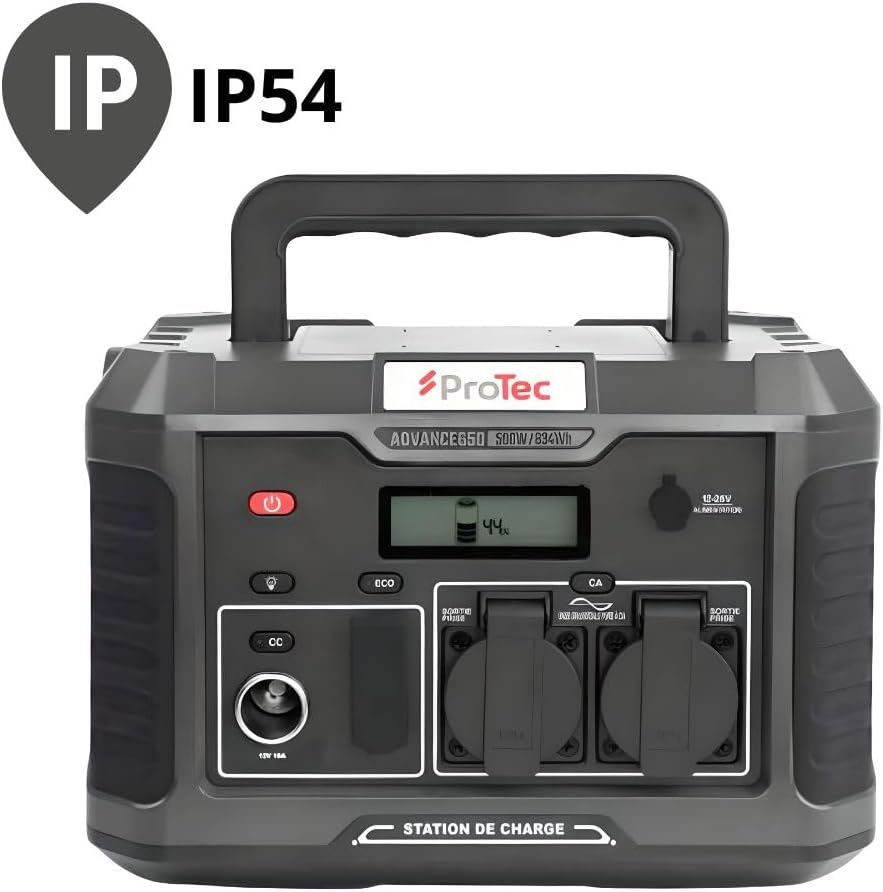
The Protec Advance 650 is rated IP54 for dust and splash resistance.
| Funkcja | Specyfikacja |
|---|---|
| Numer modelu | 798720 |
| Marka | Ochronny |
| Typ baterii | Lithium-phosphate |
| Pojemność baterii | 634 Wh |
| Moc wyjściowa AC | 600 W (czysta fala sinusoidalna) |
| Objętość wyjścia ACtage | 230 V |
| Wyjście USB-C | 1 x PD 60W |
| Wyjście USB-A | 3 x QC 3.0 (54W total) |
| DC Car Port Output | 1 x 12V 10A |
| Ładowanie bezprzewodowe | 10W Qi |
| AC Input (Charger) | 100 W |
| Wymiary (dł. x szer. x wys.) | 1 x 20 x 29 cm (approx. 10L x 200W x 290H mm) |
| Waga | 9.36 kilogramów |
| Kolor | Czarny |
| Stopień ochrony IP | IP54 (odporność na kurz i zachlapanie) |
9. Gwarancja i wsparcie
9.1 Informacje o gwarancji
The Protec Advance 650 Portable Power Station comes with a 2-year availability for spare parts within the EU. For specific warranty terms and conditions, please refer to the documentation provided at the time of purchase or contact Protec customer service.
9.2 Obsługa klienta
For technical assistance, troubleshooting, or warranty claims, please contact Protec customer support through their official webwitrynę lub sprzedawcę, u którego zakupiono produkt.

The Protec Advance 650 Portable Power Station is suitable for various outdoor activities.