
1. O tym podręczniku
This manual provides essential information for the Xiaomi 15 smartphone. It covers initial setup, daily operation, maintenance tips, and troubleshooting common issues. Please read this guide thoroughly to ensure optimal performance and longevity of your device.
While this document serves as a comprehensive guide, for more in-depth technical details or specific software features, refer to the official Xiaomi website or the device's built-in help resources.

Image 1.1: Front cover of the "Xiaomi 15 User Guide" book. This image displays the title of the instructional book this manual is based on, featuring a smartphone and two users.
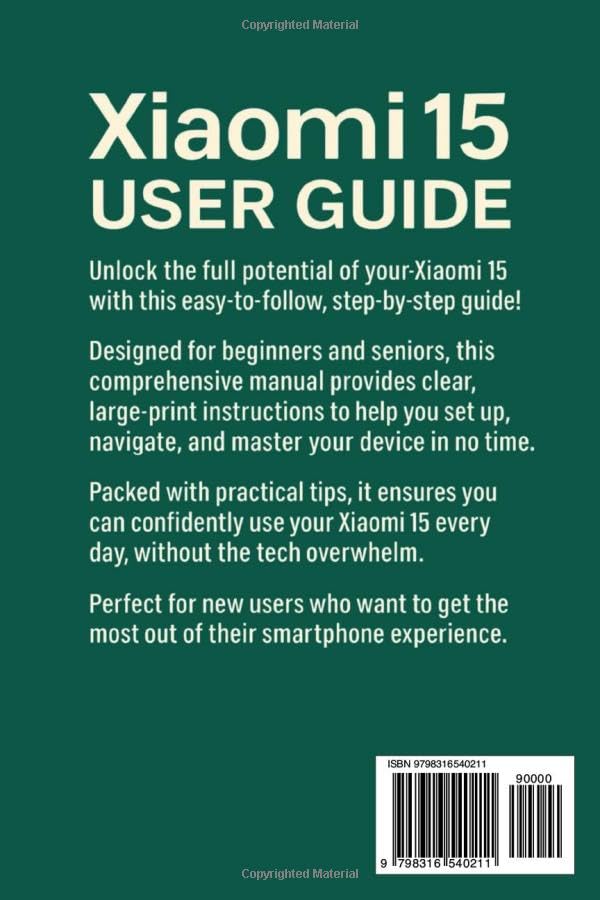
Image 1.2: Back cover of the "Xiaomi 15 User Guide" book. This image provides a summary of the book's content and includes the ISBN-13: 979-8316540211.
2. Konfiguracja początkowa
Follow these steps to set up your new Xiaomi 15 smartphone.
2.1. Włączanie i podstawowa konfiguracja
- Naładuj urządzenie: Before first use, fully charge your Xiaomi 15 using the provided charger and cable.
- Włączanie: Press and hold the Power button (usually on the right side) until the Xiaomi logo appears.
- Język i region: Select your preferred language and region from the on-screen prompts.
- Połącz się z Wi-Fi: Choose your Wi-Fi network and enter the password. A stable internet connection is required for initial setup.
- Konfiguracja konta Google: Zaloguj się na swoje konto Google lub utwórz nowe. Jest to niezbędne do uzyskania dostępu do Sklepu Google Play i innych usług Google.
- Przesyłanie danych (opcjonalnie): If you are upgrading from an old device, follow the on-screen instructions to transfer data.
- Konfiguracja zabezpieczeń: Set up a screen lock (PIN, pattern, password), fingerprint unlock, and/or face unlock for device security.
2.2. Dostosowywanie interfejsu
Personalize your Xiaomi 15 to suit your preferences:
- Wallpapers and Themes: Przejdź do Settings > Wallpaper & Personalization to change your home screen and lock screen wallpapers, or apply new themes.
- Widżety: Long-press on an empty area of your home screen to add widgets for quick access to information and app functions.
- Ustawienia wyświetlania: Adjust brightness, color scheme, font size, and refresh rate under Ustawienia > Wyświetlacz.
3. Obsługa urządzenia
This section covers daily usage and key features of your Xiaomi 15.
3.1. Nawigacja i gesty
The Xiaomi 15 supports intuitive gesture navigation:
- Go Home: Przesuń palcem od dołu ekranu w górę.
- Ostatnie aplikacje: Przesuń palcem od dołu do góry i przytrzymaj.
- Wracać: Przesuń palcem do środka od lewej lub prawej krawędzi ekranu.
- Przełącz aplikacje: Swipe left or right along the bottom edge of the screen.
3.2. Camera and Smart Photography
Your Xiaomi 15 features advanced AI-powered camera capabilities:
- Uruchom kamerę: Tap the Camera app icon or double-press the Power button (if configured).
- Funkcje AI: The camera automatically detects scenes and adjusts settings for optimal photos. Look for the AI icon in the camera interface.
- Tryby: Explore various modes like Portrait, Night, Pro, Panorama, and Video.
3.3. Voice Recognition and AI Assistant
Utilize the built-in AI assistant for hands-free control:
- Aktywować: Say "Hey Google" or long-press the Power button (if configured) to activate the Google Assistant.
- Polecenia: Ask questions, set alarms, make calls, send messages, and control smart home devices using voice commands.
3.4. Security Settings and Biometrics
Protect your data with robust security features:
- Odblokowanie linii papilarnych: Register your fingerprints under Settings > Password & Security > Fingerprint unlock.
- Odblokowanie twarzą: Set up face recognition for convenient unlocking under Settings > Password & Security > Face unlock.
- Blokada aplikacji: Secure individual apps with a password or biometric authentication via Settings > Apps > App lock.
4. Maintenance and Battery Management
Proper maintenance ensures the longevity and performance of your Xiaomi 15.
4.1. Optymalizacja żywotności baterii
Maximize your battery life with these tips:
- Dostosuj jasność ekranu: Lower screen brightness or enable adaptive brightness.
- Wyłącz nieużywane funkcje: Turn off Wi-Fi, Bluetooth, GPS, and mobile data when not in use.
- Odświeżanie aplikacji w tle: Limit apps running in the background via Settings > Apps > Manage apps > Battery saver.
- Tryb oszczędzania baterii: Enable Battery Saver mode from the Quick Settings panel or Ustawienia > Bateria.
4.2. Ładowanie urządzenia
The Xiaomi 15 supports fast charging technologies:
- Ładowanie przewodowe: Supports up to 90W wired fast charging. Use the original Xiaomi charger and cable for optimal speed.
- Ładowanie bezprzewodowe: Supports up to 50W wireless charging. Place the device on a compatible wireless charging pad.
- Unikaj ekstremalnych temperatur: Do not charge your device in excessively hot or cold environments.
4.3. Aktualizacje oprogramowania
Keep your device's software up to date for security and performance improvements:
- Sprawdź aktualizacje: Idź do Ustawienia > Informacje o telefonie > Wersja MIUI and tap "Check for updates."
- Zainstaluj aktualizacje: Follow the on-screen instructions to download and install available updates. Ensure your device is sufficiently charged before starting an update.
5. Rozwiązywanie typowych problemów
This section provides solutions for frequently encountered problems.
| Wydanie | Możliwe rozwiązanie |
|---|---|
| Urządzenie nie włącza się | Upewnij się, że bateria jest naładowana. Podłącz urządzenie do ładowarki na co najmniej 15 minut. Jeśli nadal nie działa, wymuś ponowne uruchomienie, przytrzymując przycisk zasilania przez 10–15 sekund. |
| Slow Performance / Lag | Close unused background apps. Clear cache from apps (Ustawienia > Aplikacje > Zarządzaj aplikacjami > [Nazwa aplikacji] > Wyczyść pamięć podręczną). Restart the device. Ensure sufficient storage space. |
| Szybko rozładowuje się bateria | Review zużycie baterii w Ustawienia > Bateria to identify power-hungry apps. Reduce screen brightness, disable unnecessary features (Wi-Fi, Bluetooth, GPS), and enable Battery Saver mode. |
| Przegrzanie | Avoid using the device while charging, especially during intensive tasks. Close heavy applications. Remove the phone case if it's restricting heat dissipation. Reduce screen brightness. |
| Problemy z łącznością Wi-Fi/Bluetooth | Toggle Wi-Fi/Bluetooth off and on. Restart your router (for Wi-Fi). Forget the network/device and reconnect. Reset network settings (Ustawienia > Połączenie i udostępnianie > Resetuj Wi-Fi, sieci komórkowe i Bluetooth). |
6. Specifications (Typical)
Please note that these are typical specifications for the Xiaomi 15. Actual specifications may vary by region or specific model variant. For precise details, refer to the official product packaging or Xiaomi's official webstrona.
- Wyświetlacz: AMOLED, High Refresh Rate (e.g., 120Hz), High Resolution
- Edytor: High-performance Mobile Platform (e.g., Snapdragon 8 Gen 3 or equivalent)
- BARAN: 8 GB / 12 GB / 16 GB
- Składowanie: 128GB / 256GB / 512GB (UFS 4.0)
- Kamera tylna: Triple Camera System (e.g., Main, Ultra-wide, Telephoto) with OIS
- Przednia kamera: High-resolution Selfie Camera
- Bateria: High-capacity Li-Po Battery (e.g., 4600mAh - 5000mAh)
- Ładowanie: 90W Wired Fast Charging, 50W Wireless Fast Charging
- System operacyjny: Android with MIUI overlay
- Łączność: 5G, Wi-Fi 7, Bluetooth 5.4, NFC, USB typu C
- Czujniki: In-display Fingerprint Sensor, Accelerometer, Gyroscope, Proximity, Compass, Color Spectrum
7. Gwarancja i wsparcie
Your Xiaomi 15 device comes with a limited manufacturer's warranty. Please refer to the warranty card included in your product packaging for specific terms and conditions, including warranty period and coverage details, which may vary by region.
7.1. Obsługa klienta
For technical assistance, service, or warranty claims, please contact Xiaomi Customer Support through one of the following channels:
- Urzędnik Webstrona: Visit the official Xiaomi support webwitryna z często zadawanymi pytaniami, przewodnikami rozwiązywania problemów i informacjami kontaktowymi.
- Centra serwisowe: Locate authorized Xiaomi service centers in your area for in-person assistance.
- Wsparcie telefoniczne: Refer to your region's Xiaomi webStrona zawierająca numery telefonów do lokalnej obsługi klienta.
Zawsze zachowaj dowód zakupu w celach gwarancyjnych.