
1. Wprowadzenie
The duskeep R1 TikTok Scrolling Ring Remote Control is a versatile wireless Bluetooth device designed to enhance your mobile experience. It provides hands-free control for various applications, including social media scrolling, camera operation, and e-book page turning. This manual provides detailed instructions for setup, operation, and maintenance of your device.

Figure 1: duskeep R1 TikTok Scrolling Ring Remote Control and Charging Case.
2. Funkcje produktu
- TikTok Scrolling: Effortlessly scroll up/down, left/right, pause/play, like/continuously like, and adjust volume without touching your phone screen.
- Ergonomiczna konstrukcja: Features a joystick direction key and an adjustable ring for comfortable, long-term use.
- Bluetooth Camera Shutter: Capture photos and videos hands-free, including selfies, group photos, steady shots, focus, and continuous shooting, up to 33 feet away.
- E-Book Page Turner: Turn pages on compatible e-reading apps (e.g., Kindle app) with a simple button press. Note: Not compatible with dedicated e-readers like Kindle, Paperwhite, Oasis, or Kobo devices.
- Długa żywotność baterii: Provides over 18 hours of continuous use on a single charge and up to 90 hours with the included charging case. The case recharges in approximately 90 minutes.
- Szeroka kompatybilność: Compatible with iOS 14.8+ and Android 8.0 or higher devices.
3. Konfiguracja i połączenie
3.1 Początkowe parowanie
- Take the ring out of the charging case. The ring's red and blue lights will flash, indicating it is in pairing mode.
- On your mobile device (phone or tablet), go to Bluetooth settings.
- Szukaj and select "R1" from the list of available devices to connect. The ring light will turn off once the connection is successful.

Figure 2: Steps for pairing the R1 remote control.
3.2 iOS Specific Setup (for iOS 14.8 or higher)
For optimal functionality on iOS devices, ensure AssistiveTouch is enabled:
- Idź do Ustawienia > Dostępność.
- Wybierać Dotykać.
- Stuknij w Wspomagający dotyk.
- Dźwignia kolankowa Wspomagający dotyk do ON pozycja.
- Zapewnić Always Show Menu is also toggled ON.

Figure 3: Enabling AssistiveTouch on iOS devices.
4. Instrukcja obsługi
4.1 Sterowanie ogólne
The R1 remote features a joystick and two additional buttons for various functions.
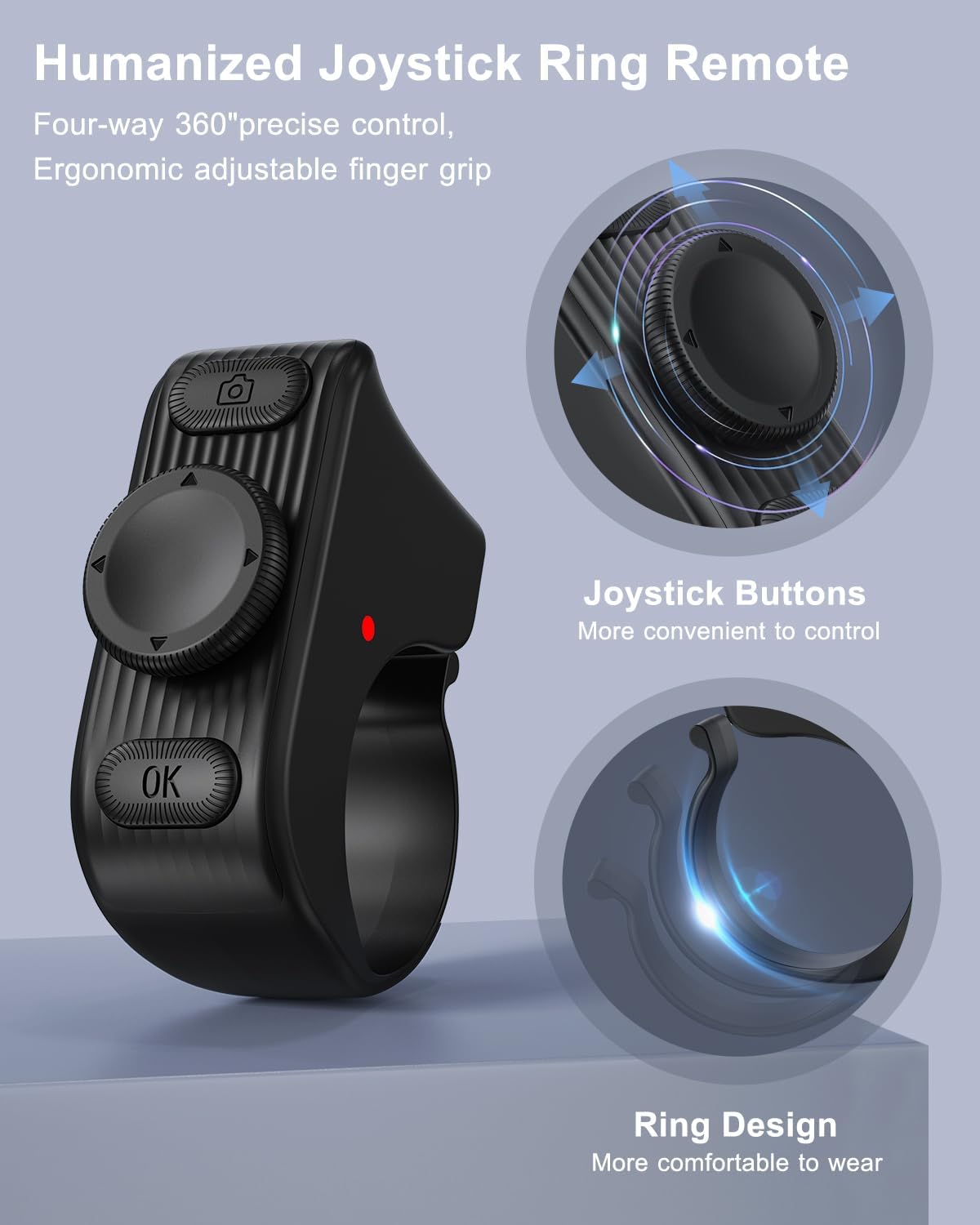
Rysunek 4: Koniecview of the R1 remote control buttons.
4.2 Using on TikTok (and other video playback software)
- Joystick w górę/w dół: Scroll videos up/down.
- Joystick w lewo/w prawo: Swipe videos left/right.
- Long Press Joystick Up: Tom +.
- Long Press Joystick Down: Tom -.
- Single Click OK Button: Play/Pause/Cancel Continuous Like.
- Double Click OK Button: Single Like.
- Long Press OK Button (5s): Continuous Like/Cancel Continuous Like.

Figure 5: Hands-free TikTok scrolling and control.
4.3 Using on Camera/Video
- Single Click Camera Button: Robić zdjęcia.
- Long Press Camera Button (3s): Photo focus.
- Single Click Joystick Left/Right: Switch camera mode.
- Long Press Joystick Left/Right: Continuous shooting.
- Single Click OK Button: Photo focus.
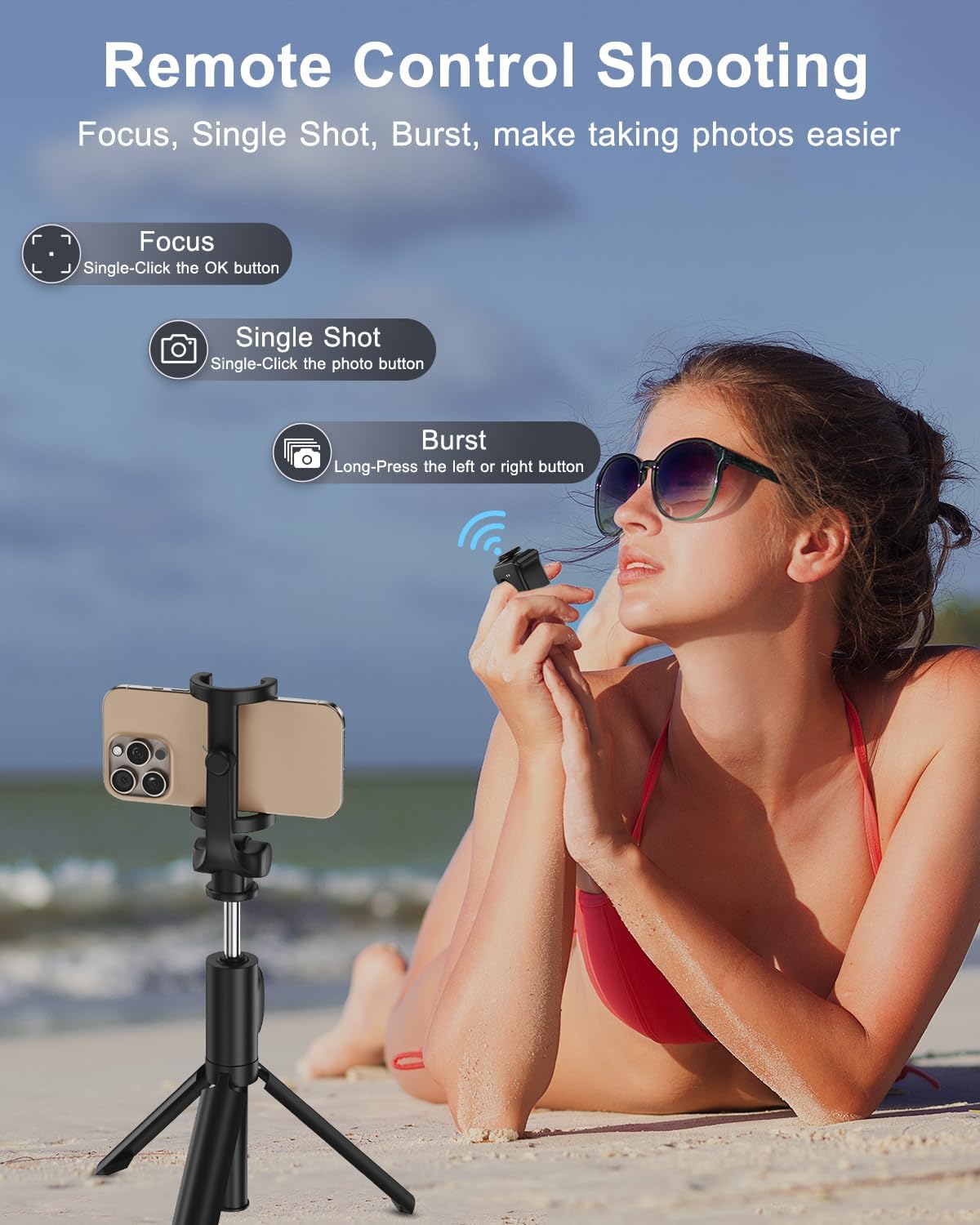
Figure 6: Using the R1 remote for camera control.
4.4 Using on E-Book Apps
- Single Click Joystick Up/Down: Flip pages up/down.
- Single Click Joystick Left/Right: Flip pages left/right.
For some e-book apps, if you experience excessive scrolling, you may need to adjust the text or turn off continuous scrolling within the app's settings.

Figure 7: R1 remote control for e-book page turning.
5. Żywotność baterii i ładowanie
The R1 remote offers extended battery life for prolonged use. A single charge provides over 18 hours of continuous operation. When used with the included charging case, the total usage time extends to over 90 hours. The charging case fully recharges the ring in approximately 1.5 hours via a Type-C interface charging cable.

Rysunek 8: Szczegóły dotyczące żywotności baterii i ładowania.
6. Rozwiązywanie Problemów
6.1 iOS Device Connection Problems
- Why the remote ring does not work on my iPhone or iPad?
- Ensure your iOS version is 14.8 or higher.
- Verify that AssistiveTouch is enabled. If not, turn it on. If it's already enabled, try turning it off and then on again.
- Why can't I find "R1" or connect to it via Bluetooth?
- When powered on, the remote automatically connects to the last paired device. Disconnect the Bluetooth connection on the previously paired device to connect to a new device.
- If you're unable to connect via Bluetooth for the first time, try turning Bluetooth off and on again or restarting your phone.
- How do I disconnect the current Bluetooth connection? (How do I restart the remote?)
- Press and hold the "Camera" button and the "OK" button simultaneously for 5 seconds until the red and blue lights flash alternately.
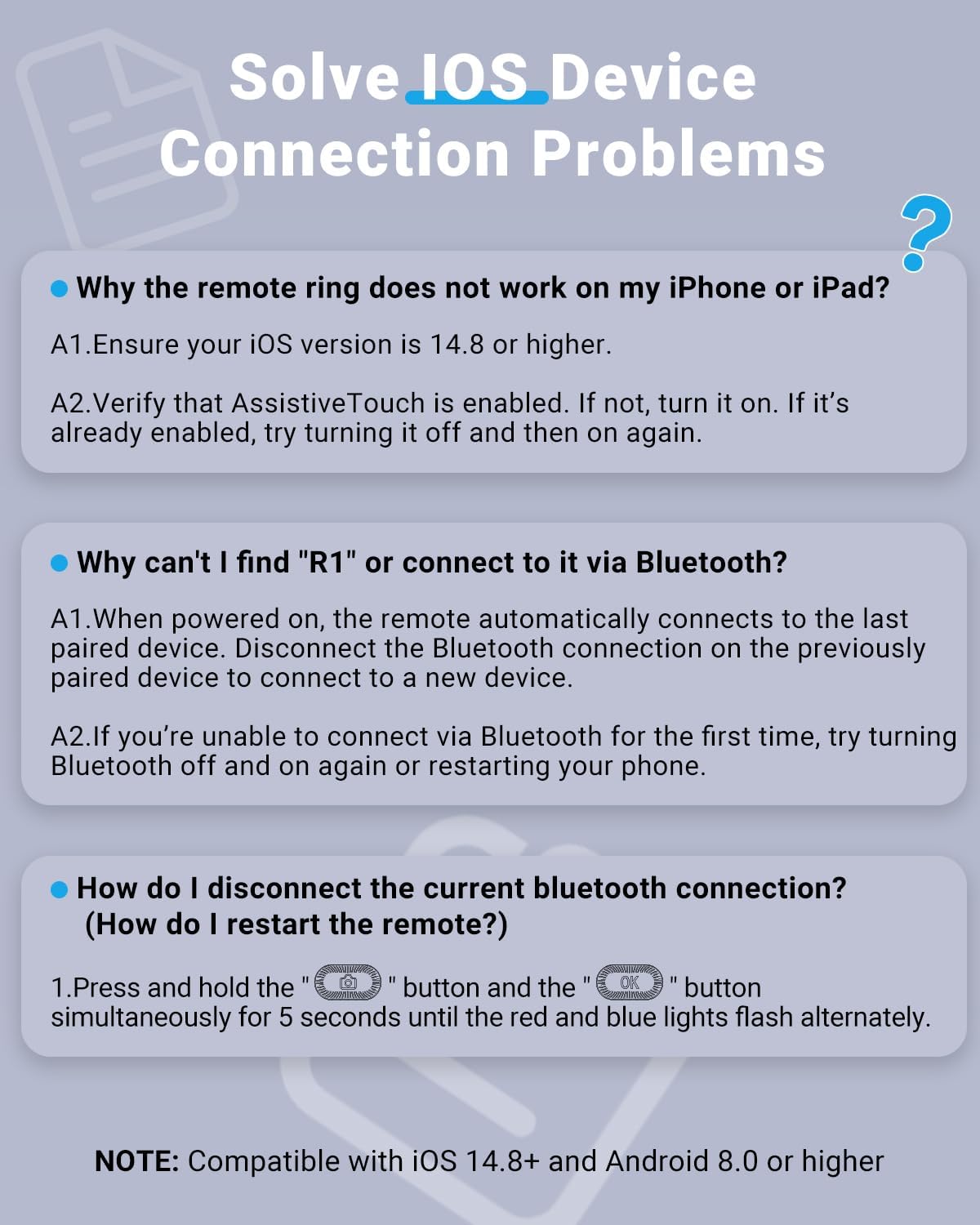
Figure 9: Common iOS connection issues and solutions.
7. Specyfikacje
| Funkcja | Szczegół |
|---|---|
| Numer modelu | R1 |
| Marka | duskeep |
| Kolor | Czarny |
| Łączność | Bluetooth 5.0 (2.4 GHz) |
| Pojemność baterii | 40 mAh (Ring) |
| Czas ładowania | Approx. 1.5 hours (for ring in case) |
| Continuous Use (Ring) | Ponad 18 XNUMX godzin |
| Total Use with Charging Case | Do 90 godzin |
| Kompatybilne urządzenia | iOS/Android, iPhone/iPad, Android Phone/Tablet |
| Minimum OS Version | iOS 14.8+, Android 8.0+ |
| Waga przedmiotu | 3.2 uncji |
| Wymiary opakowania | 3.9 x 3.66 x 1.46 cala |
8. Konserwacja
To ensure the longevity and optimal performance of your duskeep R1 remote control, follow these maintenance guidelines:
- Keep the device and charging case clean and dry. Wipe with a soft, dry cloth as needed.
- Unikaj wystawiania urządzenia na działanie ekstremalnych temperatur, bezpośredniego światła słonecznego lub wysokiej wilgotności.
- Nie należy podejmować prób samodzielnego demontażu lub naprawy urządzenia, gdyż spowoduje to utratę gwarancji.
- Gdy nie używasz urządzenia, przechowuj je w etui ładującym, aby je chronić i utrzymać w stanie naładowania.
9. Gwarancja i wsparcie
The duskeep R1 TikTok Scrolling Ring Remote Control comes with a manufacturer's warranty. For any issues, questions, or support needs, please contact duskeep customer service. Refer to the product packaging or the official duskeep webSzczegółowe warunki gwarancji i dane kontaktowe można znaleźć na naszej stronie.
Your satisfaction is important to us. We are committed to providing fast and helpful support.