
duskeep R1
TikTok Scrolling Ring Remote Control User Manual
Model: R1 | Brand: duskeep
Wstęp
The duskeep TikTok Scrolling Ring is a versatile wireless Bluetooth remote control designed to enhance your mobile experience. It allows for hands-free control of various functions on your iPhone, iPad, iOS, and Android devices, including scrolling through social media feeds, operating your camera, and turning pages in e-book applications. This manual provides detailed instructions for setup, operation, maintenance, and troubleshooting to ensure optimal use of your device.

Image: The duskeep TikTok Scrolling Ring and its compact charging case.
Zawartość opakowania

Image: The package includes the charging case, Bluetooth ring, Type-C charging cable, and a user manual.
Sprawdź, czy w przesyłce znajdują się wszystkie elementy:
- 1 x TikTok Scrolling Ring
- 1 x etui ładujące
- 1 x kabel ładujący typu C
- 1 x Instrukcja obsługi
Konfiguracja i połączenie
Follow these steps to set up and connect your duskeep TikTok Scrolling Ring to your device.
Video Guide: Operation Guide
Video: A comprehensive guide demonstrating the operation and connection process of the duskeep TikTok Scrolling Ring.
Step-by-Step Connection Instructions
For iOS Devices (iOS 14.8 or higher): Enable AssistiveTouch.
Idź do Ustawienia > Dostępność > Dotykać > Turn on Wspomagający dotyk. Adjust the "Tracking Sensitivity" to 20% or lower for optimal performance.

Image: Visual guide for enabling AssistiveTouch on iOS devices.
Włącz pierścień:
Take the ring out of its charging case. The ring's red and blue lights will flash, indicating it's ready for pairing.
Połącz przez Bluetooth:
On your device, go to Bluetooth settings and select "R1" from the list of available devices. The ring light will turn off once the connection is successful.
Instrukcja obsługi
The duskeep TikTok Scrolling Ring offers intuitive controls for various applications.
TikTok and Short Video Control
Effortlessly navigate through TikTok, Instagram Reels, YouTube Shorts, and other short video platforms.
- Przesuń w górę/w dół: Use the joystick to scroll through videos.
- Przesuń w lewo/w prawo: Use the joystick to navigate left or right within an app.
- Wstrzymaj/Odtwórz: Press the "OK" button to pause or play a video.
- Single Like: Double-tap the "OK" button to like a video.
- Continuous Like: Long-press the "OK" button to continuously like. Single-click "OK" to cancel.
- Zwiększanie/zmniejszanie głośności: Long-press the "Left" button to reduce volume, long-press the "Right" button to increase volume.

Image: Control functions for TikTok and other video apps.

Image: Enjoying hands-free TikTok viewing with the scrolling ring.
Camera Shutter Remote
Capture photos and videos effortlessly from a distance.
- Centrum: Single-click the "OK" button to focus.
- Zrób zdjęcie/nagraj wideo: Single-click the camera button to take a photo or start/stop video recording.
- Ciągłe strzelanie: Long-press the "Left" or "Right" button for continuous shooting (burst mode).
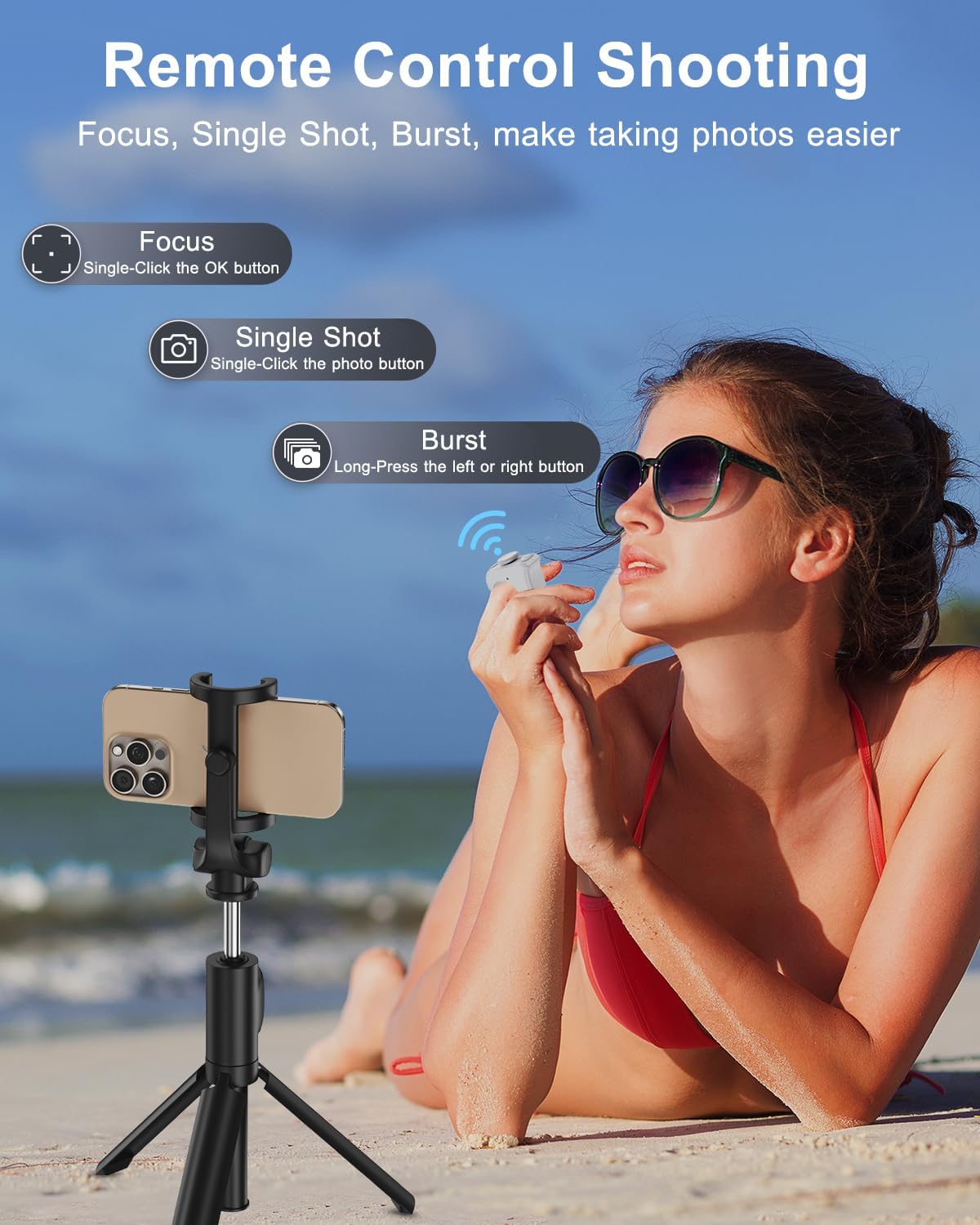
Image: Using the remote for hands-free photo and video capture.
E-Book Page Turning
Control your e-reading apps without touching your screen. Compatible with Kindle app and other reading apps (not dedicated e-readers like Kindle Paperwhite, Oasis, or Kobo).
- Przewróć strony: Use the joystick to turn pages forward or backward.

Image: Effortless e-book page turning with the remote.
Notatka: If pages are turning too fast in e-book apps, adjust the app's settings to turn off continuous scrolling. This is typically found in the text or layout settings of the e-book application.
Konserwacja
Żywotność baterii i ładowanie
The duskeep TikTok Scrolling Ring is designed for extended use with its efficient battery and convenient charging case.
- Ciągłe użytkowanie: Over 18 hours on a single charge.
- Z etui ładującym: Up to 90 hours of total use.
- Czas ładowania: The charging case recharges in approximately 90 minutes using the provided Type-C cable.

Obraz: Szczegóły dotyczące żywotności baterii i ładowania.
To charge, simply place the ring back into its charging case. Ensure the Type-C cable is connected to the case and a power source.
Rozwiązywanie problemów
If you encounter any issues with your duskeep TikTok Scrolling Ring, please refer to the common solutions below.
| Problem | Rozwiązanie |
|---|---|
| The remote ring does not work on my iPhone or iPad. |
|
| Cannot find "R1" or connect to it via Bluetooth. |
|
| How to disconnect the current Bluetooth connection (How to restart the remote)? | Press and hold the camera button and the "OK" button simultaneously for 5 seconds until the red and blue lights flash alternately. |
Notatka: Compatible with iOS 14.8+ and Android 8.0 or higher.
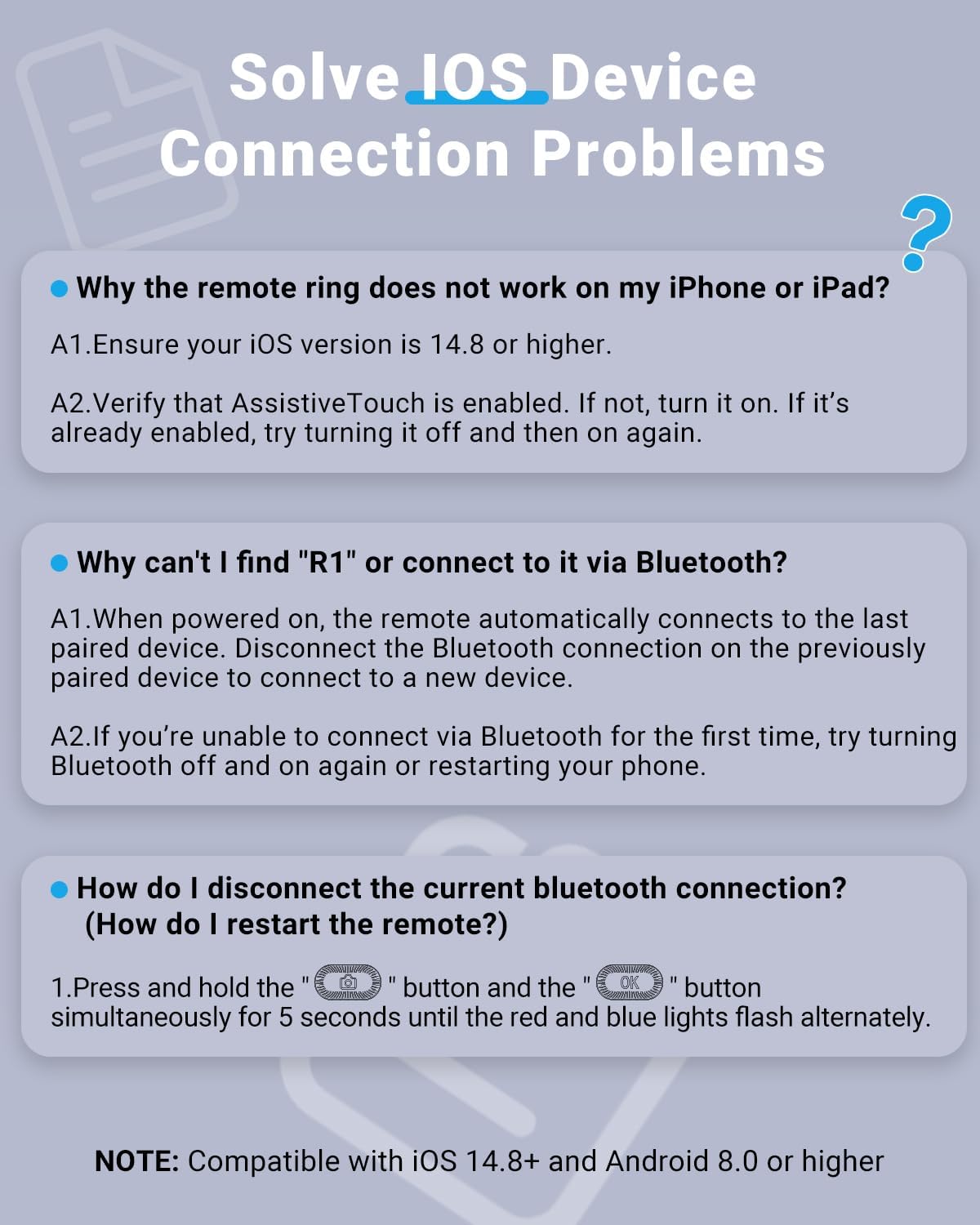
Image: Common troubleshooting steps for connection issues.
Specyfikacje
| Funkcja | Szczegół |
|---|---|
| Numer modelu | R1 |
| Marka | duskeep |
| Kolor | Biały |
| Waga przedmiotu | 2.89 uncji |
| Wymiary opakowania | 3.9 x 3.62 x 1.42 cala |
| Baterie | Wymagane baterie 2 A (w zestawie) |
| Funkcja specjalna | Ergonomic, Lightweight, Rechargeable |
| Maksymalna liczba obsługiwanych urządzeń | 1 |
| Kompatybilne urządzenia | iOS/Android, iPhone/iPad, Android Phone/Tablet |
Gwarancja i wsparcie
The duskeep TikTok Scrolling Ring comes with a worry-free after-sales service. If you encounter any issues with your product, please do not hesitate to contact duskeep customer support. We are committed to providing fast, helpful support and ensuring your complete satisfaction with your purchase.
For support, please refer to the contact information provided with your product packaging or visit the official duskeep webstrona.
Ask a question about this manual
Ask about setup, troubleshooting, compatibility, parts, safety, or missing instructions. Manuals+ will review the question and use this page’s manual context to help answer it.