
1. Wprowadzenie
Thank you for choosing the Intelbras PFL7560 Full HD Wi-Fi Projector. This projector is designed to deliver a high-quality visual and audio experience for various applications, from home cinema to business presentations. It features Full HD resolution, 8000 lumens brightness, and integrated 12W stereo speakers. This manual provides essential information for safe and efficient operation of your projector.
2. Informacje dotyczące bezpieczeństwa
Przed użyciem projektora prosimy o dokładne zapoznanie się ze wszystkimi instrukcjami bezpieczeństwa. Zachowaj tę instrukcję do wykorzystania w przyszłości.
- Zasilanie: Use only the power adapter provided with the projector. Ensure the voltage pasuje do lokalnego źródła zasilania.
- Wentylacja: Nie blokuj otworów wentylacyjnych. Zapewnij odpowiednią ilość miejsca wokół projektora, aby zapewnić prawidłowy przepływ powietrza i zapobiec przegrzaniu.
- Umieszczenie: Ustaw projektor na stabilnej, równej powierzchni. Unikaj umieszczania go w bezpośrednim świetle słonecznym, w pobliżu źródeł ciepła oraz w środowiskach o dużej wilgotności i zapyleniu.
- Ochrona oczu: Nie patrz bezpośrednio w obiektyw projektora, gdyamp jest włączony, ponieważ jasne światło może uszkodzić wzrok.
- Czyszczenie: Odłącz projektor od zasilania przed czyszczeniem. Użyj miękkiej, suchej ściereczki. Nie używaj środków czyszczących w płynie ani aerozolu.
- Serwisowanie: Nie próbuj samodzielnie naprawiać projektora. Wszelkie naprawy zlecaj wykwalifikowanemu personelowi serwisowemu.
3. Zawartość opakowania
Sprawdź, czy w opakowaniu znajdują się wszystkie elementy:
- Intelbras PFL7560 Projector Unit
- Zdalne sterowanie
- Kabel zasilający
- Instrukcja obsługi
4. Koniec produktuview
Familiarize yourself with the main components and ports of your Intelbras PFL7560 projector.
4.1. Elementy projektora

Image: Intelbras PFL7560 Projector with included remote control.
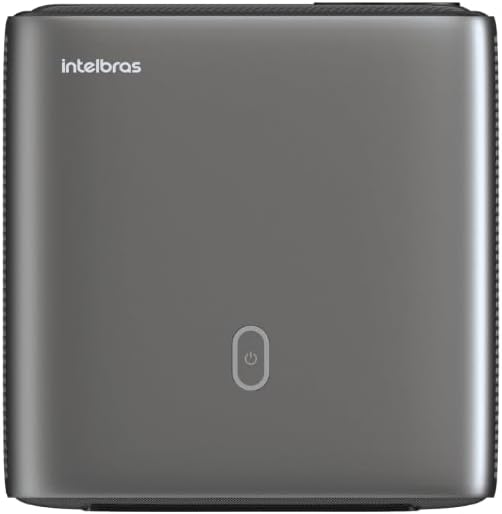
Obraz: Góra view of the projector, highlighting the power button and sleek design.
4.2. Porty i łączność
Projektor oferuje wiele opcji łączności:
- HDMI: For connecting high-definition devices such as laptops, gaming consoles, or Blu-ray players.
- USB: Do podłączania urządzeń pamięci masowej USB w celu odtwarzania multimediów files bezpośrednio.
- Wi-Fi (802.11 ac/b/g/n): For wireless connectivity and screen mirroring from compatible Android devices.
- Wyjście dzwięku: Do podłączania zewnętrznych systemów audio lub słuchawek.
5. Konfiguracja
5.1. Umieszczenie
Choose a suitable location for your projector. The PFL7560 can project images from 60 to 150 inches, making it versatile for various room sizes. Ensure the projector is placed on a stable surface and is not obstructed.
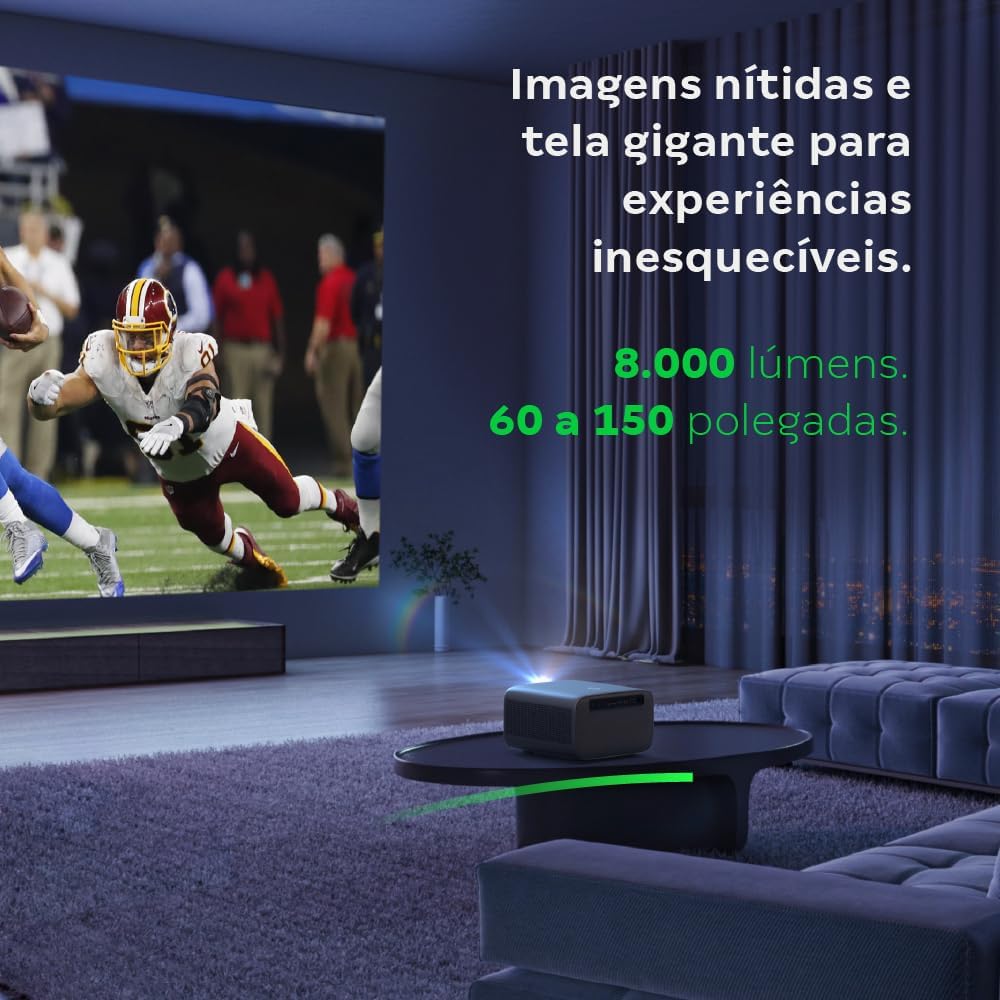
Image: The projector creating a large, clear image in a home environment, demonstrating its capability for immersive viewing.
5.2. Podłączenie zasilania
Podłącz kabel zasilający do wejścia zasilania projektora, a następnie do gniazdka elektrycznego.
5.3. Pierwsze włączenie zasilania
Naciśnij przycisk zasilania na projektorze lub pilocie, aby włączyć urządzenie. Projektor rozpocznie sekwencję startową.
5.4. Korekcja ostrości i trapezu
The PFL7560 features automatic focus and keystone correction for a perfectly aligned and sharp image without manual effort. If manual adjustment is needed, refer to the on-screen display (OSD) menu.
6. Instrukcja obsługi
6.1. Podłączanie urządzeń
- HDMI: Connect your device using an HDMI cable to the HDMI port on the projector. Select the corresponding HDMI input from the projector's source menu.
- USB: Insert a USB drive into the USB port. The projector's media player will typically detect the drive automatically, allowing you to browse and play files.
- Wi-Fi / Screen Mirroring: For compatible Android devices, enable screen mirroring on your device and select the projector from the available devices. Ensure both devices are connected to the same Wi-Fi network.
6.2. Wyjście audio
The projector is equipped with two integrated 12W speakers, providing clear and immersive audio. For external audio, connect speakers or headphones to the audio output port.

Image: Detail of the projector's integrated 12W speakers, designed for powerful and clear sound.
7. Konserwacja
7.1. Czyszczenie soczewki
Do delikatnego przecierania soczewki projektora używaj miękkiej, niepozostawiającej włókien ściereczki przeznaczonej specjalnie do soczewek optycznych. Unikaj stosowania materiałów ściernych i silnych środków chemicznych.
7.2. Czyszczenie korpusu projektora
Wipe the exterior of the projector with a soft, dry cloth. Do not use liquid or spray cleaners directly on the unit.
7.3. LED Light Source Longevity
The Intelbras PFL7560 uses an LED light source with a lifespan of up to 30,000 hours, ensuring long-term use and consistent performance without significant brightness degradation.
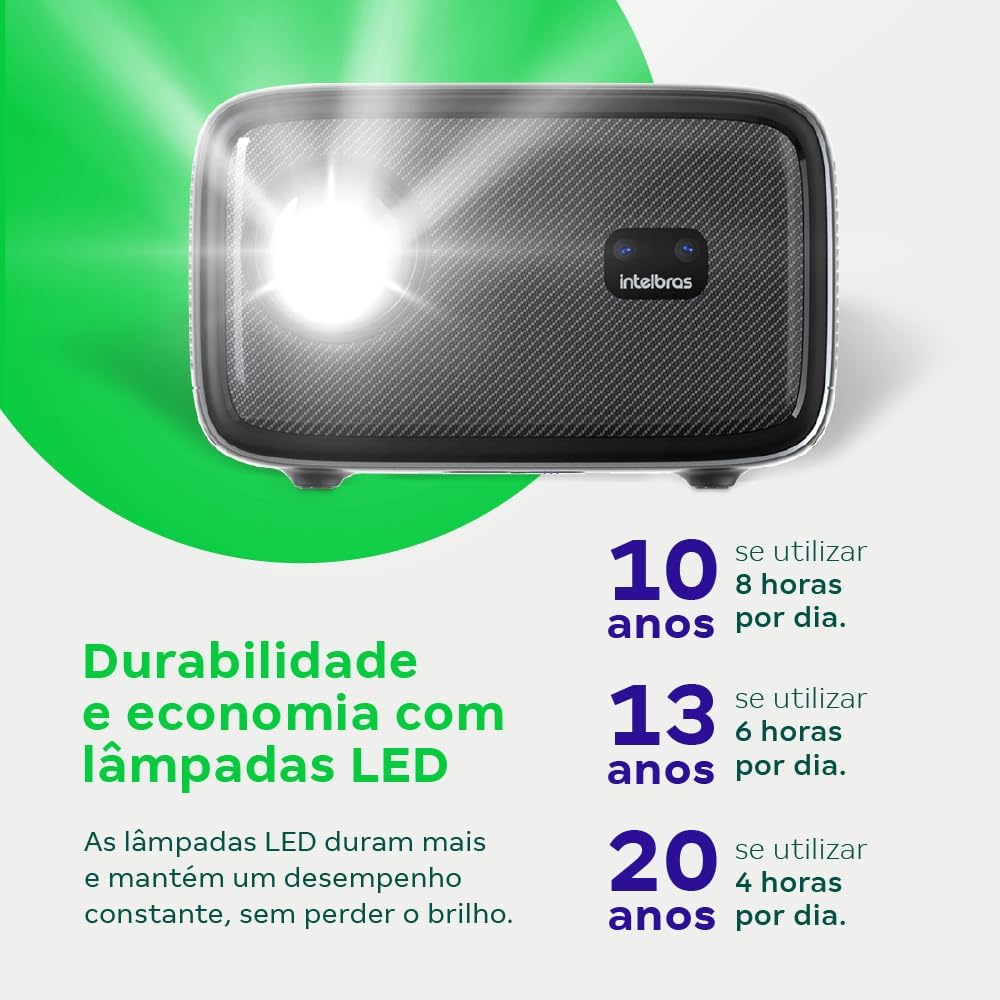
Image: An infographic illustrating the extended durability and economic benefits of the LED lamp, lasting up to 30,000 hours.
8. Rozwiązywanie Problemów
Jeśli masz problemy z projektorem, zapoznaj się z poniższymi typowymi problemami i ich rozwiązaniami:
- Brak obrazka: Ensure the power cable is securely connected and the projector is turned on. Check the input source selection to match your connected device.
- Rozmazany obraz: Adjust the focus. If the image is distorted, check for automatic keystone correction or adjust it manually via the settings menu.
- Brak dźwięku: Verify the volume level on both the projector and the connected device. Ensure external speakers are properly connected if used, or that the internal speakers are enabled.
- Problemy z łącznością: For Wi-Fi or screen mirroring, ensure both the projector and your device are on the same network. Restart both devices if necessary.
- Przegrzanie: Ensure the projector's ventilation openings are not blocked. Turn off the projector and allow it to cool down if it feels excessively hot.
9. Specyfikacje
| Funkcja | Specyfikacja |
|---|---|
| Marka | Inteligentny |
| Nazwa modelu | PFL7560 |
| Technologia łączności | Wi-Fi |
| Cechy specjalne | Gotowy na Wi-Fi |
| Rozdzielczość wyświetlacza | 1920 x 1080 (Pełna rozdzielczość HD) |
| Rozdzielczość natywna | 1920x1080 |
| Maksymalna rozdzielczość wyświetlacza | 1920x1080 |
| Typ wyświetlacza | LCD |
| Jasność | 8000 lumenów |
| Kompatybilne urządzenia | Laptop, smartfon, tablet |
| Żywotność źródła światła | 30000 godzin |
| Interfejs sprzętowy | 802.11ac/b/g/n |
| Kodowanie wideo | H.264, H.265 |
| Zalecane zastosowania | Kino domowe |
| Audio | 2 zintegrowane głośniki 12 W |
10. Gwarancja i wsparcie
For warranty information, technical support, or service requests, please refer to the official Intelbras webOdwiedź stronę internetową lub skontaktuj się bezpośrednio z działem obsługi klienta. Zachowaj paragon jako dowód zakupu na wypadek reklamacji.