
VBESTLIFE VBESTLIFEnwpgbkg28v
VBESTLIFE VR Link Charging Cable User Manual
Model: VBESTLIFEnwpgbkg28v
1. Wprowadzenie
This manual provides comprehensive instructions for the VBESTLIFE VR Link Charging Cable, designed to enhance your virtual reality experience. This 16.4ft (5m) USB3.0 cable facilitates high-speed data transfer and simultaneous charging for VR headsets, ensuring uninterrupted gameplay.

Image: The VBESTLIFE VR Link Charging Cable, showing its black braided design, USB-A connector, and angled USB-C connector.
2. Funkcje produktu
- Uninterruptible Power: Allows simultaneous charging and playing when used with the original charging cable and charger, eliminating the need for an additional battery pack.
- Battery Life Protection: Features an advanced 4th generation security chip that adjusts charging power when battery exceeds 78% to extend battery life and reduce heat. Reconnect charger to reactivate fast charging if battery falls below threshold.
- Excellent VR Gaming Experience: Connects VR devices to gaming PCs via USB 3.0/3.1/3.2 ports. Ensures smooth connection by requiring updated VR headset system and PC Link software.
- Superior Link Performance: Supports USB 3.0 data transfer speeds, providing sufficient bandwidth for high resolutions and refresh rates.
- Low Latency and Delay: Separate USB 3.0 port for data transfer and charging port for current input ensures game performance is not affected during charging, with transfer rates up to 5Gbps.
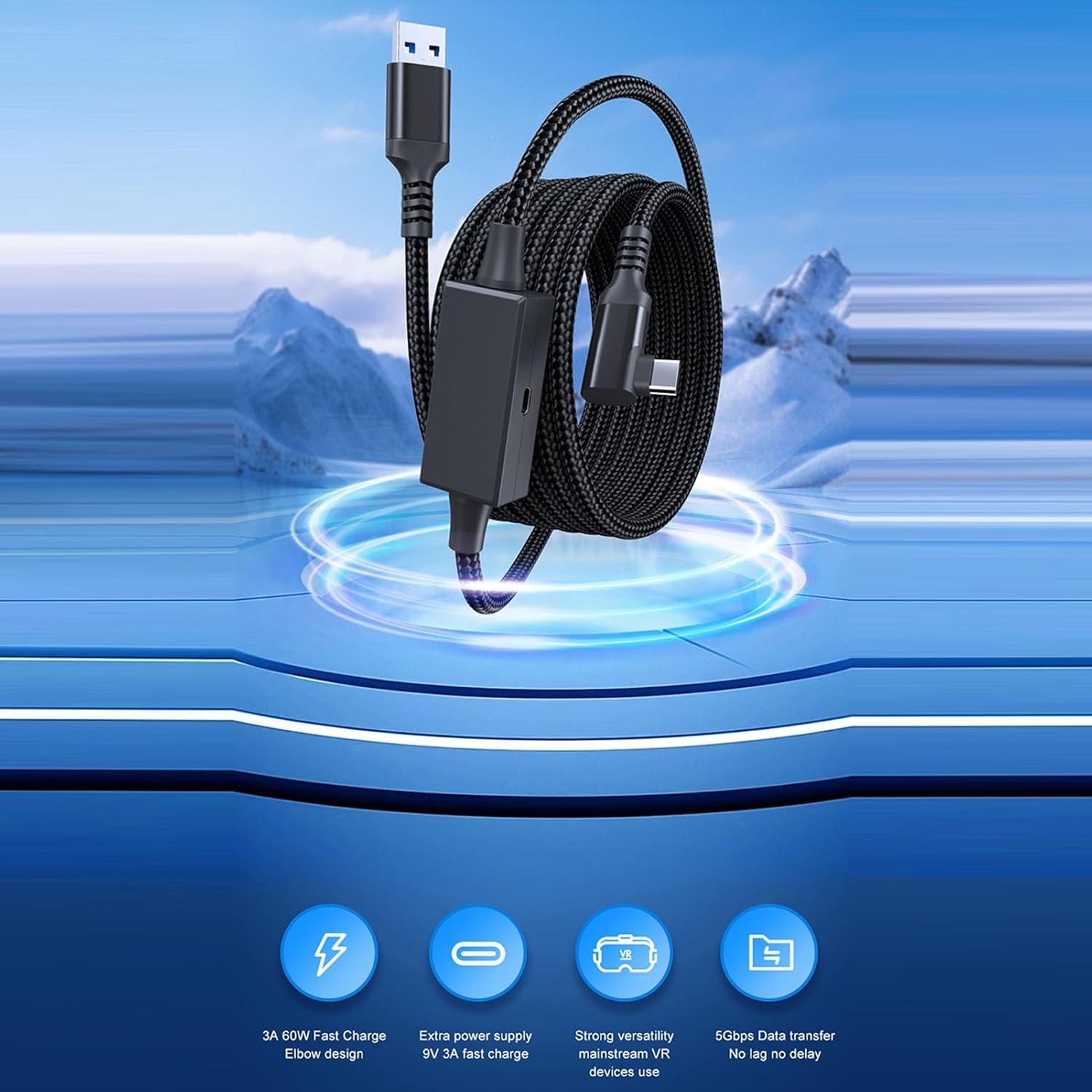
Image: Visual representation of the cable's features, including 60W fast charge, extra power supply, strong versatility, and 5Gbps data transfer.
3. Specyfikacje
| Atrybut | Szczegół |
|---|---|
| Typ przedmiotu | VR Charging Link Cable |
| Tworzywo | PVC + Copper Wire |
| Rozmiar (długość) | Około. 5m / 16.4ft |
| Prędkość przesyłu danych | Do 5 Gb/s (USB 3.0) |
| Typ złącza | USB-A (Host), USB-C (Device) |
| Numer modelu | VBESTLIFEnwpgbkg28v |

Image: Detailed cross-section view of the cable, highlighting its multi-layered construction including tinned copper core, aluminum foil, PVC shield, and nylon sleeve braiding for stable transmission.
4. Zawartość opakowania
W skład pakietu wchodzą następujące elementy:
- 1 x VBESTLIFE VR Charging Link Cable
5. Instrukcje konfiguracji
Follow these steps to set up your VBESTLIFE VR Link Charging Cable:
- Połącz z komputerem: Insert the USB-A end of the cable into a USB 3.0, 3.1, or 3.2 port on your gaming PC. USB 3.0 ports are typically blue.
- Connect to VR Headset: Insert the L-type USB-C end of the cable into the USB-C port on your VR headset. Ensure it is inserted correctly, usually to the right, not the left, to avoid affecting stability.
- Zabezpiecz kabel: Use the provided Velcro tie to fix the cable to the right strap of your VR headset. This helps prevent the cable from becoming loose or twisted and ensures a stable connection. Avoid covering the right speaker.
- Podłączenie zasilania (opcjonalnie): For simultaneous charging and playing, connect your original VR headset charger to the charging port on the cable's inline block.

Image: A detailed diagram illustrating the connection points: USB-A to PC's USB 3.0 port and L-type USB-C to the VR headset, with instructions on using the Velcro tie.

Image: A user wearing a VR headset, with the VBESTLIFE cable connected from the headset to a gaming PC tower, demonstrating a typical setup.
6. Instrukcja obsługi
Once connected, the VBESTLIFE VR Link Charging Cable operates on a plug-and-play basis. Ensure your VR headset and PC Link software are updated to their latest versions for optimal performance.
- Transfer danych: The cable enables high-speed data transfer between your VR headset and PC, allowing you to play PC VR games with minimal latency.
- Jednoczesne ładowanie: When the external power source is connected to the cable's charging port, your VR headset will charge while you play, providing uninterruptible power.
- Inteligentne ładowanie: The built-in security chip manages charging to protect your VR headset's battery. If the battery level exceeds 78%, the charging power will be adjusted. If fast charging is desired and the battery is below the threshold, briefly disconnect and reconnect the charger.

Image: The VR Link Cable connected to a PC's USB 3.0 port and simultaneously to a wall charger, illustrating the dual functionality of data and power.
7. Konserwacja
To ensure the longevity and optimal performance of your VR Link Charging Cable, follow these maintenance guidelines:
- Składowanie: Store the cable in a cool, dry place away from direct sunlight and extreme temperatures. Avoid tightly coiling or bending the cable, especially near the connectors.
- Czyszczenie: Delikatnie przetrzyj kabel i złącza miękką, suchą ściereczką. Nie używaj płynnych środków czyszczących ani materiałów ściernych.
- Obsługiwanie: Always grasp the connector ends when plugging or unplugging the cable. Avoid pulling on the cable itself, as this can damage internal wires.
- Kontrola: Periodically inspect the cable for any signs of wear, fraying, or damage to the insulation. If damage is observed, discontinue use.
8. Rozwiązywanie Problemów
If you encounter issues with your VBESTLIFE VR Link Charging Cable, refer to the following common solutions:
- Device Recognized as USB 2.0 or Fails to Connect:
- Ensure your VR headset system and PC Link software are updated to their latest versions.
- Verify that the cable is plugged into a USB 3.0, 3.1, or 3.2 port on your PC (these are often blue).
- Reboot both your VR headset and PC.
- Try connecting the cable to a different USB 3.0/3.1/3.2 port on your PC.
- Problemy z ładowaniem:
- Ensure the external charger connected to the cable's charging port is functioning correctly and provides sufficient power.
- If the battery level is above 78% and charging slows, this is normal due to the battery protection feature. To reactivate fast charging below this threshold, briefly disconnect and reconnect the charger.
- Połączenie przerywane:
- Check that both ends of the cable are securely plugged into the PC and VR headset.
- Ensure the cable is not kinked or under strain during use.
- Verify that the Velcro tie is securing the cable to the headset properly.
9. Gwarancja i wsparcie
For warranty information or technical support regarding your VBESTLIFE VR Link Charging Cable, please refer to the product packaging or contact VBESTLIFE customer service through their official channels. Keep your purchase receipt for warranty claims.
Aby uzyskać dalszą pomoc, możesz odwiedzić stronę VBESTLIFE Store on Amazon.
Ask a question about this manual
Ask about setup, troubleshooting, compatibility, parts, safety, or missing instructions. Manuals+ will review the question and use this page’s manual context to help answer it.