
Wstęp
The 1MORE P20 USB-C Wired Earphones are designed to provide a high-quality audio experience with powerful sound, clear call quality, and ergonomic comfort. This manual provides essential information for setting up, operating, maintaining, and troubleshooting your earphones.

Image: The 1MORE P20 USB-C Wired Earphones, showcasing their sleek black design and the Hi-Res Audio certification.
Organizować coś
1. Wybór i dopasowanie końcówek dousznych
For optimal sound quality and comfort, select the ear tips that best fit your ears. The earphones come with various sizes of silicone ear tips. Gently insert the earphones into your ear canals at a 45° angle until they feel secure and comfortable. A proper seal is crucial for effective acoustic isolation and bass response.
2. Łączenie się z urządzeniem
The 1MORE P20 earphones feature a USB-C connector for direct plug-and-play compatibility. Simply plug the USB-C connector into the USB-C port of your smartphone, tablet, iPad, or other compatible digital device. No additional drivers or software are typically required.
Instrukcja obsługi
1. Odtwarzanie dźwięku
Once connected, your device should automatically recognize the earphones. Begin playing audio from your preferred application. The earphones support Hi-Res Stereo Audio for a detailed and immersive listening experience.
2. Regulacja głośności
The in-line remote control allows you to adjust the volume. Use the '+' button to increase volume and the '-' button to decrease volume. Short press the center button to play/pause music or answer/end calls.
3. Zarządzanie połączeniami
The earphones are equipped with an advanced MEMS microphone and AI ENC noise suppression technology for clear voice capture during calls. To answer an incoming call, short press the center button. To end a call, short press the center button again. To reject a call, long press the center button.
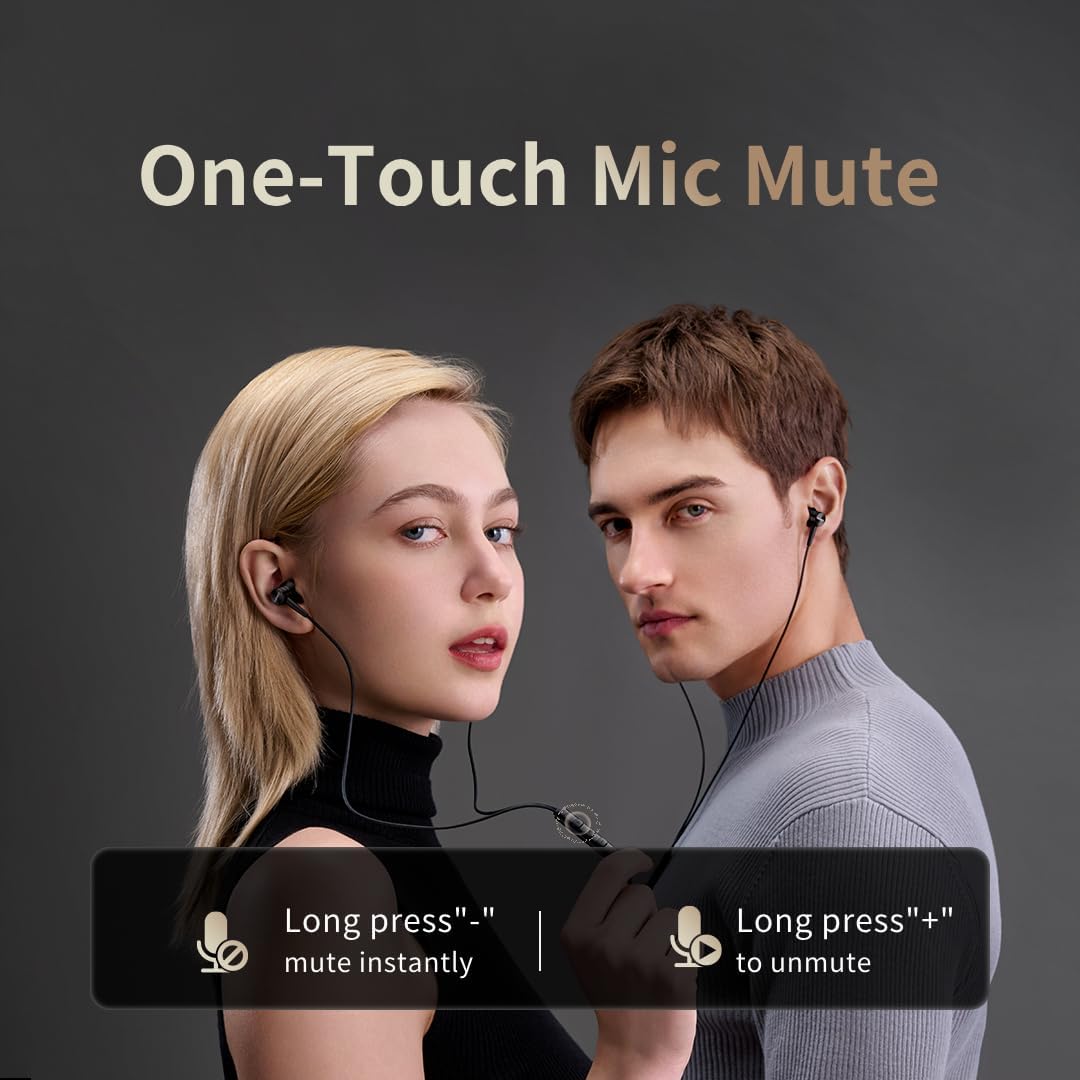
Image: Illustration of the one-touch microphone mute function. Long press '-' to mute instantly, long press '+' to unmute.
4. Microphone Mute Function
To instantly mute the microphone during a call, long press the '-' button on the in-line remote. To unmute, long press the '+' button.
Konserwacja
1. Czyszczenie
- Regularnie czyść końcówki douszne miękką, suchą ściereczką, aby usunąć woskowinę uszną i zanieczyszczenia.
- Wipe the earphone bodies and cable with a slightly damp szmatką, a następnie dokładnie wysuszyć.
- Do czyszczenia nie używaj żrących środków chemicznych ani materiałów ściernych.
2. Przechowywanie
Gdy nie używasz słuchawek, przechowuj je w czystym i suchym miejscu, najlepiej w ochronnym etui, aby zapobiec ich splątaniu i uszkodzeniu kabla lub przetworników.
Rozwiązywanie problemów
- Brak dźwięku:
- Sprawdź, czy złącze USB-C jest całkowicie włożone do urządzenia.
- Check the volume level on both your device and the earphone remote.
- Test the earphones with another device to rule out device-specific issues.
- Słaba jakość dźwięku:
- Ensure ear tips provide a proper seal in your ear canal. Try different sized ear tips.
- Wyczyść dysze słuchawek z wszelkich zanieczyszczeń.
- Sprawdź czy jakość źródła dźwięku jest wysoka.
- Mikrofon nie działa:
- Ensure the microphone is not muted (check the mute function using the in-line remote).
- Verify microphone settings on your connected device.
- Ensure the USB-C connection is secure.
Specyfikacje

Obraz: Wybuch view illustrating the 10mm Diamond-Like Carbon (DLC) dynamic driver, responsible for the powerful and compact sound.
| Funkcja | Specyfikacja |
|---|---|
| Nazwa modelu | P20 Black EU |
| Technologia łączności | Przewodowy |
| Gniazdo słuchawkowe | USB-C |
| Umieszczenie ucha | Douszne |
| Współczynnik kształtu | Douszne |
| Impedancja | 32 omy |
| Zakres częstotliwości | 20 Hz - 20 000 Hz |
| Typ sterownika audio | Dynamic (10mm DLC Diaphragm) |
| Kontrola hałasu | Active Noise Suppression (AI ENC for microphone) |
| Metoda kontroli | Naciśnij przycisk |
| Kompatybilne urządzenia | Phone, Tablet, iPad |
| Poziom wodoodporności | Nie jest wodoodporny |
| Materiał wewnętrzny | Aluminium |

Image: A woman enjoying music with the 1MORE P20 earphones, highlighting the Hi-Res Audio capability and immersive sound.
Gwarancja i wsparcie
For warranty information or technical support, please refer to the official 1MORE webOdwiedź stronę internetową lub skontaktuj się bezpośrednio z działem obsługi klienta. Zachowaj paragon zakupu na wypadek reklamacji.