Wstęp
This manual provides detailed instructions for the setup, operation, and maintenance of your Lotus Smartwatch 50050/4. Please read this manual thoroughly before using your device to ensure proper functionality and to maximize its features.
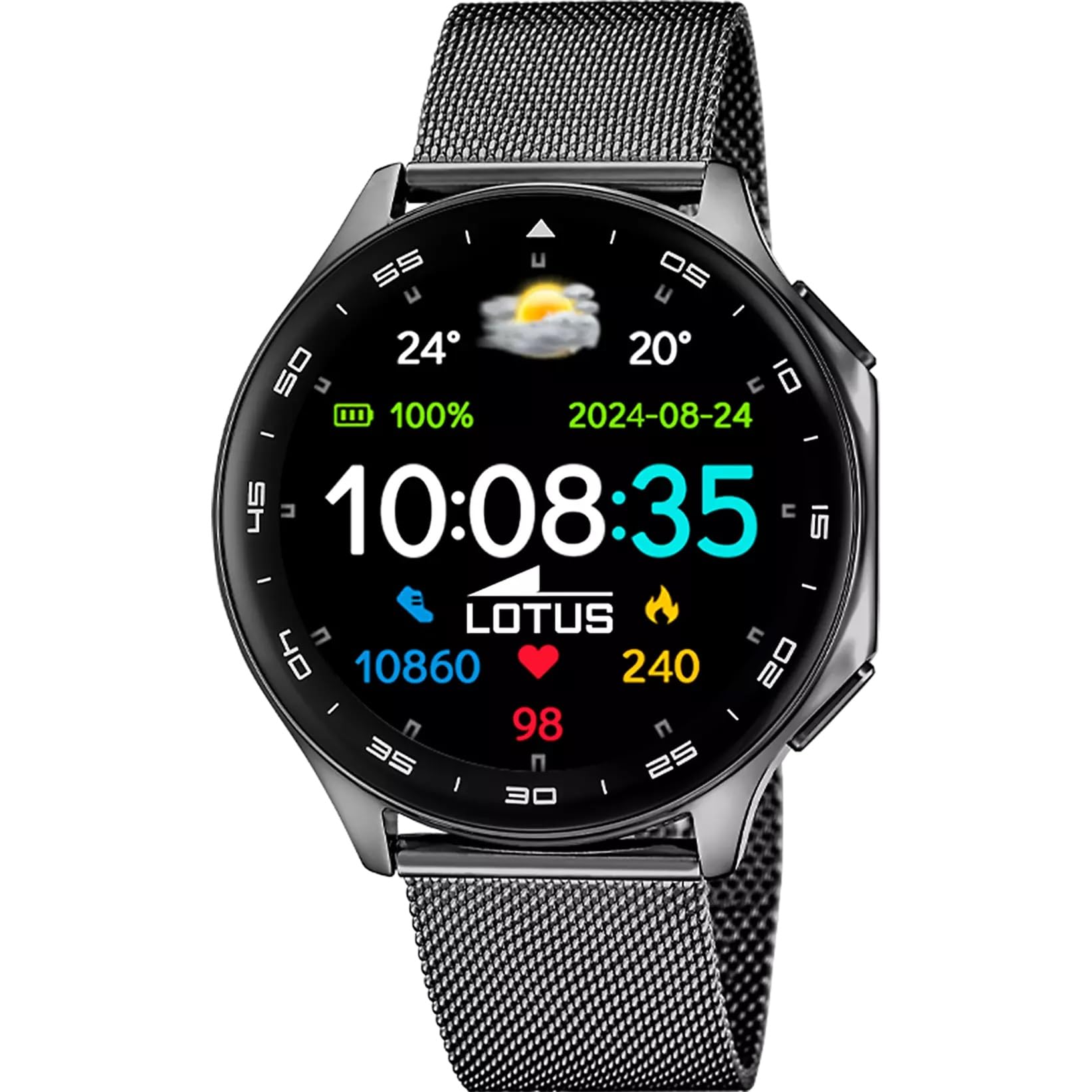
The Lotus Smartwatch 50050/4 is an outdoor sports watch designed for active lifestyles. It features a durable zinc alloy case, a black Milanese steel mesh strap, and a digital display. The watch offers a range of functions including sports tracking, health monitoring, and smart notifications.
Co jest w pudełku
- Lotus Smartwatch 50050/4
- Kabel ładujący
- Instrukcja obsługi (ten dokument)
- Dodatkowy pasek
Organizować coś
1. Ładowanie smartwatcha
Before initial use, fully charge your smartwatch. Connect the charging cable to the charging port on the back of the watch and plug the other end into a USB power adapter (not included) or a computer's USB port. The watch display will indicate charging status.
Notatka: Use a standard 5V/1A USB charger. Overcharging or using incompatible chargers may damage the device.
2. Włączanie/wyłączanie zasilania
- Włączanie: Press and hold the side button for a few seconds until the Lotus logo appears.
- Aby wyłączyć: Naciśnij i przytrzymaj przycisk boczny, a następnie wybierz na ekranie opcję „Wyłącz”.
3. Instalacja i parowanie aplikacji
To unlock the full potential of your smartwatch, download the official Lotus Smartwatch application on your smartphone. The app is compatible with Android devices.
- Szukaj the "Lotus Smartwatch" app in your smartphone's app store (Google Play Store for Android).
- Zainstaluj aplikację.
- Otwórz aplikację i postępuj zgodnie z instrukcjami wyświetlanymi na ekranie, aby utworzyć konto lub się zalogować.
- Włącz Bluetooth w swoim smartfonie.
- In the app, navigate to the device pairing section and select your Lotus Smartwatch 50050/4 from the list of available devices.
- Potwierdź prośbę o sparowanie na smartfonie i smartwatchu.
Po sparowaniu zegarek zsynchronizuje czas, datę i inne ustawienia ze smartfonem.
Instrukcja obsługi
Podstawowa nawigacja
- Ekran dotykowy: Przesuwaj w lewo, w prawo, w górę lub w dół, aby poruszać się po menu i funkcjach. Dotknij, aby wybrać element.
- Przycisk boczny: Press to return to the previous screen or to the watch face. Press and hold for power options.
Funkcje kluczowe
- Tryby sportowe: Access various sports modes (e.g., running, walking, cycling) to track your activity, including steps, calories burned, and distance.
- Monitorowanie zdrowia:
- Tętno: Monitoruj swoje tętno w czasie rzeczywistym.
- Tlen we krwi: Zmierz poziom tlenu we krwi.
- Monitorowanie snu: Przeanalizuj swoje wzorce snu (sen głęboki, sen płytki, pora czuwania).
- Ćwiczenia oddechowe: Ćwiczenia oddechowe wspomagające relaksację.
- Powiadomienia: Receive notifications for incoming calls, SMS messages, and app alerts directly on your watch. You can reject calls from the watch.
- Sterowanie muzyką: Steruj odtwarzaniem muzyki na podłączonym smartfonie (odtwarzaj, pauzuj, pomijaj utwory).
- Pogoda: View aktualne warunki pogodowe i prognozy.
- Alarmy i timery: Set alarms, use the stopwatch, or set a countdown timer.
- Pilot do aparatu: Używaj zegarka jako zdalnego wyzwalacza migawki aparatu w smartfonie.
- Video Calculator: Access a video calculator function.
- AI Voice Calculator: Utilize an AI voice-activated calculator.
- Wyszukiwarka telefonów: Zlokalizuj sparowany smartfon, włączając dzwonek.
- Flesz: Aktywuj ekran jako latarkę.
- Dial Customization: Change the watch face (dial) through the watch settings or the companion app.
- Aktualizacja firmware: Update the watch's software via the companion app to ensure optimal performance and access new features.
- Language, Time, and Date: Adjust these settings through the watch or the companion app.
Konserwacja
Czyszczenie i pielęgnacja
- Wipe the watch screen and body with a soft, dry, lint-free cloth.
- W przypadku uporczywych plam lekko dampPrzetrzyj szmatkę wodą. Nie używaj silnych środków chemicznych ani materiałów ściernych.
- Przed ładowaniem sprawdź, czy styki ładowania są czyste i suche.
Wodoodporność (IP65)
The Lotus Smartwatch 50050/4 has an IP65 rating, meaning it is protected against dust ingress and low-pressure water jets from any direction. This rating indicates resistance to splashes and light rain. It is not suitable for swimming, showering, or submersion in water. Exposure to high-pressure water or prolonged submersion may cause damage.
Wymiana paska
The watch comes with an additional strap. To replace the strap, locate the quick-release pins on the underside of the strap where it connects to the watch case. Slide the pin to detach the strap, then align the new strap and slide the pin back into place to secure it.
Rozwiązywanie problemów
Zegarek się nie włącza
- Upewnij się, że zegarek jest w pełni naładowany. Podłącz go do ładowarki na co najmniej 30 minut.
- Aby wymusić ponowne uruchomienie, spróbuj nacisnąć i przytrzymać przycisk boczny przez 10–15 sekund.
Nie można sparować ze smartfonem
- Upewnij się, że Bluetooth jest włączony w Twoim smartfonie.
- Ensure the watch is within range of your smartphone (typically 10 meters).
- Uruchom ponownie smartfon i smartwatch.
- Wyczyść pamięć podręczną Bluetooth na swoim smartfonie (jeśli dotyczy) i spróbuj sparować ponownie.
- Ensure the Lotus Smartwatch app is updated to the latest version.
Niedokładne dane dotyczące zdrowia
- Upewnij się, że zegarek ściśle przylega do nadgarstka, ale nie jest za ciasny.
- Keep the sensor on the back of the watch clean and free from debris.
- Na dokładność czujnika mogą wpływać czynniki środowiskowe i fizjologia poszczególnych osób.
Przywracanie ustawień fabrycznych
If you experience persistent issues, a factory reset may resolve them. This will erase all data on the watch and restore it to its original settings. Consult the watch's settings menu or the companion app for the factory reset option.
Specyfikacje
| Numer modelu | 50050/4 |
| Marka | Lotos |
| Rozmiar wyświetlacza | 46.7 mm |
| Kształt | Okrągły |
| Materiał obudowy | Stop cynku |
| Materiał paska | Milanese Steel Mesh |
| Odporność na wodę | IP65 (odporność na zachlapanie i kurz) |
| Łączność | Bluetooth |
| Kompatybilny system operacyjny | Android (for companion app) |
| GPS | NIE |
| Cechy specjalne | Advanced sport and health functions |
Gwarancja i wsparcie
The Lotus Smartwatch 50050/4 comes with a 3-letnia gwarancja from the date of purchase. This warranty covers manufacturing defects. It does not cover damage caused by misuse, accidents, unauthorized modifications, or failure to follow the instructions in this manual, including water damage beyond the specified IP65 rating.
For warranty claims or technical support, please contact your authorized Lotus retailer or visit the official Lotus webStrona z informacjami o obsłudze klienta.
Zasady zwrotu: If purchased from Amazon, the product is subject to a 30-day return policy for refund or replacement, as per Amazon's terms.
Obraz produktu