1. Wprowadzenie
This manual provides comprehensive instructions for the installation, operation, and maintenance of your Smart Tuya WiFi Doorbell Camera. Please read this manual thoroughly before using the product to ensure proper functionality and safety.
Produkt ponadview
The Smart Tuya WiFi Doorbell Camera is a 1080P HD wireless video doorbell designed to enhance your home security. It features 2.4G Wi-Fi connectivity, PIR motion detection, infrared night vision, and two-way audio communication. The doorbell supports both cloud storage and local TF memory card storage options.
Główne cechy
- Wideo w jakości Full HD 1080P: Zapewnia wyraźny i ostry obraz wideotage na wyciągnięcie ręki.
- Łączność Wi-Fi 2.4G: Ensures stable wireless connection to your home network.
- Detekcja ruchu PIR: Detects human movement and sends instant notifications to your smartphone.
- Nocna Nocna Wizja: Offers clear visibility even in low-light conditions or complete darkness.
- Dwukierunkowy dźwięk: Allows real-time communication with visitors from anywhere via the app.
- Wodoodporność IP53: Przeznaczony do stosowania na zewnątrz, odporny na kurz i zachlapania.
- Wiele opcji przechowywania: Supports 7-day free cloud storage and optional TF memory card storage.
- Monitorowanie mobilne: Dostęp na żywo view and recordings via the Tuya Smart or SmartLife app.
2. Zawartość opakowania
Sprawdź, czy w przesyłce znajdują się wszystkie wymienione poniżej elementy. Jeśli brakuje któregokolwiek z nich lub jest on uszkodzony, skontaktuj się z obsługą klienta.
- Smart Tuya WiFi Doorbell Camera Unit
- Jednostka gongu wewnętrznego
- Wspornik montażowy i śruby
- Instrukcja obsługi
- USB Charging Cable (for battery charging, if applicable)
- Fakultatywny: Dwie baterie o specyfikacji 18650
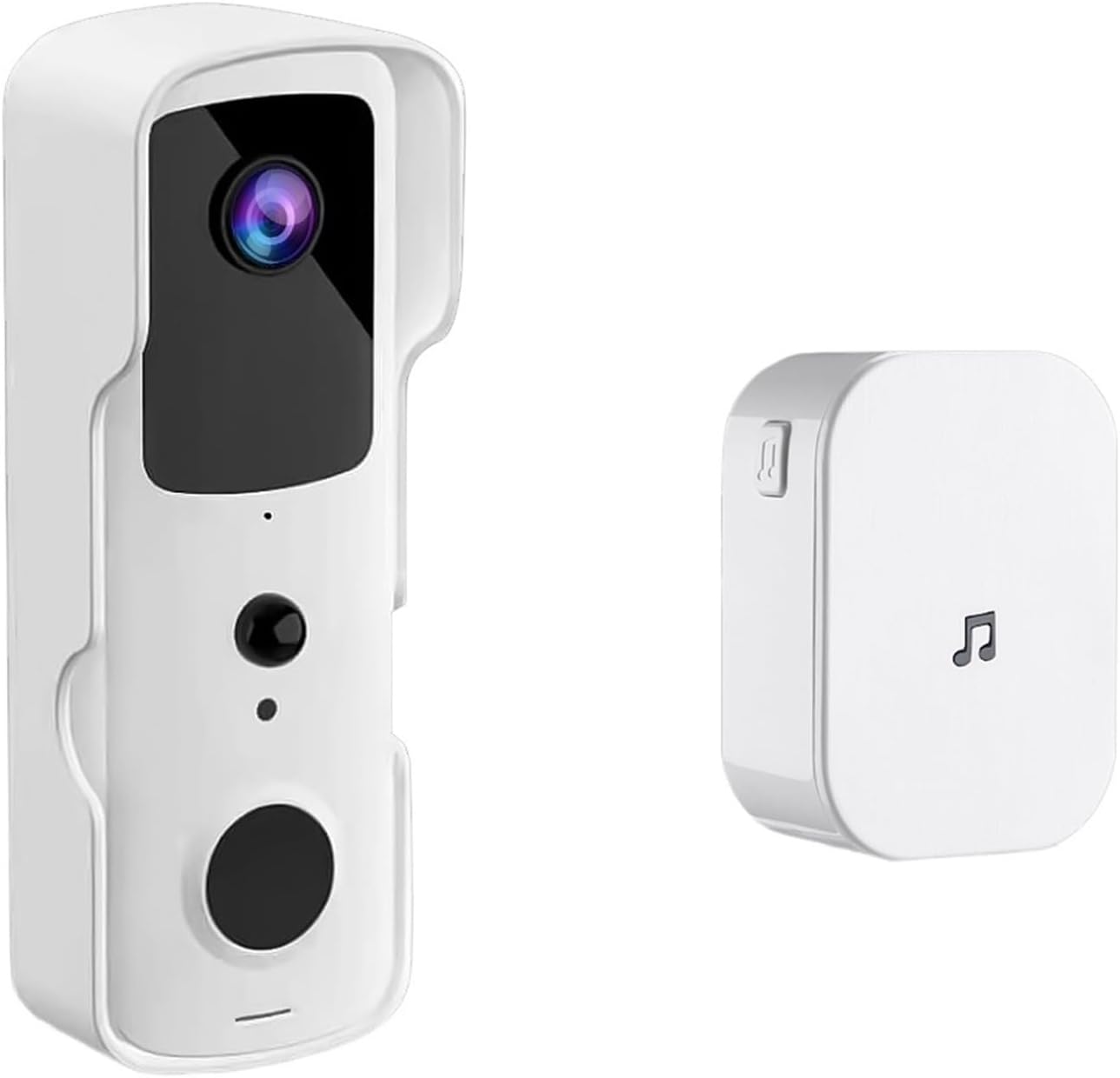
Image: The Smart Tuya WiFi Doorbell Camera unit and its accompanying indoor chime.
3. Konfiguracja
3.1 Powering the Doorbell
The doorbell camera is powered by two 18650 specification batteries (optional). Ensure the batteries are fully charged before installation. Insert the batteries into the designated compartment on the doorbell unit, observing the correct polarity.
3.2 Instalacja aplikacji i konfiguracja konta
- Pobierz Tuya Smart or Inteligentne życie aplikację ze sklepu z aplikacjami na Twoim urządzeniu (iOS App Store lub Google Play Store).
- Otwórz aplikację i zarejestruj nowe konto lub zaloguj się, jeśli już je posiadasz.
- Follow the in-app instructions to add a new device. Select "Video Surveillance" then "Smart Doorbell".
- Upewnij się, że Twój smartfon jest połączony z siecią Wi-Fi 2.4 GHz. Dzwonek nie obsługuje Wi-Fi 5 GHz.
- Follow the prompts to connect the doorbell to your Wi-Fi network. This usually involves scanning a QR code generated by the app with the doorbell camera.
3.3 Fizyczna instalacja
Wybierz odpowiednie miejsce blisko drzwi wejściowych, zapewniając sobie widoczną przestrzeń view and good Wi-Fi signal strength. The doorbell is IP53 waterproof, suitable for outdoor use within an operating temperature range of -10°C to +50°C.
- Zaznacz punkty wiercenia, korzystając z uchwytu montażowego jako szablonu.
- W razie potrzeby wywierć otwory i włóż kotwy ścienne.
- Przymocuj uchwyt montażowy do ściany za pomocą dołączonych śrub.
- Przymocuj dzwonek do uchwytu montażowego, upewniając się, że został pewnie zamocowany.

Image: The doorbell camera highlighting its Full HD video, 2.4G WiFi, IP53 waterproof rating, and long battery life.
4. Instrukcja obsługi
4.1 Na żywo View i zdalny dostęp
Once connected, you can access the live video feed from your doorbell camera anytime, anywhere, through the Tuya Smart or SmartLife app. Simply open the app and select your doorbell device to view strumień na żywo.
4.2 Dwukierunkowy domofon
When a visitor presses the doorbell button, your indoor chime will ring, and you will receive a notification on your smartphone. Tap the notification to answer the call and engage in a two-way conversation with the visitor.
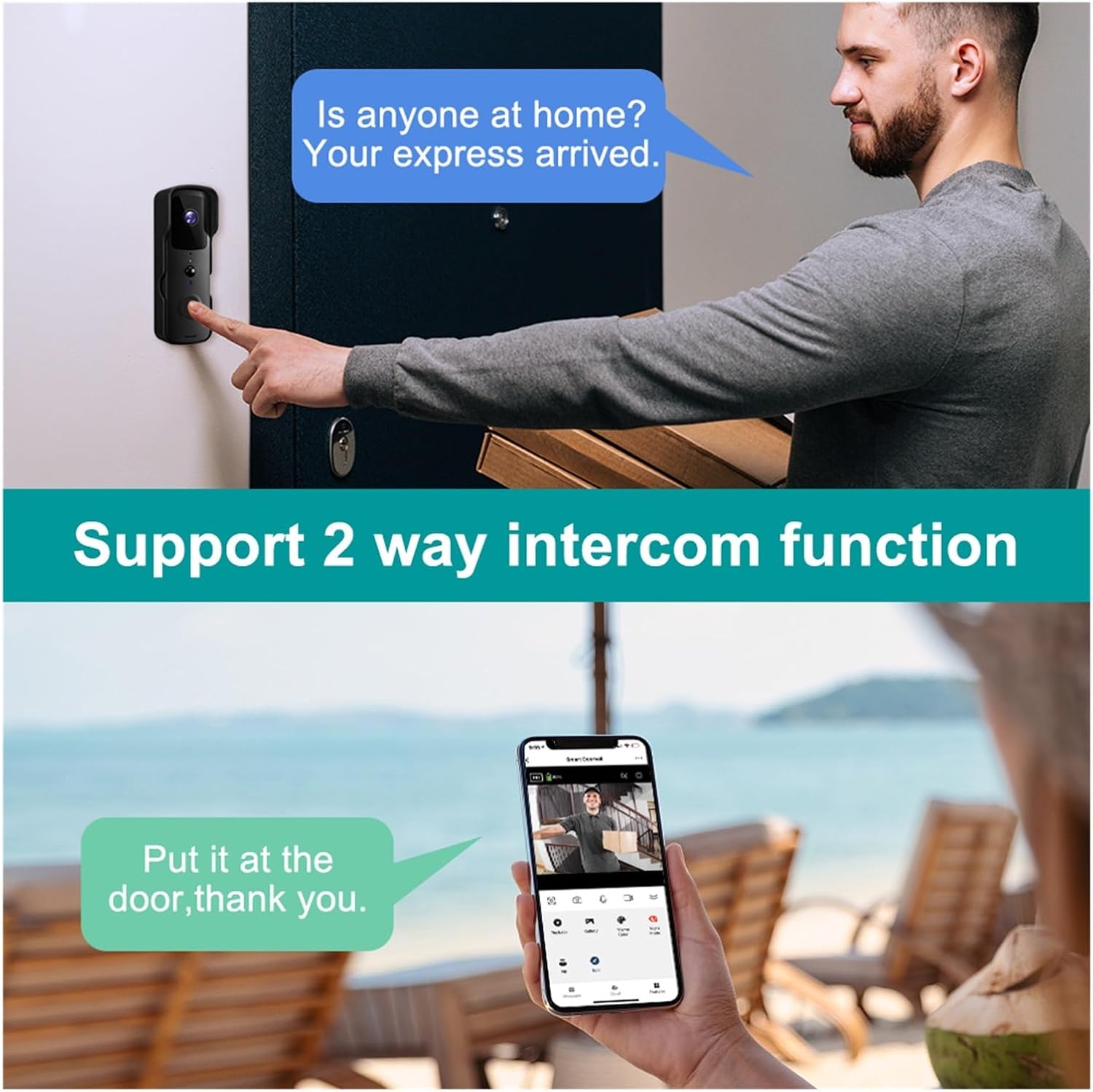
Image: Demonstration of the two-way intercom function, allowing communication with visitors.
4.3 Detekcja ruchu PIR
The doorbell camera features Passive Infrared (PIR) motion detection. When motion is detected within the camera's field of view, you will receive an instant push notification on your smartphone. You can adjust the motion detection sensitivity settings within the app.
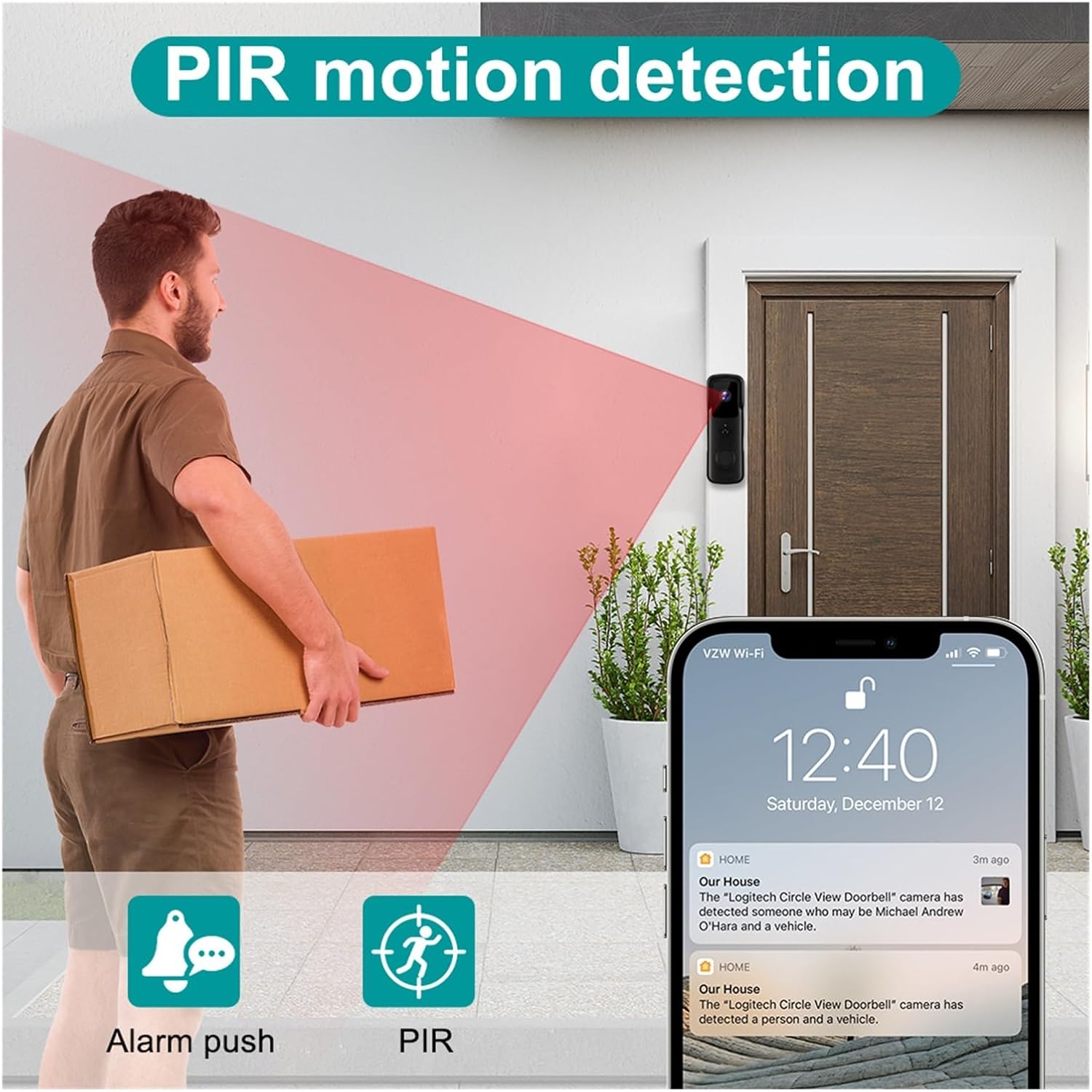
Image: Illustration of the PIR motion detection feature, showing how it triggers alerts.
4.4 Widzenie nocne
The doorbell camera automatically switches to infrared night vision mode in low-light conditions, providing clear black-and-white video footage w nocy.

Image: Comparison of day and night vision capabilities, highlighting the 155-degree wide-angle view.
4.5 Opcje przechowywania
The doorbell supports two main storage methods:
- Przechowywanie w chmurze: Enjoy 7 days of free recurring cloud storage for recorded events.
- Karta pamięci TF: An optional TF (microSD) memory card can be inserted for local storage of recordings.
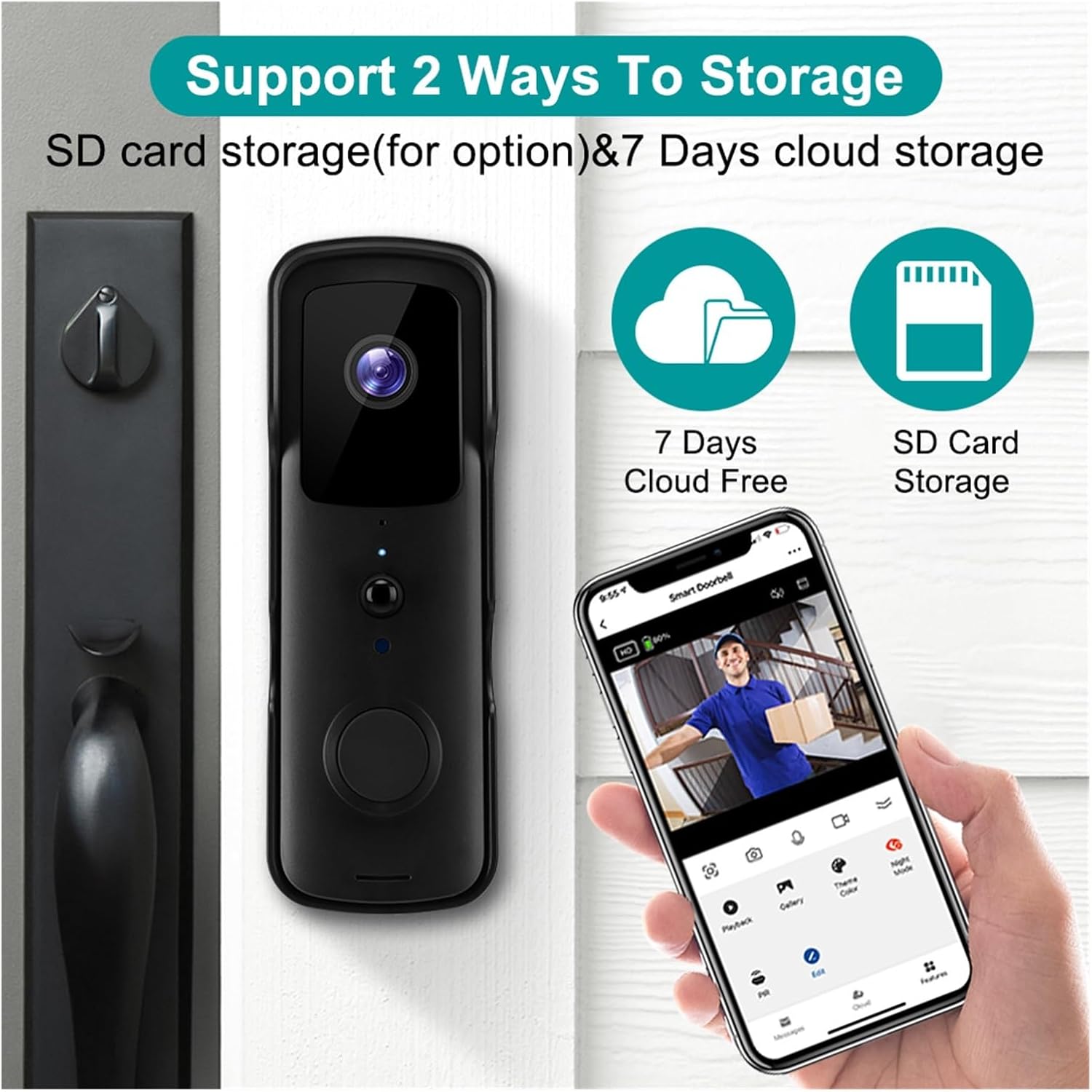
Image: Visual representation of the two storage options: 7 days free cloud storage and optional SD card storage.
5. Konserwacja
Regular maintenance ensures the longevity and optimal performance of your doorbell camera.
- Czyszczenie: Gently wipe the camera lens and the doorbell surface with a soft, damp płótno. Unikaj stosowania ostrych chemikaliów lub materiałów ściernych.
- Zarządzanie baterią: If using batteries, monitor their charge level via the app. Recharge or replace batteries as needed to prevent service interruption.
- Aktualizacje oprogramowania układowego: Periodically check the Tuya Smart/SmartLife app for available firmware updates. Keeping the firmware updated ensures the best performance and security.
6. Rozwiązywanie Problemów
If you encounter issues with your doorbell camera, refer to the following common problems and solutions:
| Problem | Możliwa przyczyna | Rozwiązanie |
|---|---|---|
| Dzwonek nie łączy się z siecią Wi-Fi | Nieprawidłowe hasło Wi-Fi; sieć Wi-Fi 5 GHz; słaby sygnał; zbyt duża odległość od routera. | Ensure correct 2.4GHz Wi-Fi password. Move doorbell closer to router or use a Wi-Fi extender. Restart doorbell and router. |
| Brak alertów o wykryciu ruchu | PIR sensitivity too low; app notifications disabled; battery low. | Adjust PIR sensitivity in app. Enable app notifications. Ensure batteries are charged. |
| Dwukierunkowe audio nie działa | Microphone/speaker blocked; app permissions; network issues. | Check for obstructions. Grant microphone permissions to the app. Ensure stable internet connection. |
| Słaba jakość wideo | Dirty lens; weak Wi-Fi signal; low light. | Clean the camera lens. Improve Wi-Fi signal strength. Ensure adequate lighting for optimal color video. |
| Dzwonek wewnętrzny nie dzwoni | Chime not paired; chime not powered; interference. | Ensure chime is plugged in and powered. Re-pair the chime with the doorbell according to its specific instructions. |
7. Specyfikacje
| Funkcja | Specyfikacja |
|---|---|
| Model | V30S Tuya Doorbell |
| Rezolucja | 1080P Full HD |
| Sieć bezprzewodowa | 802.11B/G/N (2.4GHz Wi-Fi only) |
| Zasilacz | Battery (Two 18650 specification batteries for option) |
| Wizja nocna | High-power infrared light |
| Opcje przechowywania | 7 days free cloud storage, optional TF memory card |
| Stopień wodoodporności | IP53 |
| Temperatura pracy | -10°C do +50°C |
| Producent | YUD5DAS |
| Kraj pochodzenia | Chiny |

Image: Icons representing key features: Night Vision, PIR Motion, 2.4G Wifi, Two-way Intercom, SD Card & Cloud storage, and Tuya Smart APP compatibility.
8. Gwarancja i wsparcie
This product is manufactured by Generic. For any questions, technical support, or warranty inquiries, please refer to the seller's contact information provided at the point of purchase. Please retain your proof of purchase for any warranty claims.


