
DOOGEE U10
Instrukcja obsługi tabletu DOOGEE U10 z systemem Android 15
Model: U10 | Brand: DOOGEE
Wstęp
Welcome to the user manual for your new DOOGEE U10 Android 15 Tablet. This guide provides essential information to help you set up, operate, maintain, and troubleshoot your device. The DOOGEE U10 is a versatile 10-inch tablet designed for both productivity and entertainment, featuring the latest Android 15 operating system, a powerful quad-core processor, and ample magazyn.
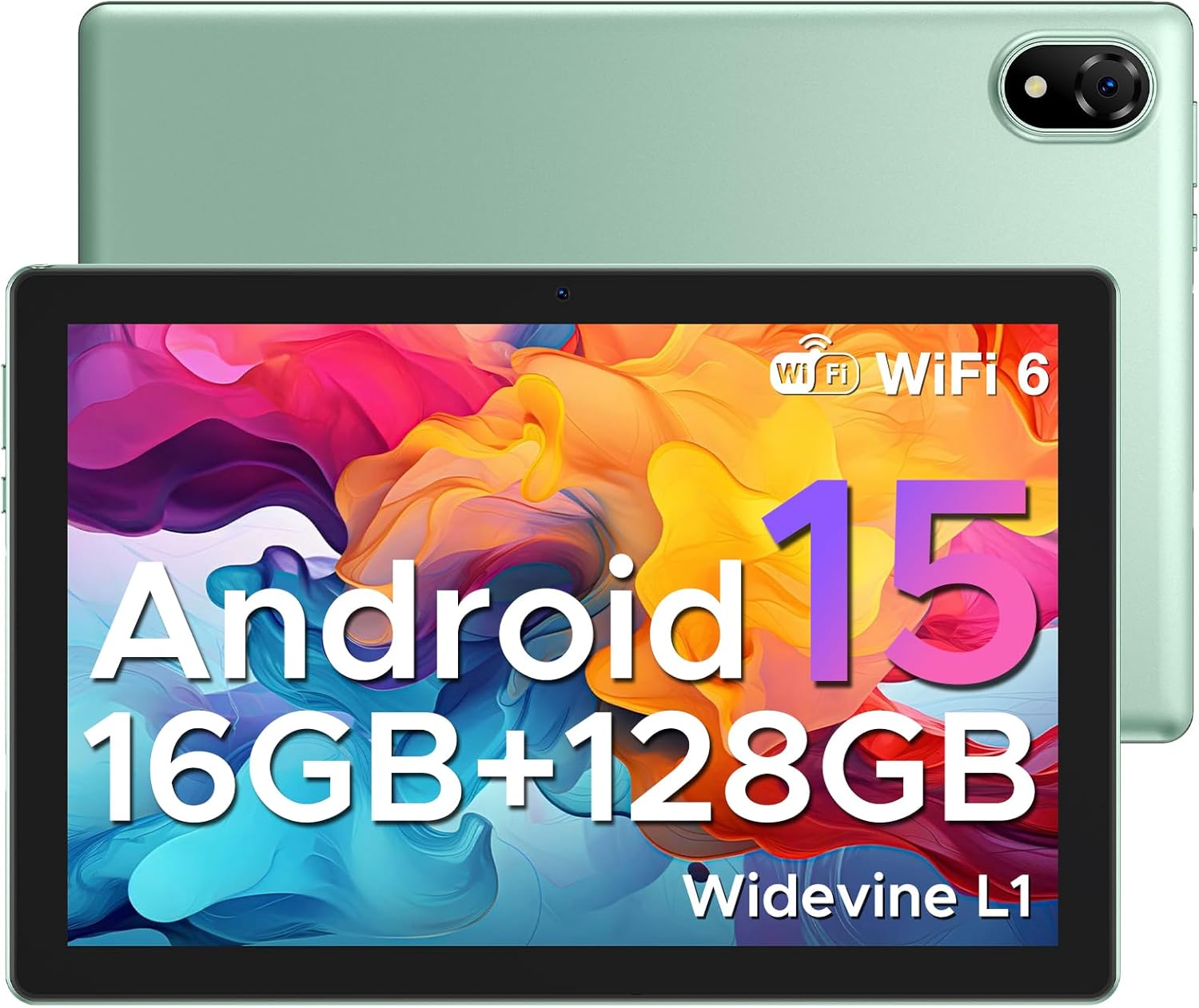
Figure 1: DOOGEE U10 Android 15 Tablet. This image displays the tablet's front with its vibrant display and the sleek green back panel, highlighting its modern design.
1. Konfiguracja
1.1 Zawartość pudełka
- 1x DOOGEE U10 Android 15 Tablet
- 1x Type-C USB Cable and Charger
- 1x Pudełko do pakowania
- 1x Manual and Warranty Card
1.2 Opłata początkowa
Before first use, fully charge your DOOGEE U10 tablet. Connect the provided Type-C USB cable to the tablet's charging port and the charger to a power outlet. The battery indicator on the screen will show charging progress.
1.3 Włączanie/wyłączanie zasilania
- Włączanie: Naciśnij i przytrzymaj przycisk zasilania znajdujący się z boku tabletu, aż pojawi się logo DOOGEE.
- Aby wyłączyć: Naciśnij i przytrzymaj przycisk zasilania, aż pojawi się menu opcji zasilania, a następnie wybierz opcję „Wyłącz”.
1.4 Połączenie Wi-Fi
Aby połączyć się z siecią Wi-Fi:
- Idź do Ustawienia > Sieć i internet > Internet.
- Włącz Wi-Fi.
- Wybierz żądaną sieć Wi-Fi z listy.
- Wprowadź hasło, jeśli zostaniesz o to poproszony, a następnie stuknij Łączyć.

Figure 2: Blazing Speed of WiFi 6. This image highlights the advantages of WiFi 6 connectivity, including wider coverage, better signal penetration, and improved battery life for the tablet.
1.5 Konfiguracja konta Google
During the initial setup, you will be prompted to sign in with your Google account. This is essential for accessing the Google Play Store, Gmail, and other Google services. If you don't have one, you can create a new account during this process.
2. Korzystanie z tabletu
2.1 System Android 15
The DOOGEE U10 runs on the latest Android 15, offering a smarter, smoother, and safer user experience. Enjoy faster app launches, enhanced privacy controls, and intuitive navigation.

Figure 3: The Latest Android 15 System. This image illustrates the new Android 15 system, highlighting its benefits for a smarter, smoother, and safer user experience with various applications.
2.2 Funkcje wyświetlacza
Your tablet features a 10.1-inch IPS HD display with a resolution of 1280x800 pixels, providing rich colors and sharp details. It also includes a built-in eye protection mode for comfortable viewpodczas długotrwałego użytkowania.
- Obsługa Widevine L1: Enjoy high-definition streaming content from platforms like Hulu, Prime Video, HBO Max, and YouTube.
- Podzielony ekran: Enhance your productivity by running two applications side-by-side. To activate, open a recent app, tap its icon at the top of the window, and select 'Split screen'.
- Low Blue Light Setting: Protect your eyes by enabling the low blue light mode in display settings.

Figure 4: Widevine L1 Support. This image demonstrates the tablet's Widevine L1 certification, allowing for high-definition streaming from popular services.
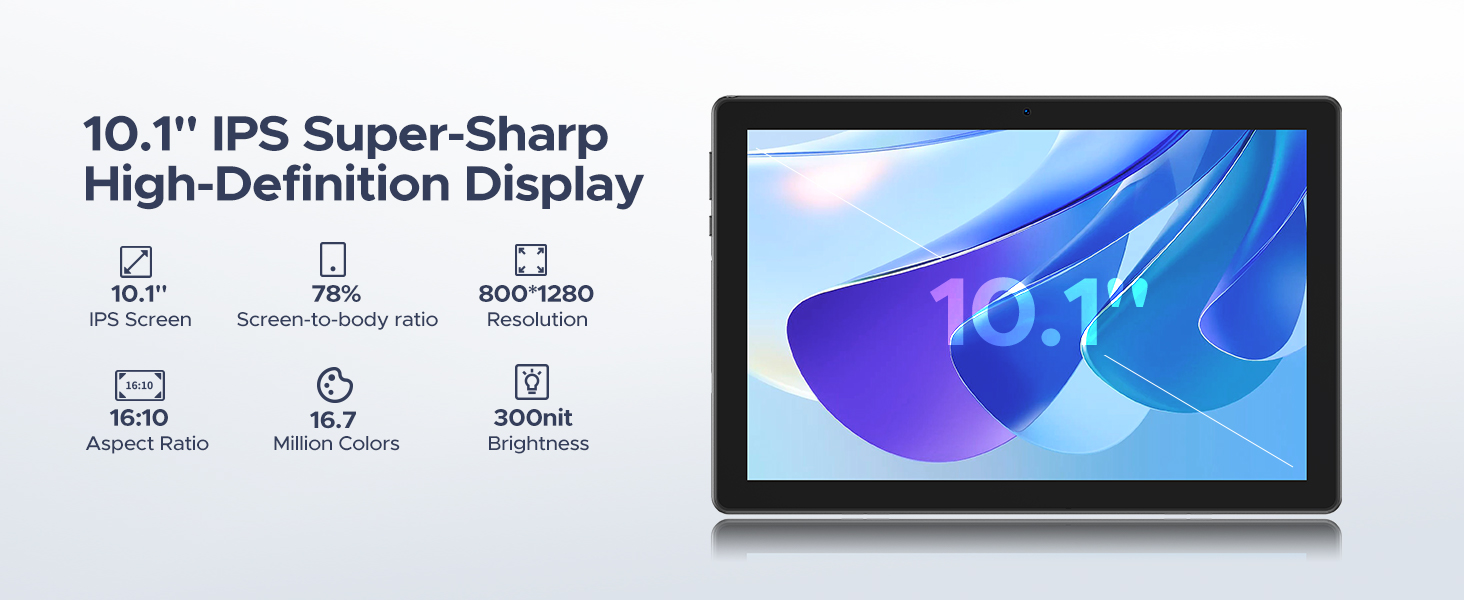
Figure 5: Split Screen Functionality. This image illustrates the tablet's split-screen feature, allowing users to multitask by viewing two applications simultaneously, such as a video call and a map.
2.3 Wydajność i przechowywanie
The DOOGEE U10 is powered by a 2.0GHz Quad-core RK3562 processor, ensuring smooth performance for various tasks. It comes with 16GB of RAM (4GB physical + 12GB expandable) and 128GB of internal storage. Storage can be expanded up to 2TB using a MicroSD card (sold separately).

Figure 6: 16GB RAM with Memory Extension. This image visually represents the tablet's memory configuration, combining 4GB of basic RAM with an additional 12GB of extended RAM for enhanced performance.

Figure 7: 128GB ROM + Up to 2TB Expandable Storage. This image highlights the tablet's generous internal storage and the capability to expand it significantly using a MicroSD card.
2.4 Korzystanie z kamery
The DOOGEE U10 is equipped with an 8MP rear camera and a 5MP front camera, suitable for video calls, online classes, and capturing everyday moments.

Figure 8: Capture Every Detail with Clarity. This image showcases the tablet's dual cameras (8MP main and 5MP front) and their ability to capture clear photos.
Dźwięk 2.5
Experience immersive audio with the tablet's 1217 BOX speaker. Bluetooth 5.0 ensures fast and stable connections for wireless headphones and other audio devices.
2.6 Funkcje zwiększające produktywność
The tablet comes pre-installed with WPS Office (Word, Excel, PowerPoint), allowing you to stay productive on the go.

Figure 9: Incorporated PC-level WPS Office. This image demonstrates the tablet's pre-installed WPS Office suite, enabling effortless mobile productivity with Word, Excel, and PowerPoint.
2.7 Odblokowanie twarzą
For swift and secure tablet entry, utilize the Face Unlock feature. Set it up in the security settings of your device.

Figure 10: Support Face Unlock. This image illustrates the tablet's face unlock feature, providing effortless and swift entry to the device.
2.8 System nawigacyjny
The tablet supports GPS, Beidou, GLONASS, Galileo, and AGPS for accurate route navigation and destination tracking.

Figure 11: Exact Route Navigation System. This image depicts the tablet being used for navigation in a car, showcasing its seamless destination tracking capabilities.
2.9 Oficjalny film o produkcie
Video 1: U10 WiFi 6 Kid Tablets with 5060mAh. This official product video provides an overview of the DOOGEE U10 tablet's key features, including its WiFi 6 connectivity and large 5060mAh battery, demonstrating its suitability for children and general use.
3. Konserwacja
3.1 Pielęgnacja baterii
Tablet jest wyposażony w baterię o pojemności 5060 mAh. Aby zmaksymalizować czas pracy baterii:
- Unikaj ekstremalnych temperatur.
- Nie dopuszczaj do całkowitego rozładowania akumulatora przed ponownym ładowaniem.
- Odłącz ładowarkę, gdy akumulator będzie w pełni naładowany.
- Utilize the smart power-saving mode in settings.

Figure 12: 5060mAh Large Battery. This image highlights the tablet's substantial battery capacity and provides estimated usage durations for various activities.
3.2 Czyszczenie
Do czyszczenia ekranu i obudowy tabletu używaj miękkiej, niepozostawiającej włókien ściereczki. Unikaj stosowania silnych środków chemicznych i materiałów ściernych.
3.3 Aktualizacje oprogramowania
Regularnie sprawdzaj dostępność aktualizacji systemu i instaluj je, aby zapewnić optymalną wydajność, bezpieczeństwo i dostęp do nowych funkcji. Przejdź do Ustawienia > System > Aktualizacja systemu.
3.4 Zarządzanie magazynem
To maintain optimal performance, regularly manage your tablet's storage. Delete unnecessary fileodinstaluj nieużywane aplikacje i rozważ przeniesienie dużych multimediów files to an external MicroSD card.
4. Rozwiązywanie Problemów
| Problem | Możliwa przyczyna | Rozwiązanie |
|---|---|---|
| Tablet is slow or lagging | Zbyt wiele aplikacji działających w tle, mało pamięci, nieaktualne oprogramowanie. | Close unused apps, clear cache, free up storage, check for system updates. A factory reset may be considered as a last resort. |
| Nie można połączyć się z siecią Wi-Fi | Incorrect password, router issue, Wi-Fi disabled. | Double-check password, restart router, ensure Wi-Fi is enabled on tablet. |
| Bateria szybko się rozładowuje | High screen brightness, many apps running, poor signal. | Reduce screen brightness, close background apps, enable power-saving mode. |
| Awarie aplikacji | App specific bug, insufficient RAM, outdated app. | Clear app cache/data, update the app, reinstall the app. |
If you encounter issues not listed here, please refer to the official DOOGEE support channels for further assistance.
5. Specyfikacje
| Funkcja | Szczegół |
|---|---|
| Model | Tablet DOOGEE U10 z Androidem 15 |
| System operacyjny | Android 15 |
| Edytor | RK3562 Quad-core, 2.0 GHz |
| BARAN | 16 GB (4 GB pamięci fizycznej + 12 GB z możliwością rozszerzenia) |
| Pamięć wewnętrzna | 128 GB |
| Możliwość rozbudowy pamięci masowej | Up to 2TB (MicroSD card) |
| Rozmiar ekranu | 10.1 cali |
| Rozdzielczość ekranu | 1280 x 800 pixels (800*1280 Pixels Max) |
| Pojemność baterii | 5060 mAh (litowo-jonowy) |
| Średnia żywotność baterii | 24 godzin |
| Główna kamera | 8MP |
| Przednia kamera | 5MP |
| Łączność | Wi-Fi 6, Bluetooth 5.0 |
| Wymiary (dł. x szer. x wys.) | 9.65 x 0.38 x 6.41 cala |
| Waga przedmiotu | 1.13 funta (514 g) |
| Kolor | Green (also available in Graphite Gray, Lavender Purple, Dynamic Blue) |
6. Gwarancja i wsparcie
DOOGEE stawia sobie za cel zapewnienie klientom doskonałej obsługi i niezawodności produktów.
- Gwarancja zwrotu pieniędzy: Skorzystaj z 30-dniowej gwarancji zwrotu pieniędzy i bezpłatnych zwrotów.
- Ograniczona gwarancja: Your DOOGEE U10 tablet comes with a 2-year limited warranty.
- Wsparcie online: For any inquiries or technical assistance, 24/7 one-on-one online support is available.
- Plany ochrony: Additional protection plans are available for purchase, including a 2-Year Protection Plan and Complete Protect.
Aby uzyskać więcej informacji lub skontaktować się z pomocą techniczną, odwiedź oficjalną stronę Sklep DOOGEE na Amazon.

Figure 13: Worry-free Customer Service. This image highlights the customer support features, including a money-back guarantee, limited warranty, and online support.
Ask a question about this manual
Ask about setup, troubleshooting, compatibility, parts, safety, or missing instructions. Manuals+ will review the question and use this page’s manual context to help answer it.