
1. Koniec produktuview
The Philips Baristina Espresso Machine is designed for simple, fresh espresso preparation. It integrates grinding, tamping, and brewing into a single, streamlined process, utilizing a 16-bar pressure pump for optimal flavor extraction. Its compact design makes it suitable for various kitchen spaces.
Główne cechy:
- Zintegrowany młynek: Freshly grinds whole coffee beans for each brew.
- Ciśnienie pompy 16 barów: Ensures robust flavor extraction for authentic espresso.
- One-Swipe Operation: Simplifies the brewing process from bean to cup in under 60 seconds.
- Kompaktowa konstrukcja: Space-efficient for any kitchen counter.
- Adjustable Brews: Offers Espresso, Lungo, and Extra Intense options.
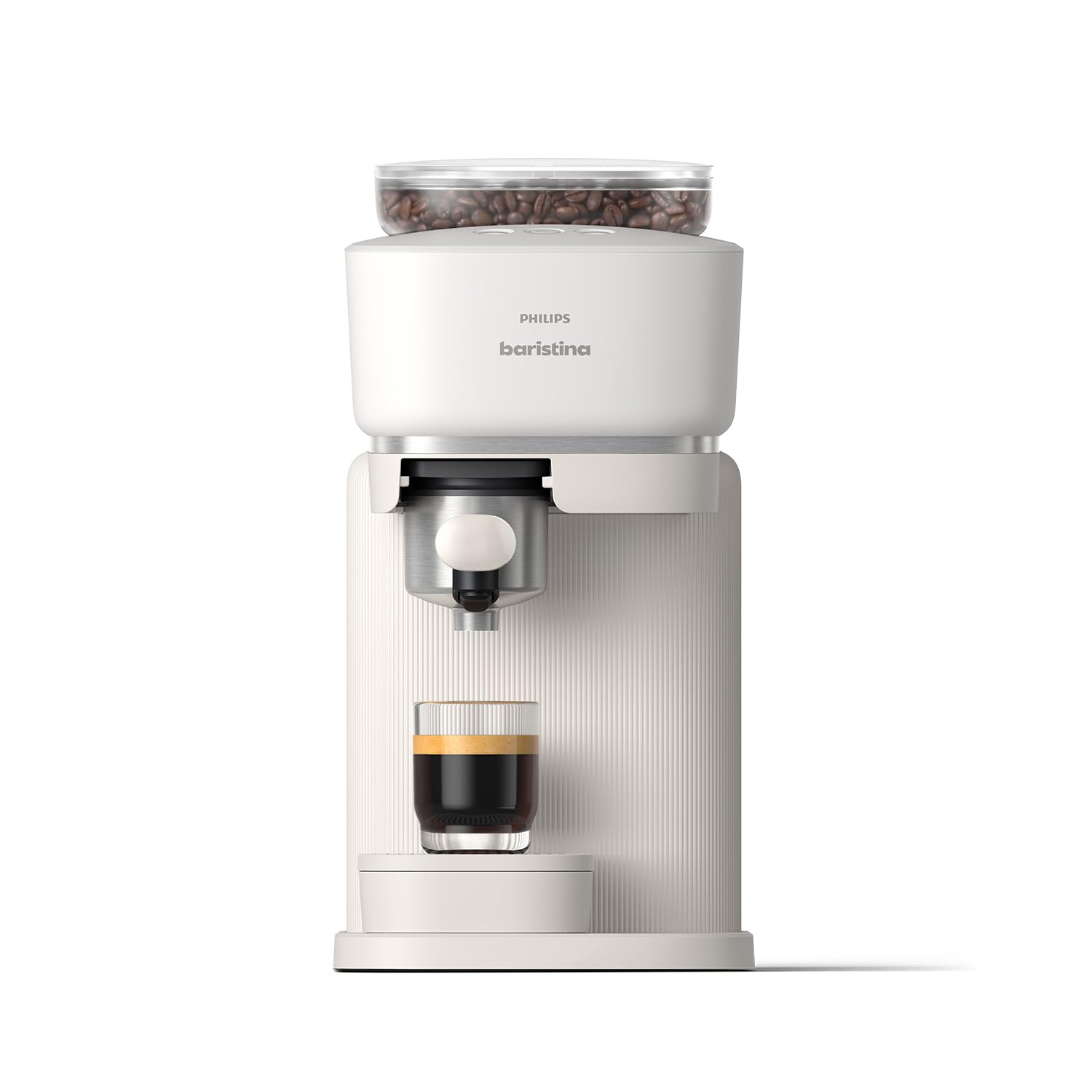
Figure 1: Philips Baristina Espresso Machine (BAR300/00)
2. Konfiguracja
2.1 Rozpakowywanie i umieszczanie
Ostrożnie usuń wszystkie materiały opakowaniowe. Ustaw urządzenie na stabilnej, równej powierzchni, z dala od źródeł ciepła i bezpośredniego światła słonecznego. Zapewnij odpowiednią wentylację wokół urządzenia.

Rysunek 2: Wymiary produktu (gł. 14.96" x szer. 7.09" x wys. 13.58")
2.2 Początkowy cykl płukania
Before first use, perform an initial rinse cycle to clean the internal components. This ensures optimal taste and hygiene.
- Włóż kolbę do urządzenia.
- Wyjmij zbiornik na wodę z boku urządzenia.
- Fill the water tank with fresh, cold water up to the MAX level. Reinsert the water tank securely.
- Place a large cup or coffee mug under the water spout.
- Press and hold the Boost button (middle button with coffee beans and a plus sign) for 5 seconds to initiate the rinse cycle.
- Wait until the boost light stops blinking and the water has dispensed.
- Rinse the portafilter under running water while pressing the puck removal button several times to clear any residue.
Video 1: How to Set Up the Baristina Espresso Machine. This video demonstrates the initial setup and rinsing process for the Philips Baristina Espresso Machine, including inserting the portafilter, filling the water tank, and performing the first rinse cycle.
3. Instrukcja obsługi
3.1 Napełnianie pojemnika na ziarna
Open the lid of the bean container located on top of the machine. Pour fresh, whole coffee beans into the container. Ensure the lid is securely closed after filling.
3.2 Parzenie espresso lub lungo
The Baristina machine simplifies brewing with its integrated grind, tamp, and brew function.
- Sprawdź, czy zbiornik na wodę jest napełniony i czy w pojemniku na ziarna znajduje się wystarczająca ilość ziaren.
- Insert the clean portafilter into the machine.
- Podstaw filiżankę pod kranik do kawy.
- Select your desired brew:
- Press the left button for Espresso (standard shot).
- Press the right button for Lungo (longer Italian-style mini-Americano).
- Dla Extra Intense brew, press the middle button (coffee beans with a plus sign).
- The machine will automatically grind, tamp, and brew your coffee. The handle will move to the right and then return to its start position once brewing is complete.
- Ciesz się świeżo parzoną kawą.

Figure 3: Grind, Tamp & Brew in One Swipe

Figure 4: The Baristina's integrated system ensures ideal grind size, precise pressure, and accurate dosing.
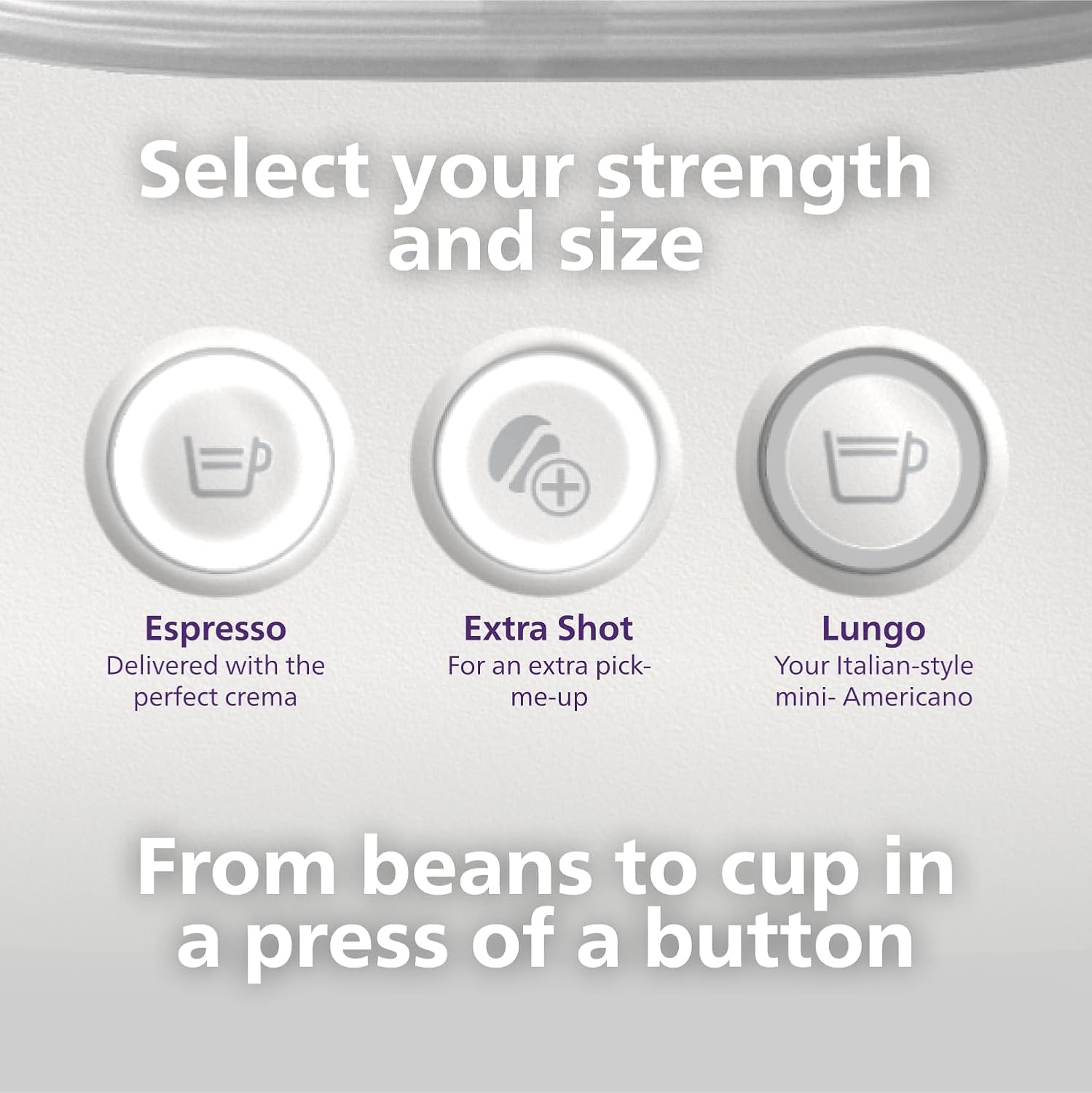
Figure 5: Select your desired strength and size from the control panel.

Figure 6: Swipe the handle to brew and enjoy.
Video 2: How to Brew Espresso & Lungo with Baristina Machine. This video tutorial demonstrates how to brew espresso and lungo using the Philips Baristina Espresso Machine, covering filling the bean container, selecting brew strength, and initiating the brewing process.
4. Konserwacja
4.1 Emptying and Cleaning the Portafilter
For best results and to prevent clogging, empty and rinse the portafilter after every brew.
- After brewing, remove the portafilter from the machine.
- Press the puck removal button to release the used coffee grounds (puck).
- Rinse the portafilter under running water. You can also wipe it with a cloth.
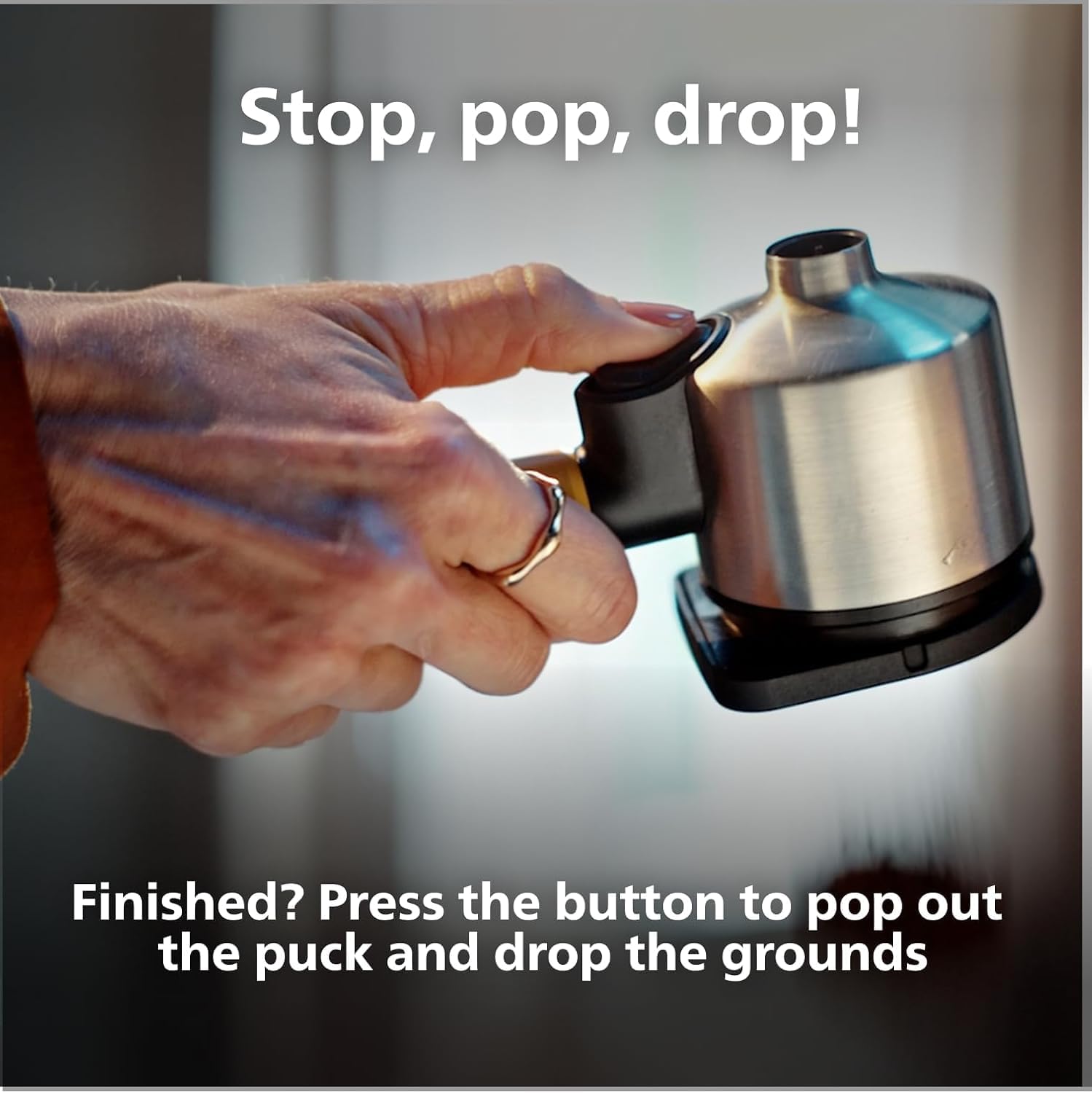
Figure 7: Stop, Pop, Drop! Press the button to release the coffee puck.

Figure 8: Used coffee grounds can be composted, reducing waste.
4.2 Ogólne czyszczenie
Wytrzyj zewnętrzną część urządzenia za pomocąamp cloth. The drip tray should be emptied and cleaned regularly. Do not immerse the machine in water.
5. Rozwiązywanie Problemów
If you encounter issues with your Philips Baristina Espresso Machine, please refer to the following common solutions:
- Brak wydawanej kawy: Check if the water tank is filled and correctly inserted. Ensure the portafilter is properly seated.
- Słaba kawa: Verify that the bean container has enough fresh coffee beans. Ensure the machine has completed its grinding and tampcyklu.
- Maszyna nie włącza się: Sprawdź, czy przewód zasilający jest prawidłowo podłączony do sprawnego gniazdka elektrycznego.
- Wyciek: Ensure all removable parts, especially the water tank and portafilter, are correctly positioned and sealed.
- Nietypowy hałas: This may indicate a need for descaling or a blockage in the grinder. Refer to the full manual for descaling instructions.
Aby uzyskać bardziej szczegółowe informacje dotyczące rozwiązywania problemów lub rozwiązać uporczywe problemy, skontaktuj się z działem obsługi klienta firmy Philips.
6. Specyfikacje
| Funkcja | Szczegół |
|---|---|
| Marka | Philips |
| Nazwa modelu | Baristina |
| Numer modelu | BAR300 |
| Pojemność | 1.2 litrów |
| Kolor | Biały |
| Wymiary produktu (Gł. x Szer. x Wys.) | 14.96" x 7.09" x 13.58" |
| Funkcja specjalna | Zintegrowany młynek do kawy |
| Typ ekspresu do kawy | Ekspres do kawy |
| Tryb działania | Całkowicie automatyczny |
| Cotage | 1550 watów |
| Tomtage | 120.0 |
| Ciśnienie wyjściowe | 16 bary |
| Typ wejścia kawy | Całe ziarna |
| Typ filtra | Portafiltr |
| Waga przedmiotu | 4.84 kilograma |
| Zawarte komponenty | Ekspres do kawy Baristina, uchwyt filtra, tacka ociekowa |
| Tworzywo | Plastikowy |
| Można myć w zmywarce | NIE |
7. Gwarancja i wsparcie
This Philips Baristina Espresso Machine comes with a standard manufacturer's warranty. For specific warranty details, registration, or to access customer support, please refer to the documentation included with your product or visit the official Philips website. For any technical assistance or service inquiries, please contact Philips customer service directly.
Optional protection plans are available for purchase separately, offering extended coverage beyond the manufacturer's warranty. These plans typically cover mechanical and electrical failures.