
1. Wprowadzenie
This manual provides comprehensive instructions for the installation, operation, and maintenance of your Techage CG6E Solar Security Camera. Designed for outdoor use, this wireless camera system offers 2K high-definition video, AI motion detection, color night vision, two-way audio communication, and is built with an IP66 waterproof rating for reliable performance in various weather conditions. The integrated solar panel ensures continuous power, reducing the need for frequent battery recharges.
2. Zawartość opakowania
Sprawdź, czy w przesyłce znajdują się wszystkie elementy:
- Techage Solar Security Camera (2 units)
- Panel słoneczny (2 jednostki)
- Uchwyty montażowe i śruby
- Kabel ładujący USB
- Instrukcja obsługi (ten dokument)

Image: Two Techage CG6E solar security cameras and two solar panels, illustrating the complete product package.
3. Koniec produktuview
The Techage CG6E camera system is engineered for robust outdoor surveillance. Key features include:
- Rozdzielczość 2K Ultra HD: Nagrywa wyraźne wideo footage with 1.5 times the clarity of standard 1080P cameras.
- Wydajność zasilana energią słoneczną: Equipped with an external solar panel for continuous battery charging, ensuring uninterrupted operation.
- Wykrywanie ruchu AI: Advanced algorithms identify human movement, reducing false alerts and sending instant notifications.
- Kolorowe widzenie nocne: Dual LED spotlights enable full-color video recording even in low-light conditions.
- Dwukierunkowy dźwięk: Wbudowany mikrofon i głośnik umożliwiają komunikację w czasie rzeczywistym za pośrednictwem kamery.
- Odporność na warunki atmosferyczne IP66: Designed to withstand rain, snow, and extreme temperatures for year-round outdoor use.
- Elastyczne przechowywanie: Supports local storage via a Micro SD card (up to 128GB, not included) and cloud storage options.

Obraz: Ponadview of the Techage CG6E camera highlighting its main features: long-lasting battery, free 3-day cloud storage, AI motion detection, and full-color night vision.
4. Konfiguracja
4.1 Instalacja aplikacji
The Techage CG6E camera operates with the Vicohome app. Download the app from your device's app store:
- For iOS devices, search for "Vicohome" in the Apple App Store.
- For Android devices, search for "Vicohome" in the Google Play Store.
Follow the on-screen instructions to create an account and log in.

Image: A smartphone displaying the Vicohome app interface, indicating where to download the application.
4.2 Parowanie kamery
- Upewnij się, że Twój smartfon jest połączony z siecią Wi-Fi 2.4 GHz. Aparat nie obsługuje Wi-Fi 5 GHz.
- Open the Vicohome app and tap the "Add Device" or "+" icon.
- Power on the camera. The camera will enter pairing mode, indicated by a specific LED light pattern or voice prompt.
- Follow the app's instructions to scan the QR code on the camera or manually select the device.
- Gdy zostaniesz o to poproszony, wprowadź hasło swojej sieci Wi-Fi.
- Once connected, the camera will confirm successful pairing, and you can name your device within the app.
4.3 Fizyczna instalacja
The camera and solar panel are designed for wall mounting.
- Wybierz lokalizację: Wybierz lokalizację na zewnątrz, która zapewnia pożądane viewkąt i odbiera ample direct sunlight for the solar panel. Ensure the camera is within range of your 2.4GHz Wi-Fi network.
- Zamontuj kamerę: Use the provided mounting bracket and screws to securely attach the camera to a wall or other stable surface. Adjust the camera angle for optimal coverage.
- Zamontuj panel słoneczny: Position the solar panel in a location that maximizes sun exposure throughout the day. Connect the solar panel cable to the camera's charging port.
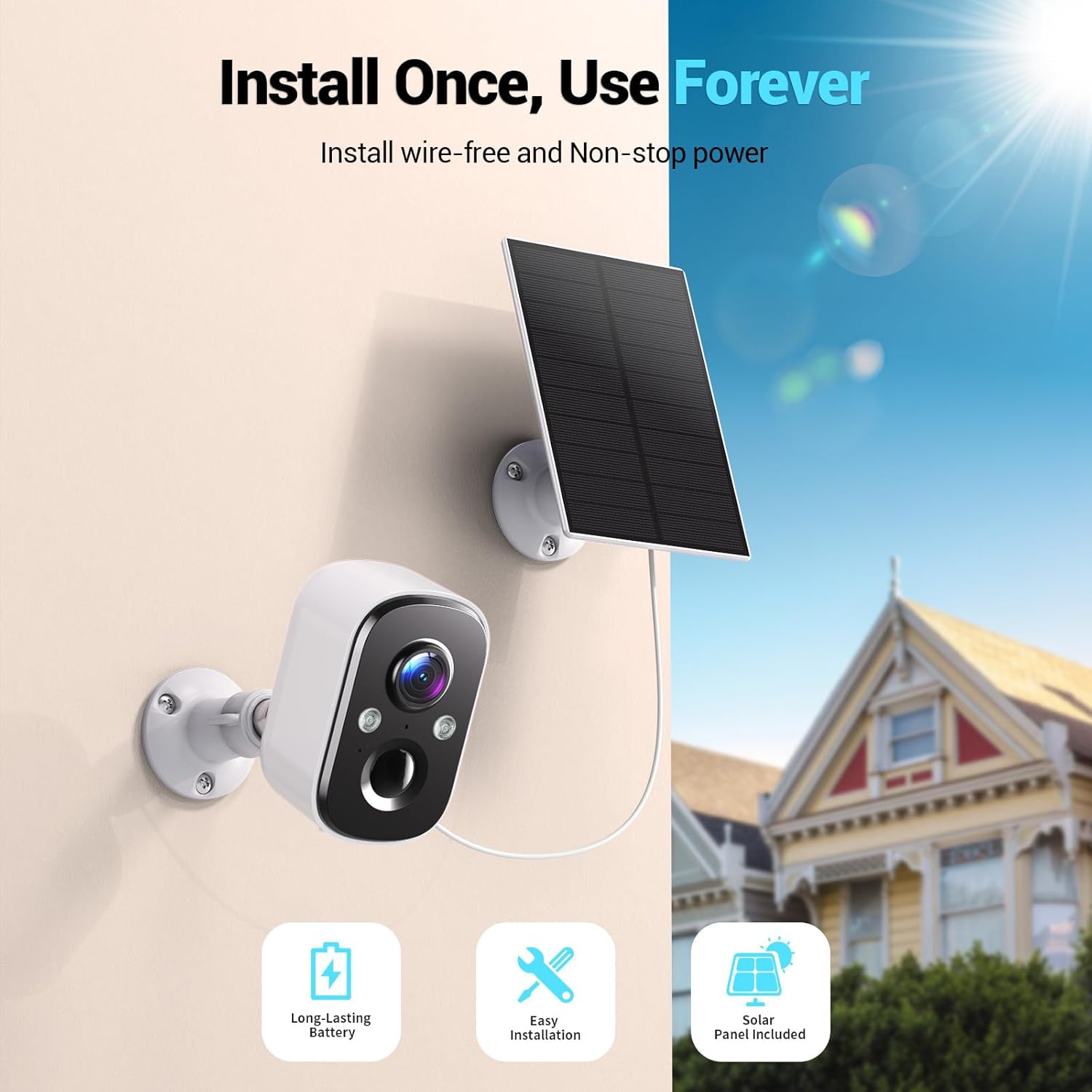
Image: A Techage CG6E camera and its solar panel are shown mounted on an outdoor wall, illustrating a typical installation scenario.
5. Instrukcja obsługi
5.1 Na żywo View
Access real-time video feed from your camera through the Vicohome app. Simply select the desired camera from your device list to view transmisja na żywo.
5.2 Ustawienia wykrywania ruchu
The camera features advanced AI motion detection. You can customize settings within the Vicohome app:
- Wrażliwość: Adjust the detection sensitivity to minimize false alerts.
- Strefy aktywności: Zdefiniuj określone obszary w obrębie kamery view where motion detection should be active, ignoring other areas.
- Rozpoznawanie AI: The camera can differentiate between people, vehicles, packages, and pets, providing more relevant alerts.
- Alerty: Configure push notifications to your smartphone when motion is detected.

Image: A visual representation of the camera detecting motion near a doorway, triggering a spotlight, siren, and sending a notification to the Vicohome app.
5.3 Dźwięk dwukierunkowy
Skorzystaj z funkcji dwukierunkowej transmisji audio, aby komunikować się z osobami w pobliżu kamery. Dotknij ikony mikrofonu w transmisji na żywo. view interface of the Vicohome app to speak, and the camera's speaker will broadcast your voice. You can also hear audio from the camera's location.

Image: A person inside a house communicating via the camera with another person outside, demonstrating the two-way audio function.
5.4 Tryby widzenia nocnego
Kamera oferuje dwa tryby widzenia nocnego:
- Kolorowe widzenie nocne: When the built-in spotlights are activated (either manually or by motion detection), the camera captures full-color video in dark environments.
- Nocna Nocna Wizja: With spotlights off, the camera uses infrared LEDs to provide clear black-and-white video in darkness.

Image: A comparison showing the difference between color night vision (spotlight on) and infrared night vision (spotlight off) in a dark setting.
5.5 Opcje przechowywania
Twój aparat obsługuje dwie metody przechowywania danych:
- Karta micro sd: Włóż kartę Micro SD (do 128 GB, nie ma jej w zestawie) do przeznaczonego gniazda w kamerze, aby nagrywać lokalnie.
- Przechowywanie w chmurze: The Vicohome app offers a free 3-day rolling event recording cloud storage. Optional premium cloud plans are available for extended storage and advanced features.
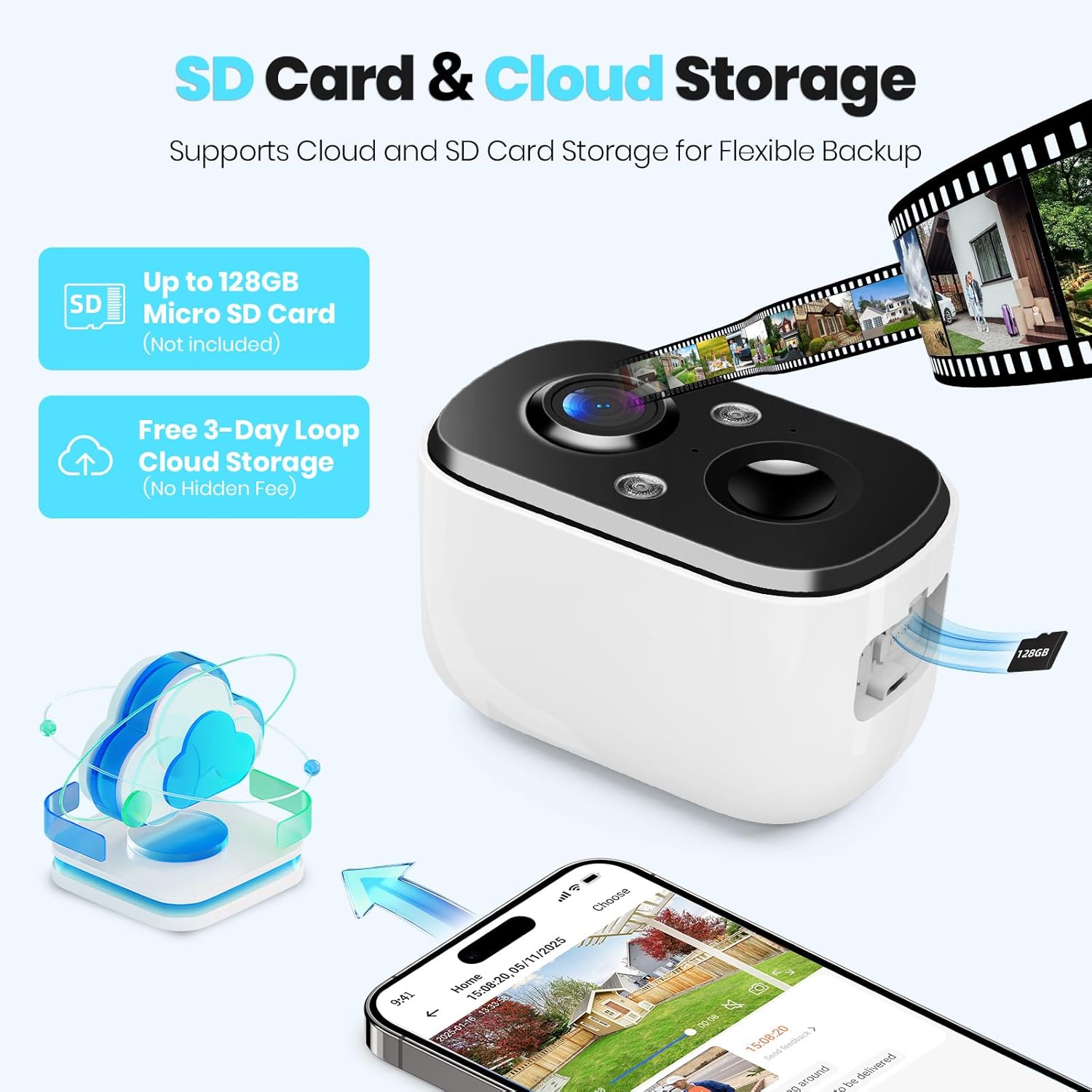
Image: A close-up of the camera highlighting the Micro SD card slot and illustrating cloud storage functionality.
5.6 Udostępnianie dostępu
You can share camera access with family members or trusted individuals through the Vicohome app. This allows multiple users to view kanały na żywo i otrzymuj powiadomienia.
6. Konserwacja
6.1 Battery Charging and Solar Panel Placement
The solar panel is designed to keep the camera battery charged. Ensure the solar panel is positioned to receive maximum direct sunlight daily. If the camera's battery level drops significantly due to prolonged cloudy weather or insufficient sunlight, you may need to temporarily charge the camera using the provided USB cable.
6.2 Czyszczenie
Okresowo czyść obiektyw aparatu i powierzchnię panelu słonecznego miękką, miękką szmatką.amp Aby zapewnić optymalną wydajność, należy przetrzeć szmatką. Unikać stosowania silnych środków chemicznych i materiałów ściernych.
6.3 aktualizacji oprogramowania sprzętowego
The Vicohome app will notify you of available firmware updates. It is recommended to keep your camera's firmware updated to ensure the latest features, security enhancements, and bug fixes.
7. Rozwiązywanie Problemów
- Kamera nie łączy się z siecią Wi-Fi: Upewnij się, że Twoja sieć Wi-Fi działa w paśmie 2.4 GHz. Sprawdź siłę sygnału Wi-Fi w miejscu, w którym znajduje się kamera. Uruchom ponownie router i kamerę.
- Frequent false alerts: Adjust motion detection sensitivity and configure activity zones within the Vicohome app to focus on relevant areas.
- Słabe widzenie w nocy: Ensure the camera lens is clean. Check if the spotlights are enabled for color night vision.
- Bateria nie ładuje się: Verify the solar panel is connected correctly and receives sufficient direct sunlight. Clean the solar panel surface.
- No cloud recording: Confirm your cloud storage subscription status. The free plan offers 3-day rolling event recording.
Aby uzyskać dalszą pomoc, zapoznaj się z sekcją pomocy w aplikacji lub skontaktuj się z obsługą klienta.
8. Specyfikacje
| Funkcja | Specyfikacja |
|---|---|
| Nazwa modelu | CG6E |
| Zastosowanie wewnątrz/na zewnątrz | Plenerowy |
| Źródło zasilania | Zasilany energią słoneczną |
| Technologia łączności | Bezprzewodowa (tylko Wi-Fi 2.4 GHz) |
| Rozdzielczość przechwytywania wideo | 2K (1440p) |
| Zakres noktowizora | 33 stóp |
| Poziom wodoodporności | Wodoodporność IP66 |
| Dwukierunkowy dźwięk | Tak |
| Opcje przechowywania | Karta Micro SD (do 128 GB), przechowywanie w chmurze |
| Kompatybilne urządzenia | Smartphone (via Vicohome app) |
| Wymiary produktu | 6 x 3.49 x 7.5 cala |
| Waga przedmiotu | 2.09 funta |
9. Gwarancja i wsparcie
Techage provides free technical support for its products. For warranty information or to contact support, please refer to the contact details provided within the Vicohome app or visit the official Techage webstrona.

Image: A customer support representative, symbolizing the availability of technical assistance.