
1. Wprowadzenie
This manual provides detailed instructions for the installation, operation, and maintenance of your Olafus 2K QHD Outdoor Flood Light Camera. This device is designed to enhance your home security with advanced features including 2K QHD video, 360° panoramic view, motion detection alerts, two-way audio, and powerful adjustable floodlights. Please read this manual thoroughly before use and retain it for future reference.
2. Informacje dotyczące bezpieczeństwa
- Przed przystąpieniem do instalacji lub prac konserwacyjnych należy upewnić się, że zasilanie jest odłączone, aby zapobiec porażeniu prądem.
- Instalację powinien wykonać wykwalifikowany elektryk lub zgodnie z lokalnymi przepisami elektrycznymi.
- Nie należy podejmować prób demontażu ani modyfikacji urządzenia. Może to spowodować unieważnienie gwarancji i zagrożenie bezpieczeństwa.
- Trzymaj urządzenie z dala od materiałów łatwopalnych i wybuchowych.
- Używaj urządzenia w określonym zakresie temperatur od -20°C do 50°C (od -4°F do 122°F).
- This product is waterproof (IP65 rated) but should not be submerged in water.
3. Zawartość opakowania
Sprawdź, czy w opakowaniu znajdują się wszystkie komponenty:
- Olafus Flood Light Camera (Model 3-LBC65M)
- Uchwyt montażowy
- Machine Screws (various sizes)
- Długa śruba maszynowa
- Expansion Rubber Plugs
- Drut nakrętki
- Uszczelka silikonowa
- Uszczelka EVA
- Instrukcja obsługi

Figure 3.1: Product dimensions and included accessories for installation.
4. Koniec produktuview
The Olafus Flood Light Camera combines a high-resolution security camera with powerful, adjustable floodlights. Key features include:
- Wideo 2K QHD: Rejestruje wyraźne i szczegółowe dźwiękitage.
- Panoramiczny 360 ° View: Offers a 340° horizontal and 120° vertical rotation range for comprehensive coverage.
- Smart Auto-Tracking: Automatically tracks moving subjects within its field of view.
- Ulepszone widzenie nocne w kolorze: Provides vivid images even in low-light conditions.
- Zaawansowana detekcja ruchu: 180° PIR motion sensor triggers instant mobile notifications.
- Dwukierunkowy dźwięk: Umożliwia komunikację w czasie rzeczywistym poprzez kamerę.
- 55W Adjustable Lighting: Three independently adjustable heads (5500 lumens) controlled via the app.
- Elastyczne przechowywanie: Supports secure cloud storage and local Micro SD card storage (up to 128GB).
- Dual Wi-Fi Connectivity: Compatible with both 2.4G and 5G Wi-Fi networks.
- Odporna na warunki atmosferyczne konstrukcja: Klasa IP65 umożliwia stosowanie na zewnątrz w różnych warunkach pogodowych.

Rysunek 4.1: Koniecview of the Olafus 4MP Floodlight Camera's features.
5. Konfiguracja
5.1 Instalacja
The floodlight camera is designed for wall mounting. Refer to the 'Product Size' diagram in Section 3 for dimensions and wiring details. Professional installation is recommended for electrical wiring.
- Choose a suitable outdoor location for mounting, ensuring a stable surface and access to power.
- Secure the mounting bracket to the wall using the provided screws and expansion plugs.
- Connect the Live Wire (L), Neutral Wire (N), and Ground Wire (N) from your electrical supply to the camera's corresponding wires using the wire nuts. Ensure connections are secure and insulated.
- Zamontuj kamerę w uchwycie montażowym.

Figure 5.1: Installation steps for the floodlight camera.
5.2 Pobieranie aplikacji i łączenie
The Olafus Flood Light Camera operates with the Smart Life APP. Ensure your smartphone is connected to a 2.4GHz or 5GHz Wi-Fi network.
- Download the "Smart Life" APP from the App Store (iOS) or Google Play (Android), or scan the QR code provided in the product packaging.
- Zarejestruj się lub zaloguj na swoje konto Smart Life.
- Power on the floodlight camera.
- In the Smart Life APP, tap "Add Device" or the "+" icon.
- Follow the on-screen instructions to connect the camera to your Wi-Fi network. You may need to scan a QR code displayed on your phone with the camera.
- Po połączeniu kamera pojawi się na liście urządzeń.
5.3 Smart Home Integration (Alexa/Google Assistant)
The camera can be integrated with Amazon Alexa and Google Assistant for voice control and live view na kompatybilnych urządzeniach.
Video 5.3.1: Instructions on how to connect the Smart Life camera with Amazon Alexa.
Video 5.3.2: Detailed guide on connecting the camera with Alexa for voice commands and live viewing.
To connect with Amazon Alexa:
- Ensure your Alexa device, phone, and floodlight camera are on the same Wi-Fi network.
- Open the Smart Life App, click "Me" (bottom right), then "Alexa" under "Third-Party Services".
- Click "Link to Amazon Alexa". This will redirect you to the Alexa App.
- In the Alexa App, click "Link" to enable the Smart Life skill.
- Once successfully linked, click "Done".
- Alternatively, open the Amazon Alexa App, click "More" (bottom right), then "Skills & Games".
- Szukaj "Smart Life" and click on it.
- Click "ENABLE TO USE". This will redirect you to the Smart Life App.
- After clicking "Agree and link," you will be redirected back to the Amazon Alexa app.
- Click "Next" to discover devices. Once found, select the connected device and click "Next" to complete the setup.
You can now use voice commands like: "Alexa, show me the Security Camera" or "Alexa, turn on/off the Security Camera."

Figure 5.3: Voice control with Amazon Alexa for live camera feed.
6. Instrukcja obsługi
6.1 Na żywo View i nagrywanie
Access the live feed of your camera through the Smart Life APP. The camera provides 2K QHD resolution for clear images. You can switch between full-color night vision and infrared night vision modes.

Figure 6.1: Demonstrates 2K QHD Color Night Vision and Infrared Night Vision.

Figure 6.2: Illustrates the superior 2K QHD image quality.

Rysunek 6.3: Dostępne tryby widzenia nocnego.
6.2 Detekcja ruchu i alerty
The camera features a 180° PIR motion sensor. When motion is detected, you will receive instant mobile notifications. The smart auto-tracking feature ensures that moving subjects remain in focus.
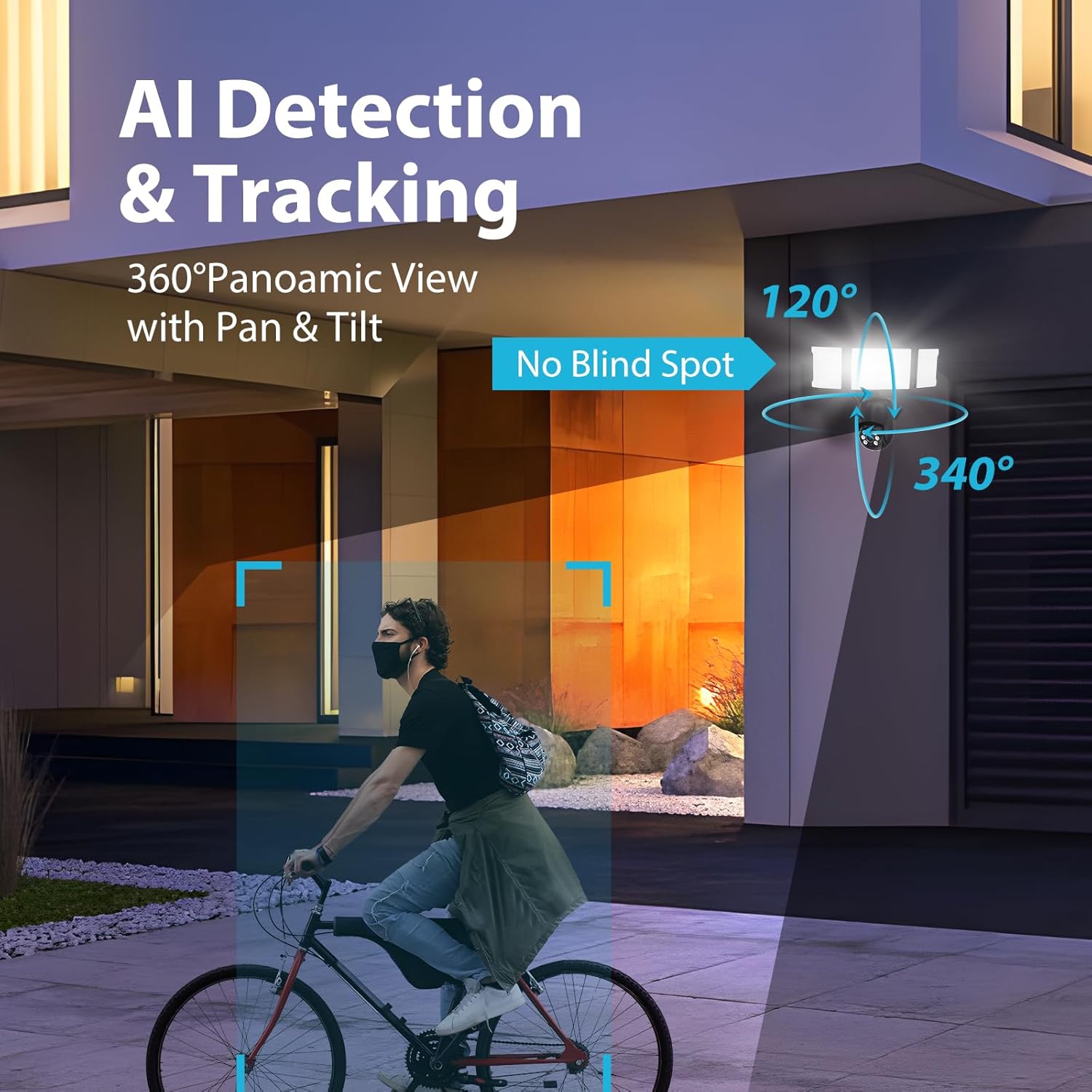
Figure 6.4: AI Detection & Tracking with panoramic view.

Figure 6.5: Motion detection alarm and mobile notification.

Figure 6.6: AI Lock and Tracking in action.

Figure 6.7: Motion detection triggering floodlights and notifications.
6.3 Dźwięk dwukierunkowy
Utilize the built-in microphone and speaker for two-way communication. This allows you to speak to visitors or deter unwanted guests directly through the app.

Figure 6.8: Two-way audio for communication and deterrence.

Figure 6.9: Real-time two-way audio communication.
6.4 Sterowanie oświetleniem
The 55W floodlights (5500 lumens) can be adjusted for brightness and scheduled via the Smart Life APP. The three light heads are independently adjustable.

Figure 6.10: Adjustable lighting features and coverage.

Figure 6.11: Scheduling options for floodlight activation.
6.5 Storage Options and Playback
The camera supports both cloud storage and local storage via a Micro SD card (up to 128GB, not included). You can review non-stop recordings or event-triggered recordings.

Figure 6.12: Video playback interface and storage options.

Figure 6.13: Cloud and Micro SD card storage for recorded footage.
7. Konserwacja
Regularna konserwacja zapewnia optymalną wydajność i długą żywotność kamery z reflektorem.
- Czyszczenie: Delikatnie przetrzyj obiektyw aparatu i powierzchnię reflektora miękką szmatką.amp szmatką. Unikaj środków czyszczących o działaniu ściernym i rozpuszczalników.
- Aktualizacje oprogramowania układowego: Periodically check the Smart Life APP for available firmware updates to ensure your device has the latest features and security enhancements.
- Warunki środowiskowe: The camera is IP65 waterproof, suitable for temperatures between -20°C and 50°C. Ensure proper drainage around the installation area to prevent water accumulation.

Figure 7.1: IP65 Waterproof rating and operating temperature range.
8. Rozwiązywanie Problemów
If you encounter issues with your Olafus Flood Light Camera, refer to the following common problems and solutions:
- Kamera nie łączy się z siecią Wi-Fi:
- Ensure your Wi-Fi network is 2.4GHz or 5GHz and stable.
- Sprawdź, czy hasło Wi-Fi jest poprawne.
- Aby poprawić siłę sygnału, przesuń kamerę bliżej routera Wi-Fi.
- Uruchom ponownie kamerę i router.
- Lights not turning off automatically:
- Check the light schedule and motion detection settings in the Smart Life APP.
- Ensure the motion sensor is not obstructed and its sensitivity is set appropriately.
- Słaba jakość wideo:
- Wyczyść obiektyw aparatu.
- Ensure a strong Wi-Fi connection for optimal streaming.
- Check the resolution settings in the Smart Life APP.
- Brak alertów o wykryciu ruchu:
- Verify motion detection is enabled in the Smart Life APP.
- Check the detection zone and sensitivity settings.
- Upewnij się, że powiadomienia aplikacji są włączone na Twoim smartfonie.
9. Specyfikacje
| Funkcja | Specyfikacja |
|---|---|
| Numer modelu | 3-LBC65M |
| Zastosowanie wewnątrz/na zewnątrz | Plenerowy |
| Rozdzielczość przechwytywania wideo | 2K (efektywna rozdzielczość 4 MP) |
| Viewing kąt | 360 Degrees (340° horizontal, 120° vertical) |
| Źródło zasilania | Elektryczny przewodowy |
| Protokół łączności | Wi-Fi (kompatybilne z 2.4G i 5G) |
| Typ kontrolera | Amazon Alexa, aplikacja |
| Typ montażu | Montaż ścienny |
| Cotage | 55 watts (5500 lumens) |
| Tworzywo | Aluminium |
| Poziom wodoodporności | Wodoodporny (IP65) |
| Temperatura pracy | -20°C do 50°C (-4°F do 122°F) |
| Typ pamięci flash | Micro SD (do 128 GB) |
| Wymiary produktu | 9.5 x 5.7 x 10.7 cala |
| Waga przedmiotu | 2.93 funta |
10. Gwarancja i wsparcie
Olafus provides a standard manufacturer's warranty for this product. For specific warranty details, please refer to the warranty card included in your package or contact Olafus customer support. If you require technical assistance or have questions not covered in this manual, please visit the official Olafus webwitryny lub skontaktuj się z zespołem obsługi klienta.
Producent: Olafusa