1. Wprowadzenie
Thank you for choosing the Generic M100 Clip on Ear Headphones. These open-ear earbuds are designed to provide a comfortable audio experience with advanced features. This manual will guide you through the setup, operation, and maintenance of your new headphones.
Główne cechy:
- Technologia przewodnictwa kostnego: Delivers sound through cheekbones, maintaining environmental awareness.
- Ekran dotykowy LCD: Intuitive control for music and calls.
- Bluetooth 5.4: Szybkie i stabilne połączenie bezprzewodowe.
- Redukcja szumów: Minimizes background noise for clear audio.
- Wodoodporność i odporność na pot: Durable design for active use.
2. Koniec produktuview
The M100 Clip on Ear Headphones come with a charging case that features an LCD touch screen. The package includes the M100 Clip on Ear Headphones themselves.

Image: The M100 Clip on Ear Headphones shown with their charging case, highlighting the sleek design.

Image: Close-up of the M100 charging case's LCD touch screen, displaying various control options.
3. Konfiguracja
3.1 Ładowanie słuchawek i etui
Before first use, fully charge the headphones and the charging case. The charging case has a capacity of 500mAh, and each headphone has a 30mAh capacity. A full charge for the headphones typically takes 1 hour, providing approximately 5 hours of battery life.
- Place the headphones into the charging case. Ensure they are correctly seated to initiate charging.
- Connect the charging case to a power source using a compatible USB-C cable (not always included).
- The LCD screen on the charging case will display the charging status.

Image: Diagram illustrating the ultra-long battery life of the M100 headphones, showing headphone usage time (4-5h), shutdown standby time (2000h), and charging time of charging case (2-3h).
3.2 parowanie Bluetooth
The M100 headphones utilize Bluetooth 5.4 for a stable and efficient connection.
- Otwórz etui ładujące. Słuchawki automatycznie przejdą w tryb parowania.
- Na swoim urządzeniu (np. smartfonie, tablecie) przejdź do ustawień Bluetooth.
- Szukaj dostępne urządzenia i wybierz „M100” z listy.
- Once connected, the LCD screen on the case may indicate a successful pairing.
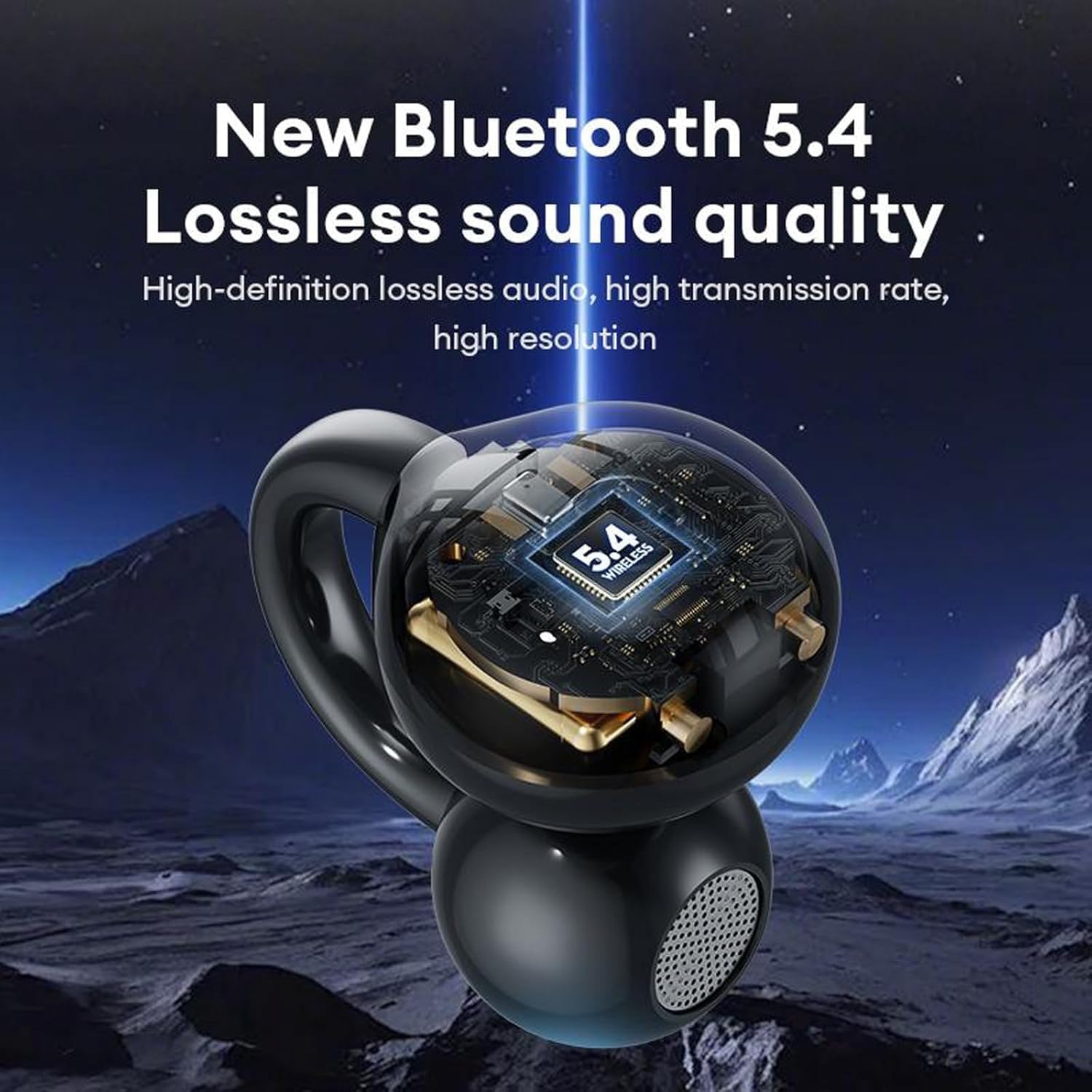
Image: A visual representation of the M100 headphone's internal structure, highlighting the Bluetooth 5.4 chip for lossless sound quality.
4. Instrukcja obsługi
4.1 Podstawowe sterowanie dotykowe
The M100 headphones feature touch-sensitive controls on each earbud.
- Odtwórz/Pauza: Pojedyncze kliknięcie na dowolnej słuchawce.
- Następna piosenka: Kliknij dwukrotnie prawą słuchawkę.
- Poprzednia piosenka: Kliknij dwukrotnie na lewą słuchawkę.
- Zwiększenie głośności: Three clicks on the right earbud.
- Ściszanie: Three clicks on the left earbud.
- Odbieranie/kończenie połączeń: Kliknij dwukrotnie na dowolną słuchawkę.
- Odrzuć połączenie przychodzące: Long press for 2 seconds on either earbud.
- Aktywuj asystenta głosowego: Naciśnij i przytrzymaj dowolną słuchawkę.

Image: A diagram illustrating the various touch operations for the M100 headphones, including song switching, call management, volume control, and voice assistant activation.
4.2 LCD Touch Screen Functions
The charging case's LCD touch screen provides additional control and information.

Image: A grid of icons and screens demonstrating the various functions accessible via the M100's LCD touch screen, such as music control, volume, noise reduction, equalizer, alarm, screen brightness, language, wallpaper, find headphones, time settings, flashlight, and camera features.
- Sterowanie muzyką: Play, pause, skip tracks directly from the screen.
- Regulacja głośności: Dostosuj głośność dźwięku.
- Tryb redukcji szumów: Toggle between noise reduction and transparency modes.
- Tryb korektora: Select different audio equalizer presets.
- Ustawienia alarmu: Ustaw alarmy.
- Regulacja jasności ekranu: Modify the screen's luminosity.
- Przełączanie języka: Zmień język wyświetlania.
- Wallpaper Switcher: Dostosuj tło ekranu.
- Znajdź słuchawki: Znajdź zgubione słuchawki douszne (jeśli jest to obsługiwane).
- Ustawienia czasu: Dostosuj datę i godzinę.
- Funkcja latarki: Activate a small light.
- Funkcje aparatu: Potentially control a connected device's camera (functionality may vary).
4.3 Noszenie słuchawek
The M100 headphones are designed for open-ear wear, providing comfort and situational awareness.
- Gently clip each earbud onto your ear, ensuring the sound outlet is positioned near your ear canal without blocking it.
- Adjust for a secure and comfortable fit. The bone conduction technology allows sound to transmit effectively without needing to be inserted into the ear canal.

Image: A composite image detailing the M100's features, including high-resolution sound quality, noise reduction, open-ear design, HD Voice, and Bluetooth 5.4 version.
Wideo: Oficjalny film prezentujący produktasing the M100 Clip on Ear Headphones, demonstrating their design and smart screen touch functionality.
5. Konserwacja
5.1 Czyszczenie
Regularne czyszczenie pomaga zachować wydajność i trwałość słuchawek.
- Use a soft, dry, lint-free cloth to wipe the headphones and charging case.
- Nie należy używać środków czyszczących o działaniu ściernym, rozpuszczalników ani aerozoli.
- Unikaj dostania się wilgoci do otworów.
5.2 Odporność na wodę i pot
The M100 headphones are designed to be waterproof and sweatproof, making them suitable for sports and outdoor activities.

Image: A visual demonstrating the waterproof and sweatproof capabilities of the M100 headphones, showing them in a water environment.
- While resistant to water and sweat, they are not intended for submersion.
- Przed ładowaniem upewnij się, że port ładowania jest suchy, aby zapobiec uszkodzeniu.
5.3 Przechowywanie
Gdy nie używasz słuchawek, przechowuj je w etui ładującym, aby je chronić i utrzymać naładowanie.
6. Rozwiązywanie Problemów
If you encounter issues with your M100 headphones, refer to the following common solutions:
| Problem | Możliwe rozwiązanie |
|---|---|
| Słuchawki nie łączą się |
|
| Brak dźwięku |
|
| Problemy z ładowaniem |
|
| Sterowanie dotykowe nie odpowiada |
|
7. Specyfikacje
Key technical specifications for the M100 Clip on Ear Headphones:
- Nazwa modelu: M100 Clip on Ear Headphones
- Technologia łączności: Bezprzewodowy (Bluetooth)
- Wersja Bluetooth: 5.4
- Typ sterownika audio: Sterownik przewodnictwa kostnego
- Metoda sterowania: Dotykać
- Kontrola hałasu: Aktywna redukcja szumów
- Poziom wodoodporności: Wodoodporny
- Czas pracy baterii: 5 Hours (Headphones)
- Czas ładowania: 1 Hour (Headphones)
- Pojemność etui ładującego: 500mAh
- Pojemność słuchawek: 30mAh
- Tworzywo: Plastic Or Silicone
- Zgodne urządzenia: Telefony komórkowe
- Zawartość zestawu: M100 Clip on Ear Headphones
8. Gwarancja i wsparcie
Aby uzyskać informacje o gwarancji i obsłudze klienta, zapoznaj się z dokumentacją dołączoną do zakupu lub skontaktuj się ze sprzedawcą. Zachowaj dowód zakupu na wypadek roszczeń gwarancyjnych.


