
ClokoWe T800
CLOKOWE Mini Projector User Manual
Model: T800
Brand: ClokoWe
1. Wprowadzenie
This manual provides detailed instructions for the setup, operation, maintenance, and troubleshooting of your CLOKOWE Mini Projector, Model T800. Please read this manual thoroughly before using the projector to ensure proper function and to maximize your viewzdobywania doświadczenia.
2. Co znajduje się w pudełku
Po otwarciu opakowania należy sprawdzić, czy zawiera ono wszystkie poniższe elementy:
- CLOKOWE Mini Projector
- Kabel HDMI
- Zdalne sterowanie
- Przewód zasilający
- Instrukcja obsługi (ten dokument)
3. Informacje dotyczące bezpieczeństwa
To ensure safe operation and prolong the lifespan of your projector, please observe the following safety precautions:
- Nie blokuj otworów wentylacyjnych. Zapewnij odpowiedni przepływ powietrza wokół projektora.
- Nie patrz bezpośrednio w obiektyw projektora, gdyamp jest włączony. Jasne światło może uszkodzić wzrok.
- Keep the projector away from water or any liquids. Do not operate in damp środowiska.
- Używaj wyłącznie dołączonego przewodu zasilającego i adaptera.
- Unikaj umieszczania projektora na niestabilnych powierzchniach.
- Odłączaj projektor od zasilania podczas burzy z piorunami lub jeśli nie używasz go przez dłuższy czas.
4. Funkcje produktu
The CLOKOWE Mini Projector offers a range of advanced features for a versatile entertainment experience:
- Zaawansowana technologia wyświetlania: Equipped with LCD screen technology, supporting Full HD 1080P and 4K resolution for vivid details and colors. Features 10000 lumens brightness and a 10000:1 contrast ratio.
- Smart Android TV 11 OS: Built-in Android TV 11 operating system provides access to over 8000 applications, including popular streaming platforms like Netflix, Prime Video, and YouTube.
- Integrated Galaxy & Night Light Modes: Features 6 distinct galaxy projection modes and 7 ambient night light colors (with lens cover) to create various atmospheric effects.
- Stojak obrotowy 270°: The flexible stand allows for projection onto various surfaces, including walls and ceilings, offering greater positioning versatility.
- Łączność o dużej prędkości: Supports the latest WiFi 6 (5G and 2.4G dual-band) for fast and stable content transmission, and Bluetooth 5.2 for effortless pairing with external audio devices.
- Automatic Image Correction: Features automatic keystone correction for quick adjustment of tilted images, ensuring a perfectly aligned picture.
- Szeroka kompatybilność: Equipped with HDMI, USB, and audio ports for seamless connection to laptops, TV sticks, game consoles, smartphones, tablets, and USB drives.

Image: The CLOKOWE Mini Projector, highlighting its key features such as 4K support, galaxy projection, 270-degree adjustability, WiFi 6, Bluetooth 5.2, and integrated streaming apps.

Image: Visual representation of the projector's Full HD 1080P capability, emphasizing sharper images and brighter colors compared to standard projectors.
5. Konfiguracja
5.1 Konfiguracja fizyczna
Aby skonfigurować projektor po raz pierwszy, wykonaj następujące czynności:
- Umieszczenie: Position the projector on a stable, flat surface. Utilize the 270° rotatable stand to adjust the projection angle as needed. The projector can project onto walls, screens, or ceilings.
- Podłączenie zasilania: Connect the power cord to the projector's power input and then plug it into a power outlet.
- Zdalne sterowanie: Włóż dwie baterie AAA (nie ma ich w zestawie) do pilota.
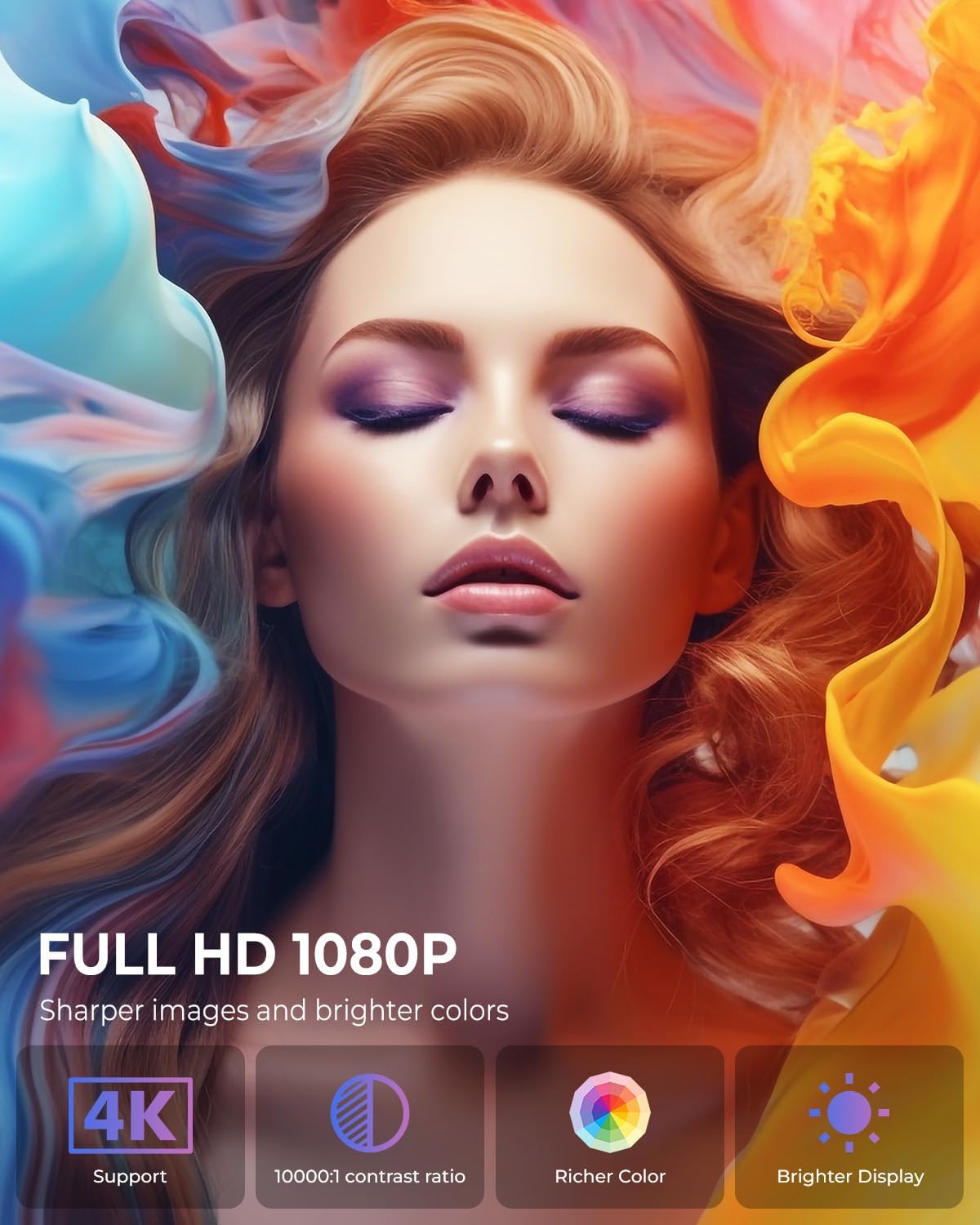
Image: The projector positioned to project galaxy patterns onto a ceiling, illustrating the flexibility of its 270-degree rotatable stand and its galaxy projection feature.

Obraz: Byłyample of the projector creating a large 200-inch screen, with a note on recommended projection distances for optimal viewing.
5.2 Konfiguracja początkowa
After connecting power, press the power button on the projector or remote control to turn it on. Follow the on-screen prompts for initial setup:
- Wybór języka: Wybierz preferowany język.
- Połączenie internetowe: Select your Wi-Fi network and enter the password. The projector supports both 2.4G and 5G networks.
- Login do konta: Log in with your Google account to access the Android TV OS features and app store.
6. Instrukcja obsługi
6.1 Podstawowa obsługa
- Włączanie/wyłączanie: Naciśnij przycisk zasilania na pilocie lub projektorze.
- Nawigacja: Use the arrow keys on the remote to navigate menus and select options. The 'OK' button confirms selections, and the 'Back' button returns to the previous screen.
6.2 Łączność
Projektor oferuje różne opcje połączeń:
- Połączenie Wi-Fi: Access network settings to connect to a Wi-Fi network. The projector supports Wi-Fi 6 for faster and more stable streaming.
- Połączenie Bluetooth: Go to Bluetooth settings to pair with external Bluetooth speakers, headphones, or other compatible devices for enhanced audio.
- Wejście HDMI: Connect devices like laptops, gaming consoles, or TV sticks using an HDMI cable. Select the HDMI input source from the projector's menu.
- Wejście USB: Włóż dysk USB, aby odtworzyć multimedia filebezpośrednio z dysku.
- Wyjście audio: Use the 3.5mm audio jack to connect wired headphones or external speakers.
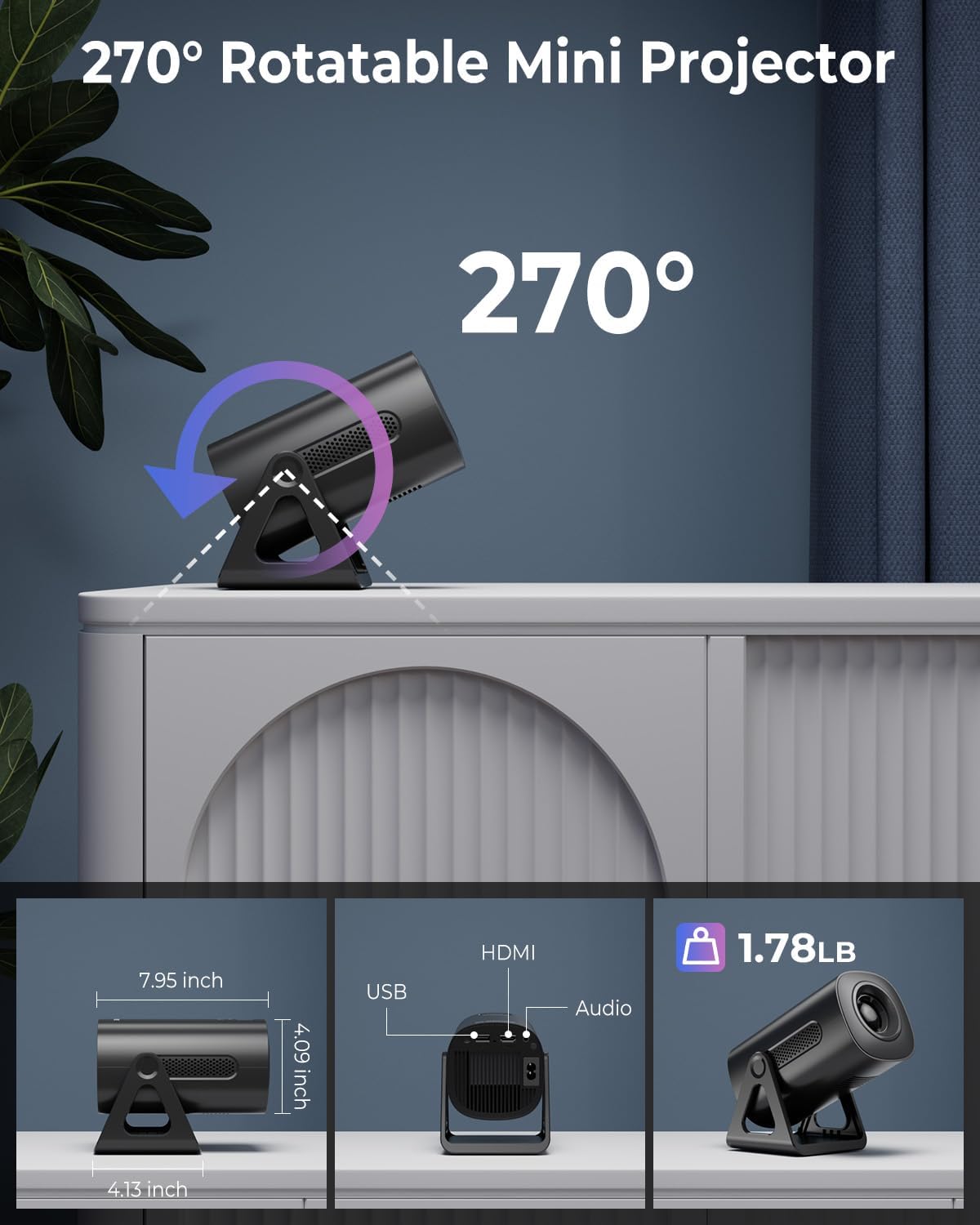
Image: Illustration of the projector's dual-band Wi-Fi 6 and Bluetooth 5.2 capabilities, demonstrating seamless wireless connectivity for streaming and audio.

Image: A visual guide to the projector's various input/output ports, including HDMI, USB, and audio, along with exampliczba zgodnych urządzeń.
6.3 App Usage (Android TV OS)
With Android TV 11, you can access a wide range of applications:
- Dostęp do aplikacji: From the home screen, navigate to the 'Apps' section to view pre-installed applications or download new ones from the Google Play Store.
- Usługi przesyłania strumieniowego: Enjoy content from pre-installed apps like Netflix, Prime Video, and YouTube. Ensure you are logged into your respective accounts.

Image: The projector's interface showcasing its built-in smart apps, providing direct access to popular streaming services without external devices.
6.4 Tryby projekcji
- Tryby projekcji galaktyki: Activate the galaxy projection feature to display various cosmic patterns. There are 6 distinct modes to choose from.
- Night Light Modes: When the lens cover is applied, the projector can function as an ambient night light with 7 different color options.
6.5 Regulacja obrazu
- Automatyczna korekcja trapezu: The projector automatically corrects vertical image distortion. If manual adjustment is needed, navigate to the image settings.
- Funkcja powiększania: Adjust the projection size from 60% to 100% via the settings menu to fit your screen or wall perfectly.

Image: A demonstration of the projector's automatic vertical keystone correction, which ensures a rectangular image even when the projector is placed at an angle.
7. Konserwacja
Regular maintenance helps ensure optimal performance and longevity of your projector:
- Czyszczenie soczewek: Do delikatnego przecierania soczewki projektora należy używać miękkiej, niepozostawiającej włókien ściereczki przeznaczonej specjalnie do soczewek optycznych. Nie należy stosować środków ściernych ani nadmiernej siły.
- Wentylacja: Periodically check that the ventilation openings are clear of dust and debris. Use a soft brush or compressed air to clean them.
- Składowanie: Gdy projektor nie jest używany, należy go przechowywać w chłodnym i suchym miejscu, z dala od bezpośredniego światła słonecznego i ekstremalnych temperatur.
8. Rozwiązywanie Problemów
Jeśli masz problemy z projektorem, zapoznaj się z poniższymi typowymi problemami i ich rozwiązaniami:
| Problem | Możliwa przyczyna | Rozwiązanie |
|---|---|---|
| Brak zasilania | Przewód zasilający nie jest podłączony; gniazdko elektryczne jest uszkodzone; projektor jest wyłączony. | Ensure power cord is securely connected. Test outlet with another device. Press power button. |
| Brak obrazu | Nieprawidłowe źródło sygnału wejściowego; Luźny kabel; Założona osłona obiektywu. | Select correct input source (HDMI, USB). Check cable connections. Remove lens cap. |
| Rozmazany obraz | Focus not adjusted; Keystone incorrect; Projector too close/far. | Adjust focus ring. Check auto keystone correction or manually adjust. Adjust projection distance. |
| Brak dźwięku | Głośność jest zbyt niska; Wyciszono; Zewnętrzne urządzenie audio nie jest podłączone/sparowane. | Increase volume. Unmute. Ensure Bluetooth device is paired or wired device is connected. |
| Problemy z połączeniem Wi-Fi | Nieprawidłowe hasło; Router jest za daleko; Zakłócenia sieciowe. | Zweryfikuj hasło Wi-Fi. Przesuń projektor bliżej routera. Uruchom ponownie router i projektor. |
9. Specyfikacje
Detailed technical specifications for the CLOKOWE Mini Projector (Model T800):
- Numer modelu: T800
- Marka: ClokoWe
- Rozdzielczość wyświetlacza: 1280 x 720 (Supports 1080P and 4K input)
- Technologia łączności: Bluetooth 5.2, Wi-Fi 6 (2.4G/5G Dual-Band), USB, HDMI, 3.5mm Audio Jack
- Dodatek specjalny: Portable, 270° Rotatable Stand, Android TV 11 OS, Galaxy Projector
- Zalecane zastosowanie: Edukacja, kino domowe, gry, biznes
- Waga przedmiotu: 2.38 funta
- Wymiary opakowania: 9.29 x 6.61 x 5.24 cala
- Producent: ClokoWe
10. Gwarancja i wsparcie
For warranty information and technical support, please refer to the contact details provided on the product packaging or the official ClokoWe webstrona. Zachowaj dowód zakupu na potrzeby roszczeń gwarancyjnych.
Aby uzyskać dalszą pomoc, możesz również odwiedzić stronę ClokoWe Store on Amazon.
Ask a question about this manual
Ask about setup, troubleshooting, compatibility, parts, safety, or missing instructions. Manuals+ will review the question and use this page’s manual context to help answer it.