
1. Koniec produktuview
The ShanWan Q38 is a versatile wireless Bluetooth controller designed for a wide range of gaming platforms. It features advanced controls such as Hall Effect joysticks and micro-switch buttons for enhanced precision and responsiveness.

Obraz 1.1: Widok z góry na dół view of the ShanWan Q38 Wireless Bluetooth Controller, showcasinze względu na kompaktową konstrukcję i układ przycisków.
2. Zawartość opakowania
Upewnij się, że w przesyłce znajdują się wszystkie elementy:
- ShanWan Q38 Wireless Bluetooth Controller
- Kabel ładujący USB
- Instrukcja obsługi (ten dokument)
- 1 bateria AAA (zainstalowana fabrycznie lub dołączona osobno)
3. Konfiguracja i łączność
3.1 Ładowanie Kontrolera
Before initial use, ensure the controller is sufficiently charged. Connect the provided USB charging cable to the controller's charging port and to a USB power source (e.g., computer, USB wall adapter). The LED indicator will show charging status.
3.2 Zgodność
The ShanWan Q38 controller is compatible with the following platforms:
- Nintendo Switch / Switch 2 (firmware upgrade may be required for Switch 2)
- Pokład parowy
- komputer (Windows)
- Android devices (phones, tablets)
- iPhone
- iPad
- Urządzenia macOS
- PS4 (as indicated by mode switch, specific compatibility may vary)

Image 3.1: The ShanWan Q38 controller demonstrating compatibility with multiple gaming platforms.
3.3 Łączenie przez Bluetooth
Aby podłączyć kontroler do urządzenia:
- Włączanie: Press and hold the Home button on the controller until the indicator lights begin to flash.
- Wybierz tryb: Use the mode switch located on the top edge of the controller to select the appropriate mode for your device:
- Tryb X: For Mobile & Computer (Android, PC, macOS, iOS).
- Tryb S: Dla Nintendo Switch.
- Tryb P.: For PS4 (if compatible).
- Łączenie w pary: On your device, navigate to the Bluetooth settings and search for available devices. Select "ShanWan Q38" (or similar) from the list to pair.
- Potwierdzenie: Po pomyślnym sparowaniu kontrolka na kontrolerze zacznie świecić światłem ciągłym.
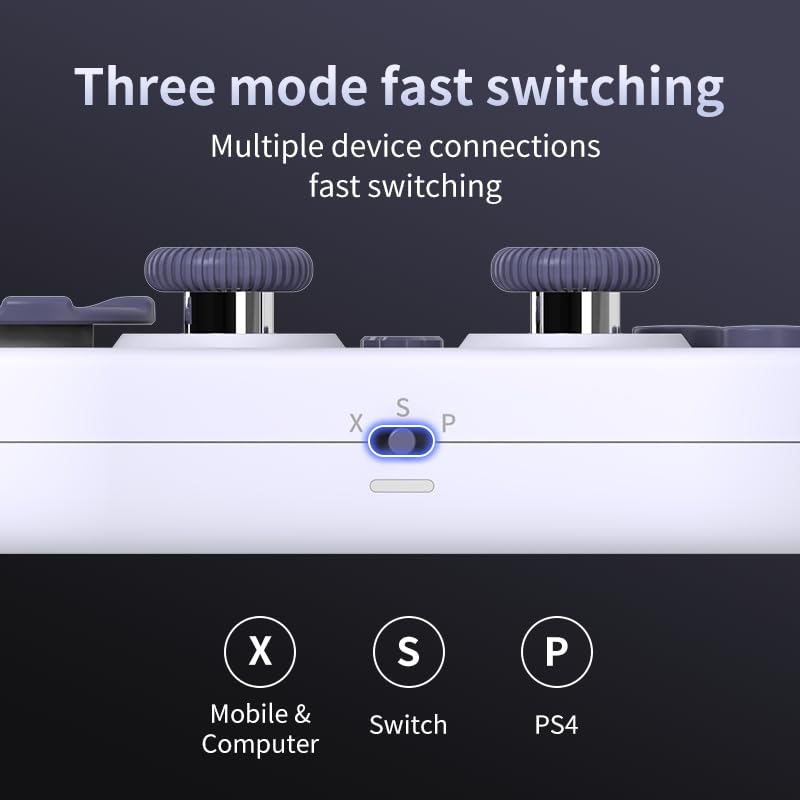
Image 3.2: Detail of the three-mode fast switching selector on the controller.
3.4 Customization and Calibration
For advanced customization, including button remapping and macro functions, download the official "gamepad space" application. This application also allows for controller calibration to ensure optimal performance.
4. Obsługa kontrolera
4.1 Główne cechy
- Joysticki z efektem Halla: Provides high precision and sensitivity. The joystick height is adjustable between 5mm and 8mm for personalized comfort.
- Composite Micro-Switch Buttons: These buttons offer a tactile response similar to mechanical keyboards, providing quick and precise input.
- Mechanical Triggers: Designed for fast response times.
- Dual Micro Motors: Provides dual vibration feedback for an immersive gaming experience.
- Somatosensory Gyroscope: Equipped with a 6-axis gyroscope for motion control in supported games.

Image 4.1: Detail of the adjustable Hall Effect joysticks.

Image 4.2: Close-up of the composite micro-switch action buttons.

Image 4.3: Diagram illustrating the internal components of the composite micro-keypad.
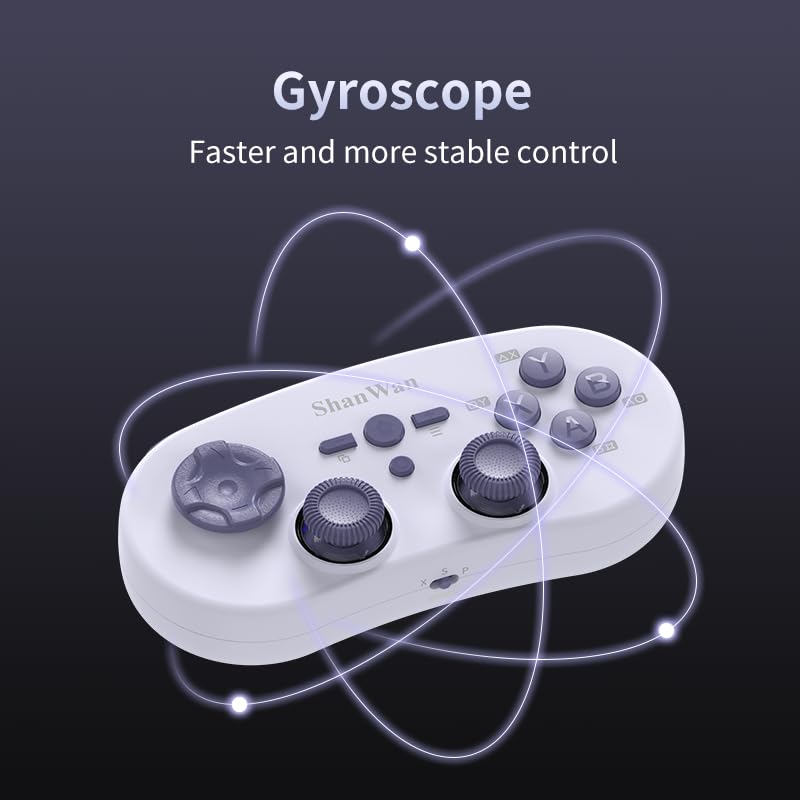
Image 4.4: Visual representation of the controller's gyroscope functionality.
4.2 Doświadczenie w grach
The compact design allows for portability, making it suitable for gaming on the go with devices like the Nintendo Switch or smartphones.

Image 4.5: Controller in use with a Nintendo Switch.

Image 4.6: Controller paired with a smartphone for mobile gaming.
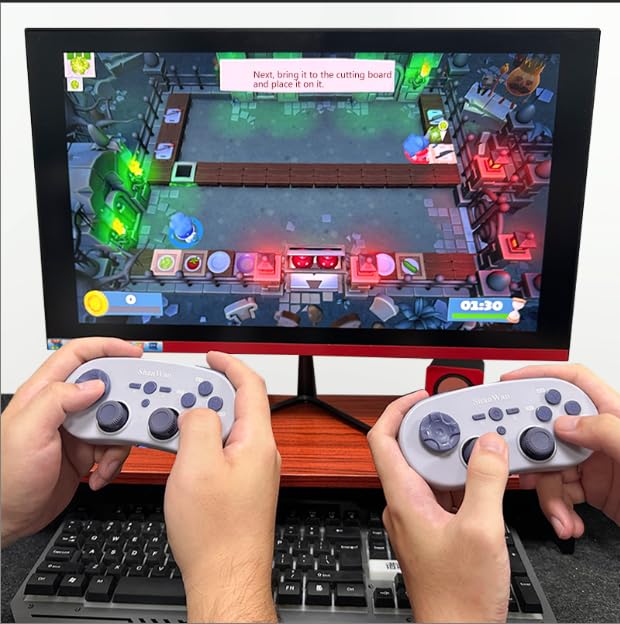
Image 4.7: Two controllers in use for multiplayer gaming on a PC.
5. Konserwacja
To ensure the longevity and optimal performance of your ShanWan Q38 controller, follow these maintenance guidelines:
- Czyszczenie: Do czyszczenia kontrolera użyj miękkiej, suchej ściereczki. W przypadku uporczywych zabrudzeń, delikatnie przetrzyjamp Można użyć ściereczki, ale należy uważać, aby wilgoć nie dostała się do urządzenia. Unikaj silnych środków chemicznych i ściernych środków czyszczących.
- Składowanie: Przechowuj kontroler w chłodnym, suchym miejscu, z dala od bezpośredniego światła słonecznego i ekstremalnych temperatur.
- Pielęgnacja baterii: If using replaceable AAA batteries, remove them if the controller will not be used for an extended period to prevent leakage.
- Unikaj kropli: Protect the controller from physical impact and drops, which can damage internal components.
6. Rozwiązywanie Problemów
If you encounter issues with your ShanWan Q38 controller, refer to the following common problems and solutions:
- Kontroler się nie włącza:
- Ensure the battery is correctly inserted and has sufficient charge. Replace AAA batteries if necessary.
- Connect the controller to a power source using the USB cable to confirm if it charges.
- Difficulty Connecting via Bluetooth:
- Ensure the controller is in the correct mode (X, S, or P) for your device.
- Wyłącz i włącz ponownie Bluetooth w swoim urządzeniu.
- Zapomnij urządzenie w ustawieniach Bluetooth i spróbuj sparować je ponownie.
- Ensure the controller is within the effective range of your device.
- Buttons or Joysticks Not Responding Correctly:
- Calibrate the controller using the "gamepad space" application.
- Sprawdź, czy wokół przycisków i joysticków nie znajdują się żadne przeszkody fizyczne lub zanieczyszczenia.
- Ensure the controller's firmware is up to date, especially for Switch 2 compatibility.
- Losowe rozłączenia:
- Upewnij się, że w pobliżu nie ma silnych zakłóceń sieci bezprzewodowej.
- Keep the controller close to the connected device.
- Re-pair the controller if disconnections are frequent.
7. Specyfikacje
| Funkcja | Szczegół |
|---|---|
| Numer modelu | Pytanie 38 |
| Producent | SzanWan |
| Łączność | Bluetooth bezprzewodowy |
| Zgodność | Switch/Switch 2, Steam Deck, PC, Android, iPhone, iPad, macOS, PS4 |
| Typ joysticka | Hall Effect, Adjustable Height (5mm-8mm) |
| Typ przycisku | Composite Micro-Switch |
| Wibracja | Dual Micro Motors |
| Sterowanie ruchem | Żyroskop osi 6 |
| Wymiary opakowania | 5.63 x 4.53 x 1.54 cala |
| Waga przedmiotu | 4.6 uncji |
| Baterie | Wymagana 1 bateria AAA (w zestawie) |

Image 7.1: Physical dimensions of the ShanWan Q38 controller.
8. Gwarancja i wsparcie
For warranty information and customer support, please refer to the official ShanWan webOdwiedź witrynę lub skontaktuj się ze sprzedawcą, u którego kupiłeś produkt. Zachowaj dowód zakupu na wypadek reklamacji.