
1. Wprowadzenie
Thank you for choosing the KRPTQJoo Replacement Remote Control. This remote is designed to provide seamless control for various Blaupunkt and Alba television models. This manual will guide you through the setup, operation, and maintenance of your new remote control.
This remote control is a direct replacement and does not require any programming or pairing. Simply insert the batteries, and it is ready for use with compatible models.
Kompatybilne modele obejmują między innymi:
- Blaupunkt: 32/194I-GB-FHBKU-DE, B32FX122BK, B32A2124TC, B32A22TC, B32SHE126, B32A112TC-3B2, B32A133TCHD, B32A191TCFHD-3D, BA32M191BF3BKUER01
- Alba: 22/207, 22-207-B, 22-207-S, UNFRMC0002, 50/211F, 22/207DVD, 22/207FDVD, 22/207F
2. Koniec produktuview
The KRPTQJoo replacement remote control features a standard layout for easy navigation and control of your television. Below are images illustrating the front and back of the remote.
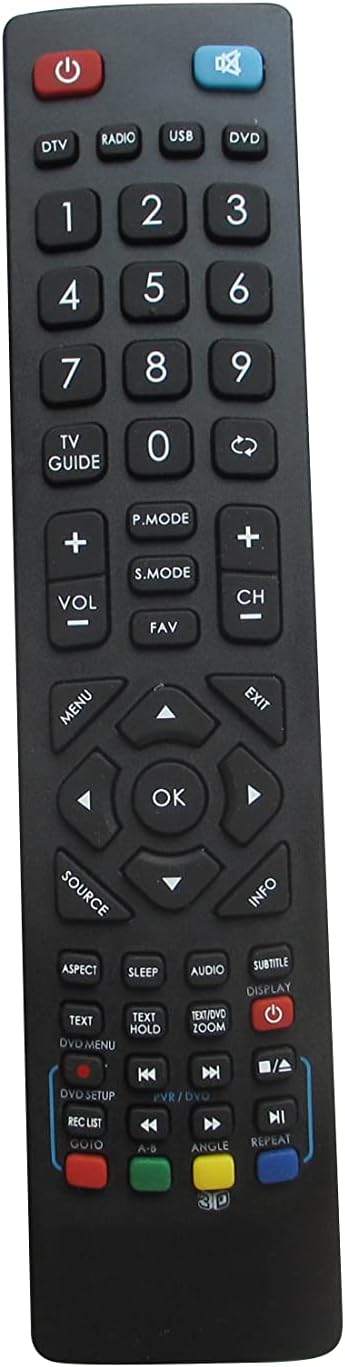
Rycina 2.1: Przód view of the remote control. This image displays the full button layout, including power, number keys, channel and volume controls, navigation pad, and various function buttons for TV, DVD, and media playback.
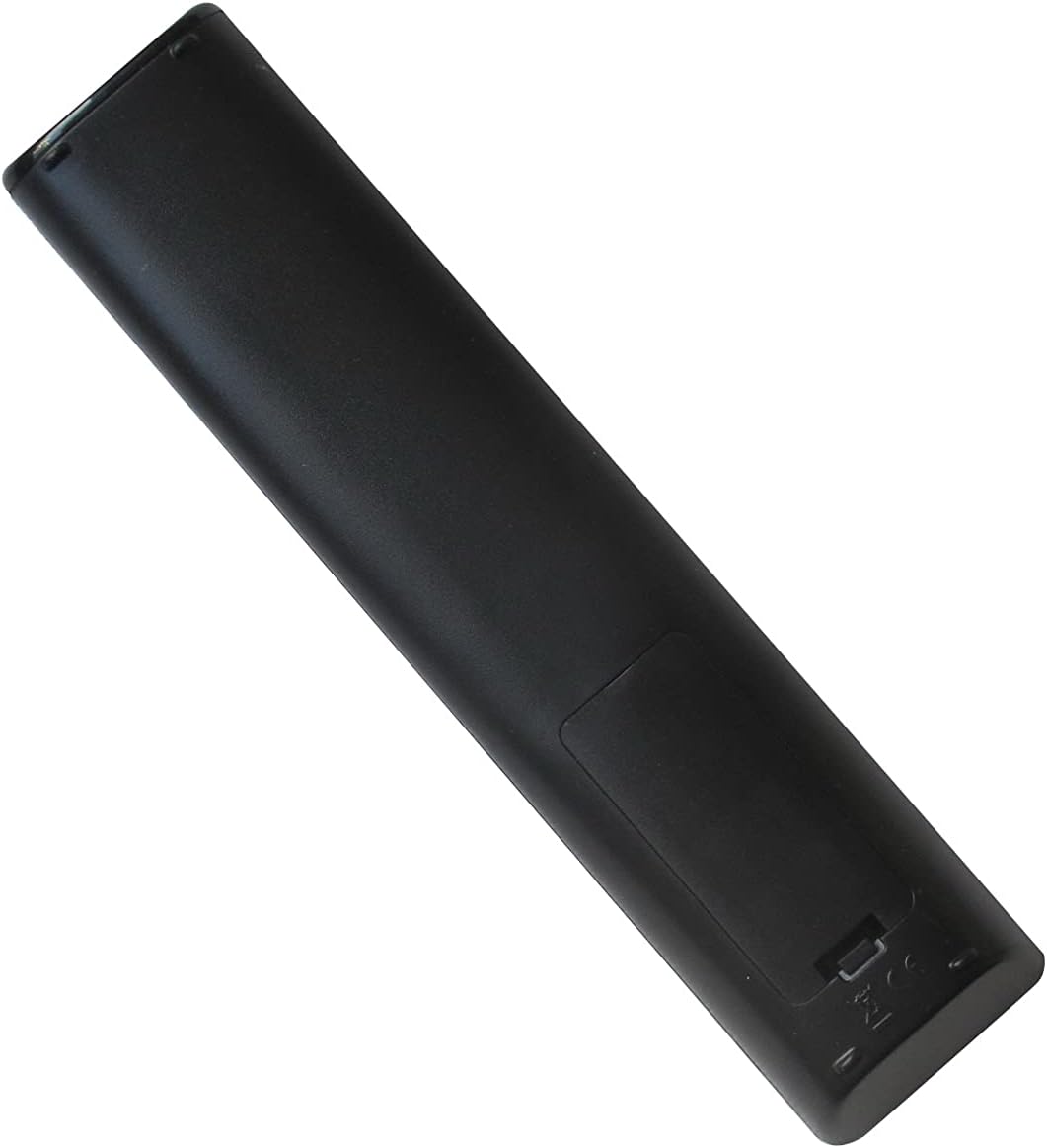
Rysunek 2.2: Tył view of the remote control. This image shows the smooth, ergonomic design and the location of the battery compartment cover.
3. Konfiguracja
3.1 Instalacja baterii
- Znajdź komorę baterii z tyłu pilota.
- Aby otworzyć, przesuń pokrywę komory baterii w dół lub naciśnij zatrzask i unieś.
- Włóż dwie (2) baterie AAA, upewniając się, że bieguny dodatni (+) i ujemny (-) odpowiadają schematom wewnątrz komory.
- Załóż pokrywę komory baterii i upewnij się, że jest dobrze zamocowana.
Notatka: This remote control operates using infrared (IR) technology and does not require any programming or pairing with your television. It is ready for use immediately after battery installation.
4. Instrukcja obsługi
Point the remote control directly at your television's IR receiver. Ensure there are no obstructions between the remote and the TV.
4.1 Funkcje przycisków
| Przycisk | Funkcjonować |
|---|---|
| Moc (⏻) | Włącza lub wyłącza telewizor. |
| DTV / Radio / USB / DVD | Selects the corresponding input source or mode. |
| 0-9 (przyciski numeryczne) | Bezpośredni wybór kanału lub wprowadzenie danych numerycznych. |
| PRZEWODNIK TV | Dostęp do elektronicznego przewodnika po programach (EPG). |
| GŁOŚNOŚĆ +/- | Dostosowuje poziom głośności. |
| CH +/- | Zmienia kanał telewizyjny. |
| Niemy (🔇) | Wycisza lub wyłącza wyciszenie dźwięku telewizora. |
| TRYB P. | Przełącza między trybami obrazu (np. Standardowy, Dynamiczny, Film). |
| TRYB S. | Cycles through sound modes (e.g., Standard, Music, Movie). |
| ULUBIONY | Dostęp do listy ulubionych kanałów. |
| MENU | Otwiera główne menu telewizora. |
| Navigation Arrows (▲ ▼ ◄ ►) | Umożliwia nawigację po opcjach menu. |
| OK | Potwierdza wybór w menu. |
| EXIT | Wyjście z bieżącego menu lub funkcji. |
| ŹRÓDŁO | Selects input sources (e.g., HDMI, AV, Component). |
| INFORMACJE | Wyświetla informacje o bieżącym programie lub wejściu. |
| ASPEKT | Zmienia proporcje obrazu ekranu. |
| SPAĆ | Ustawia wyłącznik czasowy. |
| AUDIO | Wybiera ścieżki audio lub tryby. |
| NAPISY | Włącza lub wyłącza napisy. |
| WYŚWIETLACZ | Displays on-screen information. |
| TEXT / TEXT HOLD | Accesses teletext functions. |
| BRZĘCZENIE | Dostosowuje poziom powiększenia ekranu. |
| DVD SETUP / REC LIST / GOTO | Functions related to DVD player setup, recording lists, or specific time jumps. |
| Playback Controls (◀◀ / ▶▶ / ■ / ▶ / ██ / ▣) | Standard media playback controls: Rewind, Fast Forward, Stop, Play, Pause, Record. |
| Kolorowe przyciski (czerwony, zielony, żółty, niebieski) | Context-sensitive functions, often used in menus or teletext. |
| ANGLE / REPEAT / 3D | Functions for DVD angle selection, repeating playback, or 3D mode activation (if supported by TV). |
Notatka: The functionality of some buttons may vary depending on your specific TV model and its features. Refer to your television's original manual for detailed information on specific functions.
5. Konserwacja
5.1 Czyszczenie pilota
Aby wyczyścić pilota, delikatnie przetrzyj go miękką, suchą ściereczką. W przypadku uporczywych zabrudzeń delikatnie przetrzyj.ampen the cloth with water or a mild, non-abrasive cleaner. Avoid using harsh chemicals or excessive moisture, as this can damage the remote.
5.2 Wymiana baterii
Replace batteries when the remote's response becomes sluggish or stops working. Always replace both batteries at the same time with new AAA batteries. Do not mix old and new batteries, or different types of batteries, as this can lead to leakage or malfunction.
Remove batteries if the remote will not be used for an extended period to prevent potential leakage and damage.
6. Rozwiązywanie Problemów
- Remote is not working:
- Sprawdź, czy baterie zostały włożone prawidłowo, z zachowaniem właściwej polaryzacji (+/-).
- Wymień stare baterie na nowe baterie AAA.
- Check for any obstructions between the remote control and the TV's IR receiver.
- Upewnij się, że znajdujesz się w zasięgu efektywnego działania (do 8 metrów).
- Some buttons do not function:
- Verify that your TV model supports the specific function of that button. Not all TVs have the same features (e.g., 3D, specific DVD functions).
- This remote is a replacement for specific models; some advanced or unique functions of your original TV remote might not be replicated.
- Ograniczony zasięg lub reakcja przerywana:
- Wymień baterie.
- Ensure the remote's IR emitter and the TV's IR receiver are clean and unobstructed.
- Avoid strong light sources (like direct sunlight or bright fluorescent lights) that might interfere with the IR signal.
7. Specyfikacje
- Marka: KRPTQJoo
- Model: Joo5661
- Technologia łączności: Podczerwieni (IR)
- Maksymalny zasięg: 8 metrów (ok. 26 stóp)
- Źródło zasilania: 2 baterie AAA (brak w zestawie)
- Zgodne urządzenia: Television (specific Blaupunkt and Alba models)
- Kolor: Czarny
8. Wsparcie
If you encounter any issues that cannot be resolved using the troubleshooting guide, or if you have questions regarding your KRPTQJoo replacement remote control, please contact customer service for assistance.
For the quickest resolution, please provide your product model number (Joo5661) and a detailed description of the issue when contacting support.