
Wstęp
This manual provides essential information for setting up, operating, maintaining, and troubleshooting your Google Pixel 9 smartphone. The Pixel 9 is designed to offer a powerful and intuitive user experience, powered by the Google Tensor G4 processor and running on Android 14.
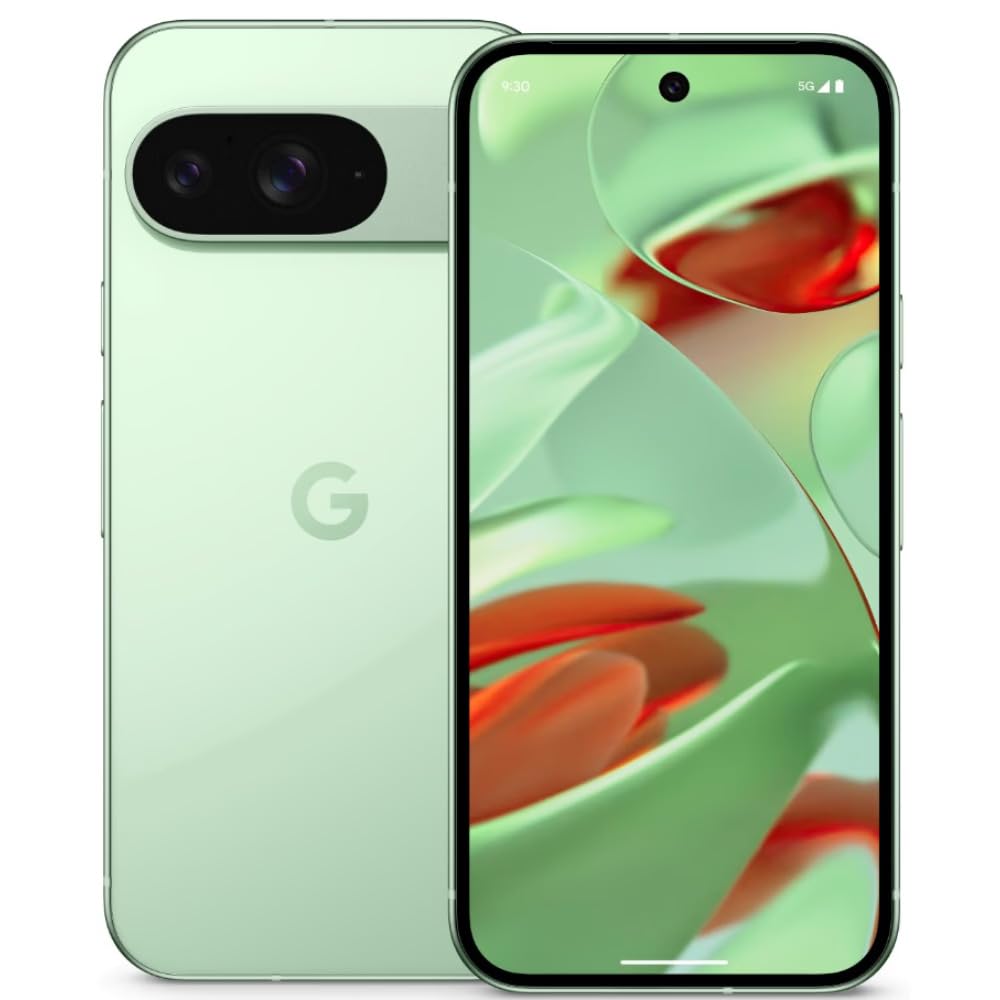
Image: Google Pixel 9 smartphone, rear view, in Wintergreen color.
Co jest w pudełku
Upon unboxing your Google Pixel 9, verify that all standard components are present:
- Smartfon Google Pixel 9
- Kabel USB-C do USB-C
- Narzędzie do wyjmowania tacki SIM

Image: Contents of the Google Pixel 9 retail box.
Organizować coś
1. Wkładanie karty SIM
- Znajdź tackę na kartę SIM znajdującą się z boku telefonu Pixel 9.
- Włóż narzędzie do wyjmowania tacki karty SIM w mały otwór obok tacki i mocno naciśnij, aż tacka wyskoczy.
- Place your Nano SIM card(s) into the tray with the gold contacts facing down. The Pixel 9 supports Dual SIM functionality.
- Carefully push the tray back into the slot until it is flush with the phone's side.
2. Włączanie/wyłączanie zasilania
- Włączanie: Press and hold the Power button (located on the right side) until the Google logo appears.
- Aby wyłączyć: Press and hold the Power button and Volume Up button simultaneously, then tap 'Power off' on the screen. Alternatively, swipe down from the top of the screen twice to open Quick Settings, then tap the power icon and select 'Power off'.
3. Początkowa konfiguracja urządzenia
Follow the on-screen prompts to complete the initial setup process. This includes connecting to Wi-Fi, signing in with your Google account, setting up security features (Face Recognition), and transferring data from an old device.
Obsługa Pixela 9
Funkcje wyświetlacza
The Pixel 9 features a 6.3-inch OLED display with a 1080 x 2424 pixel resolution and a dynamic refresh rate up to 120Hz for smooth visuals. It offers up to 1800 nits brightness in HDR mode and peaks at 2700 nits for clear visibility in various lighting conditions.
Korzystanie z aparatu
The device is equipped with a dual rear camera system: a 50 MP main sensor and a 48 MP ultrawide lens (123° field of view). The front camera is 10.5 MP. Advanced AI features enhance photography, allowing for detailed and expansive images.

Image: AI-enhanced camera features of the Google Pixel 9.
Wydajność
Powered by Google's Tensor G4 processor and 12 GB of RAM, the Pixel 9 ensures efficient multitasking and fast performance for applications and gaming. It runs on Android 14, providing a secure and up-to-date operating environment.
Bateria i ładowanie
The Pixel 9 includes a 4700 mAh battery. It supports 45W USB-PD fast charging and 15W wireless charging for convenient power replenishment. Average battery life is approximately 24 hours, with up to 26.5 hours of phone talk time.
Funkcje AI
Leverage integrated AI features such as Gemini for assistance, Real Screenshots for enhanced screen capture, and Circle to Szukaj quick information retrieval directly from your screen.

Image: Google Pixel 9 showcasing AI capabilities.
Konserwacja
Trwałość
The Pixel 9 is built with Corning Gorilla Glass Victus 2 for display protection and features a water-resistant design, offering protection against spills and dust.
Aktualizacje oprogramowania
Google provides a commitment of seven years of OS and security updates for the Pixel 9, ensuring long-term support and access to the latest features and security enhancements.
Czyszczenie urządzenia
To clean your Pixel 9, use a soft, lint-free cloth. Avoid abrasive materials or harsh chemicals. For stubborn smudges, slightly dampPrzetrzyj szmatkę wodą. Przed ładowaniem upewnij się, że wszystkie porty są suche.
Rozwiązywanie problemów
If you encounter issues with your Pixel 9, consider the following general troubleshooting steps:
- Uruchom ponownie urządzenie: Wiele drobnych usterek oprogramowania można rozwiązać poprzez proste ponowne uruchomienie.
- Sprawdź dostępność aktualizacji oprogramowania: Ensure your device is running the latest software version. Go to Settings > System > System update.
- Wyczyść pamięć podręczną aplikacji: If a specific app is causing issues, try clearing its cache (Settings > Apps > See all apps > [App Name] > Storage & cache > Clear cache).
- Przywrócenie ustawień fabrycznych: As a last resort, if problems persist, you may need to perform a factory reset. Ostrzeżenie: Spowoduje to usunięcie wszystkich danych z urządzenia. Przed kontynuacją wykonaj kopię zapasową ważnych danych. (Settings > System > Reset options > Erase all data (factory reset)).
- Przegrzanie: The device may experience increased temperature during intensive use or charging. If overheating becomes excessive or persistent, reduce usage of demanding applications and ensure proper ventilation.
Specyfikacje
| Funkcja | Specyfikacja |
|---|---|
| Marka | |
| Model | Piksel 9 |
| System operacyjny | Android 14 |
| Edytor | Tensor Google G4 |
| BARAN | 12 GB |
| Pamięć wewnętrzna | 256 GB |
| Wyświetlacz | 6.3-inch OLED, 1080 x 2424 pixels, 120Hz Refresh Rate |
| Kamera tylna | 50 MP Main, 48 MP Ultrawide |
| Przednia kamera | 10.5 MP |
| Pojemność baterii | 4700 mAh |
| Ładowanie | 45W USB-PD Fast Charging, 15W Wireless Charging |
| Typ karty SIM | Nano SIM (Dual SIM) |
| Łączność | 5G, Wi-Fi, Bluetooth, GSM, LTE |
| Bezpieczeństwo | Rozpoznawanie twarzy |
| Trwałość | Corning Gorilla Glass Victus 2, Water Resistant |
| Wymiary | 7.2 x 0.8 x 15.2 centymetrów |
| Waga | 198 gram |
Gwarancja i wsparcie
Informacje o gwarancji
The Google Pixel 9 comes with a 1-year manufacturer's warranty. This warranty covers defects in materials and workmanship under normal use. Please retain your proof of purchase for warranty claims.
Obsługa klienta
For further assistance, technical support, or warranty claims, please visit the official Google Support website or contact Google customer service. Refer to the documentation included with your device for specific contact details in your region.
Wsparcie online: support.google.com/pixelphone