
1. Wprowadzenie
Thank you for choosing the Baseus Laptop Power Bank. This high-capacity, fast-charging portable power bank is designed to keep your devices powered on the go. With its advanced features and compact design, it's an ideal companion for business trips, outdoor adventures, and daily commutes.
Przed użyciem produktu należy dokładnie przeczytać instrukcję, aby zapewnić jego bezpieczeństwo i optymalną wydajność. Zachowaj instrukcję do wykorzystania w przyszłości.
2. Funkcje produktu
- Ultraszybkie ładowanie 145 W: Equipped with three 100W USB-C ports, capable of charging a 16-inch MacBook Pro to 43% in just 30 minutes. Dual-port output delivers a combined 145W for simultaneous charging of multiple devices.
- Built-in 100W Retractable Cable: Features a 1.97ft tangle-free retractable USB-C cable for instant charging and convenient storage. Tested for durability, withstanding 30,000 stretches.
- 20,000mAh Duża pojemność: Zapewnia ample power with 4x 5,000mAh cells, capable of fully charging an iPhone 16 up to 3 times or multiple devices during travel.
- Quad-Device Charging: Power up to 4 devices simultaneously, including laptops, tablets, and phones.
- Smart TFT Display: Monitor real-time power levels, output wattage, and estimated charging time on a vivid digital screen.
- Zaawansowane funkcje bezpieczeństwa: Built with automotive-grade batteries and a 3-Layer Cooling System (graphene + aerogel + AI thermal control) for superior heat dissipation and safety. UL and IEC safety standards certified.
- Kompaktowa i przenośna konstrukcja: Utilizes Baseus’s exclusive Pocket IN Stacking Technology, maintaining a small size (L5.1 x W1.9 x H2.1 inches, 0.98lb) despite its high capacity and built-in cable.
3. Co znajduje się w pudełku
Po otwarciu przesyłki sprawdź, czy wszystkie elementy są obecne i w dobrym stanie:
- 1x Baseus EnerGeek 20,000mAh 145W Laptop Power Bank
- 1x Instrukcja obsługi (ten dokument)
- 1x 24-miesięczna gwarancja + karta wsparcia na całe życie
Note: Wall charger is not included in the package list.
4. Konfiguracja i pierwsze użycie
4.1 Ładowanie powerbanku
Before first use, it is recommended to fully charge your Baseus Laptop Power Bank.
- Connect a compatible USB-C wall charger (not included) to any of the USB-C input/output ports on the power bank. For fastest charging, use a 100W PD compatible charger.
- The Smart TFT Display will illuminate, showing the charging status, input wattage, and estimated time to full charge.
- Gdy wyświetlacz wskaże 100%, power bank jest w pełni naładowany i gotowy do użycia.

Figure 4.1: Smart TFT Display showing charging status.
4.2 Understanding the Smart TFT Display
The vivid TFT screen provides real-time information:
- Poziom naładowania baterii: Procenttage pozostałego poziomu naładowania akumulatora.
- Real-Time Input/Output Power: Wyświetla aktualną temperaturętage jest rysowany lub dostarczany.
- Remaining Charging/Discharging Time: Estimated time until the power bank is fully charged or depleted.
- Decoration Ring: Lights up when powered on and turns off when powered off or in standby.
5. Instrukcja obsługi
5.1 Ładowanie urządzeń
The Baseus Laptop Power Bank supports charging up to four devices simultaneously.
- Korzystanie z chowanego kabla USB-C: Gently pull the built-in USB-C cable from its housing. Connect the USB-C end to your compatible device. To retract, pull the cable slightly again and it will automatically wind back into the power bank.
- Korzystanie z dodatkowych portów: Connect your device's charging cable to one of the available USB-C or USB-A ports on the power bank.
- The power bank will automatically detect your device and begin charging at the optimal speed. Monitor the charging status on the Smart TFT Display.

Figure 5.1: Charging multiple devices with the Baseus Power Bank.

Figure 5.2: The durable built-in retractable USB-C cable.
5.2 Kombinacje mocy wyjściowej
The power bank intelligently distributes power based on connected devices. Here are some typical output scenarios:
- Pojedyncze urządzenie: Up to 100W via USB-C (including retractable cable) or up to 33W via USB-A.
- Two Devices: Combined output up to 145W (e.g., 100W + 45W).
- Three/Four Devices: Power is distributed to ensure efficient charging for all connected devices, with a maximum total output of 145W.
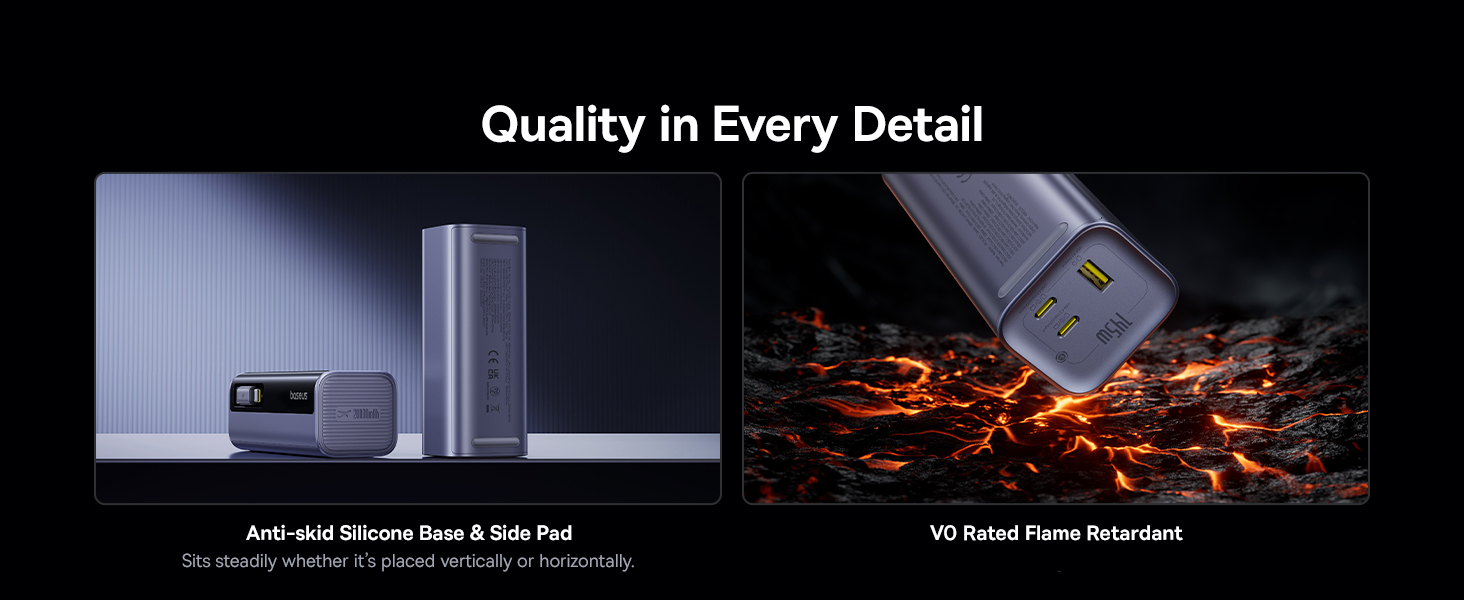
Figure 5.3: Power distribution examples for multiple devices.
6. Konserwacja i pielęgnacja
- Trzymaj powerbank z dala od wody, wilgoci i ekstremalnych temperatur.
- Unikaj upuszczania i narażania power banku na silne uderzenia.
- Czyść urządzenie miękką, suchą ściereczką. Nie używaj silnych środków chemicznych ani materiałów ściernych.
- Przechowywać w chłodnym i suchym miejscu, jeżeli produkt nie będzie używany przez dłuższy czas.
- Nie próbuj samodzielnie demontować, naprawiać ani modyfikować powerbanku. Spowoduje to unieważnienie gwarancji i może stanowić zagrożenie dla bezpieczeństwa.
7. Rozwiązywanie Problemów
| Problem | Możliwa przyczyna | Rozwiązanie |
|---|---|---|
| Powerbank nie ładuje się | Wadliwy kabel ładujący lub adapter; power bank jest w pełni naładowany; problem z portem wejściowym. | Check cable and adapter; ensure power bank is not already full; try a different USB-C input port. |
| Urządzenie nie ładuje się z powerbanku | Power bank depleted; cable faulty; device not compatible; power bank in low current mode. | Recharge power bank; try a different cable/port; ensure device is compatible with USB-C/USB-A charging; check display for low current mode. |
| Wyświetlacz nie działa | Power bank wyłączony; chwilowy błąd oprogramowania. | Press the power button to turn on; if issue persists, contact customer support. |
| Powolne ładowanie | Cable/adapter not fast charging compatible; multiple devices connected; device's charging limit. | Use PD compatible cables/adapters; disconnect other devices if high speed is needed for one; check device's charging specifications. |
If you encounter any issues not listed here or if the problem persists, please contact Baseus customer support for assistance.
8. Specyfikacje
| Funkcja | Szczegół |
|---|---|
| Numer modelu | PPCJB-20E5 |
| Pojemność baterii | 20,000 mAh (74Wh) |
| Maksymalna całkowita wydajność | 145 W |
| Wejście (USB-C) | Do 100 W |
| Output (Retractable USB-C Cable) | Up to 100W per port (when used individually) |
| Output (USB-C Ports) | Up to 100W per port (when used individually) |
| Wyjście (port USB-A) | Do 33 W |
| Wymiary (dł. x szer. x wys.) | 5.1 x 1.9 x 2 cala |
| Waga | 15.8 uncji |
| Typ baterii | Polimer litowy |
| Certyfikaty bezpieczeństwa | UL, IEC Certified |
9. Gwarancja i wsparcie
Baseus provides a comprehensive warranty and support for your product:
- 24-miesięczna gwarancja: Enjoy peace of mind with a 24-month warranty from the date of purchase.
- Lifetime Professional Support: Access 24/7 professional support for any queries or assistance you may need throughout the product's lifespan.
- Free Returns or Replacements: We offer free returns or replacements for guaranteed satisfaction in case of product defects or issues covered under warranty.
For warranty claims or technical support, please refer to the contact information provided on your Warranty + Lifetime Support Card or visit the official Baseus webstrona.