
1. Wprowadzenie
Thank you for choosing the iClever BTH20 Active Noise Cancelling Headphones for Kids. These headphones are designed with your child's safety and comfort in mind, featuring an 80dBA volume limit and robust construction. Enjoy extended playtime, fast charging, and effective noise reduction for an immersive audio experience.
2. Co znajduje się w pudełku
- iClever BTH20 Słuchawki z Aktywną Redukcją Szumów
- Kabel ładujący USB-C
- Kabel audio 3.5 mm
- Instrukcja obsługi
- Torba transportowa (może się różnić w zależności od opakowania)
3. Koniec produktuview
The iClever BTH20 headphones are designed for ease of use and durability. Key components include:
- Regulowany pałąk: Features 10 levels of adjustment for a perfect fit for children aged 3 and up. Padded for comfort.
- Miękkie nauszniki: 90° rotatable and made with pressure-reducing, skin-like texture for comfortable wear during extended periods.
- Intuicyjne sterowanie: Large, easily accessible buttons for power, volume, and Active Noise Cancellation (ANC) modes.
- Porty łączności: Includes a USB-C port for charging and a 3.5mm audio jack for wired connection.
- Składana konstrukcja: Słuchawki można złożyć, co umożliwia ich kompaktowe przechowywanie i przenoszenie.
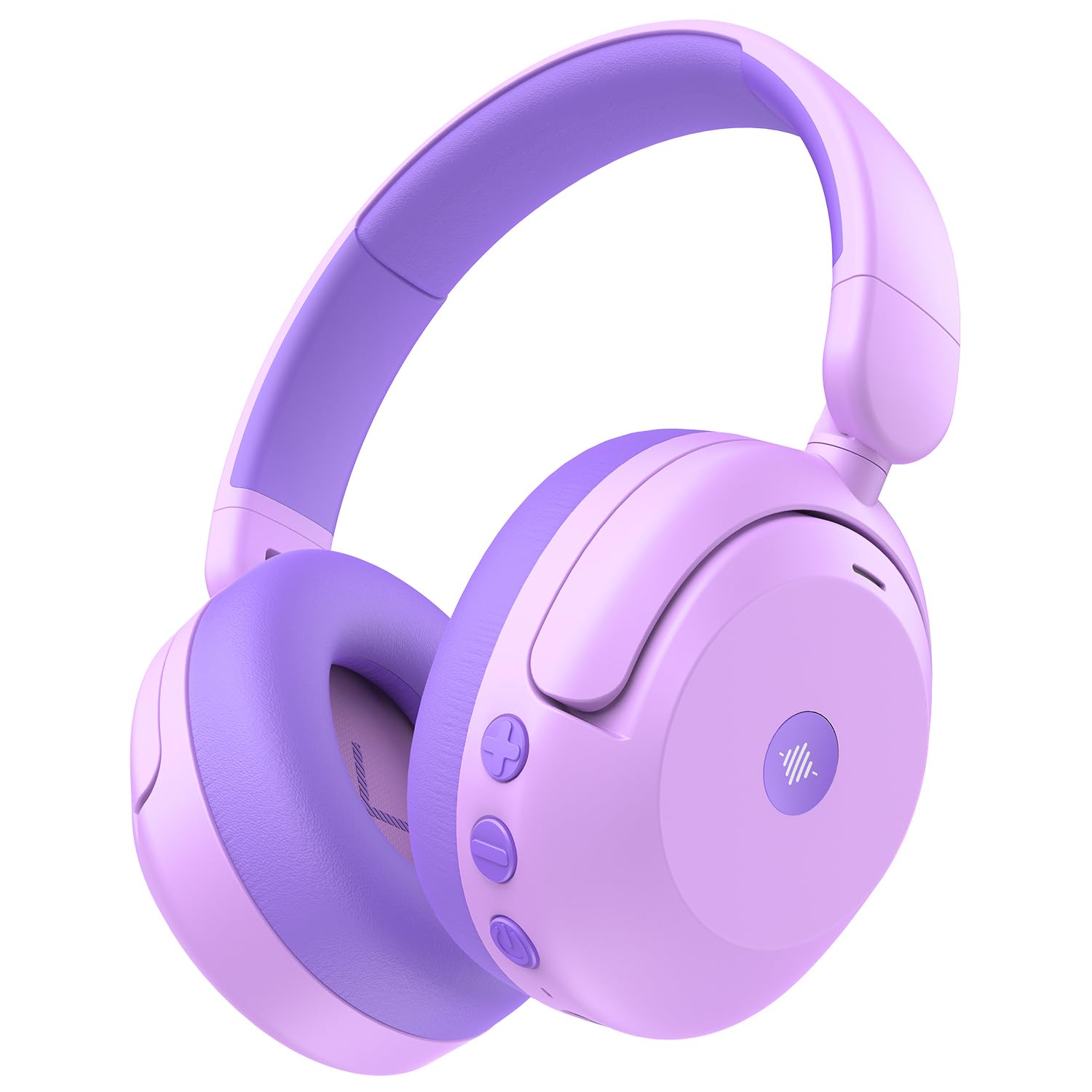
Image: iClever BTH20 headphones in purple, showcasing their over-ear design and vibrant color.

Wideo: Zbliżenie view of the iClever BTH20 headphones, highlighting the control buttons, charging port, and audio jack. This video demonstrates the physical features and connectivity options.
4. Konfiguracja
4.1 Ładowanie słuchawek
- Podłącz dołączony kabel ładujący USB-C do portu ładowania w słuchawkach.
- Podłącz drugi koniec kabla USB-C do kompatybilnego zasilacza USB (nie ma go w zestawie) lub do portu USB komputera.
- Wskaźnik LED będzie pokazywał stan ładowania (np. czerwony oznacza ładowanie, niebieski oznacza pełne naładowanie).
- A full charge takes approximately 2 hours. A 10-minute fast charge provides about 5 hours of use.
4.2 parowanie Bluetooth
- Sprawdź, czy słuchawki są naładowane i wyłączone.
- Naciśnij i przytrzymaj przycisk zasilania, aż dioda LED zacznie migać na niebiesko i czerwono, wskazując tryb parowania.
- Włącz Bluetooth na swoim urządzeniu (smartfonie, tablecie itp.) i wyszukaj dostępne urządzenia.
- Select "iClever BTH20" from the list of devices.
- Po podłączeniu wskaźnik LED zacznie świecić na niebiesko.
4.3 Połączenie przewodowe
For devices without Bluetooth or when the battery is low, use the included 3.5mm audio cable:
- Podłącz jeden koniec kabla audio 3.5 mm do gniazda audio w słuchawkach.
- Podłącz drugi koniec do wyjścia audio 3.5 mm w urządzeniu.
- Note: Active Noise Cancellation (ANC) is not available when using a wired connection.
5. Instrukcja obsługi
5.1 Włączanie/wyłączanie zasilania
- Włączanie: Naciśnij i przytrzymaj przycisk zasilania przez 2–3 sekundy, aż zaświeci się kontrolka LED.
- Wyłączone: Naciśnij i przytrzymaj przycisk zasilania przez 3–5 sekundy, aż wskaźnik LED zgaśnie.
5.2 Regulacja głośności
The headphones feature an 80dBA volume limit to protect young hearing. Use the dedicated volume buttons:
- Zwiększenie głośności: Naciśnij przycisk '+'.
- Ściszanie: Naciśnij przycisk '-'.
5.3 Aktywna redukcja szumów (ANC)
The BTH20 headphones offer two noise reduction modes for different environments:
- Aktywacja ANC: Press the ANC button (often marked with a wave icon) to cycle through modes.
- Low Noise Reduction Mode: Provides a gentler ear pressure, suitable for environments with moderate background noise.
- High Noise Reduction Mode: Blocks out most engine and mechanical noises, ideal for travel (e.g., airplanes).

Image: Diagram illustrating the Active Noise Cancellation feature and its effectiveness in reducing ambient sound.
5.4 Korzystanie z mikrofonu
The headphones include an inbuilt microphone for basic voice chat and calls when connected via Bluetooth.
- Odbieranie / kończenie połączeń: Naciśnij raz przycisk wielofunkcyjny (często jest to przycisk zasilania).
- Odrzucanie połączeń: Naciśnij i przytrzymaj przycisk wielofunkcyjny przez 2 sekundy.
6. Komfort i dopasowanie
The iClever BTH20 headphones are designed for maximum comfort for children:
- Regulowany pałąk: The 10-level adjustable headband ensures a snug yet comfortable fit for various head sizes, accommodating children from 3 years old and up.
- Miękkie nauszniki: The ear cushions are made from a pressure-reducing, skin-like texture, providing a gentle fit that prevents discomfort during long listening sessions.
- Lekka konstrukcja: Weighing only 220 grams, these headphones are light enough for children to wear without feeling burdened.

Image: A child wearing the iClever BTH20 headphones, demonstrating the comfortable and secure fit.
7. Konserwacja
To ensure the longevity and optimal performance of your iClever BTH20 headphones, follow these maintenance guidelines:
- Czyszczenie: Do czyszczenia słuchawek używaj miękkiej, suchej ściereczki. Unikaj stosowania silnych środków chemicznych i materiałów ściernych.
- Składowanie: When not in use, fold the headphones and store them in the provided carrying pouch to protect them from dust and damage. Store in a cool, dry place.
- Unikaj wody: These headphones are not water-resistant. Avoid exposure to liquids, moisture, or extreme temperatures.
- Zachowaj ostrożność: Although durable, avoid excessive bending or dropping the headphones to prevent damage to internal components.
8. Rozwiązywanie Problemów
| Problem | Rozwiązanie |
|---|---|
| Słuchawki nie włączają się. | Upewnij się, że słuchawki są w pełni naładowane. Podłącz je do źródła zasilania za pomocą kabla USB-C. |
| Nie można sparować przez Bluetooth. | Make sure the headphones are in pairing mode (flashing blue/red LED). Turn off and on Bluetooth on your device. Ensure no other devices are connected. |
| Brak dźwięku lub niski poziom głośności. | Check volume levels on both headphones and the connected device. Ensure the headphones are properly paired or the 3.5mm cable is securely connected. |
| ANC is not working. | Ensure the headphones are powered on and not connected via the 3.5mm audio cable (ANC is only for Bluetooth mode). Press the ANC button to cycle through modes. |
| Mikrofon nie działa. | Upewnij się, że słuchawki są połączone przez Bluetooth. Sprawdź ustawienia mikrofonu w podłączonym urządzeniu. |
9. Specyfikacje
| Funkcja | Szczegół |
|---|---|
| Nazwa modelu | BTH20 |
| Marka | iClever |
| Technologia łączności | Bezprzewodowy (Bluetooth 5.4) / Przewodowy (gniazdo 3.5 mm) |
| Wersja Bluetooth | 5.4 |
| Zasięg Bluetooth | 10 metrów |
| Kontrola hałasu | Aktywna redukcja szumów (do 40 dB) |
| Limit głośności | 80dBA (iClever Sound Refiner Technology) |
| Rozmiar sterownika audio | 40 milimetrów |
| Zakres częstotliwości | 20Hz - 20,000Hz |
| Żywotność baterii (ANC wyłączone) | Do 60 godzin |
| Żywotność baterii (ANC włączony) | Do 35 godzin |
| Czas ładowania akumulatora | 2 Hours (10-min fast charge for 5 hours playtime) |
| Port ładowania | USB-C |
| Tworzywo | Acrylonitrile Butadiene Styrene (ABS), Leather, POK (BPA/PVC free) |
| Waga przedmiotu | 220 gram |
| Przedział wiekowy | 3+ lat |
| Odporność na wodę | Nie jest wodoodporny |
10. Gwarancja i pomoc techniczna
iClever products come with a standard warranty. For specific warranty details and to register your product, please refer to the warranty card included in your package or visit the official iClever webstrona.
For technical support, troubleshooting assistance, or any questions regarding your iClever BTH20 headphones, please contact iClever Customer Service:
- Webstrona: Visit the official iClever webStrona z odpowiedziami na często zadawane pytania i zasobami pomocy.
- E-mail: Refer to your product packaging or the iClever webwitryna zawierająca adresy e-mail obsługi klienta.