
1. Wprowadzenie
Thank you for choosing the Kapro Nucleo Mini 3D Green Laser. This precision tool is designed for various leveling and alignment tasks, offering three 360° laser lines for comprehensive coverage. This manual provides essential information for the safe and effective use of your device.
2. Informacje dotyczące bezpieczeństwa
Aby zapobiec obrażeniom ciała i uszkodzeniu urządzenia, należy zawsze przestrzegać następujących środków ostrożności:
- Promieniowanie laserowe: Do not stare directly into the laser beam. Avoid direct eye exposure. This product emits Class 2 laser radiation.
- Źródło zasilania: Use only the specified charging cable and adapter. Do not attempt to open or modify the battery compartment.
- Środowisko: Nie wystawiaj urządzenia na działanie ekstremalnych temperatur, wilgoci ani bezpośredniego światła słonecznego przez dłuższy czas.
- Obsługiwanie: Handle the laser level with care. Avoid dropping or subjecting it to strong impacts.
- Dzieci: Przechowywać urządzenie w miejscu niedostępnym dla dzieci.
3. Zawartość opakowania
Sprawdź, czy w przesyłce znajdują się wszystkie elementy:
- Kapro Nucleo Mini 3D Green Laser Level
- Miękka torba
- Uchwyt
- Recharge Cable (USB-C)
- Zasilacz
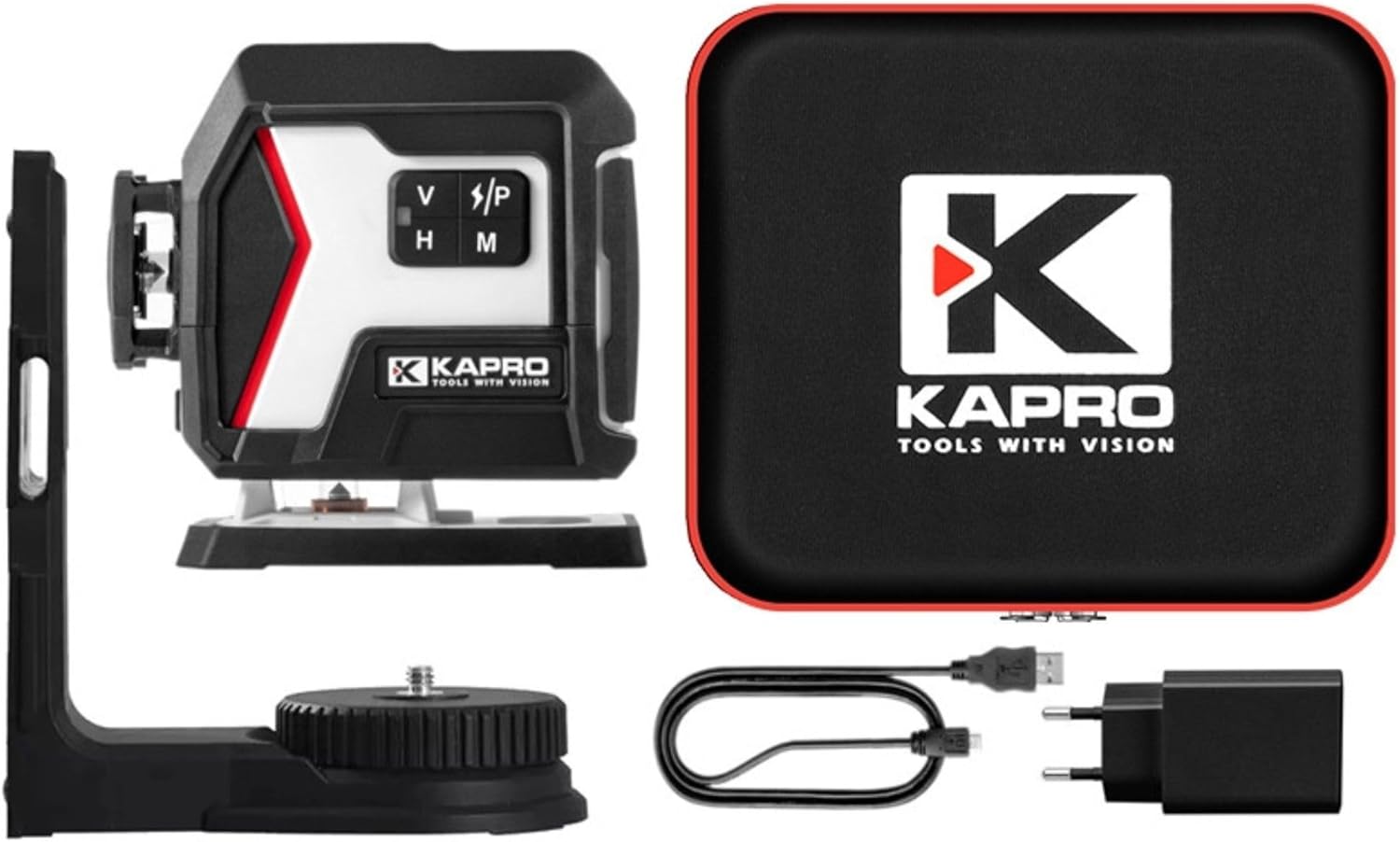
Image 3.1: The Kapro Nucleo Mini 3D Green Laser level shown with its soft carrying case, magnetic mount, USB-C charging cable, and power adapter.
4. Koniec produktuview
The Nucleo Mini 3D Green Laser features three distinct 360° laser lines: a bottom horizontal line, a side vertical line, and a forward vertical line, providing comprehensive coverage for various applications.
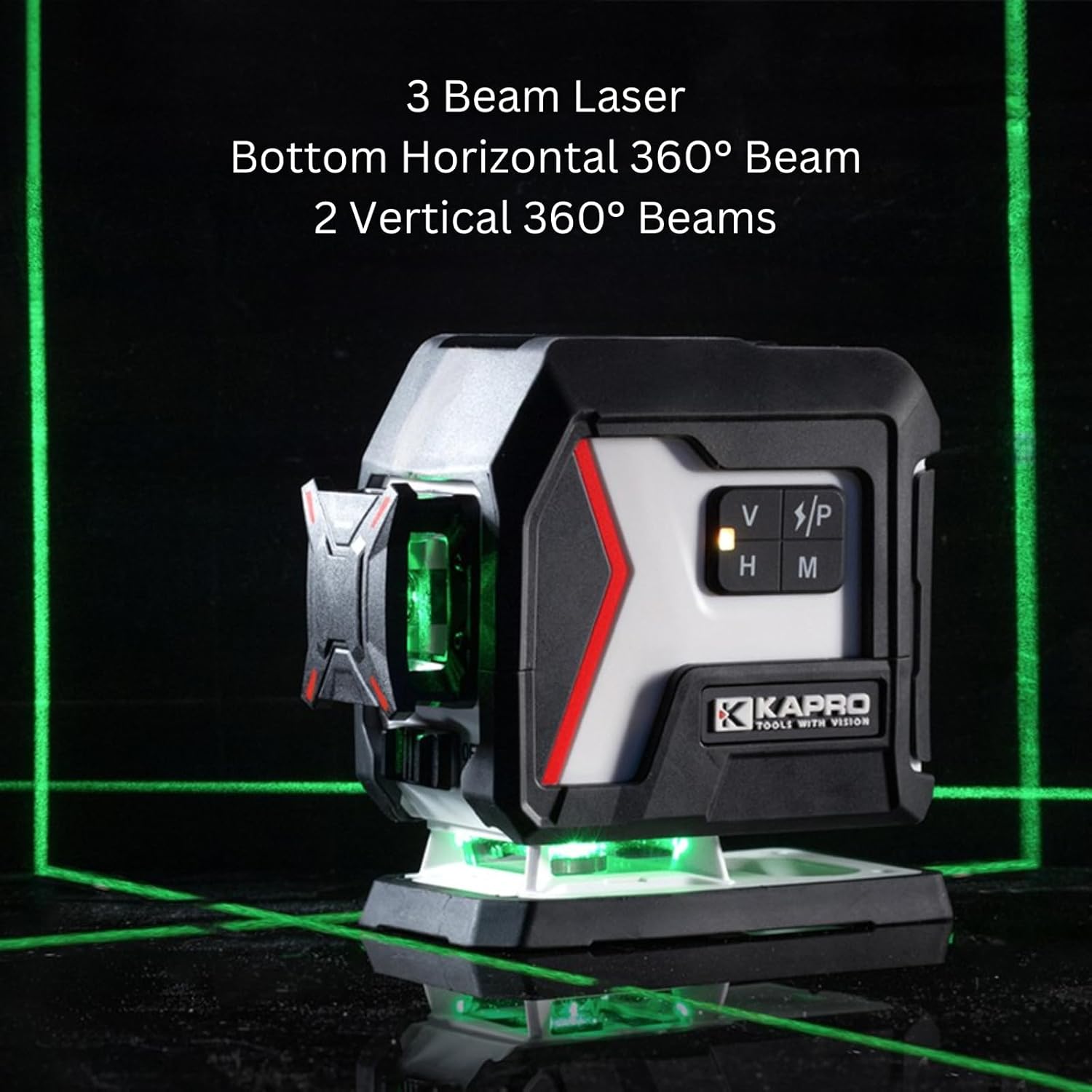
Image 4.1: The Kapro Nucleo Mini 3D Green Laser projecting its three 360-degree green laser beams, illustrating its full coverage capability.
Kluczowe komponenty:
- Laser Emitters: Project the green laser lines.
- Panel sterowania: Buttons for mode selection (V/P, H, M).
- Przełącznik włączania/wyłączania: Znajduje się z boku jednostki.
- Port USB-C: Do ładowania wewnętrznego akumulatora.
- Gwinty montażowe: Top and bottom 1/4" UNC threads for tripod or mount attachment.

Rysunek 4.2: Szczegółowy view of the Kapro Nucleo Mini 3D Green Laser, highlighting the USB-C charging port and the integrated mounting threads for versatile setup.
5. Konfiguracja
5.1 Ładowanie akumulatora
Before first use, fully charge the laser level. Connect the provided USB-C cable to the laser's charging port and the other end to the power adapter. Plug the adapter into a suitable power outlet. The laser can operate while recharging.
5.2 Montaż lasera
The Nucleo Mini 3D Green Laser can be used freestanding or mounted:
- Wolnostojące: Umieść laser na stabilnej i równej powierzchni.
- Mocowanie magnetyczne: Attach the included magnetic mount to the laser using the 1/4" UNC thread. The mount can then be affixed to metallic surfaces.
- Statyw: Secure the laser directly to a tripod using the 1/4" UNC threads located on the top or bottom of the unit.
6. Instrukcja obsługi
6.1 Włączanie/wyłączanie
To turn the laser on, slide the ON/OFF switch to the 'ON' position. To turn it off, slide the switch to the 'OFF' position.
6.2 tryby pracy
The Nucleo Mini 3D Green Laser offers three primary operating modes:
- Self-Leveling Mode (Default): When powered on, the laser automatically self-levels within its specified range. If the device is outside its leveling range, the laser lines will flash to indicate an unlevel condition.
- Manual Mode (Slope Marking): Press the 'M' button to activate manual mode. In this mode, the self-leveling function is deactivated, allowing the user to project laser lines at any desired angle for slope marking. The laser lines will typically flash or indicate manual mode visually.
- Tryb impulsowy: Press the 'V/P' button to cycle through vertical lines and activate pulse mode. Pulse mode is designed for use with a compatible laser detector (sold separately) to extend the working range of the laser up to 200 feet (60 meters). This mode is particularly useful in bright conditions or over long distances.
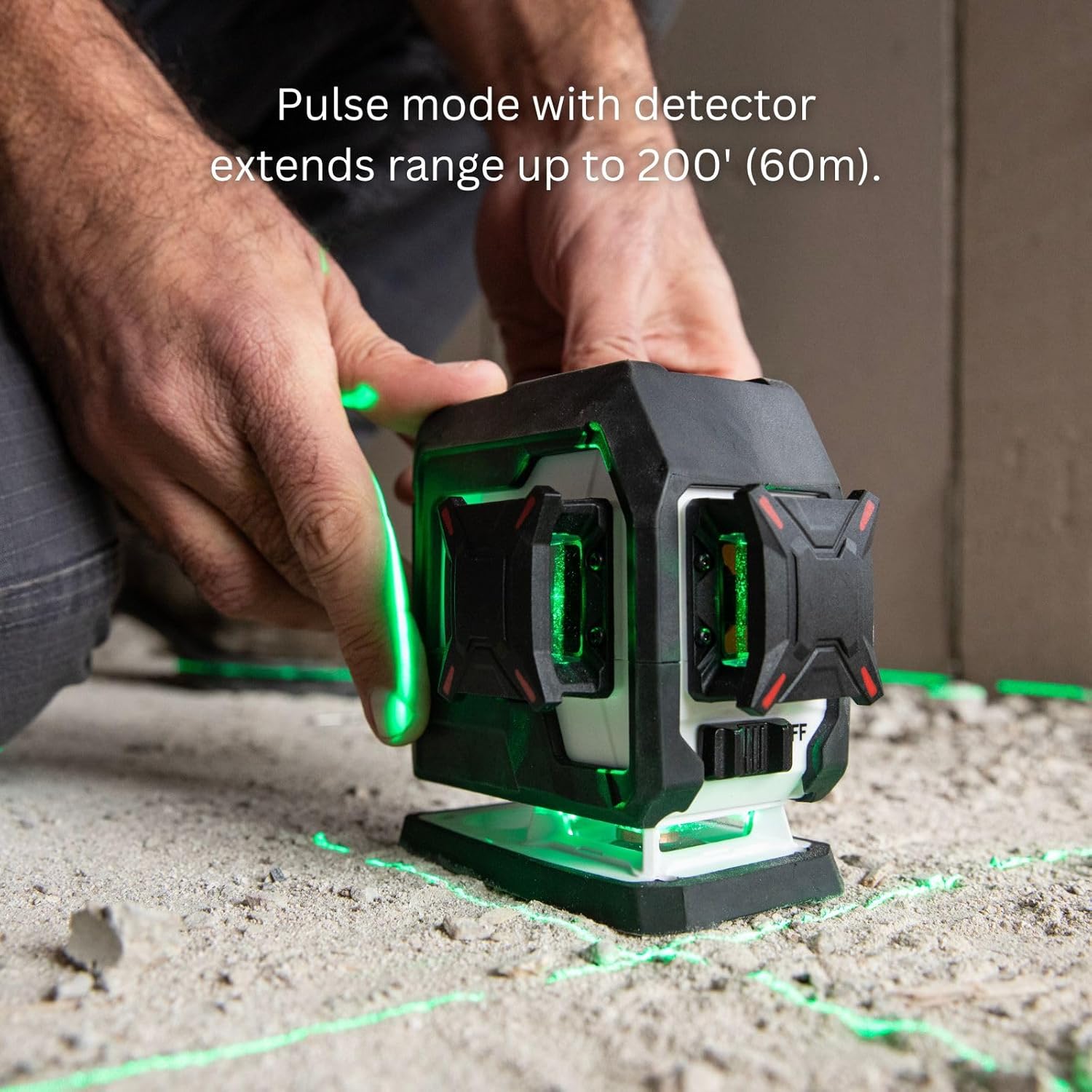
Image 6.1: A user operating the Kapro Nucleo Mini 3D Green Laser, demonstrating how pulse mode extends the laser's range up to 200 feet (60 meters) when used with a compatible detector.
- Tryb z błyskiem: Press the 'H' button to cycle through horizontal lines and activate flash mode. Flash mode enhances the visibility of the laser beam in bright environments, making it easier to see the lines without a detector.

Image 6.2: The Kapro Nucleo Mini 3D Green Laser in operation, illustrating how flash mode improves the visibility of the laser lines in brightly lit conditions.
6.3 Przełączanie linii laserowych
Use the 'V/P' button to toggle vertical laser lines and the 'H' button to toggle horizontal laser lines. You can activate individual lines or combinations as needed for your task.
7. Konserwacja
7.1 Czyszczenie
Przetrzyj poziomnicę laserową miękką szmatką.amp cloth. Do not use abrasive cleaners or solvents. Ensure the laser apertures are clean for optimal beam clarity.
7.2 Przechowywanie
When not in use, store the laser level in its soft bag in a dry, cool place, away from direct sunlight and extreme temperatures. If storing for extended periods, ensure the battery is partially charged (around 50%) to prolong its lifespan.
8. Rozwiązywanie Problemów
| Problem | Możliwa przyczyna | Rozwiązanie |
|---|---|---|
| Linie laserowe migają szybko. | The laser is outside its self-leveling range. | Place the laser on a more level surface or adjust its position until the lines become steady. |
| Laser się nie włącza. | Bateria jest rozładowana. | Charge the laser using the provided USB-C cable and power adapter. |
| Linie laserowe są słabe i trudne do zobaczenia. | Bright ambient light; dirty laser aperture. | Activate Flash Mode. Use a laser detector in Pulse Mode for extended range. Clean the laser apertures with a soft cloth. |
| Laser lines are not level in Manual Mode. | This is expected behavior in Manual Mode, which is for slope marking. | If self-leveling is desired, ensure the laser is not in Manual Mode and is placed on a level surface. |
9. Specyfikacje
| Funkcja | Specyfikacja |
|---|---|
| Numer modelu | Nucleo |
| Typ lasera | Zielony laser |
| Linie laserowe | Three 360° (Bottom Horizontal, Side Vertical, Forward Vertical) |
| Zakres roboczy | 100 stóp (30 metry) |
| Extended Range (with detector) | 200 stóp (60 metry) |
| Tryby pracy | Self-Leveling, Manual, Pulse, Flash |
| Źródło zasilania | Zasilany bateryjnie (ładowany przez USB-C) |
| Gwinty montażowe | 1/4" UNC (Top & Bottom) |
| Zawarte komponenty | Laser Level, Soft Bag, Mount, Recharge Cable |
10. Gwarancja i wsparcie
For warranty information and technical support, please refer to the official KAPRO webOdwiedź stronę internetową lub skontaktuj się bezpośrednio z działem obsługi klienta. Zachowaj paragon jako dowód zakupu na wypadek ewentualnych roszczeń gwarancyjnych.
Producent: Kapro Tools
Data pierwszej dostępności: 4 marca 2025 r.