
EMEET E3141
EMEET Piko 4K WebInstrukcja obsługi krzywki
Model: E3141 | Brand: EMEET
1. Wprowadzenie
The EMEET Piko 4K Webcam is an advanced dual-camera AI-powered device designed for high-quality video streaming, conferencing, and content creation. It features a 4K main camera for ultra-clear visuals and an AI-assisted camera for rapid autofocus and precise face lighting, even in challenging low-light conditions. Equipped with a 3-microphone array and multiple sound modes, it ensures clear audio capture. This manual provides essential information for setting up, operating, and maintaining your EMEET Piko 4K Webkamera
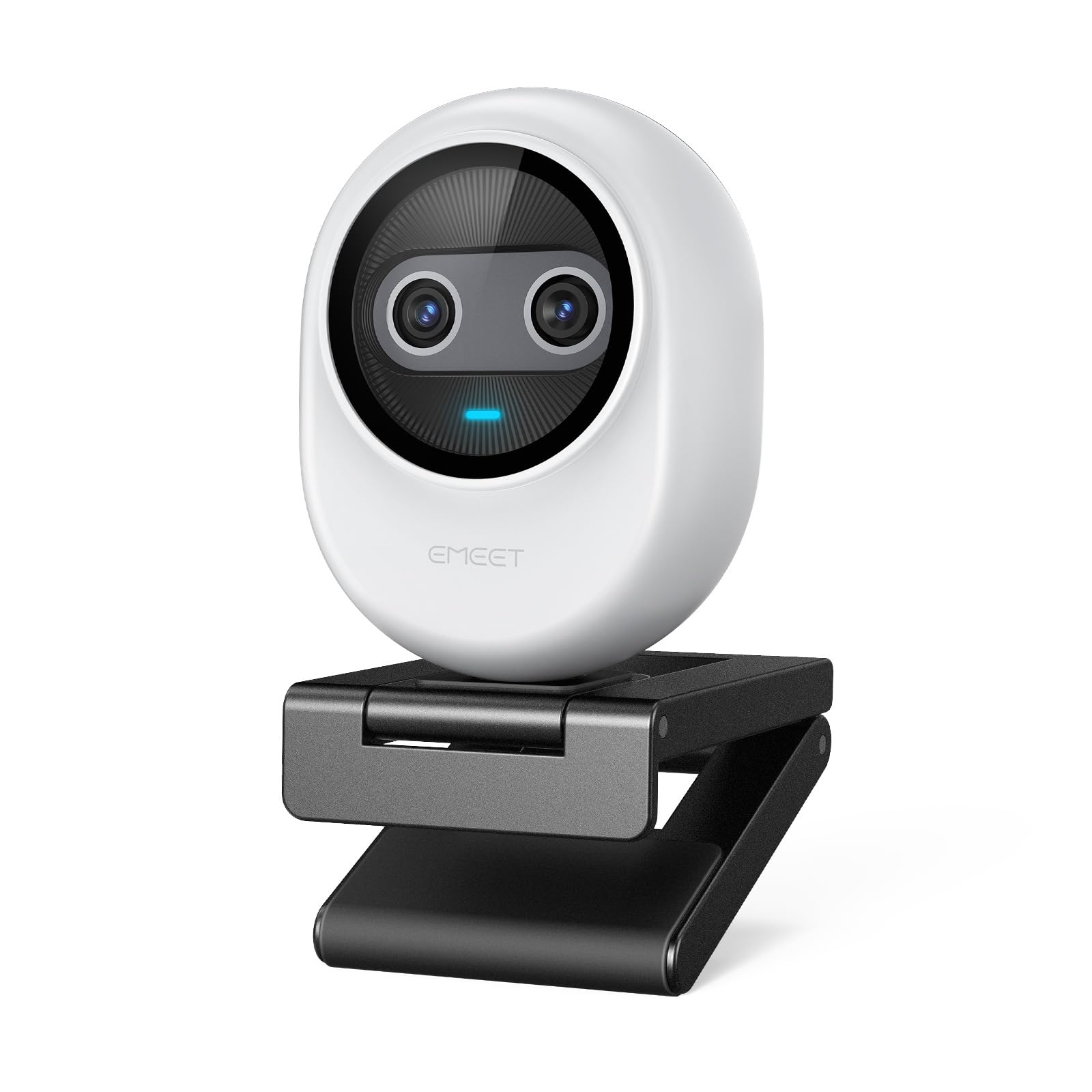
Figure 1: EMEET Piko 4K Webcam, White model.
2. Co znajduje się w pudełku
Sprawdź, czy w opakowaniu znajdują się wszystkie elementy:
- EMEET Piko 4K Webkrzywka
- Kabel USB CC
- Webcam Clip
- Instrukcja obsługi (ten dokument)

Figure 2: EMEET Piko Webkamera i dołączone akcesoria.
3. Konfiguracja
3.1 Mocowanie Webcam Clip
- Wyrównaj webcam with the clip's mounting point.
- Delikatnie naciśnij webcam onto the clip until it securely snaps into place.
3.2 Montaż Webkrzywka
- Na monitorze/laptopie: Umieść webcam clip over the top edge of your monitor or laptop screen. Adjust the clip to ensure stability.
- Na statywie: Ten webcam features a standard 1/4-inch screw thread at its base. Attach it to a compatible tripod (not included) for flexible positioning.

Rysunek 3: Webcam mounted on a monitor for professional calls.
3.3 Podłączanie do komputera
- Connect one end of the provided USB C-C cable to the USB-C port on the back of the EMEET Piko Webkamera
- Connect the other end of the USB C-C cable to an available USB-C port on your computer. If your computer only has USB-A ports, a USB-C to USB-A adapter (not included) may be required.
- Ten webcam is plug-and-play and should be automatically recognized by your Windows or macOS operating system.

Figure 4: USB-C connectivity and broad compatibility with various platforms.
4. Główne cechy
4.1 Dual-Camera AI-Powered Video
The EMEET Piko features a revolutionary dual-camera system:
- 4K Main Camera: Equipped with a 1/2.8'' sensor, it captures video in Ultra HD 4K resolution, providing exceptional detail and clarity.
- AI-Assisted Camera: This secondary camera enhances the main camera's performance by providing rapid autofocus and precise face lighting adjustments, ensuring you are always well-lit and in focus. It excels in low-light environments.

Figure 5: Explanation of the 4K Imaging Camera and AI-Assisted Camera.
4.2 3 Mics Array & 3 Sound Modes
Experience clear audio with the integrated 3-microphone array and selectable sound modes:
- Tryb redukcji szumów: Combines gain control with steady and sudden noise blocking, ideal for busy environments.
- Oryginalny tryb dźwięku: Captures authentic sounds and preserves ambient audio, recommended for quiet spaces.
- Tryb na żywo: Adjusts gain and reduces background noise like air conditioning, ensuring clear audio for live streaming.

Figure 6: Visual representation of the 3-microphone array and sound mode selection.
4.3 Projekt i przenośność
The EMEET Piko features a rounded, sleek design with fine matte textured materials. Its compact size makes it highly portable, smaller and lighter than a typical smartphone.

Figure 7: The sleek and compact design of the EMEET Piko Webkamera
4.4 Szeroka kompatybilność
Ten webcam is compatible with Windows and MacOS operating systems and integrates seamlessly with popular platforms such as OBS, Twitch, YouTube, Xsplit, and ManyCam.
5. Instrukcja obsługi
5.1 Podstawowe użytkowanie
Once connected, the EMEET Piko Webcam will function as a standard webcam. Select it as your preferred camera and microphone input in your video conferencing or streaming application.
5.2 EMEET Studio Software
For advanced control and customization, download and install the EMEET Studio software from the official EMEET webwitryna. To oprogramowanie pozwala na:
- Adjust video settings (brightness, contrast, sharpness, saturation, tone).
- Select different sound modes (Noise Canceling, Original Sound, Live Mode).
- Control AI features like autofocus and face tracking.
- Switch between landscape and portrait mode (requires compatible tripod).
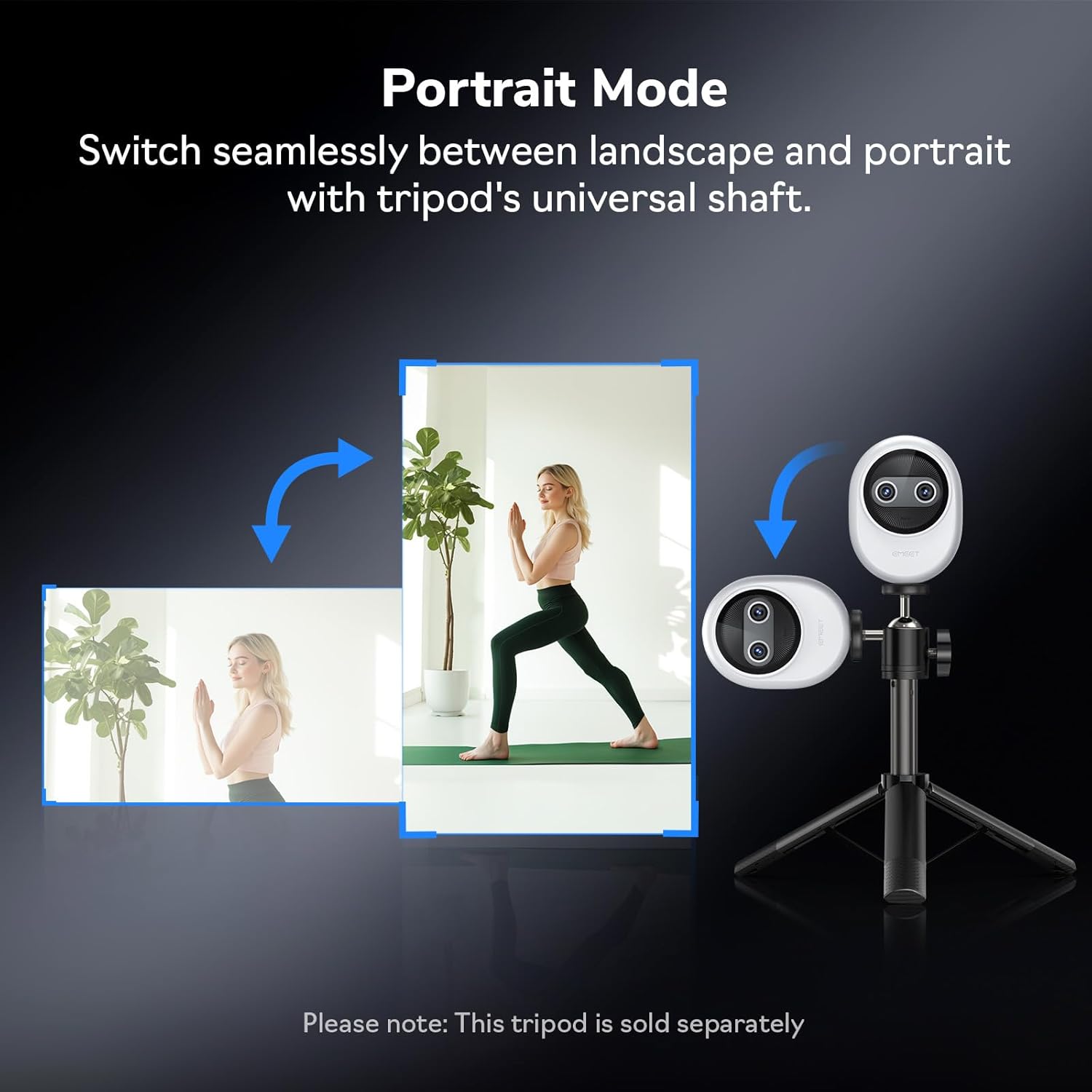
Rysunek 8: Webcam demonstrating seamless switching to portrait mode.
5.3 Optional Remote Control
An optional remote control (ASIN: B0FP281Z19) is available for wireless control of the webcam's functions, offering convenience during presentations or streaming sessions.

Figure 9: Optional remote control for the EMEET Piko Webkamera
6. Konserwacja
- Czyszczenie: Do czyszczenia należy używać miękkiej, suchej ściereczki. webcam lens and body. Avoid abrasive cleaners or solvents.
- Składowanie: Gdy nie jest używany, przechowuj webcam in a cool, dry place. Consider using a privacy cover (optional accessory) to protect the lens.
- Aktualizacje oprogramowania układowego: Regularly check the EMEET webwitryna z aktualizacjami oprogramowania sprzętowego zapewniająca optymalną wydajność i dostęp do nowych funkcji.

Figure 10: Optional magnetic privacy cover for lens protection.
7. Rozwiązywanie Problemów
- Brak obrazu/dźwięku:
- Upewnij się, że kabel USB jest bezpiecznie podłączony do obu urządzeń. webkamera i komputer.
- Wypróbuj inny port USB na swoim komputerze.
- Sprawdź, czy webcam is selected as the primary video and audio device in your application settings.
- Uruchom ponownie komputer.
- Słaba jakość wideo:
- Ensure adequate lighting in your environment. The AI-assisted camera performs best with some ambient light.
- Wyczyść webSoczewkę kamery przetrzyj miękką ściereczką.
- Check your application settings to ensure the correct resolution (e.g., 4K) is selected.
- Aktualizacja webcam drivers or EMEET Studio software to the latest version.
- Problemy z autofokusem:
- Upewnij się, że przed obiektywem nie ma żadnych przeszkód.
- In EMEET Studio, verify that AI autofocus is enabled.
- Avoid rapid, excessive movement directly in front of the camera if focus hunting occurs.
8. Specyfikacje
| Funkcja | Szczegół |
|---|---|
| Marka | Spotkanie |
| Numer modelu | E3141 |
| Waga przedmiotu | 1.44 uncji |
| Wymiary produktu | 2.2 x 1.7 x 0.87 cala |
| Kolor | Biały |
| Technologia czujnika fotograficznego | CMOS |
| Rozdzielczość przechwytywania wideo | 4K |
| Format przechwytywania wideo | YUY2/MJPEG |
| Obsługiwany format audio | AAC, MP3 |
| Technologia łączności | USB |
| Cechy specjalne | 1/2.8'' Sensor, 3 Mic Array & 3 Sound Modes, Instant AI Autofocus & Adaptive Face Lighting, USB Webcam with Clip, World's 1st Dual-Camera AI-Powered 4K Webkrzywka |
9. Gwarancja i wsparcie
EMEET products are designed for reliability and performance. For warranty information, technical support, or to register your product, please visit the official EMEET weblub skontaktuj się z działem obsługi klienta. Zachowaj paragon zakupu na potrzeby roszczeń gwarancyjnych.
10. Koniec produktuview Wideo
Video 1: Official EMEET Piko 4K Webkrzywka Overview. This video highlights the key features and design of the webkamera
Ask a question about this manual
Ask about setup, troubleshooting, compatibility, parts, safety, or missing instructions. Manuals+ will review the question and use this page’s manual context to help answer it.