
1. Koniec produktuview
The BoxWave PD miniSync (240W) is a retractable USB Type-C to Type-C cable designed for efficient charging and high-speed data transfer. Its innovative retractable mechanism keeps the cable organized and tangle-free, making it ideal for portable use. This cable supports Power Delivery (PD) up to 240W, ensuring rapid charging for compatible devices.
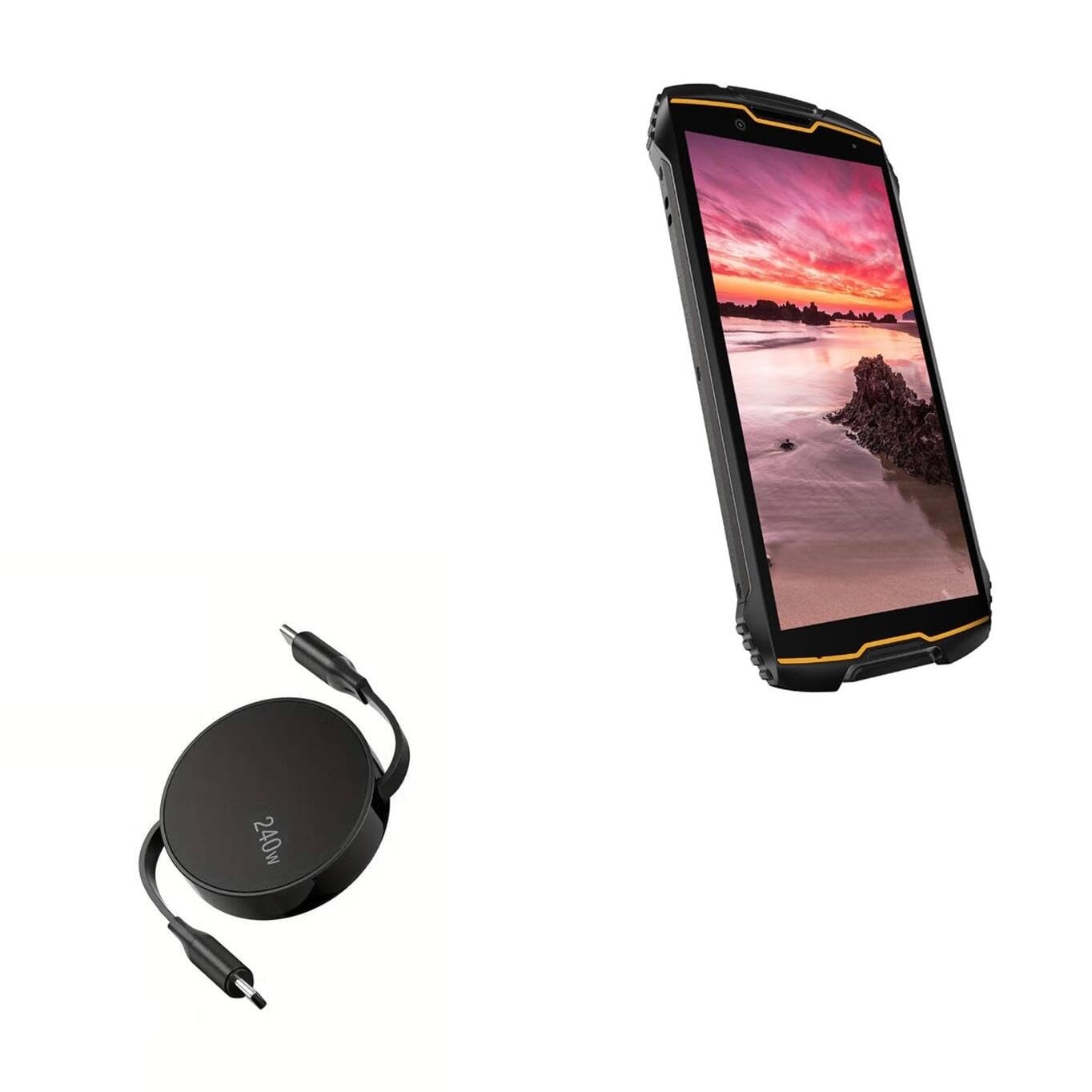
Image: The BoxWave PD miniSync 240W Retractable USB Type-C Cable in its compact, retracted state.
2. Główne cechy
- Innovative Retraction Design: The cable features a unique retraction mechanism that allows it to extend and retract smoothly, preventing tangles and knots.
- High Power Delivery (240W): Capable of delivering up to 240 Watts of power, enabling fast charging for a wide range of USB Type-C devices.
- Uniwersalna kompatybilność: Utilizes the universal USB Type-C PD Protocol, ensuring compatibility with various power sources and devices.
- Szybki transfer danych: Supports data transfer speeds up to 5Gbps, allowing for quick syncing of files.
- Trwała konstrukcja: Made with high-quality polycarbonate material and a heavy-duty ribbon-style cable for enhanced durability.
- Przenośny i kompaktowy: Retracts to a minuscule 3 inches for easy portability, extending up to 5 feet for ampdosięgnę.

Image: Illustration showing the retractable cable preventing tangles compared to a standard cable mess.

Image: Diagram illustrating the various adjustable lengths of the retractable cable, from 5 inches to 58 inches.
3. Konfiguracja
To begin using your BoxWave PD miniSync cable, follow these simple steps:
- Rozpakować: Ostrożnie wyjmij kabel z opakowania.
- Przedłuż kabel: Gently pull both USB Type-C connectors simultaneously until the cable reaches your desired length. The cable will lock into one of the pre-set lengths. Do not pull only one side, as this can damage the retraction mechanism.
- Łączyć: Insert one USB Type-C connector into your power source (e.g., wall adapter, power bank, computer) and the other USB Type-C connector into your device (e.g., smartphone, tablet, laptop).

Image: A smartphone connected to a laptop via the BoxWave PD miniSync cable, demonstrating a typical setup.
4. Instrukcja obsługi
4.1 Ładowanie urządzenia
The PD miniSync cable supports fast charging for compatible devices.
- Ensure both your power source and device support USB Power Delivery (PD) for optimal charging speeds.
- Connect one end of the cable to a compatible USB Type-C power adapter or port.
- Connect the other end of the cable to your device's USB Type-C port.
- Urządzenie powinno poinformować o ładowaniu.

Image: A laptop connected to a power source using the BoxWave PD miniSync 240W cable, illustrating power delivery.
4.2 Przesyłanie danych
Use the PD miniSync cable to transfer data between your devices.
- Connect one end of the cable to your computer's USB Type-C port.
- Connect the other end of the cable to your device's USB Type-C port.
- Twój komputer powinien rozpoznać podłączone urządzenie, umożliwiając dostęp i przesyłanie danych files.

Image: Close-up of a USB Type-C connector, highlighting its role in swift data syncing.
4.3 Extending and Retracting the Cable
The cable's retractable design offers convenience and prevents tangles.
- Aby rozszerzyć: Gently pull both USB Type-C connectors away from the central hub simultaneously. The cable will click into various pre-set lengths. Stop pulling when you reach your desired length.
- Aby wycofać: Give a quick, gentle tug on both connectors simultaneously. The cable will then retract fully into the central hub.
- Ważny: Always pull both ends evenly to avoid damaging the internal retraction mechanism.

Image: Hands demonstrating how to gently pull both ends of the PD miniSync to extend the cable.
5. Konserwacja
Proper care will extend the life of your BoxWave PD miniSync cable.
- Czyszczenie: Do czyszczenia kabla i złączy używaj miękkiej, suchej ściereczki. Unikaj stosowania silnych środków chemicznych i materiałów ściernych.
- Składowanie: When not in use, fully retract the cable to its compact form. Store it in a cool, dry place away from direct sunlight and extreme temperatures.
- Obsługiwanie: Always handle the connectors, not the cable itself, when plugging or unplugging. Avoid bending the cable sharply or applying excessive force to the retraction mechanism.
6. Rozwiązywanie Problemów
| Wydanie | Możliwa przyczyna | Rozwiązanie |
|---|---|---|
| Urządzenie się nie ładuje. | Luźne połączenie, niekompatybilne źródło zasilania, uszkodzony port urządzenia. | Ensure cable is securely connected at both ends. Try a different power adapter or wall outlet. Verify your device's charging port is clean and undamaged. |
| Niska prędkość ładowania. | Power source not supporting PD, device not supporting PD, background apps. | Use a power adapter that supports USB PD and matches your device's power requirements. Close unnecessary background applications on your device. |
| Kabel nie zwija się/nie rozwija płynnie. | Uneven pulling, internal mechanism obstruction. | Always pull both ends simultaneously and evenly. Do not force the mechanism. If the issue persists, contact customer support. |
| Device not recognized for data transfer. | Loose connection, incorrect device settings, driver issues. | Ensure secure connections. Check your device's USB connection settings (e.g., 'File Transfer' mode). Try a different USB port on your computer. Update computer drivers if necessary. |
7. Specyfikacje
| Funkcja | Szczegół |
|---|---|
| Marka | Fala pudełkowa |
| Model | PD miniSync (240W) |
| Typ złącza | USB typu C do USB typu C |
| Dostarczanie mocy | Do 240 W |
| Prędkość przesyłu danych | Do 5 Gbps |
| Cable Length (Extended) | Do 5 stóp (1.5 metrów) |
| Cable Length (Retracted) | 3 cali (7.6 cm) |
| Kolor | Czarny jak kruk |
| Waga przedmiotu | 1.5 uncji (42.5 gramów) |
8. Gwarancja i wsparcie
For warranty information or technical support, please contact BoxWave customer service. Refer to the product packaging or the official BoxWave webna naszej stronie znajdziesz najnowsze dane kontaktowe i warunki gwarancji.