
XIAOMI Xiaomi Pad 7 Pro (Model 24091RPADG, 62767)
Instrukcja obsługi Xiaomi Pad 7 Pro
Model: 24091RPADG, 62767
Marka: XIAOMI
1. Wprowadzenie
This manual provides essential information for the safe and efficient use of your Xiaomi Pad 7 Pro. Please read this manual thoroughly before using the device and keep it for future reference.
The Xiaomi Pad 7 Pro is a high-performance tablet designed for productivity and entertainment, featuring an 11.2-inch 3.2K 144Hz display, powered by the Snapdragon 8s Gen 3 Mobile Platform, and running on Android 14 with HyperOS. This is a WiFi-only version and does not support cellular calls or text messages, nor does it have a SIM card or SD card slot.

Figure 1.1: Xiaomi Pad 7 Pro device overview.
2. Konfiguracja
2.1 Rozpakowanie i opłata początkowa
Your Xiaomi Pad 7 Pro comes with a USB Type-C Cable and this manual. A power adapter is not included in the box. For optimal charging, a 45W turbo charging adapter is recommended and sold separately.
- Connect the USB Type-C cable to the tablet's charging port and to a compatible power adapter (not included) or a computer's USB port.
- Allow the tablet to charge until the battery indicator shows a sufficient charge, or fully charged, before first use.
2.2 Włączanie i konfiguracja początkowa
- Press and hold the power button (located on the side) until the Xiaomi logo appears.
- Postępuj zgodnie z instrukcjami wyświetlanymi na ekranie, aby wybrać język i region, a następnie nawiązać połączenie z siecią Wi-Fi.
- Zaloguj się na swoje konto Google lub utwórz nowe, aby uzyskać dostęp do usług Google i Sklepu Play.
- Set up your screen lock method, which can include a PIN, pattern, password, or biometric options like the side fingerprint sensor or face unlock.
2.3 Biometric Security Setup
- Przejdź do Settings > Face data & screen lock or Settings > Side fingerprint sensor.
- Follow the instructions to register your fingerprint or face data for quick and secure unlocking.
3. Operating Your Xiaomi Pad 7 Pro
3.1 Wyświetlacz i wrażenia wizualne
The Xiaomi Pad 7 Pro features an 11.2-inch 3.2K (3200 x 2136 pixels, 345 ppi) display with a refresh rate of up to 144Hz. It supports Dolby Vision and offers 800 nits peak brightness for an immersive visual experience. The display includes multi-dimensional eye-care functions, such as 4096 levels of brightness adjustment, and has attained TÜV Rheinland eye comfort certifications (Low Blue Light, Flicker Free, Circadian Friendly) to protect your eyes during extended use.
3.2 Wydajność i możliwości sztucznej inteligencji
Powered by the 4nm Snapdragon 8s Gen 3 Mobile Platform with an Octa-core processor up to 3.0GHz and Adreno GPU, the tablet delivers robust performance. It integrates a Qualcomm AI engine, enabling new AI capabilities for handling diverse office tasks, generating texts and images, and conducting meetings seamlessly. The proprietary AIGC and cloud computing technology allow for quick transformation of sketches into masterpieces.
System audio 3.3
The tablet is equipped with quad speakers supporting Dolby Atmos, providing an immersive sound experience. It also features a 200% volume boost for enhanced audio output.
3.4 kamer
- Kamera tylna: 50MP (JN1, 1/2.76", f/1.8, PDAF) with 4K video recording at 30fps/60fps and 1080P/720P video at 30fps/60fps. Supported modes include Photo, Video, Portrait, Document, Dual video, Director mode, Teleprompter, Dynamic shot, and HDR.
- Przednia kamera: 32MP (1/3.6", f/2.2) with 1080P/720P video recording at 30fps. Supported modes include Photo, Video, Portrait, Dual video, Teleprompter, Dynamic shot, and HDR.
3.5 Łączność i czujniki
The Xiaomi Pad 7 Pro supports Wi-Fi 6E (2x2 MIMO, 8x8 Sounding for MU-MIMO, Wi-Fi Direct, Miracast) and Bluetooth 5.4 (AAC / LDAC / LHDC 5.0, IPv6). It includes a comprehensive set of sensors: Accelerometer, Gyroscope, Front Ambient light (color temperature), Rear Ambient light, Flicker, Hall, Side fingerprint, Magnetic, Proximity, RGB LED, and IR remote control.
3.6 Operating System: HyperOS 2
The tablet runs on Android 14 with HyperOS 2, which introduces new core technologies and intelligent computing power scheduling for seamless multi-tasking. HyperOS 2 accurately allocates resources based on window visibility prioritization for a smoother user experience. It also enhances connectivity with the refreshed Xiaomi HyperConnect and provides evolved Conference tools with features like Fill light, Interpret, and Cross-device camera for improved meeting and office experiences.
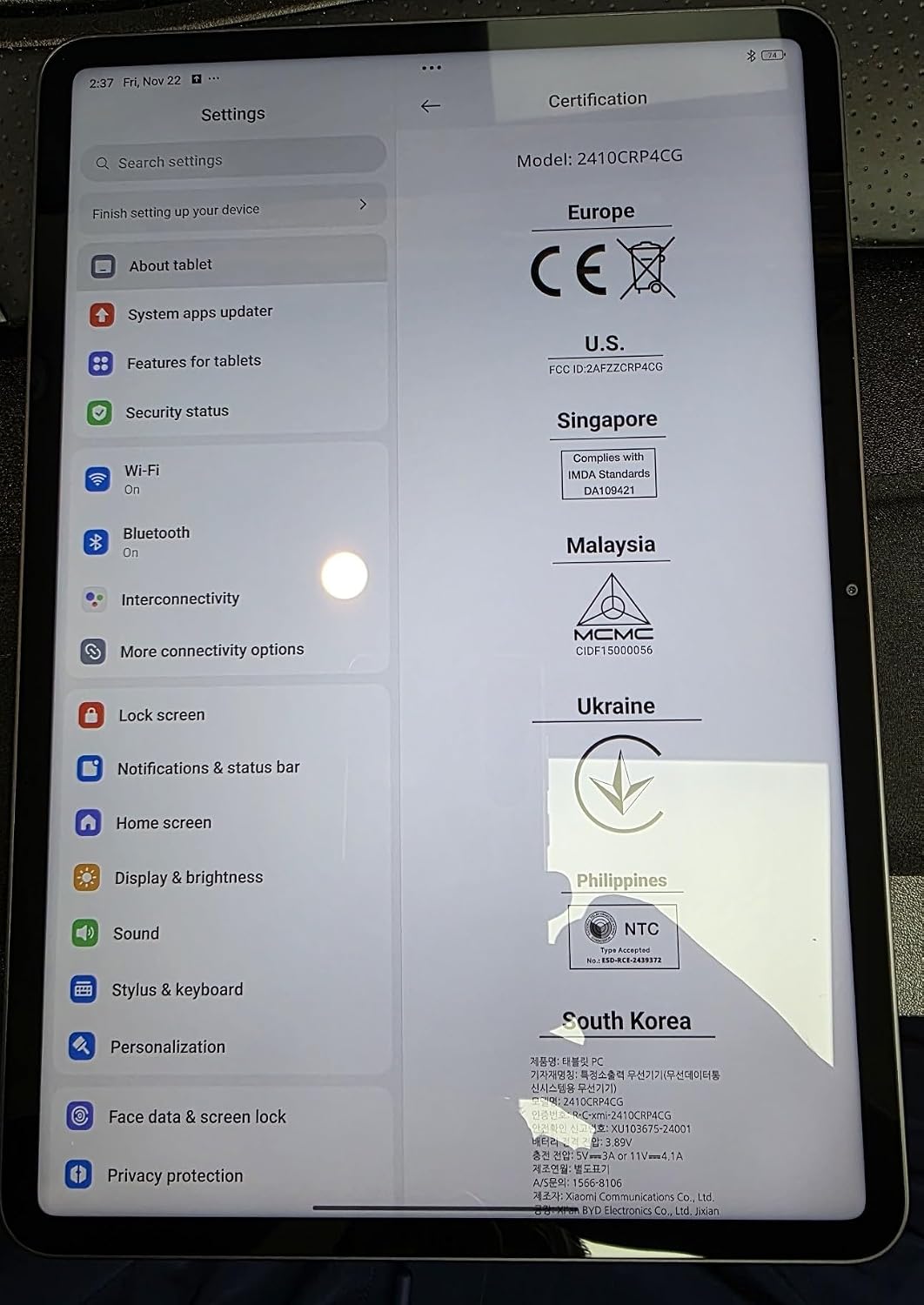
Figure 3.1: Xiaomi Pad 7 Pro Settings interface.
4. Konserwacja
4.1 Czyszczenie urządzenia
- Do czyszczenia ekranu i obudowy należy używać miękkiej, niepozostawiającej włókien ściereczki.
- W przypadku uporczywych plam delikatnieampPrzetrzyj ściereczkę wodą lub płynem do czyszczenia ekranów przeznaczonym do urządzeń elektronicznych.
- Unikaj stosowania silnych środków chemicznych, materiałów ściernych lub aerozoli bezpośrednio na tablet.
4.2 Aktualizacje oprogramowania
Regularly check for system updates to ensure your device has the latest features, security patches, and performance improvements.
- Idź do Settings > About tablet > System apps updater or Settings > My device > MIUI version (or HyperOS version) to check for updates.
- Przed rozpoczęciem aktualizacji upewnij się, że urządzenie jest podłączone do sieci Wi-Fi i ma wystarczająco dużo energii na baterii.
4.3 Pielęgnacja baterii
The Xiaomi Pad 7 Pro is equipped with an 8850mAh (typ) battery. To prolong battery life:
- Unikaj ekstremalnych temperatur.
- Nie należy zbyt często dopuszczać do całkowitego rozładowania akumulatora.
- Use the recommended 45W turbo charging adapter for faster and safer charging.
5. Rozwiązywanie Problemów
5.1 Typowe problemy i rozwiązania
- Urządzenie nie włącza się: Upewnij się, że bateria jest naładowana. Podłącz urządzenie do źródła zasilania i spróbuj ponownie. Jeśli urządzenie nie reaguje, naciśnij i przytrzymaj przycisk zasilania przez 10–15 sekund, aby wymusić ponowne uruchomienie.
- Problemy z łącznością Wi-Fi: Sprawdź, czy Wi-Fi jest włączone w ustawieniach. Uruchom ponownie router Wi-Fi. Zapomnij sieć i połącz się ponownie.
- Aplikacje ulegają awarii lub zawieszają się: Close the app and reopen it. Clear the app's cache and data in Ustawienia > Aplikacje. Ensure the app is updated to its latest version.
- Niska wydajność: Close unnecessary background apps. Clear cache regularly. Ensure sufficient storage space is available.
- Problemy z ładowaniem: Ensure the USB Type-C cable is securely connected. Try a different cable or power adapter. Verify the power adapter meets the recommended specifications (e.g., 45W).
5.2 Important Note on Connectivity
Please remember that the Xiaomi Pad 7 Pro (Global WiFi Version) does nie support cellular calls or text messages and does nie have a SIM card slot. All communication and internet access are via Wi-Fi.
6. Specyfikacje
| Funkcja | Specyfikacja |
|---|---|
| Nazwa modelu | Xiaomi Pad 7 PRO |
| Numer modelu przedmiotu | 62767 |
| System operacyjny | Android 14 HyperOS |
| Rozmiar wyświetlacza | 11.2 cali |
| Rozdzielczość ekranu | 3200 x 2136 pixels (3.2K), 345 ppi |
| Częstotliwość odświeżania | Do 144 Hz |
| Maksymalna jasność | 800 nitów |
| Edytor | Platforma mobilna Snapdragon 8s Gen 3 (ośmiordzeniowy, do 3.0 GHz) |
| Procesor graficzny | Procesor graficzny Adreno |
| BARAN | 12 GB |
| Rozmiar pamięci Flash | 512 GB |
| Kamera tylna | 50MP |
| Przednia kamera | 32MP |
| Pojemność baterii | 8850mAh (typ) |
| Ładowanie | 45W turbo charging (adapter not included) |
| Typ bezprzewodowy | Wi-Fi 6E (802.11a/b/g/n/ac/ax), Bluetooth 5.4 |
| Wymiary produktu (dł. x szer. x wys.) | 9.89 x 6.83 x 0.24 cala |
| Waga przedmiotu | 1 funta |
| Kolor | Szary |
7. Gwarancja i wsparcie
Your Xiaomi Pad 7 Pro comes with a standard manufacturer's warranty. For detailed warranty terms and conditions, please refer to the warranty card included with your purchase or visit the official Xiaomi support webstrona.
For further assistance, technical support, or to explore accessories, please visit the official XIAOMI Store or support channels:
Always ensure you are referring to official Xiaomi resources for accurate and up-to-date information.
Ask a question about this manual
Ask about setup, troubleshooting, compatibility, parts, safety, or missing instructions. Manuals+ will review the question and use this page’s manual context to help answer it.