
Ważne informacje
This Naifay Android Car Stereo (Model A) is designed for Toyota Camry models from 2012 to 2014. Please note the following compatibility requirements:
- Model A is NOT compatible if your car has a factory-installed large screen or a J.B.L sound system.
- If your vehicle has a large screen or supports a J.B.L sound system, you require Model B.
This package includes online help, a user manual, and installation videos to assist you.
Konfiguracja i instalacja
The Naifay Android Car Stereo is designed for a plug-and-play installation with the provided wiring harness, making the process straightforward for most users. However, some connections, such as for the backup camera, may require hardwiring.
Kontrola przed instalacją
- Verify your vehicle's compatibility (Toyota Camry 2012-2014, no large screen, no J.B.L system).
- Ensure all included components are present before starting the installation.
Zawarte komponenty
Pakiet zazwyczaj zawiera:
- Naifay Android Car Stereo Unit (10.1-inch IPS Touch Screen)
- Dashboard Mount / Frame
- Kabel zasilający
- Kabel RCA
- Kable USB (x2)
- Antena GPS
- Mikrofon (zewnętrzny)
- Kamera cofania
- Tył View Kabel wejściowy
- Antena WiFi
- Antena Bluetooth
Kroki instalacji (przewodnik ogólny)
- Usuń fabryczne radio: Carefully remove the existing car radio and dashboard trim. Refer to vehicle-specific guides or included installation videos for precise instructions.
- Podłącz wiązkę przewodów: Connect the provided wiring harness to the car's factory harness. Most connections are plug-and-play.
- Podłącz anteny: Attach the GPS, WiFi, and Bluetooth antennas to the corresponding ports on the new head unit. Position the GPS antenna in a location with a clear view nieba.
- Okablowanie kamery cofania: Connect the backup camera. This typically involves connecting the camera's power to the reverse light circuit and running a video signal cable to the head unit's 'Rear View Input'. Some hardwiring may be necessary.
- USB and Microphone: Route the USB cables and external microphone to desired locations within the vehicle.
- Montowanie: Secure the Naifay head unit into the dashboard using the provided mounting frame. Ensure any mounting clips are properly aligned or modified as per installation video instructions (e.g., clipping specific clips for proper fit).
- Funkcjonalność testu: Before fully reassembling the dashboard, power on the unit and test basic functions like audio, touch screen, and power.
- Ponowne złożenie pulpitu nawigacyjnego: Po potwierdzeniu poprawności działania zamontuj ponownie element wykończeniowy deski rozdzielczej.

Image: Comparison of the car dashboard before and after installing the Naifay Android Car Stereo, highlighting the modern 10.1-inch display.

Image: Product dimensions and a comprehensive list of included components and wiring connections.
Instrukcja obsługi
The Naifay Android Car Stereo runs on Android 11, offering a user-friendly interface and a wide range of features.
Bezprzewodowe odtwarzanie i Android Auto
Connect your iPhone or Android phone wirelessly via Bluetooth and Wi-Fi to access Carplay or Android Auto. This allows you to project your phone's interface onto the stereo's large screen for navigation, calls, messages, and music playback.

Image: Visual representation of Wireless Carplay, Android Auto, and MirrorLink features.
Funkcjonalność MirrorLink
MirrorLink allows you to display your phone's screen directly on the car stereo. iOS devices support wireless connection, while Android devices support both wireless and wired (USB) connections. This enables access to your phone's navigation, music, and other applications.
Nawigacja GPS i połączenie WiFi
The unit features a built-in GPS module. You can download offline maps for navigation without an internet connection. When connected to Wi-Fi or your phone's hotspot, you can use online maps and download various applications like YouTube, Spotify, and WhatsApp from the app store.
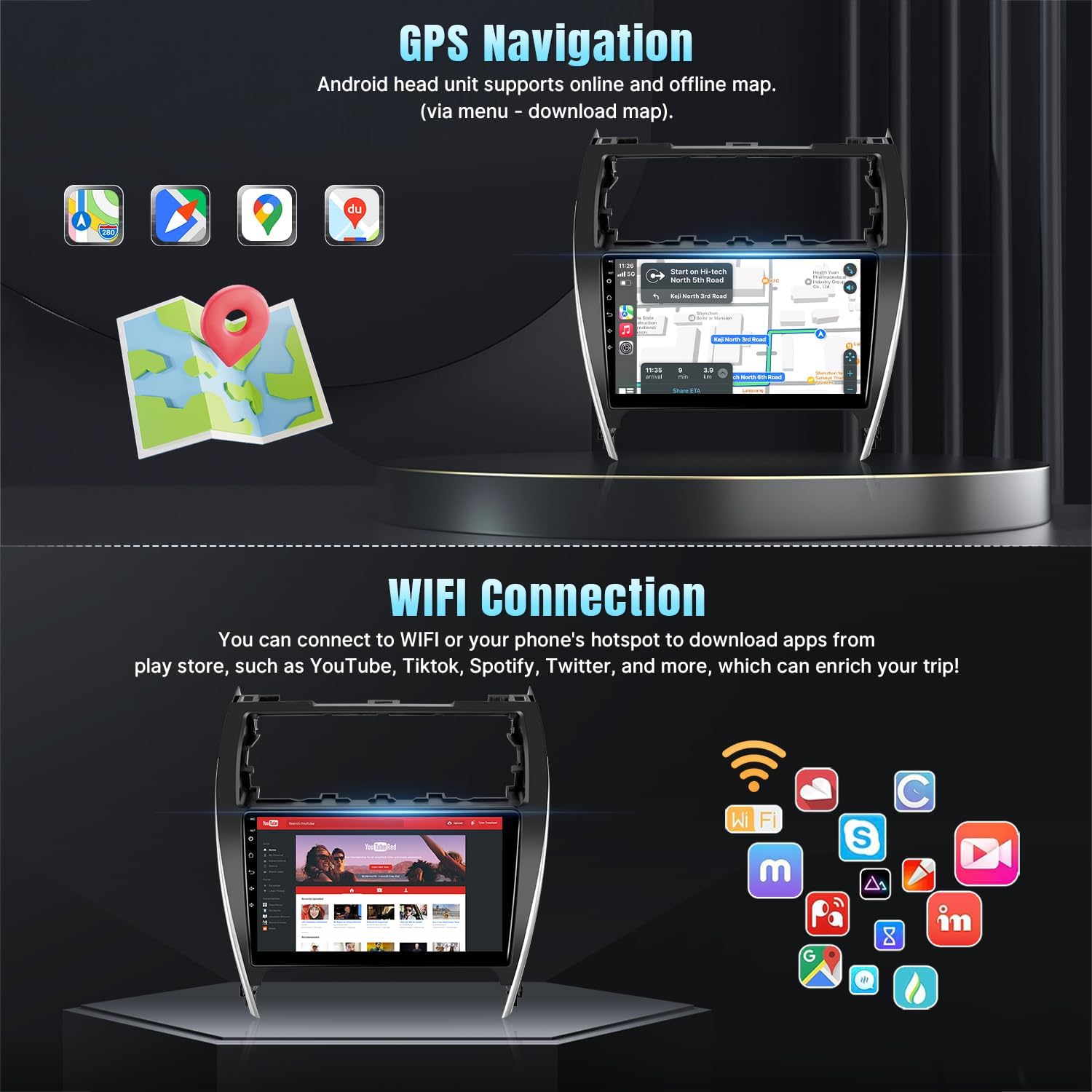
Image: GPS navigation display and available apps via WiFi connection.
Bluetooth 5.1 & FM Radio
- Bluetooth: Connect your phone for hands-free calling and wireless audio streaming. The unit includes a built-in microphone and supports an external microphone via the RCA cable.
- Radio FM: Enjoy stable FM radio reception with options for manual and automatic station search and unlimited preset stations.
Sterowanie z kierownicy (SWC)
The stereo supports your original car's steering wheel controls. After correct wiring and a learning process within the unit's settings, you can control functions like switching songs, adjusting volume, and answering calls directly from your steering wheel.
Wejście kamery cofania
Dołączona kamera cofania AHD zapewnia ultraszerokokątny kąt widzenia wynoszący 170 stopni view and is waterproof, enhancing safety and ease during parking maneuvers.
Funkcjonalność podzielonego ekranu
Utilize the split-screen mode to run two applications simultaneously, such as navigation on one side and music playback on the other.

Image: Demonstrates Bluetooth, FM Radio, Split Screen, Steering Wheel Control, and Backup Camera features.
Inne funkcje
- Regulowany korektor: Customize audio output with the adjustable equalizer.
- Multiple UI and Wallpaper Options: Personalize the user interface and background wallpaper.
Konserwacja
To ensure the longevity and optimal performance of your Naifay Android Car Stereo, follow these general maintenance guidelines:
- Czyszczenie: Do czyszczenia ekranu i obudowy używaj miękkiej, suchej ściereczki. Unikaj środków czyszczących o działaniu ściernym i rozpuszczalników, które mogłyby uszkodzić wyświetlacz lub wykończenie.
- Aktualizacje oprogramowania: Okresowo sprawdzaj dostępność aktualizacji oprogramowania i instaluj je, aby mieć pewność, że system działa wydajnie i bezpiecznie.
- Warunki środowiskowe: Unikaj wystawiania urządzenia na działanie ekstremalnych temperatur, długotrwałego bezpośredniego światła słonecznego i nadmiernej wilgoci.
- Połączenia kablowe: Od czasu do czasu należy sprawdzać wszystkie połączenia kablowe, aby mieć pewność, że są solidne i nieuszkodzone.
Rozwiązywanie problemów
If you encounter issues with your Naifay Android Car Stereo, refer to the following common problems and solutions:
| Problem | Możliwa przyczyna / rozwiązanie |
|---|---|
| Urządzenie nie włącza się | Check power cable connections. Ensure the car's fuse for the radio is intact. |
| Brak dźwięku lub zniekształcony dźwięk | Verify speaker wiring. Check volume settings and EQ settings. Ensure audio output cables are correctly connected. |
| Backup camera not working | Check the camera's power connection to the reverse light. Ensure the video input cable is securely connected to the head unit's 'Rear View Input'. Confirm camera settings in the unit's menu. |
| Steering Wheel Controls not responding | Ensure SWC wires are correctly connected. Access the 'Steering Learn' function in the unit's settings and follow the on-screen instructions to program the buttons. |
| Sygnał GPS jest słaby lub niedokładny | Upewnij się, że antena GPS jest prawidłowo zainstalowana i ma zapewnioną przejrzystość. view nieba. Sprawdź połączenie anteny z urządzeniem. |
| Problemy z połączeniem Bluetooth | Ensure Bluetooth is enabled on both the stereo and your phone. Delete previous pairings and try re-pairing. |
| Ekran dotykowy nie reaguje | Uruchom ponownie urządzenie. Jeśli problem będzie się powtarzał, skontaktuj się z obsługą klienta. |
For further assistance, please refer to the online help resources or contact customer support.
Specyfikacje
| Funkcja | Szczegół |
|---|---|
| Marka | Naifay |
| Model | Model A |
| Zgodność pojazdu | Toyota Camry 2012-2014 (Not compatible with J.B.L system or large factory screen) |
| System operacyjny | Android 11 |
| Edytor | 4-rdzeniowy |
| BARAN | 2 GB |
| Pamięć wewnętrzna | 32 GB |
| Rozmiar ekranu | 10.1 cali |
| Typ wyświetlacza | 2.5D IPS Touch Screen (Capacitive LCD) |
| Łączność | Wireless, Bluetooth 5.1, USB, Wi-Fi |
| Nawigacja | Built-in GPS module, supports offline/online maps (Worldwide) |
| Cechy specjalne | Wireless Carplay, Wireless Android Auto, Wired/Wireless Mirrorlink, FM Radio, AHD Backup Camera Input, Steering Wheel Control (SWC), Split Screen, EQ Adjustable, Multiple UI/Wallpaper |
| Tryb wyjścia audio | Stereofoniczny |
| Typ montażu | Montaż na desce rozdzielczej |
| Waga przedmiotu | 1.5 kilograma |
Informacje o gwarancji
Naifay provides the following warranty and support for this product:
- 60-dniowa polityka zwrotów: Skorzystaj z 60-dniowego okresu zwrotu bez obaw.
- Wymiana po 12 miesiącach: A replacement is available within 12 months of purchase for qualifying issues.
- Dożywotnie wsparcie techniczne: Benefit from lifetime after-sales consultation and technical support.
Obsługa klienta
For any questions, technical assistance, or support needs, please contact Naifay customer service. We aim to provide a quick reply within 24 hours.
You can typically reach customer support by navigating to the product page on the retailer's website, clicking on "Sold by Naifay," and then selecting "Ask a question."