
1. Wprowadzenie
The MARVO HG9076W Tactic X Pro is a versatile tri-mode gaming headset designed for an immersive audio experience across multiple platforms. It offers three connectivity options: 2.4GHz wireless, Bluetooth 5.3, and a wired connection via a 1.5-meter Type-C to 3.5mm audio cable. This manual provides detailed instructions for setup, operation, maintenance, and troubleshooting to ensure optimal performance of your headset.
2. Funkcje produktu
- Łączność trójmodowa: Seamlessly switch between 2.4GHz wireless, Bluetooth 5.3, and wired (Type-C to 3.5mm) connections.
- Wciągający dźwięk: Equipped with 53mm drivers delivering 7.1 Surround Sound for precise audio positioning.
- Żywe oświetlenie RGB: Customizable RGB backlighting for a personalized aesthetic.
- Zwiększony komfort: Over-ear design with soft ear cushions and a self-adjustable headband for extended wear.
- Jasna komunikacja: Detachable, flexible omnidirectional microphone with noise cancellation.
- Długotrwała bateria: Integrated 1000 mAh battery provides up to 50 hours of usage.
- Szeroka kompatybilność: Compatible with PC, Mac, PlayStation consoles, and other devices.
3. Zawartość opakowania
Proszę sprawdzić, czy w paczce znajdują się następujące elementy:
- MARVO HG9076W Tactic X Pro Gaming Headset
- Odłączany mikrofon dookólny
- Bezprzewodowy adapter USB 2.4 GHz
- Kabel do ładowania typu C na USB
- Kabel audio typu C do 3.5 mm
- Instrukcja obsługi (ten dokument)
4. Instrukcje konfiguracji
4.1 Podłączanie mikrofonu
Align the microphone's 3.5mm jack with the port on the left earcup and gently push it in until it clicks. Ensure it is securely connected. The microphone is flexible and can be adjusted to your preferred position.
4.2 Połączenie przewodowe
For a wired connection, use the provided Type-C to 3.5mm audio cable. Connect the Type-C end to the headset and the 3.5mm end to your device's audio jack. This mode does not require battery power.
4.3 2.4GHz Wireless Connection (PC/Mac/PS)
- Insert the 2.4GHz USB wireless dongle into an available USB port on your PC, Mac, or PlayStation console.
- Power on the headset. The headset will automatically attempt to connect to the dongle.
- Once connected, the indicator light on the headset will show a stable color (refer to LED indicator section for details).
- On your device, ensure the headset is selected as the default audio input and output device.
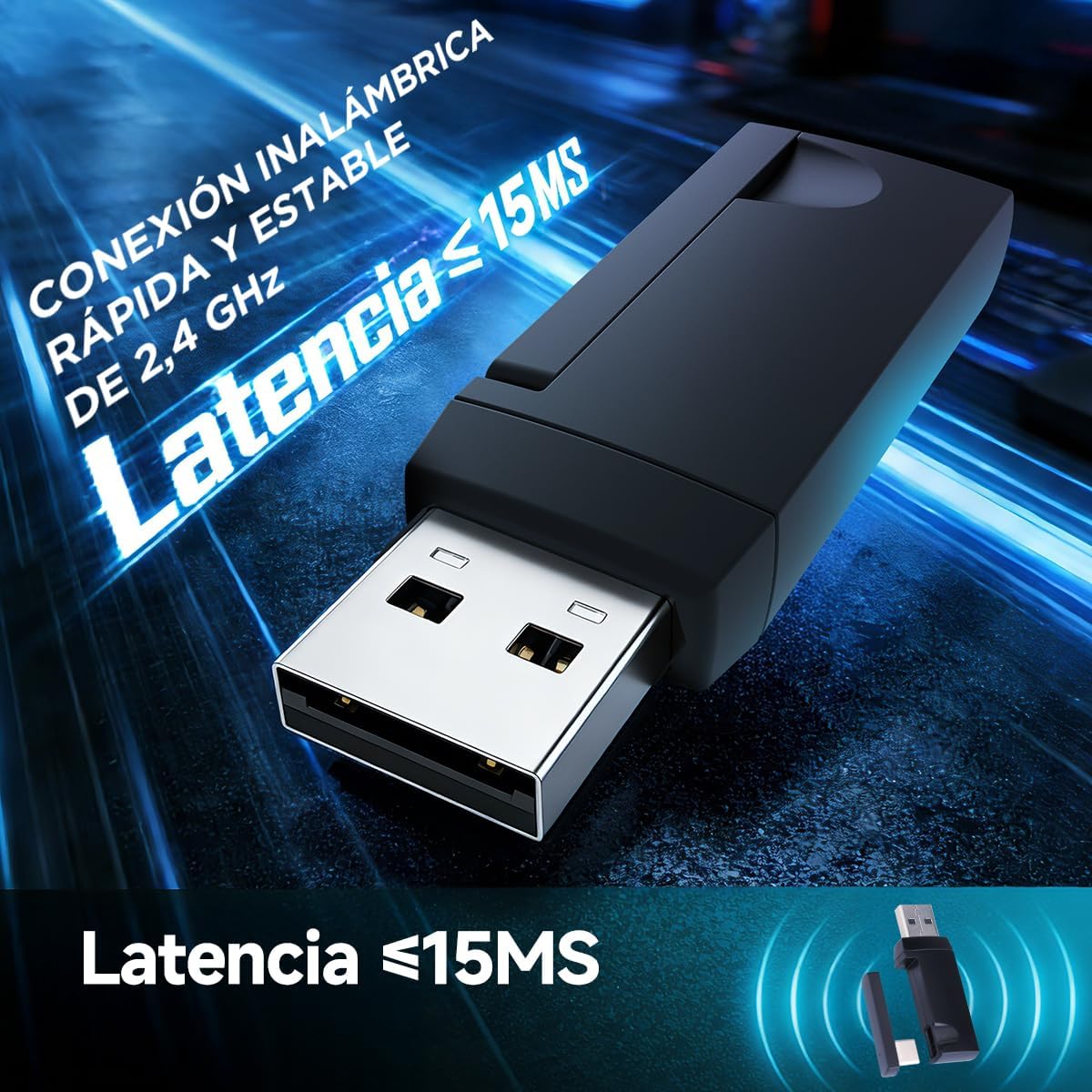
Image: The 2.4GHz USB wireless dongle, illustrating its compact design and low-latency capability (less than 15ms).
4.4 Bluetooth 5.3 Connection (Mobile/Tablet/Other Devices)
- Power on the headset and switch it to Bluetooth mode (refer to Mode Switching section).
- The headset will enter pairing mode, indicated by a flashing LED light.
- On your mobile device or tablet, go to Bluetooth settings and search for available devices.
- Select "MARVO HG9076W" from the list to pair.
- Once paired, the LED indicator will show a stable color.

Image: The MARVO HG9076W headset demonstrating its wireless connectivity options with a smartphone and laptop.

Image: The headset showcasing its compatibility with multiple platforms, including a PlayStation 5, Nintendo Switch, mobile phone, and tablet, highlighting its four connection methods.
5. Instrukcja obsługi
5.1 Włączanie/wyłączanie zasilania
Press and hold the Power button on the headset for approximately 3 seconds to turn it on or off.
5.2 Przełączanie trybów
The headset supports three modes: 2.4GHz wireless, Bluetooth, and wired. Use the dedicated mode switch button (or combination of buttons, refer to product diagram if available) to cycle through these modes. The LED indicator will change to reflect the active mode.
5.3 Regulacja głośności
Użyj pokrętła lub przycisków głośności znajdujących się na nausznikach, aby dostosować poziom wyjściowego dźwięku.
5.4 Wyciszanie/Włączanie mikrofonu
Press the microphone mute button on the earcup to toggle the microphone on or off. A red LED on the microphone tip (if present) or a specific headset LED indicator will show its status.

Image: The headset featuring its detachable, noise-cancelling microphone, capable of suppressing 95% of ambient noise for clear communication.
5.5 Sterowanie oświetleniem RGB
The headset features vibrant RGB backlighting. A dedicated button or a combination of buttons can be used to cycle through lighting effects or turn the RGB lighting on/off. Refer to the specific controls on your headset.
5.6 Ładowanie zestawu słuchawkowego
Connect the provided Type-C to USB charging cable to the headset's Type-C port and the other end to a USB power source (e.g., computer USB port, wall adapter). The LED indicator will show charging status (e.g., red for charging, off/green for fully charged). A full charge provides up to 50 hours of usage.

Image: The headset highlighting its 1000 mAh battery, providing over 50 hours of continuous use on a single charge.
6. Konserwacja
- Czyszczenie: Do czyszczenia zestawu słuchawkowego należy używać miękkiej, suchej ściereczki. Nie należy używać środków czyszczących o właściwościach ściernych ani rozpuszczalników.
- Składowanie: Przechowuj zestaw słuchawkowy w chłodnym, suchym miejscu, z dala od bezpośredniego światła słonecznego i ekstremalnych temperatur.
- Pielęgnacja kabli: Aby zapobiec uszkodzeniom, należy unikać ostrego zginania i nadmiernego ciągnięcia kabli.
- Czas pracy baterii: For optimal battery longevity, avoid fully discharging the battery frequently. Charge it regularly.
7. Rozwiązywanie Problemów
| Problem | Możliwa przyczyna | Rozwiązanie |
|---|---|---|
| Brak dźwięku w zestawie słuchawkowym | Headset not powered on; Incorrect mode selected; Volume too low; Not selected as default audio device. | Ensure headset is powered on and charged. Switch to the correct connection mode (2.4G, BT, Wired). Increase volume. Check device audio settings to ensure HG9076W is selected. |
| Mikrofon nie działa | Microphone muted; Not securely attached; Not selected as default input device. | Unmute the microphone. Ensure it is firmly attached. Check device audio settings to ensure HG9076W microphone is selected as input. |
| Połączenie bezprzewodowe 2.4 GHz jest niestabilne/brak połączenia | Dongle not properly inserted; Interference; Headset too far from dongle. | Ensure dongle is fully inserted. Move closer to the dongle. Avoid strong Wi-Fi signals or other 2.4GHz devices. Re-pair if necessary (refer to pairing instructions). |
| Problemy z parowaniem Bluetooth | Zestaw słuchawkowy nie jest w trybie parowania; Bluetooth urządzenia jest wyłączony; Połączono już z innym urządzeniem. | Ensure headset is in Bluetooth pairing mode (flashing LED). Turn on Bluetooth on your device. Disconnect from other devices if already paired. |
| Krótki czas pracy baterii | Headset not fully charged; RGB lighting always on. | Ensure headset is fully charged. Turn off RGB lighting if not needed to conserve battery. |
8. Specyfikacje

Image: A user experiencing the immersive 7.1 surround sound provided by the 53mm drivers of the headset.

Obraz: szczegółowy view of the headset's 53mm high-power speaker, highlighting its frequency response range of 20 Hz to 20 KHz.
- Model: HG9076W Tactic X Pro
- Łączność: 2.4GHz Wireless, Bluetooth 5.3, Wired (Type-C to 3.5mm)
- Rozmiar sterownika: 53mm
- Dźwięk: Dźwięk przestrzenny 7.1
- Pasmo przenoszenia: 20 Hz - 20 kHz
- Mikrofon: Odłączane, wielokierunkowe, z redukcją szumów
- Pojemność baterii: 1000 mAh
- Czas pracy baterii: Do 50 godzin
- Port ładowania: Typ C
- Zgodność: PC, Mac, PS, Mobile, Tablet
- Współczynnik kształtu: Nauszne
- Kolor: Biały
- Kraj pochodzenia: Chiny
9. Comfort and Ergonomics
The MARVO HG9076W Tactic X Pro is designed for extended comfort during long gaming sessions. It features soft leatherette earcups with memory foam, a lightweight construction, and a self-adjusting headband to ensure a comfortable fit for various head sizes.

Image: A user wearing the headset, illustrating its ergonomic design with leatherette memory foam earcups, lightweight build, and adjustable frame for maximum comfort.
10. Gwarancja i wsparcie
Ten produkt jest dostarczany z 6-miesięczna gwarancja od daty zakupu. Gwarancja obejmuje wady produkcyjne i usterki powstałe w wyniku normalnego użytkowania. Nie obejmuje uszkodzeń spowodowanych niewłaściwym użytkowaniem, wypadkami, nieautoryzowanymi modyfikacjami ani normalnym zużyciem.
For technical support, warranty claims, or further assistance, please contact your retailer or visit the official MARVO webwitryna do informacji kontaktowych.