
Ważne informacje dotyczące bezpieczeństwa
Please read this manual thoroughly before using the REDTIGER F77 V2 Dash Cam. Improper use may result in product damage, property damage, or personal injury. Keep the device away from water, moisture, and extreme temperatures. Do not attempt to disassemble or repair the device yourself. Always ensure the dash cam is securely mounted and does not obstruct your view podczas jazdy samochodem.
Zawartość opakowania
Sprawdź, czy w przesyłce znajdują się wszystkie elementy wymienione poniżej:
- 1 x REDTIGER F77 V2 4K Front Dash Cam
- 1 x 4K Rear Dash Cam
- 1 x 11.5-stopowy kabel zasilający z ładowarką samochodową
- 1 x Data Transfer USB Cable
- 1 x 21.3-stopowy kabel do tylnej kamery
- 1 x Instrukcja obsługi
- 1 x Crowbar (Car Wire Trim Tool)
- 1 x Krótki przewodnik
- 2 x Naklejka elektrostatyczna
- 2 x uchwyt samoprzylepny
- 5 x zacisków kablowych

Produkt ponadview
The REDTIGER F77 V2 is a dual 4K dash cam system designed to record both front and rear views of your vehicle. It features a compact design with a 4-inch touchscreen for easy operation.
Front Dash Cam (Main Unit)
- Przedni obiektyw aparatu: Records 4K video.
- 4-calowy ekran dotykowy: Na żywo view, odtwarzanie i dostosowywanie ustawień.
- Przycisk zasilania: Aby włączyć/wyłączyć urządzenie.
- Porty USB-C: For power input and rear camera connection.
- Gniazdo kart microSD: For additional storage (device has built-in eMMC).
- Moduł GPS: Integrated into the mount for location and speed data.
Tylna kamera na deskę rozdzielczą
- Tylny obiektyw aparatu: Records 4K video for the rear view.
- Złącze USB-C: To connect to the main unit.
Organizować coś
1. Montaż przedniej kamery samochodowej
- Wyczyść miejsce na przedniej szybie, w którym zamierzasz zamontować kamerę samochodową. Upewnij się, że jest wolne od kurzu i tłuszczu.
- Apply one of the electrostatic stickers to the cleaned area on the windshield. This helps protect your windshield and allows for easier removal.
- Attach an adhesive mount to the dash cam's main unit.
- Firmly press the dash cam with the attached mount onto the electrostatic sticker. Ensure a secure fit.
- Connect the 11.5ft power supply cable to the dash cam's power input (USB-C port).
- Route the power cable along the edge of the windshield and down to your vehicle's 12V power outlet (cigarette lighter) using the provided crowbar and cable clips to hide the cable neatly.
2. Montaż kamery cofania
- Choose a suitable location on your rear windshield for the rear dash cam, ensuring it has a clear view and does not obstruct your driving.
- Clean the chosen area and apply an electrostatic sticker, then attach the rear dash cam with an adhesive mount.
- Connect the 21.3ft rear camera cable to the rear dash cam.
- Route the rear camera cable from the rear windshield to the front dash cam, connecting it to the designated USB-C port. Use the crowbar and cable clips for a tidy installation.

3. Podłączenie zasilania
Plug the car charger into your vehicle's 12V power outlet. The dash cam will automatically power on and begin recording when the vehicle starts.
Instrukcja obsługi
Podstawowa obsługa
- Włączanie/wyłączanie: The dash cam powers on/off automatically with your vehicle's ignition. You can also manually power it on/off using the power button.
- Ekran dotykowy: Use the 4-inch touchscreen to navigate menus, view żyćtage, and play back recordings.
- Sterowanie głosowe: The F77 V2 supports 12 voice commands for hands-free operation. Examples include: "Lock the video," "Take picture," and "Turn on audio."
- Nagrywanie w pętli: Kamera samochodowa nagrywa nieprzerwanie, nadpisując najstarsze nagrania files when the storage is full. Critical videos are locked and not overwritten.
- Czujnik G: Automatically detects sudden shakes or collisions and locks the current video segment to prevent it from being overwritten.
- Monitor parkowania: With an optional hardwire kit (sold separately), the dash cam can monitor your vehicle 24/7. It supports collision sensing and time-lapse video recording when parked.
Połączenie Wi-Fi i aplikacji
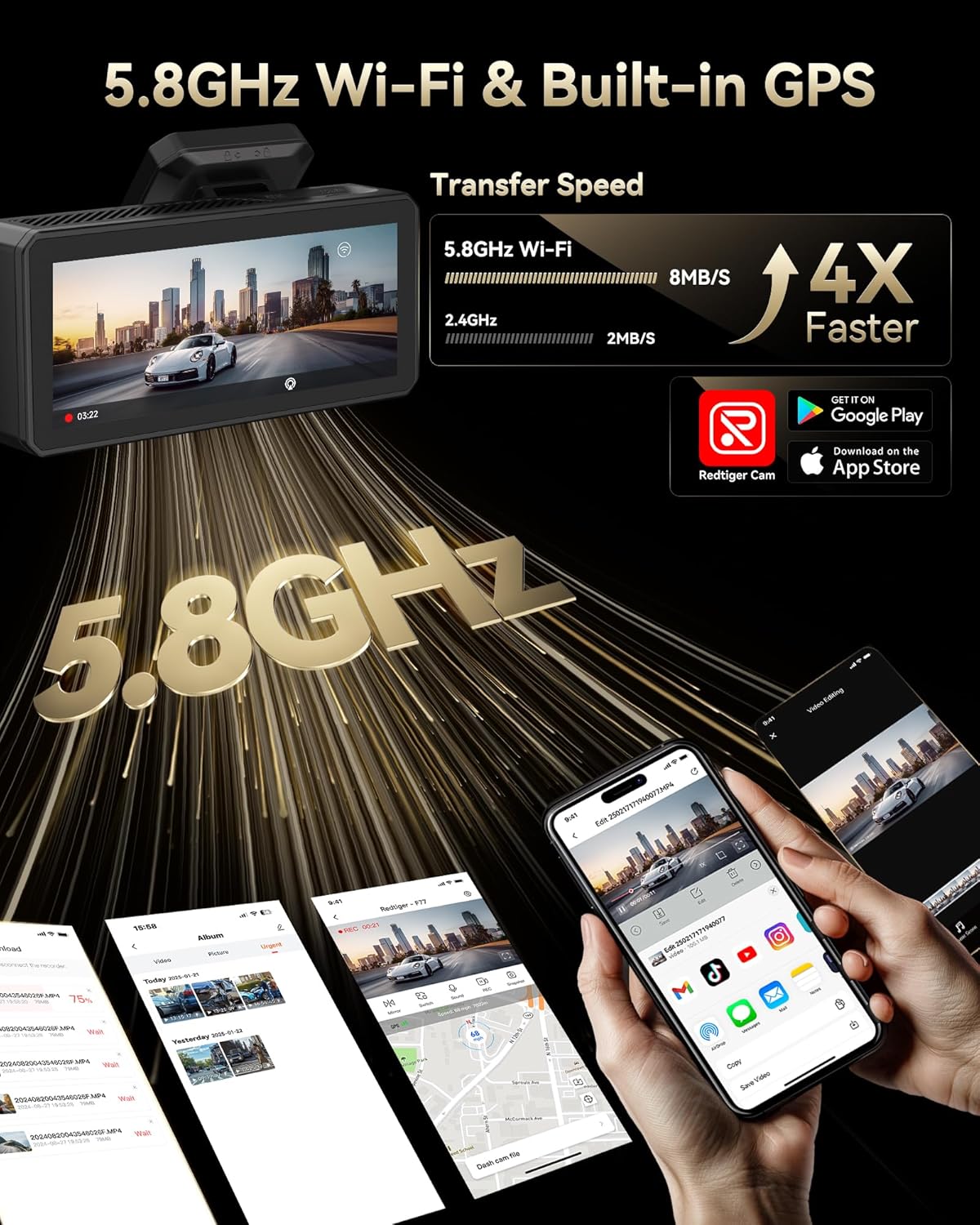
Connect your dash cam to the REDTIGER app for easy setup, live preview, video playback, and sharing.
- Download the "REDTIGER" app from the App Store or Google Play.
- Enable Wi-Fi on your dash cam (via settings or quick toggle).
- On your smartphone, connect to the dash cam's Wi-Fi network (SSID and password displayed on the dash cam screen).
- Open the REDTIGER app and add your device. You can now access live footage, ponownieview recordings, and adjust settings.
Funkcjonalność GPS
The built-in GPS module accurately records your vehicle's location, speed, and driving route. This data is embedded in your video filei może być viewed via the REDTIGER app or dedicated PC player.
Konserwacja
- Formatting eMMC Storage: Periodically format the built-in eMMC storage (or microSD card if used) to ensure optimal performance and prevent data corruption. This can be done through the dash cam's settings menu.
- Czyszczenie: Regularly clean the camera lenses and touchscreen with a soft, lint-free cloth to ensure clear recordings and responsive touch functionality.
- Aktualizacje oprogramowania układowego: Sprawdź REDTIGER website or app for available firmware updates to ensure your dash cam has the latest features and bug fixes.
Rozwiązywanie problemów
- Kamera samochodowa się nie włącza: Ensure the power cable is securely connected to both the dash cam and the vehicle's power outlet. Check the vehicle's 12V outlet for power.
- Problemy z połączeniem Wi-Fi: Verify that Wi-Fi is enabled on the dash cam and your phone. Ensure you are entering the correct SSID and password. Try restarting both the dash cam and your phone.
- Powolny File Transfer/Playback: Ensure your phone has a stable 5.8GHz Wi-Fi connection to the dash cam. Large 4K files may take longer to transfer.
- Wideo Files Corrupted/Missing: Regularly format the eMMC storage. Ensure you are using a high-quality microSD card if external storage is utilized.
- Monitor parkowania nie działa: Confirm that an optional hardwire kit is correctly installed and configured.
For more detailed troubleshooting steps, please refer to the comprehensive User Manual included in your package or visit the REDTIGER support webstrona.
Specyfikacje
| Funkcja | Specyfikacja |
|---|---|
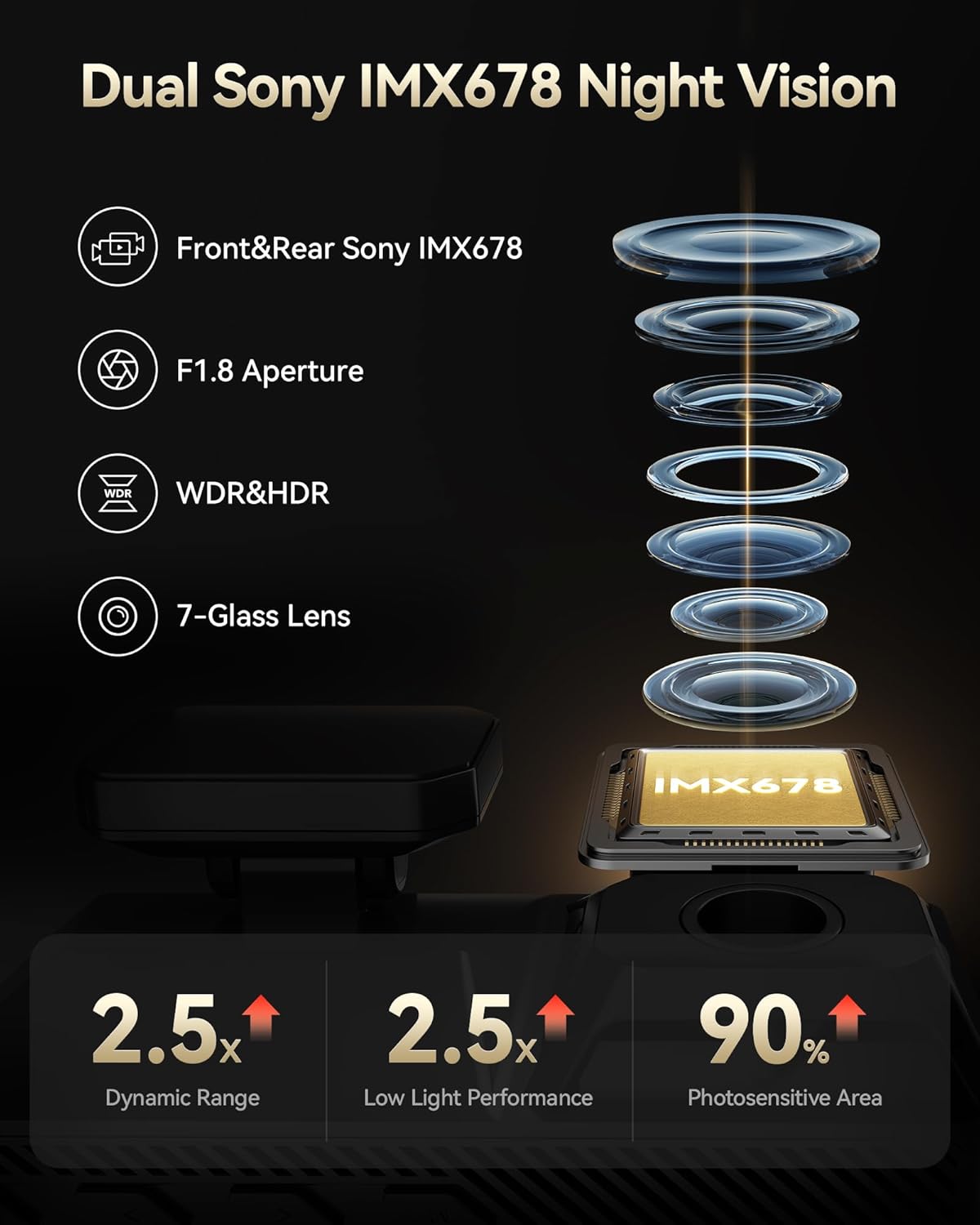
| Rozdzielczość wideo z przodu | 4K@30fps (8MP) |
| Rozdzielczość wideo z tyłu | 4K@30fps (8MP) |
| Czujnik obrazu | Podwójny Sony STARVIS 2 IMX678 |
| Pamięć wewnętrzna | 256 GB eMMC |
| Wyświetlacz | 4-calowy ekran dotykowy |
| Wi-Fi | Wbudowane Wi-Fi 5.8 GHz |
| GPS | Wbudowany GPS |
| Cechy specjalne | Dual HDR, Voice Control, G-Sensor, Parking Monitor (with optional hardwire kit) |
| Technologia łączności | USB, Wi-Fi |
| Wymiary produktu | 1.88 x 1.22 x 0.27 cala |
| Waga przedmiotu | 1.92 funta |
Gwarancja i wsparcie
- Plan ochrony: Enjoy 18 months of protection for your device.
- Zasady zwrotu: A 7-day return policy is available for returns on defects.
- Obsługa klienta: REDTIGER offers 24-hour customer support via email and phone for any inquiries or assistance.
For further assistance, please visit the official REDTIGER webstronie internetowej lub skontaktuj się bezpośrednio z obsługą klienta.