
Wstęp
The BMAX Mini PC B9Power is a compact yet powerful desktop computer designed for a wide range of applications, from daily office tasks and multimedia consumption to demanding creative work and gaming. Featuring an Intel Core i9-12900HK processor, ample memory, and fast storage, it delivers desktop-level performance in a small form factor. This manual provides essential information for setting up, operating, maintaining, and troubleshooting your BMAX Mini PC.

Figure 1: BMAX Mini PC B9Power, showcasing its compact design and sleek black finish.
Produkt ponadview
The BMAX Mini PC B9Power is engineered for high performance and efficiency. Key components and features include:
- Edytor: Intel Core i9-12900HK (14 Cores, 20 Threads, up to 5.0 GHz Turbo Frequency)
- Grafika: Zintegrowana grafika Intel Iris Xe
- Pamięć: 32GB DDR4 3200MHz SODIMM RAM (expandable up to 64GB)
- Składowanie: 1TB NVMe SSD (with dual M.2 slots for expansion)
- System operacyjny: Preinstalowany system Windows 11 Pro
- Łączność: WiFi 6, Bluetooth 5.2, Gigabit Ethernet
- Porty: HDMI 2.1, DisplayPort 1.4a, Type-C (full-featured), USB 3.2 x2, USB 2.0 x2, 3.5mm Audio Jack
- Układ chłodzenia: Advanced dual copper heat pipe with smart fan

Rysunek 2: Kompleksowy przeglądview of the BMAX Mini PC B9Power's core features, including CPU, GPU, memory, storage, cooling, and connectivity options.

Rysunek 3: Tył view of the BMAX Mini PC B9Power, highlighting the various input/output ports for connectivity.
Organizować coś
- Rozpakuj Mini PC: Carefully remove the BMAX Mini PC and all accessories from the packaging. Verify that all components listed in the packing list are present.
- Podłącz do zasilania: Connect the power adapter to the DC-in port on the Mini PC, then plug the power cord into a wall outlet.
- Połącz z wyświetlaczem: Use an HDMI, DisplayPort, or Type-C cable to connect the Mini PC to your monitor or TV. The B9Power supports up to three displays simultaneously.
- Podłącz urządzenia peryferyjne: Plug in your USB keyboard, mouse, and any other desired peripherals (e.g., external hard drives, USB speakers) into the available USB ports.
- Połączenie internetowe: For a wired connection, connect an Ethernet cable from your router or modem to the Gigabit Ethernet port on the Mini PC. For wireless, the device supports WiFi 6.
- Włączanie: Press the power button located on the front of the Mini PC. The system will boot up and guide you through the initial Windows 11 Pro setup.

Figure 4: The BMAX Mini PC B9Power connected to dual monitors, demonstrating its multi-display capability.
Operacyjny
Podstawowa obsługa
- Włączanie/wyłączanie: Naciśnij przycisk zasilania, aby włączyć komputer. Aby wyłączyć, kliknij przycisk Start w systemie Windows, a następnie wybierz Zasilanie > Wyłącz.
- Uruchom ponownie: W menu Start wybierz Zasilanie > Uruchom ponownie.
- Tryb uśpienia: W menu Start wybierz Zasilanie > Uśpienie.
Konfiguracja wyświetlacza
The BMAX Mini PC B9Power supports triple display output at 4K@60Hz, allowing for an immersive multi-tasking experience.
- Connect up to three monitors using the HDMI 2.1, DisplayPort 1.4a, and full-featured Type-C ports.
- In Windows, right-click on the desktop and select "Display settings" to configure display resolution, orientation, and multiple display modes (Extend, Duplicate, Show only on 1/2/3).

Figure 5: Illustration of the BMAX Mini PC B9Power's capability to support three 4K@60Hz displays simultaneously.
Rozszerzenie pamięci masowej
The Mini PC comes with a 1TB NVMe SSD pre-installed in one of the M.2 slots. You can expand storage by adding another M.2 NVMe or M.2 NVMe/SATA combo SSD.
- Refer to the detailed instructions for opening the chassis and installing additional storage, typically found in the full user manual or online support resources.
- Ensure the PC is powered off and unplugged before performing any hardware installations.
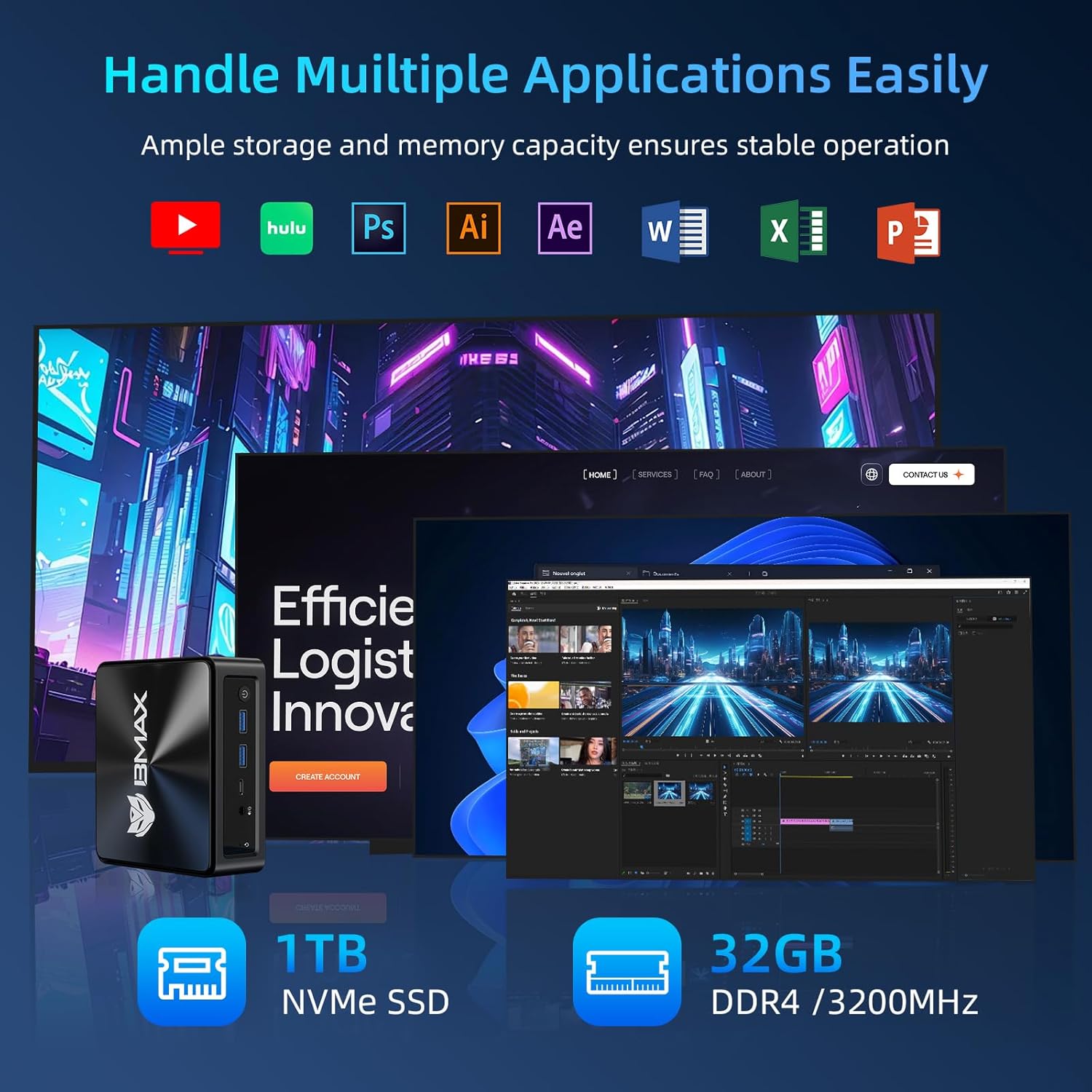
Figure 6: The BMAX Mini PC B9Power efficiently running multiple demanding applications, highlighting its 1TB NVMe SSD and 32GB DDR4 RAM.
Konserwacja
Regular maintenance helps ensure the longevity and optimal performance of your BMAX Mini PC.
- Utrzymuj czystość: Regularly clean the exterior of the Mini PC with a soft, dry cloth. Use compressed air to gently clear dust from the ventilation grilles to prevent overheating.
- Aktualizacje oprogramowania: Keep your Windows operating system and drivers updated to the latest versions. This ensures security, stability, and performance improvements.
- Unikaj przeszkód: Ensure that the ventilation openings are not blocked to allow for proper airflow and cooling.
- Bezpieczne wyłączenie: Always shut down the Mini PC properly through the operating system rather than simply unplugging it, to prevent data corruption.

Figure 7: Diagram illustrating the efficient cooling system of the BMAX Mini PC B9Power, featuring dual copper heat pipes and a smart fan for optimal heat dissipation.
Rozwiązywanie problemów
This section addresses common issues you might encounter with your BMAX Mini PC.
| Problem | Możliwa przyczyna | Rozwiązanie |
|---|---|---|
| Brak zasilania | Power cable loose; power adapter faulty; power outlet issue | Check power cable connections; try a different power outlet; contact support if adapter is suspected faulty |
| Brak wyświetlacza | Monitor off/incorrect input; display cable loose/faulty; driver issue | Ensure monitor is on and set to correct input; check display cable connections; try a different cable/port; update graphics drivers |
| Niska wydajność | Too many applications running; insufficient RAM; overheating; fragmented drive | Close unnecessary applications; check task manager for resource usage; ensure proper ventilation; run disk cleanup/defragmentation |
| Problemy z Wi-Fi/Bluetooth | Drivers outdated; signal interference; hardware issue | Update wireless drivers; move closer to router; check for interference from other devices; restart PC and router |
If the problem persists after trying these solutions, please contact BMAX customer support for further assistance.
Specyfikacje
Detailed technical specifications for the BMAX Mini PC B9Power.
| Funkcja | Szczegół |
|---|---|
| Marka | BMAX |
| Model | B9Power-32GB |
| Edytor | Intel Core i9-12900HK (14 Cores, 20 Threads, 2.9 GHz base, up to 5.0 GHz Turbo) |
| Grafika | Karta graficzna Intel Iris Xe (zintegrowana) |
| Pamięć (RAM) | 32GB DDR4 3200MHz SODIMM (Max 64GB) |
| Składowanie | 1TB NVMe SSD (Dual M.2 slots: 1x M.2_2280_PCI-e x4 NVMe, 1x M.2_2280_SATA(AHCI)&PCI-e x4 NVMe combo) |
| System operacyjny | Windows 11 Pro (preinstalowany) |
| Łączność bezprzewodowa | WiFi 6 (802.11a/b/g/n/ac/ax), Bluetooth 5.2 |
| Łączność przewodowa | Gigabitowy Ethernet |
| Wyjście wideo | 1x HDMI 2.1, 1x DisplayPort 1.4a, 1x Type-C (full-featured); Supports Triple 4K@60Hz Display |
| Porty USB | 2x USB 3.2, 2x USB 2.0 |
| Audio | Gniazdo audio 3.5mm |
| Wymiary (dł. x szer. x wys.) | Wymiary: 126mm x 112mm x 52mm |
| Waga | Około 0.4 kg |
Gwarancja i wsparcie
BMAX offers comprehensive support for your Mini PC.
- Gwarancja: The BMAX Mini PC B9Power typically comes with a 1-year quality service warranty. Please refer to your purchase documentation for specific warranty terms and conditions.
- Obsługa klienta: BMAX provides 24/7 professional customer service. For technical assistance, troubleshooting, or warranty claims, please visit the official BMAX webodwiedź witrynę lub skontaktuj się bezpośrednio z działem wsparcia.
- Price Protection: BMAX offers price protection within 30 days of purchase. If the product price changes within this period, you may be eligible for a refund of the difference.
For the most up-to-date support information and resources, please visit the official BMAX webstrona: BMAX Official Store