
1. Wprowadzenie
Thank you for choosing the ELISWEEN Wireless PC Gaming Controller. This controller is designed to provide a superior gaming experience across multiple platforms, including PC, Nintendo Switch, Android, and iOS devices. Featuring advanced Hall Effect joysticks, programmable back buttons, and customizable vibration, this manual will guide you through its setup, operation, and maintenance to ensure optimal performance.
2. Zawartość opakowania
- ELISWEEN Wireless PC Gaming Controller
- Kabel ładujący USB-C (1.5m)
- Klucz USB 2.4 GHz
- Instrukcja obsługi
3. Koniec produktuview
Zapoznaj się z komponentami kontrolera:
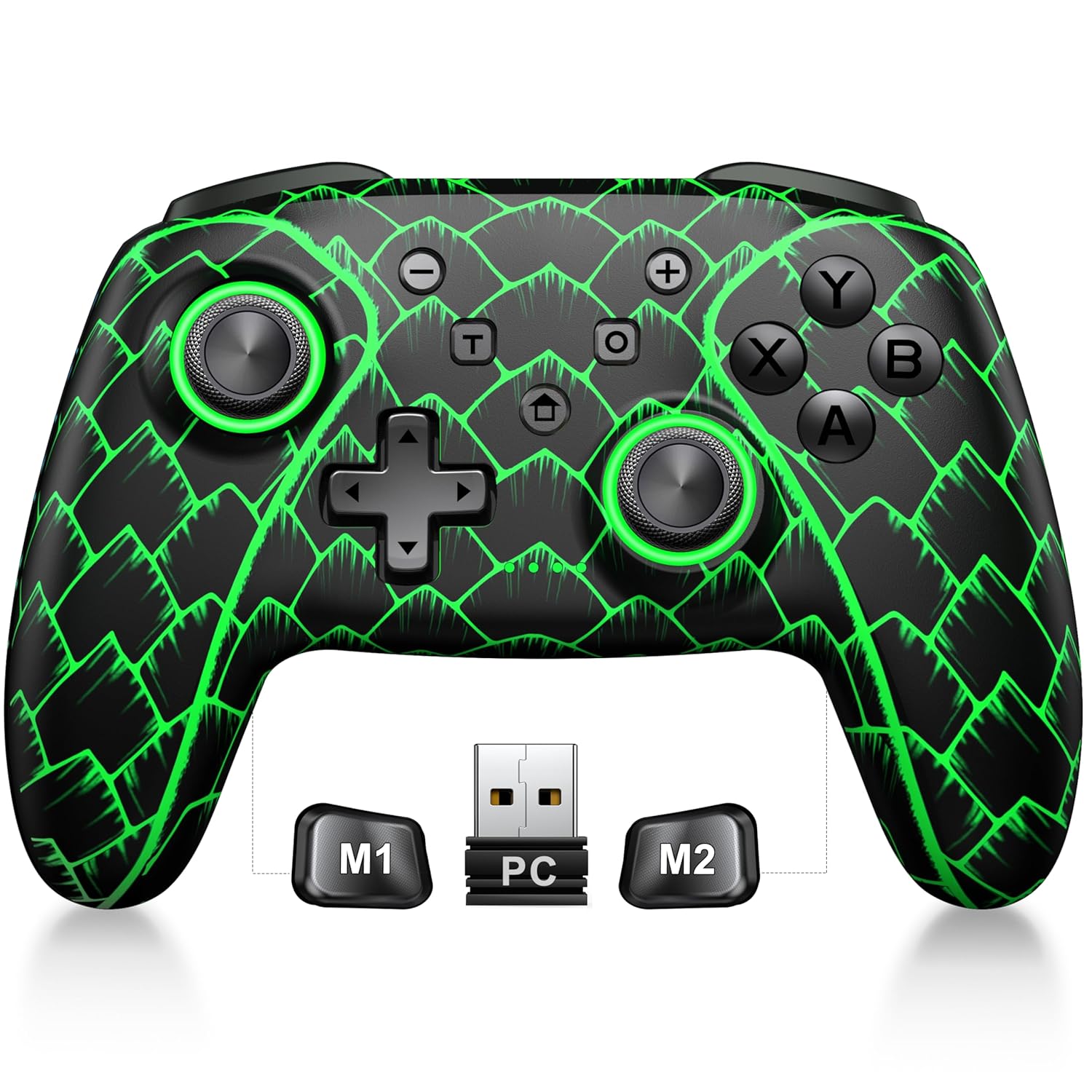
Figure 3.1: ELISWEEN Wireless PC Gaming Controller with its 2.4GHz USB dongle and highlighted M1/M2 programmable buttons.
- Lewy/prawy drążek analogowy: Hall Effect joysticks for precise movement.
- Pad kierunkowy: Wejście kierunkowe.
- Przyciski akcji (A/B/X/Y): Standardowe przyciski do gier.
- Guziki na ramionach (L/P): Przyciski montowane u góry.
- Trigger Buttons (ZL/ZR): Analogowe wyzwalacze wykorzystujące efekt Halla.
- Przyciski M1/M2: Programowalne przyciski wstecz.
- Przycisk Home: Powers on/off and returns to system home screen.
- Przyciski +/-: System navigation/menu buttons.
- Przycisk zrzutu ekranu: Robi zrzuty ekranu.
- Przycisk Turbo: Włącza/wyłącza funkcję turbo.
- Port USB-C: Do ładowania i przewodowego połączenia.
4. Konfiguracja i połączenie
4.1 Ładowanie Kontrolera
Before first use, fully charge the controller. Connect the USB-C cable to the controller's USB-C port and the other end to a USB power source (e.g., PC, USB wall adapter). The charging indicator will show status and turn off when fully charged. A full charge takes approximately 3 hours.
4.2 Connecting to PC (Wireless 2.4GHz)

Figure 4.1: Multi-platform compatibility of the ELISWEEN controller, including PC, Switch, Android, and iOS.
- Podłącz adapter USB 2.4 GHz do wolnego portu USB w komputerze.
- Naciśnij przycisk Home na kontrolerze, aby go włączyć.
- The controller will automatically connect to the dongle. The indicator lights will stabilize once connected.
4.3 Connecting to PC (Wired USB-C)
- Connect the USB-C cable to the controller and the other end to your PC.
- The controller will be recognized as a plug-and-play device.
4.4 Łączenie z Nintendo Switch
- Na konsoli Nintendo Switch przejdź do Ustawień systemowych > Kontrolery i czujniki > Odłącz kontrolery.
- Then, go to Controllers and Sensors > Change Grip/Order.
- Press and hold the Home button on the ELISWEEN controller until the indicator lights begin to flash rapidly.
- Once paired, the indicator light(s) corresponding to the player number will remain solid.
4.5 Connecting to Android/iOS (Bluetooth)
- Sprawdź, czy Bluetooth jest włączony w Twoim urządzeniu z systemem Android lub iOS.
- On the controller, press and hold the X + Home buttons simultaneously until the indicator lights flash rapidly, indicating pairing mode.
- On your device, search for Bluetooth devices and select "STK-7040RG" (or similar) to pair.
- Once connected, the indicator light will stabilize. Supports iOS 13+ MFi titles.
5. Instrukcja obsługi
5.1 Joysticki z efektem Halla
The controller features precision Hall Effect joysticks and triggers, designed to prevent stick drift and provide accurate, responsive control. These magnetic, contactless sensors ensure long-term durability and precision.

Rysunek 5.1: Wewnętrzne view of Hall Effect joystick technology, highlighting its magnetic, contactless design for enhanced accuracy and durability.
Zero Deadzone Mode: For competitive gaming, activate a temporary 0 deadzone mode by holding the T przycisk + R3 (right stick click) or L3 (left stick click). A green light confirms activation. To revert to default calibration, press the same combo (blue light indicator). The controller automatically resets to factory default settings upon restart for consistent anti-drift performance.
5.2 Programowalne przyciski wstecz (M1/M2)
The M1 and M2 back buttons can be programmed to map up to 21 different key combinations, allowing for quick execution of complex actions.

Figure 5.2: The M1 and M2 programmable back buttons, capable of mapping up to 21 different actions for enhanced control.
Refer to the Keylinker App (search "NC300") for detailed instructions on programming and customizing these buttons.
5.3 Funkcja Turbo
The controller supports Turbo fire functionality for 10 action buttons with adjustable speeds (5, 12, or 20 presses per second).
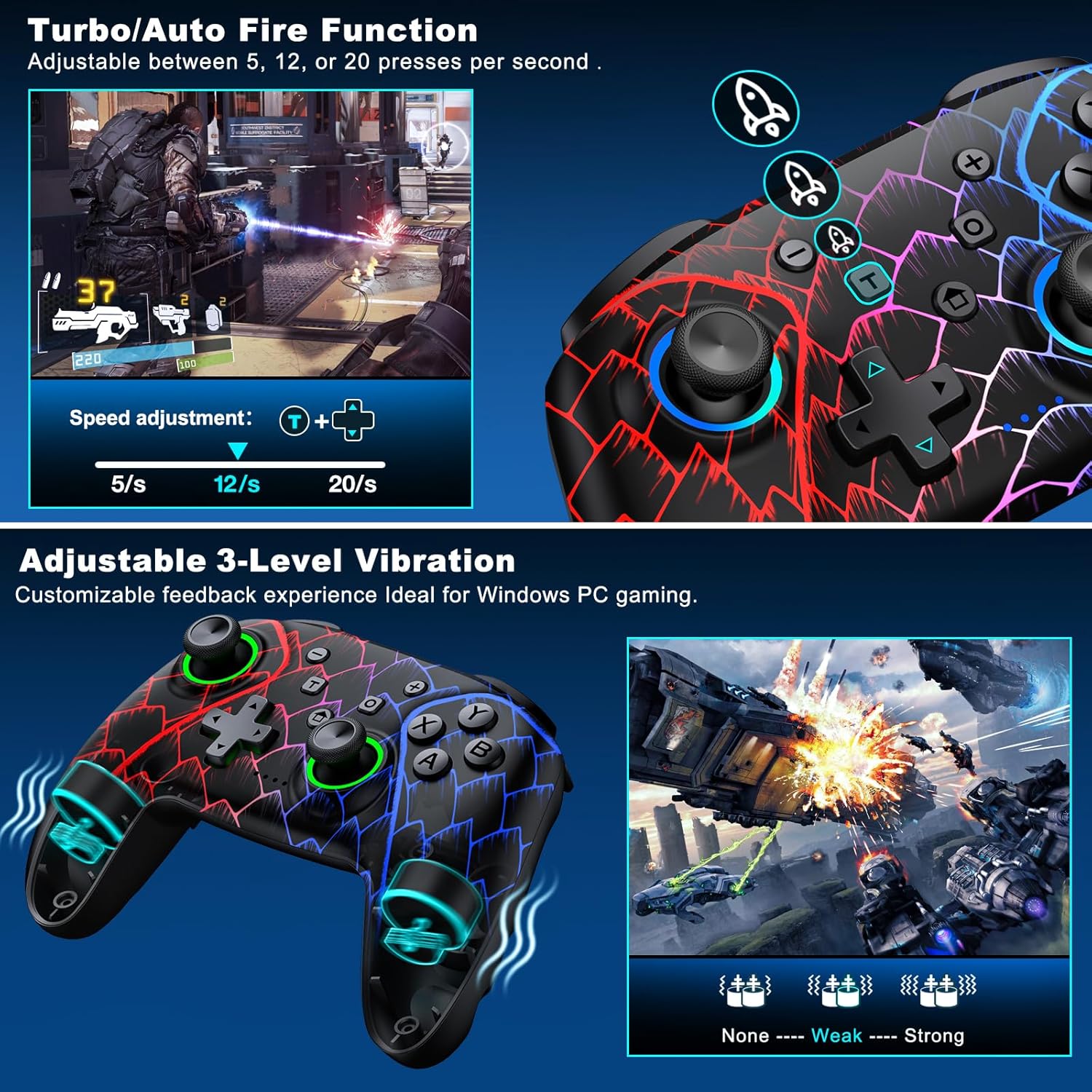
Figure 5.3: Visual representation of the Turbo/Auto Fire function and the adjustable 3-level vibration feature.
- Aktywuj Turbo: Naciśnij Turbo button + the desired action button.
- Dostosuj prędkość: Naciskać Turbo + Up arrow (increase) or W dół arrow (decrease) on the D-pad.
- Wyczyść Turbo: Trzymaj Minus przycisk + W dół arrow on the D-pad to instantly clear all Turbo binds.
5.4 Regulacja wibracji
Experience immersive feedback with dual vibration motors offering 3 intensity levels.
- Adjust intensity by pressing L + R + ZL + ZR simultaneously. Cycle through levels: None, Weak, Strong.
- Note: Vibration is disabled on mobile platforms. Gyro functionality works only with Nintendo systems.
5.5 Hair Trigger Locks
Shorten trigger pulls for faster response times in games requiring quick inputs, such as first-person shooters.
5.6 Zarządzanie żywotnością baterii
The controller is equipped with a 1000mAh battery, providing over 20 hours of continuous gameplay on a single charge. Charging takes approximately 3 hours via USB-C.

Figure 5.4: The ELISWEEN controller's 1000mAh battery provides extended playtime with quick charging capabilities.
5.7 Dynamiczne efekty świetlne
Customize the controller's lighting effects via the Keylinker App (search "NC300").
5.8 Automatyczne wyłączanie
To conserve battery, the controller will automatically power off after 20 minutes of inactivity.
6. Konserwacja
- Czyszczenie: Do czyszczenia kontrolera należy używać miękkiej, suchej ściereczki. Nie należy używać środków czyszczących o właściwościach ściernych ani rozpuszczalników.
- Składowanie: Przechowuj kontroler w chłodnym, suchym miejscu, z dala od bezpośredniego światła słonecznego i ekstremalnych temperatur.
- Pielęgnacja baterii: Avoid fully discharging the battery frequently. Charge it regularly to prolong its lifespan.
7. Rozwiązywanie Problemów
- Kontroler nie łączy się:
- Sprawdź, czy kontroler jest naładowany.
- Verify the correct connection method for your device (2.4GHz dongle for PC, Bluetooth for mobile, pairing for Switch).
- Try restarting the controller and the device you are connecting to.
- For PC, try a different USB port for the dongle or wired connection.
- Stick drift or inaccurate input:
- Activate the 0 deadzone mode (T + R3/L3) to recalibrate.
- Ensure the controller firmware is up to date via the Keylinker App.
- Przyciski nie reagują:
- Sprawdź czy kontroler jest prawidłowo podłączony.
- Upewnij się, że pod przyciskami nie ma żadnych zanieczyszczeń.
- Perform a factory reset if issues persist (refer to Keylinker App or contact support).
- Problemy z ładowaniem:
- Wypróbuj inny kabel USB-C i źródło zasilania.
- Ensure the USB-C port on the controller is clean and free of obstructions.
8. Specyfikacje
| Łączność | Bluetooth 5.2, bezprzewodowy 2.4 GHz, przewodowy USB-C |
| Zgodność | PC, Nintendo Switch, Android, iOS (iOS 13+ MFi) |
| Pojemność baterii | 1000mAh |
| Pauza w szkole | Ponad 20 godziny (w przybliżeniu) |
| Czas ładowania | 3 godzin (w przybliżeniu) |
| Joysticki | Hall Effect (Drift-Proof) |
| Programowalne przyciski | 4 Back Buttons (M1/M2) |
| Wibracja | Podwójne silniki, 3 regulowane poziomy |
| Wymiary | 6.38 x 4.72 x 2.64 cala |
| Waga | 11.99 uncji (około 340 g) |
| Producent | Technologia Qixun |
| Kraj pochodzenia | Chiny |
9. Gwarancja i wsparcie
The ELISWEEN Wireless PC Gaming Controller comes with a standard manufacturer's warranty. For specific warranty terms and conditions, please refer to the product packaging or contact our customer support.
For any technical assistance, troubleshooting, or inquiries, our 24/7 Expert Support team is available to help. Please refer to the contact information provided on the product packaging or our official webstrona.