
Wstęp
Thank you for choosing the BoxWave SlimKeys Bluetooth Keyboard. This ultra-thin and portable keyboard is designed to enhance your typing experience with your Volla Tablet (12.3 in) and other compatible devices. Featuring a sleek design, comfortable chiclet-style keys, and efficient Bluetooth 3.0 connectivity, it is ideal for productivity on the go. Please read this manual carefully to ensure proper setup and operation.
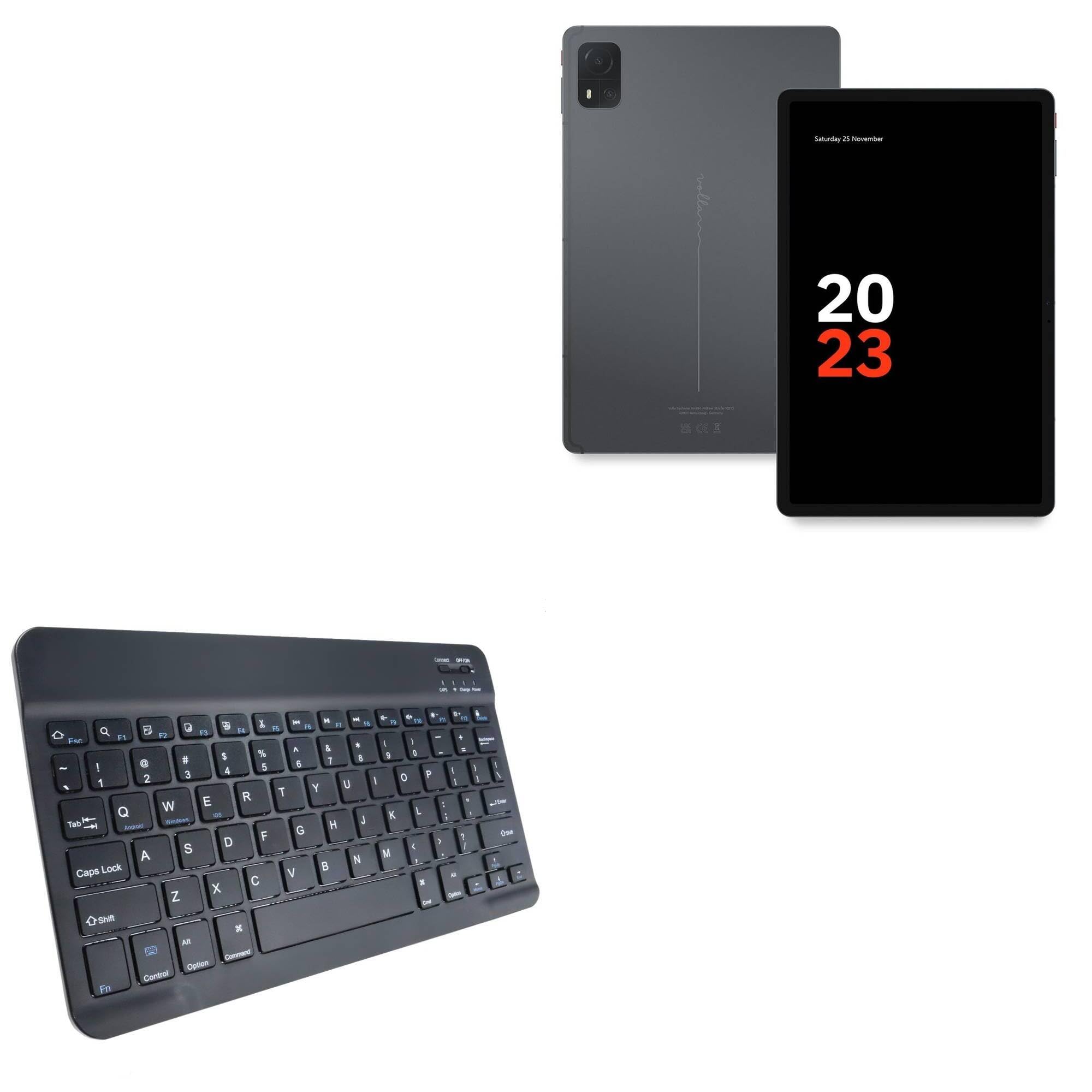
Image: The BoxWave SlimKeys Bluetooth Keyboard in Jet Black, showcasing its full QWERTY layout and compact design.
Zawartość opakowania
- BoxWave SlimKeys Bluetooth Keyboard
- Kabel ładujący USB
- Instrukcja obsługi
Cechy produktu
- Ultracienka konstrukcja: Measuring just 3/16 inch thick, the keyboard offers a sleek, compact profile dla łatwego przenoszenia.
- Lekkie i wygodne: Responsive, chiclet-style keys provide a tactile typing experience.
- Power-Efficient Functionality: Built-in on/off switch and Bluetooth 3.0 for reduced power consumption.
- Szybkie parowanie Bluetooth: Ensures quick and reliable connection without lag.
- Zgodność z wieloma platformami: Works seamlessly with Android, Windows, and iOS devices.
- Długotrwała bateria: Up to 30 days of battery life and 6 months on standby.

Image: A visual summary of the keyboard's key features, including Chiclet Keys, Multi-Platform compatibility, Bluetooth 3.0, and its ultra-slim and light design.
Organizować coś
1. Ładowanie klawiatury
- Locate the charging port on the keyboard (usually on the top edge).
- Podłącz dołączony kabel ładujący USB do portu ładowania klawiatury.
- Podłącz drugi koniec kabla USB do źródła zasilania USB (np. komputera, zasilacza ściennego).
- The 'Charge' indicator light will illuminate during charging. It will turn off or change color when fully charged.
A full charge provides up to 30 days of active use or 6 months of standby time.

Image: The SlimKeys Bluetooth Keyboard connected to a charging cable, illustrating its long-lasting battery feature.
2. Pairing with Your Device (Bluetooth Connection)
- Ensure the keyboard is charged and the power switch (usually labeled 'ON/OFF') is in the 'ON' position.
- Press the 'Connect' button on the keyboard (often a small button near the power switch or an Fn key combination). The Bluetooth indicator light will start blinking, indicating it's in pairing mode.
- On your Volla Tablet (or other device), go to Ustawienia > Bluetooth i upewnij się, że Bluetooth jest włączony.
- Your device will search for available Bluetooth devices. Select "BoxWave SlimKeys Keyboard" or a similar name from the list.
- If prompted, enter the displayed pairing code on the SlimKeys keyboard and press Wchodzić.
- Po sparowaniu kontrolka Bluetooth na klawiaturze przestanie migać i będzie świecić światłem ciągłym lub zgaśnie, co oznacza, że połączenie zostało nawiązane.
Instrukcja obsługi
1. Włączanie/wyłączanie zasilania
Slide the 'ON/OFF' switch located on the top right of the keyboard to turn it on or off. To conserve battery, turn off the keyboard when not in use.
2. Operating System Selection
The SlimKeys keyboard supports multiple operating systems. To optimize function keys for your device, press the following key combinations:
- Fn + P: Dla urządzeń z systemem Android
- Fn + W: Dla urządzeń z systemem Windows
- Fn + E: Dla urządzeń z systemem iOS
3. Klawisze funkcyjne
The keyboard features specialized function keys (F1-F12) that provide quick access to various commands. These keys are typically activated by pressing the Fn naciśnij jednocześnie klawisz z wybranym klawiszem funkcyjnym.

Obraz: Zbliżenie view of the specialized function keys on the SlimKeys Bluetooth Keyboard, detailing their icons and corresponding actions.
| Kombinacja klawiszy | Funkcjonować |
|---|---|
| Fn + Esc | Dom |
| Fn+F1 | Szukaj |
| Fn+F2 | Zaznacz wszystko |
| Fn+F3 | Kopia |
| Fn+F4 | Pasta |
| Fn+F5 | Cięcie |
| Fn+F6 | Przejdź wstecz |
| Fn+F7 | Odtwórz / Pauza |
| Fn+F8 | Pomiń do przodu |
| Fn+F9 | Zmniejsz głośność |
| Fn+F10 | Zwiększ głośność |
| Fn+F11 | Zmniejszona jasność |
| Fn+F12 | Zwiększenie jasności |
| Fn + Usuń | Zamek |
Konserwacja
- Czyszczenie: Użyj miękkiej, niestrzępiącej się ściereczki, lekko wyczyśćampened with water or a mild cleaning solution to wipe the keyboard surface. Avoid excessive moisture. Do not spray cleaners directly onto the keyboard.
- Składowanie: Store the keyboard in a cool, dry place away from direct sunlight and extreme temperatures. When traveling, consider placing it in a protective sleeve to prevent scratches.
- Pielęgnacja baterii: For optimal battery life, avoid fully discharging the keyboard frequently. Charge it regularly, especially if it will be stored for an extended period.
Rozwiązywanie problemów
Keyboard Not Pairing
- Sprawdź, czy klawiatura jest naładowana i włączona.
- Upewnij się, że Bluetooth jest włączony w Twoim urządzeniu.
- Naciśnij przycisk „Połącz” na klawiaturze, aby przejść do trybu parowania.
- If previously paired, try 'forgetting' the keyboard from your device's Bluetooth settings and re-pairing.
- Upewnij się, że klawiatura znajduje się w zasięgu Bluetooth (zazwyczaj 10 metrów lub 33 stopy).
Klawisze nie reagują
- Check if the keyboard is powered on and successfully connected via Bluetooth.
- Ensure the correct operating system mode (Fn+Q/W/E) is selected for your device.
- The battery might be low; try charging the keyboard.
- Uruchom ponownie klawiaturę (wyłącz i włącz zasilanie) i urządzenie.
Opóźnienia lub rozłączenia
- Aby zmniejszyć zakłócenia, przesuń klawiaturę bliżej urządzenia.
- Ensure there are no other strong wireless signals or devices causing interference.
- Sprawdź poziom naładowania baterii klawiatury.
Specyfikacje
| Funkcja | Szczegół |
|---|---|
| Nazwa modelu | SlimKeys Bluetooth Keyboard |
| Marka | Fala pudełkowa |
| Łączność | Bluetooth 3.0 |
| Zgodność | Android, Windows, iOS |
| Wymiary (w przybliżeniu) | 9.5 in (Width) x 5.75 in (Depth) x 0.2 in (Height) |
| Waga | 8.6 uncji |
| Typ baterii | Specyficzny produkt (w zestawie) |
| Żywotność baterii | Up to 30 days (active use), 6 months (standby) |
| Kolor | Czarny jak kruk |

Image: The SlimKeys Bluetooth Keyboard with its ultra-slim and lightweight dimensions highlighted.
Informacje dotyczące bezpieczeństwa
- Nie wystawiaj klawiatury na działanie wody ani nadmiernej wilgoci.
- Unikaj upuszczania klawiatury i narażania jej na silne uderzenia.
- Przechowywać w miejscu niedostępnym dla dzieci.
- Nie próbuj samodzielnie demontować ani naprawiać klawiatury. Może to spowodować unieważnienie gwarancji i uszkodzenie.
- Należy używać wyłącznie dołączonego kabla ładującego lub certyfikowanego odpowiednika.
Gwarancja i wsparcie
BoxWave products are designed for quality and reliability. For warranty information or technical support, please refer to the BoxWave official webOdwiedź stronę internetową lub skontaktuj się bezpośrednio z działem obsługi klienta. Zachowaj paragon jako dowód zakupu.